
Introduction
This manual provides detailed instructions for the use and maintenance of your SXFJF TWS Bluetooth V5.1 Wireless Earbuds. These earphones are designed to deliver high-fidelity stereo sound with deep bass and crisp treble, utilizing lossless HD Rendering Technology. They support various Bluetooth protocols (HSP, HFP, A2DP, AVRCP) for stable transmission and in-call stereo sound. Featuring an IPX6 waterproof rating and CVC 8.0 noise-cancelling technology, they are suitable for sports and active lifestyles, ensuring comfort and clear audio performance.
Package Contents
- 2 x Earphones
- 1 x Charging Compartment
- 1 x Charging Cable (Type-C)
- 1 x User Manual (this document)
- Multiple sizes of soft silicone eartips for optimal fit
Setup
Initial Charging
Before first use, fully charge both the earphones and the charging compartment. Place the earphones into the charging compartment. Connect the provided Type-C charging cable to the charging compartment and a compatible 5V/0.5A power source. The charging time is approximately 1.5 hours.
Wearing the Earbuds
The earbuds offer two wearing styles: in-ear and with ear hooks for added stability, especially during sports. Choose the soft silicone eartips that provide the most comfortable and secure fit for your ears. The ergonomic three-point fixed structure ensures a comfortable fit and prevents them from falling out easily.
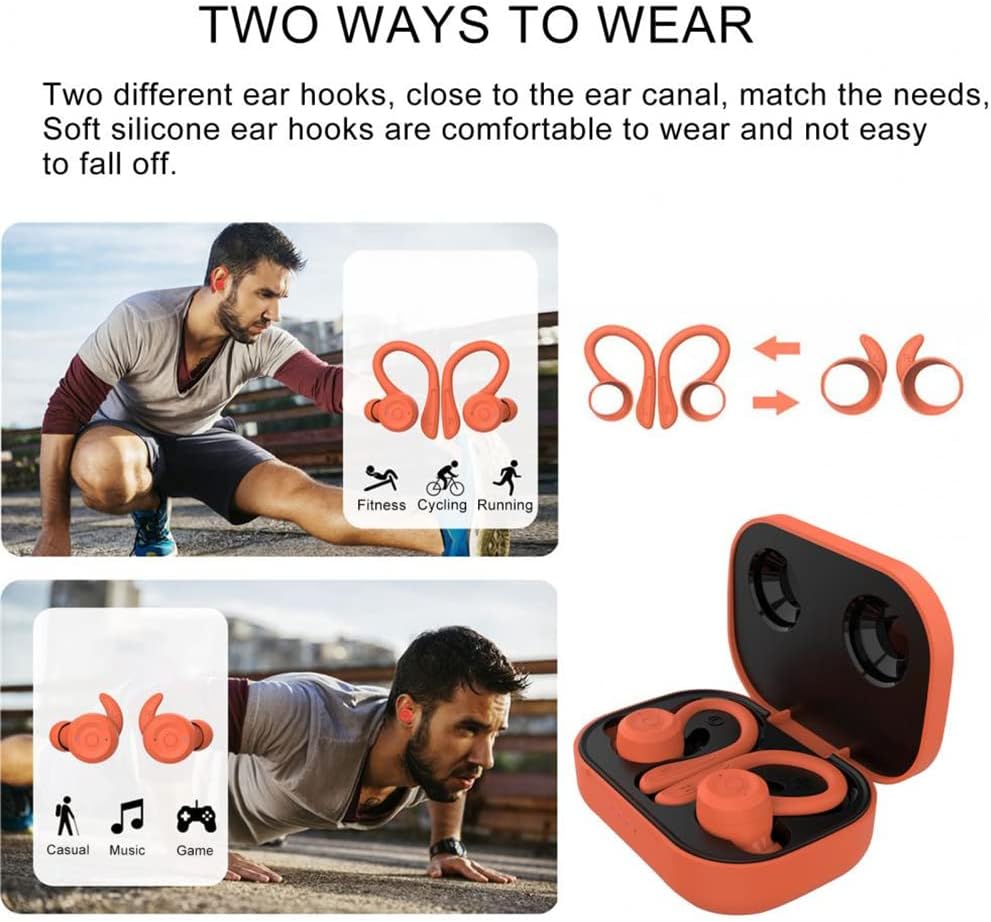
Image: Two Ways to Wear. This image illustrates the two primary methods for wearing the earbuds: a standard in-ear fit and a more secure fit using the included ear hooks, ideal for active use. The ear hooks wrap around the ear to prevent accidental dislodgement.
Operating Instructions
Power On/Off
- Power On: The earbuds will automatically power on when removed from the charging case. Alternatively, press and hold the multi-function button on either earbud for a few seconds.
- Power Off: Place the earbuds back into the charging case to power off automatically. Alternatively, press and hold the multi-function button on either earbud until the indicator light turns off.
Bluetooth Pairing
The earbuds feature one-key automatic pairing. After the initial pairing, they will automatically connect to your last paired device when taken out of the charging case.
- Ensure both earbuds are charged and powered on.
- Open the Bluetooth settings on your device (smartphone, tablet, etc.).
- Search for "TWS Bluetooth V5.1" or a similar device name in the list of available devices.
- Select the device to pair. Once paired, you will hear a confirmation tone.
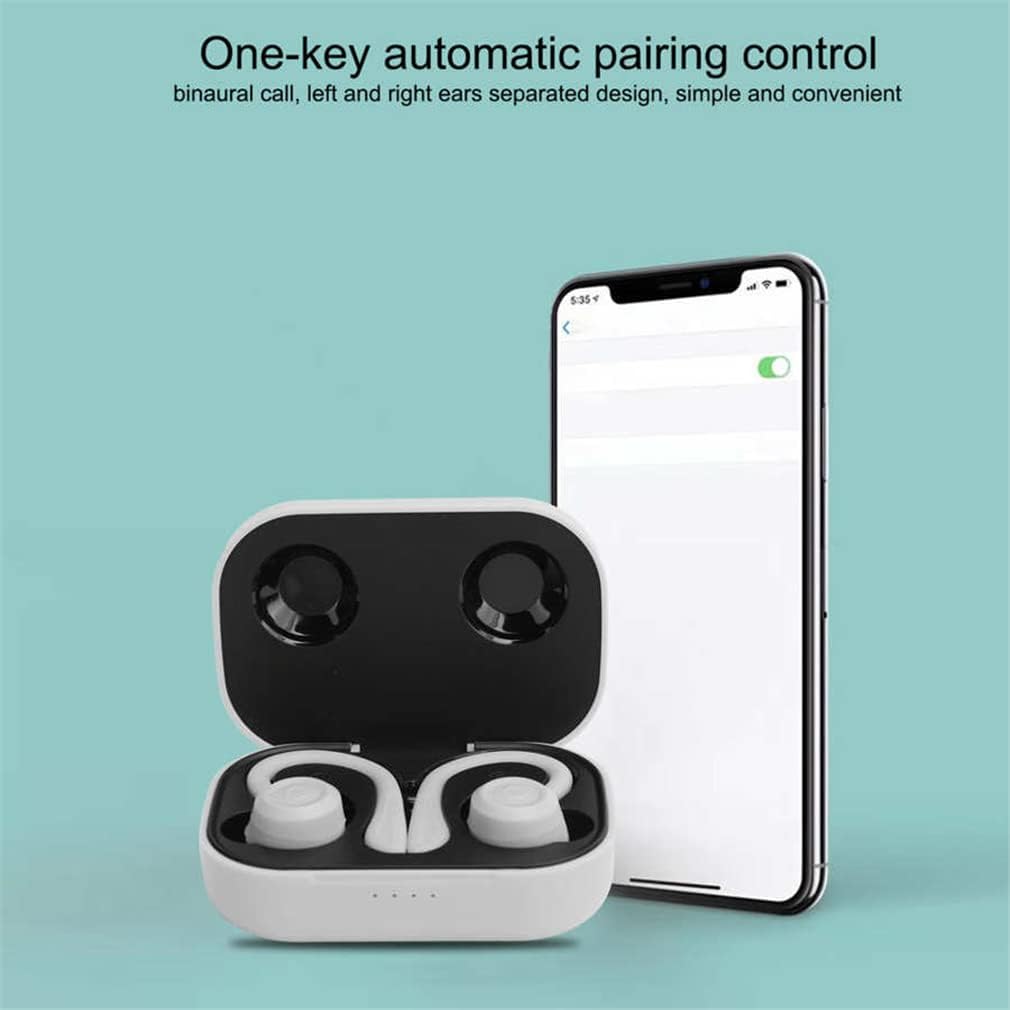
Image: One-key Automatic Pairing Control. This image demonstrates the simple pairing process, where the earbuds are shown in their charging case next to a smartphone displaying its Bluetooth settings, indicating automatic connection.
Music and Call Controls
The earbuds are equipped with touch controls for convenient management of music playback and calls.
- Play/Pause: Single tap on either earbud.
- Next Song: Double tap the left earbud.
- Previous Song: Triple tap the left earbud.
- Answer/End Call: Single tap on either earbud.
- Reject Call: Press and hold on either earbud.
- Volume Control: Use the volume buttons on the cord (if applicable) or your connected device.
- Activate Voice Assistant: Double tap the right earbud.
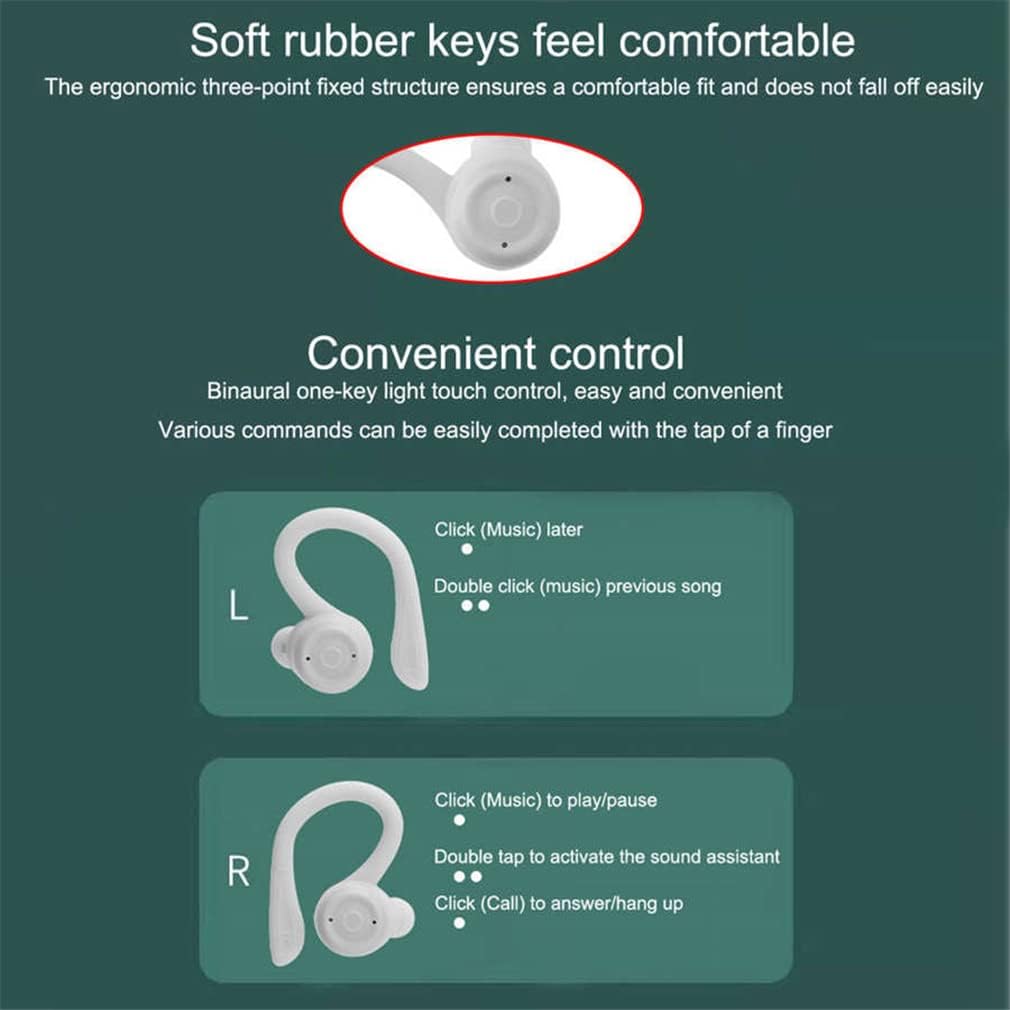
Image: Convenient Control. This diagram visually explains the touch-sensitive controls on the earbuds, detailing actions like single-tap for play/pause, double-tap for next song or voice assistant, and tap for answering/hanging up calls.
Voice Assistant
Double-tap the right touch button to activate your device's voice assistant (e.g., Siri, Google Assistant). This allows for hands-free commands such as locating nearby places or setting alarms.

Image: Summon an Assistant. This image highlights the voice assistant feature, showing an earbud and examples of commands that can be given after activating the assistant with a double-tap.
Wide Compatibility
The earbuds are widely compatible with various Bluetooth-enabled devices, including smartphones, tablets, MP4 players, and computers, providing unobstructed listening across your devices.
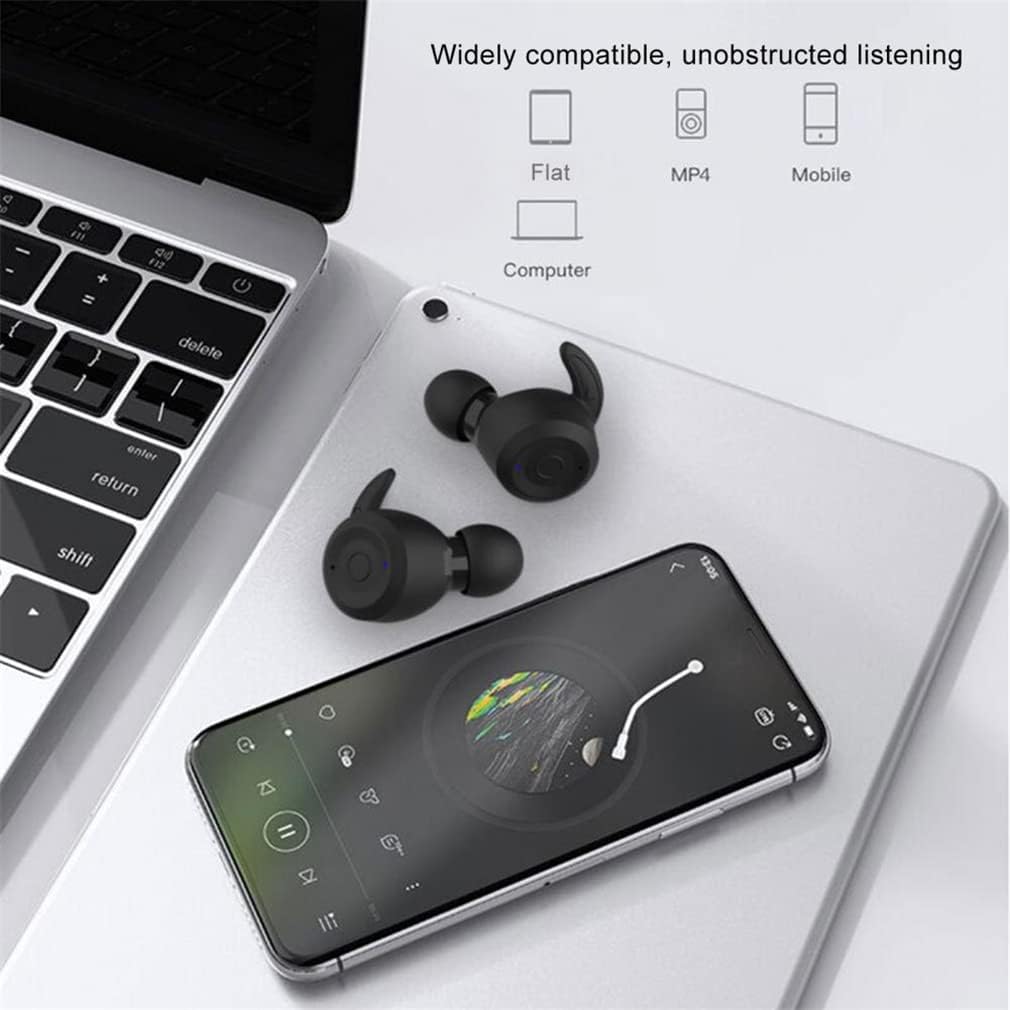
Image: Widely Compatible, Unobstructed Listening. This image visually confirms the earbuds' compatibility with multiple device types, including phones, tablets, and laptops, emphasizing seamless audio experience.
Battery Life & Charging
The earbuds offer extended battery life for prolonged use. A single charge provides approximately 7 hours of music playback. With the included charging compartment, the total hybrid battery life extends to about 28 hours, allowing for multiple recharges on the go.

Image: 28 Hours Mixed Battery Life. This graphic details the battery performance, showing 7 hours of single use, 3 additional charges from the case, totaling 28 hours of combined usage.
The charging compartment is equipped with a Type-C interface for convenient and fast charging. Ensure the charging voltage is 5V/0.5A for optimal performance.
Maintenance
- Cleaning: Regularly clean the earbuds and charging case with a soft, dry cloth. Avoid using harsh chemicals or abrasive materials.
- Water Resistance: The earbuds have an IPX6 waterproof rating, meaning they are protected against powerful water jets. They are sweatproof and suitable for workouts, but should not be submerged in water.
- Storage: Store the earbuds in their charging compartment when not in use to protect them and keep them charged.
- Eartips: Replace eartips as needed with the provided different sizes to maintain hygiene and optimal sound quality and fit.
Troubleshooting
- Earbuds not pairing: Ensure both earbuds are charged. Turn off Bluetooth on your device, then turn it back on and try pairing again. If issues persist, try resetting the earbuds (refer to device-specific reset instructions if available, or power cycle them).
- No sound: Check the volume levels on both the earbuds and your connected device. Ensure the earbuds are properly paired.
- Charging issues: Verify the charging cable is securely connected to both the charging compartment and the power source. Ensure the power source is functioning correctly.
- Earbuds falling out: Experiment with different sizes of silicone eartips to find the most secure fit. Utilize the ear hooks for enhanced stability during physical activity.
Specifications
| Brand | SXFJF |
| Model | TWS Bluetooth V5.1 |
| Material | Acrylonitrile Butadiene Styrene (ABS) |
| Bluetooth Version | 5.0 |
| Bluetooth Transmission Distance | 10m (Barrier-free) |
| Bluetooth Protocols Supported | A2DP/AVCTP/AVRCP/HFP/SPP/SMP/ATT/GAP/GATT/RFCOMM/SDP/L2CAP |
| Earphones Battery Capacity | Built-in 60mAh Rechargeable Battery |
| Charging Compartment Battery Capacity | Built-in 400mAh Rechargeable Battery |
| Standby Time | 220 Hours |
| Music Playback Time | 7 Hours (single charge) |
| Total Playback Time (with charging case) | Up to 30 Hours |
| Charging Time | 1.5 Hours |
| Charging Interface | Type-C |
| Charging Voltage | 5V/0.5A |
| Waterproof Rating | IPX6 |
| Microphone | Yes (with noise reduction) |
| Dual Drive Unit Size | 10mm |
| Dimensions (Charging Compartment) | 7cm x 3.5cm x 2.8cm (Approx.) |
Warranty and Support
For warranty information or technical support, please refer to the contact details provided with your purchase or visit the official SXFJF website. Keep your proof of purchase for warranty claims.