
Introduction
The LETTON L13 Gaming Headset is designed to provide a versatile audio experience across multiple platforms. This manual provides instructions for setting up, operating, and maintaining your headset to ensure optimal performance.
Package Contents
Please check the package for the following items:
- LETTON L13 Gaming Headset
- Detachable Microphone
- 2.4GHz USB Wireless Dongle
- USB-C Charging Cable
- 3.5mm Audio Cable
- User Manual

Image: The LETTON L13 headset and its included accessories, including the wireless dongle, charging cable, and audio cable.
Video: An unboxing demonstration of the LETTON L13 Gaming Headset, showing the contents of the package and initial handling of the headset and its accessories.
Product Overview
The LETTON L13 headset features a foldable design for portability and adjustable earcups for comfort. It includes a detachable microphone and various control buttons on the earcups.
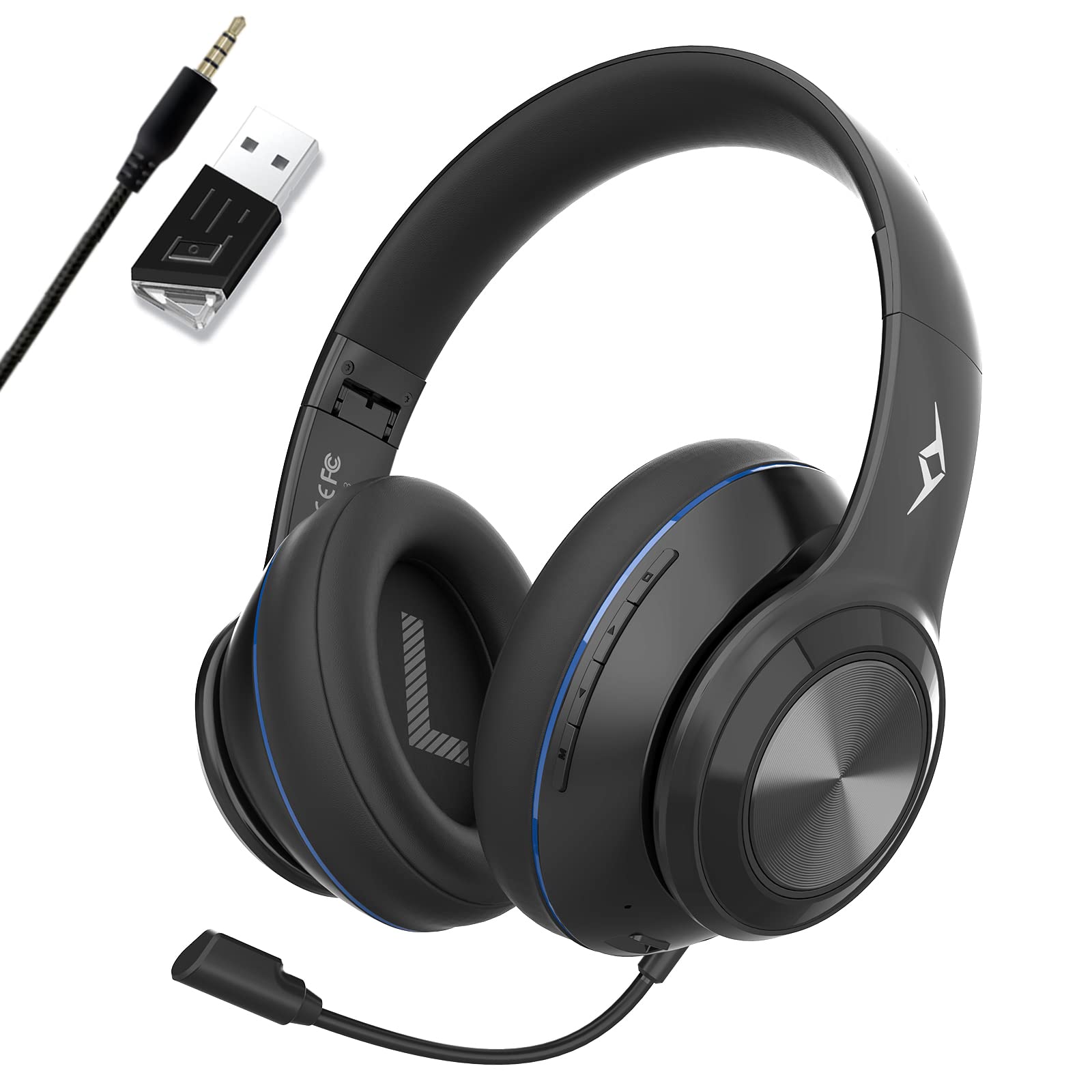
Image: Close-up view of the LETTON L13 headset highlighting the plug-in microphone port and the adjustable stretch length of the headband.

Image: Detailed view of the earcup showing the Mic On/Off, Volume Down, Volume Up, Power On/Off buttons, USB-C Charging Port, and 2.5mm Port Mic Jack.

Image: Illustration of the earcup's multi-angle rotation, breathable mesh, and memory foam cushions with protein leather for comfort.

Image: The headset shown in its folded, space-saving configuration, demonstrating its portability.
Setup & Connection
2.4GHz Wireless Mode (for PC, PS4, PS5, Nintendo Switch)
- Insert the 2.4GHz USB wireless dongle into an available USB port on your device (PC, PS4, PS5, Nintendo Switch).
- Power on the LETTON L13 headset by pressing and holding the Power button until the indicator light illuminates.
- The headset will automatically connect to the dongle. A solid blue light on the headset indicates a successful connection.

Image: Visual representation of the headset's compatibility with various devices including PC, PS4, PS5, Nintendo Switch, and mobile phones.
Bluetooth Mode (for Phone, Tablet, TV)
- Ensure the headset is powered off.
- Press and hold the Power button for approximately 5 seconds until the indicator light flashes blue and red, indicating pairing mode.
- On your mobile device, enable Bluetooth and search for available devices.
- Select "LETTON L13" from the list to pair. A solid blue light indicates a successful connection.

Image: A smartphone screen displaying Bluetooth settings, with the LETTON L13 headset shown next to it, illustrating the pairing process.
3.5mm Wired Mode (for Xbox Controller, other 3.5mm audio devices)
- Connect one end of the 3.5mm audio cable to the headset's 3.5mm audio jack.
- Connect the other end of the 3.5mm audio cable to your device's 3.5mm audio port (e.g., Xbox controller, PC audio jack).
- The headset will operate in wired mode without requiring power.

Image: The headset connected via a 3.5mm cable to a device, demonstrating the wired connection option.
Operating Instructions
Power On/Off
- To power on: Press and hold the Power button for 3 seconds.
- To power off: Press and hold the Power button for 3 seconds.
Volume Control
- Volume Up: Press the '+' button.
- Volume Down: Press the '-' button.
Microphone Usage
- Attach the detachable microphone to the 2.5mm mic jack on the earcup.
- To mute/unmute the microphone: Press the Mic On/Off button.

Image: Diagram illustrating the dual microphone function with AI algorithm and ENC (Environmental Noise Cancellation) for clear communication.
Charging
- Connect the USB-C charging cable to the headset's charging port and a USB power source.
- The indicator light will show charging status. A full charge takes approximately 2.5 hours.
- The headset provides up to 40 hours of playtime on a full charge in 2.4GHz USB mode and over 125 hours in Bluetooth mode.

Image: Information on Type-C rapid charging and long-lasting battery use, showing 2.5 hours for a full charge and playtime durations.
Compatibility
The LETTON L13 Gaming Headset offers broad compatibility:
| Mode | Usage | Delay | Compatible Devices |
|---|---|---|---|
| 2.4GHz Wireless | Gaming | <40ms | PC, Game Consoles (PS4, PS5), Mac |
| Bluetooth | Audio/Calls | <40ms | Phone, Tablet, TV |
| 3.5mm Wired | Gaming/Audio | 0ms | 3.5mm audio devices (e.g., Xbox Controller) |
Note: Using wireless headset and Wi-Fi at the same time will not affect Internet speed. Listening to music and watching videos in Bluetooth mode will not have a noticeable delay.

Image: A table visually detailing the three connection modes (2.4GHz Wireless, Bluetooth, 3.5mm Wired), their typical usage, latency, and compatible devices.
Maintenance
- Clean the headset regularly with a soft, dry cloth.
- Avoid exposing the headset to extreme temperatures, humidity, or direct sunlight.
- Do not attempt to disassemble or modify the headset, as this will void the warranty.
- Store the headset in a cool, dry place when not in use.
Troubleshooting
No Sound / Low Volume
- Ensure the headset is powered on and properly connected (wireless dongle, Bluetooth paired, or 3.5mm cable securely plugged in).
- Check the volume levels on both the headset and your connected device.
- If using wireless mode, ensure the dongle is correctly inserted and recognized by the device.
- If using Bluetooth, ensure the headset is paired and selected as the audio output on your device.
Microphone Not Working
- Ensure the microphone is securely plugged into the headset.
- Check if the microphone is muted using the Mic On/Off button on the earcup.
- Verify microphone settings on your connected device (e.g., input device selection, volume levels).
Headset Not Pairing (Bluetooth)
- Ensure the headset is in pairing mode (flashing blue and red indicator light).
- Turn off and on Bluetooth on your device.
- Try restarting both the headset and your device.
- Clear previous Bluetooth pairings on your device if issues persist.
Specifications
| Feature | Specification |
|---|---|
| Model Number | L13 |
| Connectivity Technology | Bluetooth, 2.4GHz Wireless, 3.5mm Wired |
| Ear Placement | Over Ear |
| Special Feature | Noise Cancellation (AI ENC Mic) |
| Driver Size | 50mm |
| Battery Capacity | 1000mAh |
| Charging Time | Approx. 2.5 hours |
| Playtime (2.4GHz Wireless) | Up to 40 hours |
| Playtime (Bluetooth) | Over 125 hours |
| Wireless Latency | <40ms |
| Transmit Distance | 10M |
| Product Dimensions | 2.91 x 2.87 x 1.57 inches |
| Item Weight | 15.8 ounces |

Image: Visual summary of key features including 40ms latency, 10m transmit distance, AI ENC Mic, 40mm drivers, 30+ hours working time, USB Plug and Play, Stereo Sound EQ Compensation, and Type-C Fast Charging Port.
Warranty & Support
For warranty information and technical support, please refer to the contact details provided on the product packaging or visit the official LETTON website. Keep your purchase receipt for warranty claims.