
1. Introduction
The VBESTLIFE AK-K200406 is a versatile 4-key 433 MHz wireless learning remote control designed for a wide range of applications. This compact and portable device allows you to control various systems such as car sunroofs, garage doors, gates, and alarm systems with ease. This manual provides essential information on how to set up, operate, and maintain your remote control.
2. Safety Information
- Keep the remote control away from water and excessive moisture.
- Do not attempt to disassemble or modify the device, as this will void the warranty and may cause damage.
- Dispose of batteries according to local regulations.
- Ensure the remote is used within its specified operating frequency and range to avoid interference.
3. Package Contents
- 1 x VBESTLIFE AK-K200406 4-Key 433 MHz Wireless Learning Remote Control
4. Product Features
- Universal Compatibility: Suitable for 4-channel wireless remote control of cars, car sunroofs, garage doors, gates, alarm systems, heating systems, and home automation.
- Portable Design: Attractive, lightweight, and small enough to attach to a keychain, making it easy to carry.
- Efficient Performance: Features faster data copying speed, reduced risk of losing codes, and an extended operating distance.
- Robust Signal: Strong wireless signals can effectively pass through walls, floors, and doors.
- Flexible Operation: Offers adjustable operating modes, including instantaneous switch and lock functions.
5. Setup: Learning Procedure
This remote control is a learning type, meaning it needs to copy the signal from an existing remote. Follow these steps to program your AK-K200406 remote:
- Clear Existing Codes: Press and hold the two top buttons (usually Lock and Unlock) simultaneously until the LED indicator flashes rapidly, then slowly. Release the buttons. This clears any pre-existing codes.
- Enter Learning Mode: Press and hold the button on the AK-K200406 remote that you wish to program (e.g., the 'A' button). The LED will flash slowly.
- Copy Signal: While still holding the button on the AK-K200406, bring your original remote control close to it (ideally touching). Press and hold the corresponding button on your original remote. The LED on the AK-K200406 should flash rapidly, indicating successful code copying.
- Repeat for Other Buttons: Release both buttons. Repeat steps 2 and 3 for each of the remaining buttons you wish to program.
- Test Functionality: After programming, test the remote control with your device (e.g., garage door opener) to ensure it functions correctly.
Note: If the learning process fails, ensure both remotes have fresh batteries and are within close proximity. Some original remotes may use rolling codes or different frequencies, which might not be compatible with this universal learning remote.

Image: The VBESTLIFE AK-K200406 remote control shown in an application context, with a garage door in the background, illustrating its primary use.
6. Operating Instructions
Once programmed, operating the AK-K200406 remote control is straightforward:
- Button Functions: Each of the four buttons (A, B, C, D or corresponding symbols) will activate the function it was programmed to copy from your original remote.
- Activation: Press the desired button firmly for a brief moment to send the signal to your device. The LED indicator on the remote will light up during transmission.
- Range: The remote has an outdoor launch distance of up to 30 meters. Ensure you are within range of the receiver for optimal performance.
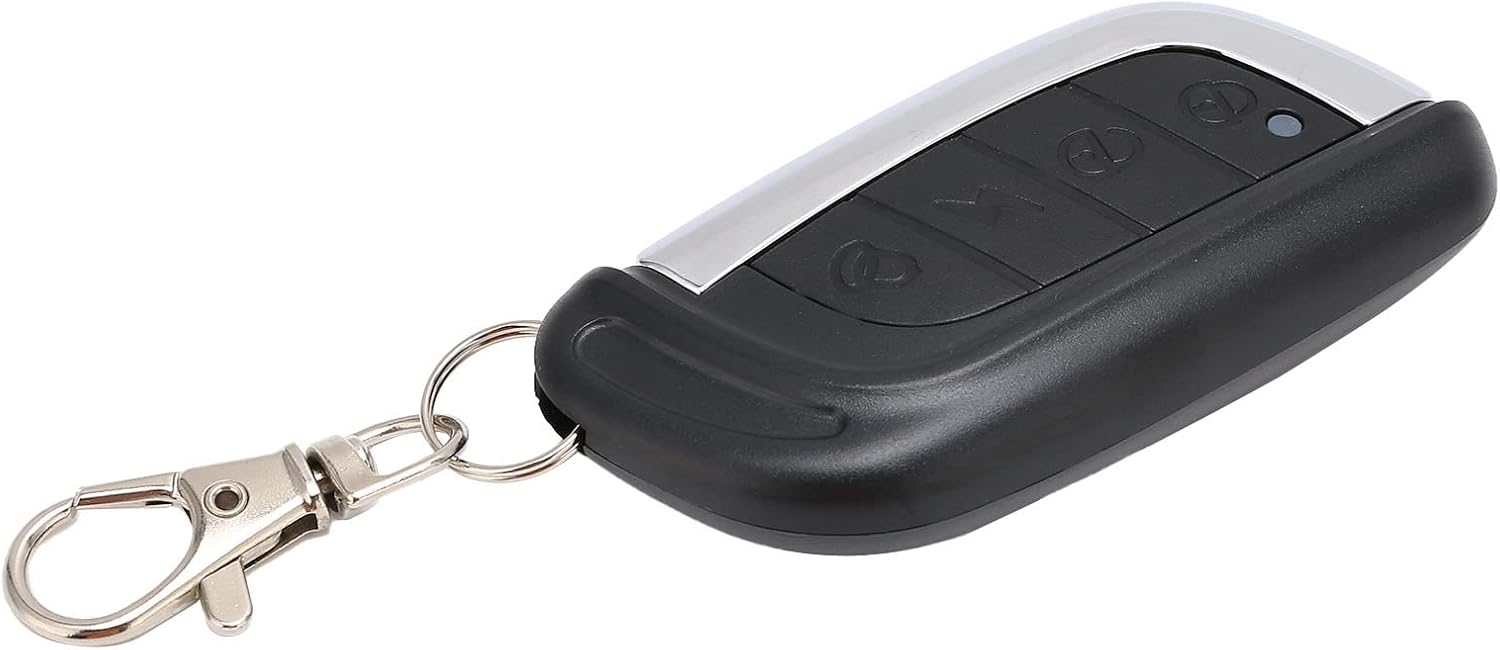
Image: A detailed close-up of the VBESTLIFE AK-K200406 remote control, showcasing its four distinct buttons and sleek design.
7. Maintenance
- Battery Replacement: The remote uses a CR2032 button cell battery. If the remote's range decreases or the LED indicator does not light up, it may be time to replace the battery. Carefully open the remote's casing (usually by prying gently along the seam) and replace the battery, ensuring correct polarity.
- Cleaning: Wipe the remote control with a soft, dry cloth. Avoid using harsh chemicals or abrasive cleaners.
- Storage: Store the remote in a cool, dry place, away from direct sunlight and extreme temperatures.

Image: Two VBESTLIFE AK-K200406 remote controls displayed, showing both the front with buttons and the back with the 433Mhz marking, emphasizing its compact form factor.
8. Troubleshooting
| Problem | Possible Cause | Solution |
|---|---|---|
| Remote does not work after programming. | Incorrect programming, low battery, incompatible original remote. | Repeat the learning procedure carefully. Replace the battery. Verify if your original remote uses a fixed code 433 MHz frequency. |
| Short operating range. | Low battery, environmental interference, obstruction. | Replace the battery. Ensure there are no major obstructions between the remote and the receiver. Avoid using near strong electromagnetic fields. |
| LED indicator does not light up. | Dead battery. | Replace the CR2032 battery. |
| Cannot clear codes. | Buttons not pressed correctly or long enough. | Ensure both top buttons are pressed simultaneously and held until the LED flashes as described in the 'Clear Existing Codes' step. |

Image: A hand holding the VBESTLIFE AK-K200406 remote control, with its red indicator light illuminated, signifying active signal transmission or programming mode.
9. Specifications
| Feature | Specification |
|---|---|
| Item Type | 4-Key 433 MHz Learning Remote Control |
| Material | ABS |
| Operating Voltage | DC 3V |
| Operating Frequency | 433 MHz |
| Number of Keys | 4 |
| Launch Distance | 30m (outdoor) |
| Operating Current | 12mA |
| Built-in Battery Type | Button Cell |
| Built-in Battery Model | CR2032 |
| Built-in Battery Capacity | 210 mAh |
| Item Model Number | VBESTLIFEgkxoqws25c157 |
10. Warranty and Support
For warranty information and technical support, please refer to the documentation provided at the time of purchase or contact your retailer. Keep your proof of purchase for any warranty claims.