
1. What's Included
Please ensure all items listed below are present in your package:
- Speaker System
- Wireless Microphone
- Remote Control
- Power Adapter
- AUX Cable
- Tablet Stand (Tablet not Included)

Image 1.1: The Pyle Portable Bluetooth PA Speaker System shown with its complete set of accessories, including the wireless microphone, remote control, power adapter, AUX cable, and tablet stand.
2. Product Features
The Pyle Portable Bluetooth PA Speaker System is designed for versatile audio playback and entertainment. Key features include:
- High-Powered Sound: Equipped with dual 8-inch subwoofers and a 1.5-inch tweeter, delivering 700 watts peak power for full-range stereo sound. Features an X-Bass button for enhanced bass.
- True Wireless Stereo (TWS): Allows two compatible speakers to connect wirelessly for a wider stereo sound experience.
- Bluetooth Connectivity: Seamless wireless music streaming from smartphones, tablets, and other Bluetooth-enabled devices (Bluetooth Version 5.0, range up to 32+ ft).
- Multiple Audio Inputs: Supports USB flash drive, Micro SD card, 3.5mm AUX input, and 1/4-inch microphone input.
- FM Radio: Built-in FM radio with a digital LED display for easy tuning.
- Wireless Microphone: Included for karaoke and public speaking.
- Multi-Color Flashing LED Lights: Integrated LED lights on the speakers create a dynamic party atmosphere.
- Portable Design: Features an integrated extending carry handle and convenient trolley wheels for easy transport.
- Rechargeable Battery: Built-in Li-ion 3600mAh, 7.4V rechargeable battery for extended use.
- DJ Sound Effects: Various built-in DJ sound effects for added fun.

Image 2.1: Illustration of the speaker's internal components, highlighting the 8-inch subwoofer and 1.5-inch tweeter responsible for powerful bass amplification and clear stereo audio.

Image 2.2: The speaker showcasing its vibrant multi-color flashing LED lights, designed to enhance the party ambiance.
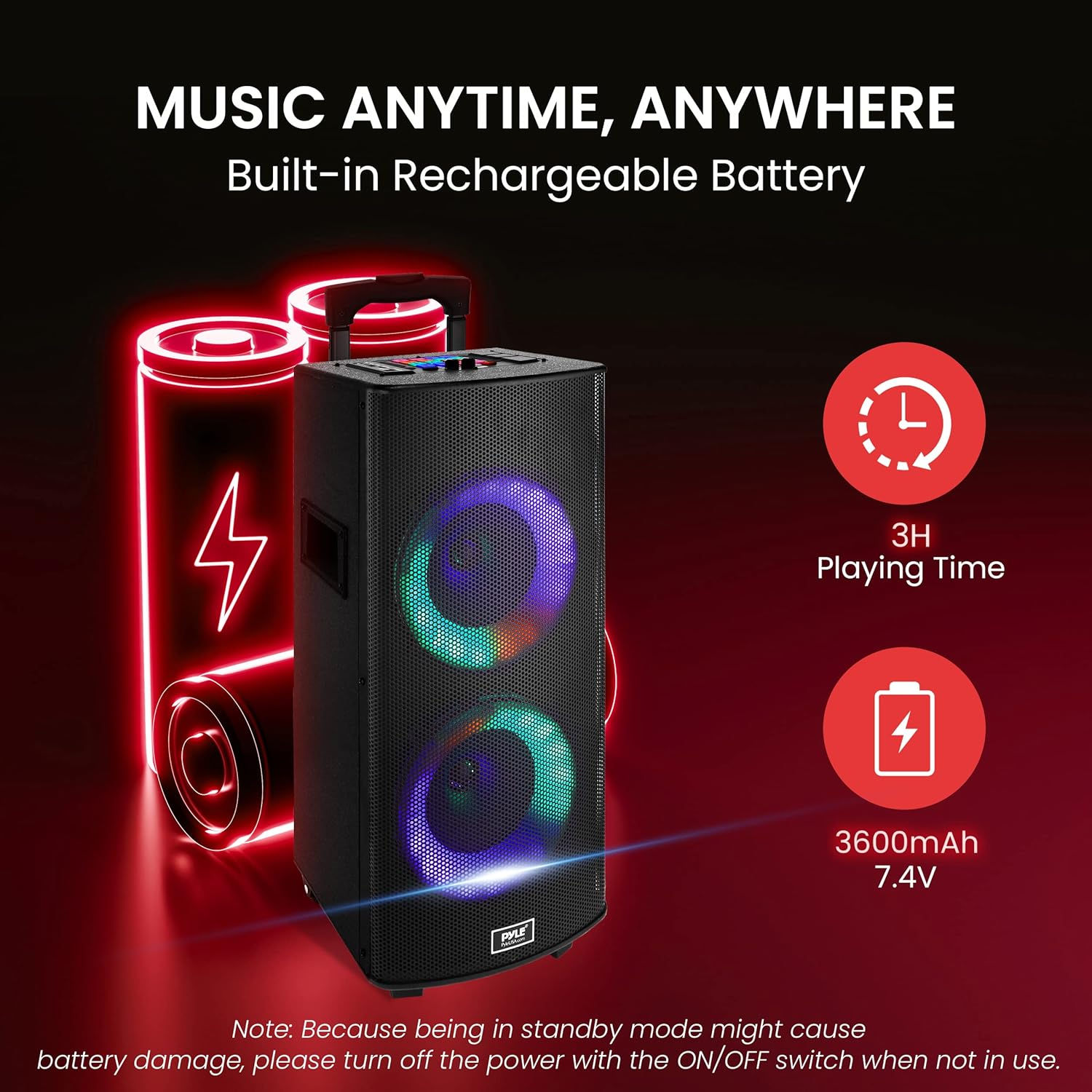
Image 2.3: This image highlights the speaker's built-in rechargeable battery, emphasizing its portability and extended playing time.

Image 2.4: The speaker's portability is demonstrated by a person easily pulling it using its extending handle and integrated wheels.
3. Setup Guide
3.1 Initial Charging
Before first use, fully charge the speaker's built-in rechargeable battery. Connect the provided power adapter to the speaker's DC input and plug it into a standard wall outlet. The charging indicator will illuminate. Once fully charged, the indicator may change color or turn off.
3.2 Powering On/Off
Locate the ON/OFF switch on the speaker's control panel. Flip the switch to the 'ON' position to power on the speaker. To power off, flip the switch to the 'OFF' position. It is recommended to power off the unit completely when not in use to preserve battery life and prevent potential battery damage from prolonged standby mode.
3.3 Assembling the Tablet Stand
The tablet stand can be attached to the top of the speaker. Follow the instructions provided with the tablet stand to securely mount it. This allows for convenient placement of a tablet for karaoke lyrics or video playback.
4. Operation Guide
4.1 Bluetooth Connection
- Power on the speaker.
- The speaker will automatically enter Bluetooth pairing mode. You may hear an audible prompt.
- On your mobile device (smartphone, tablet, etc.), enable Bluetooth and search for available devices.
- Select 'PYLEUSA' from the list of devices.
- Once paired, the speaker will confirm the connection with an audible prompt. You can now stream audio wirelessly.

Image 4.1: A user demonstrating the simple Bluetooth pairing process between a smartphone and the Pyle speaker system.
4.2 FM Radio
- Press the 'MODE' button on the control panel or remote control to switch to FM Radio mode.
- Press the 'PLAY/PAUSE' button to auto-scan and save available FM stations.
- Use the 'PREVIOUS/NEXT' buttons to navigate through saved stations.
4.3 USB/SD Card Playback
- Insert a USB flash drive or Micro SD card (up to 64GB) into the respective slot on the control panel.
- The speaker will automatically detect the media and begin playing compatible MP3/WMA audio files.
- Use the 'PLAY/PAUSE', 'PREVIOUS/NEXT' buttons to control playback.
4.4 AUX Input
- Connect an external audio device (e.g., MP3 player, laptop) to the speaker's 3.5mm AUX input using the provided AUX cable.
- Press the 'MODE' button to select AUX mode.
- Control playback and volume from your connected device.
4.5 Microphone Usage
- Insert the wireless microphone's receiver into the 1/4-inch microphone input jack.
- Ensure the wireless microphone is powered on.
- Adjust the microphone volume and echo effect using the dedicated knobs on the control panel.

Image 4.2: A detailed view of the speaker's control panel, showing the various input ports, volume controls, and function buttons for comprehensive operation.
4.6 True Wireless Stereo (TWS) Function
To pair two Pyle PHP28DJT speakers for TWS functionality:
- Ensure both speakers are powered on and in Bluetooth mode, but not connected to any device.
- On one of the speakers, press and hold the 'TWS' button (or equivalent pairing button) for a few seconds.
- The speakers will attempt to connect to each other. Once successfully paired, you will hear an audible confirmation.
- Now, connect your mobile device to one of the speakers via Bluetooth. Audio will play through both speakers in stereo.
4.7 DJ Sound Effects & LED Light Control
The speaker features various DJ sound effects and multi-color LED lights. Use the dedicated buttons on the control panel or remote control to activate different sound effects and cycle through the LED light modes.
5. Maintenance
5.1 Cleaning
To clean the speaker, use a soft, dry cloth. Do not use harsh chemicals, cleaning solvents, or strong detergents, as these may damage the surface or internal components. Keep the speaker free from dust and debris.
5.2 Battery Care
To maximize the lifespan of the built-in rechargeable battery, avoid leaving the speaker in standby mode for extended periods. Always turn off the power using the ON/OFF switch when the unit is not in use. Store the speaker in a cool, dry place when not in use for long durations.
6. Troubleshooting
If you encounter any issues with your Pyle Portable Bluetooth PA Speaker System, please refer to the following common problems and solutions:
- No Power:
- Ensure the power adapter is securely connected to both the speaker and a working power outlet.
- Check if the battery is charged. If not, charge the speaker for several hours.
- Verify the ON/OFF switch is in the 'ON' position.
- No Sound:
- Check the master volume level on the speaker and the volume level on your connected audio source.
- Ensure the correct input mode (Bluetooth, AUX, USB/SD, FM) is selected.
- If using Bluetooth, ensure the device is properly paired and within range.
- If using AUX, ensure the cable is fully inserted and not damaged.
- Bluetooth Connection Issues:
- Make sure the speaker is in Bluetooth pairing mode.
- Ensure your device's Bluetooth is enabled and 'PYLEUSA' is selected.
- Move your device closer to the speaker (within 32 ft) and away from potential interference sources.
- Try unpairing and re-pairing the device.
- Microphone Not Working:
- Ensure the wireless microphone is powered on and has fresh batteries.
- Verify the microphone receiver is securely plugged into the 1/4-inch input.
- Adjust the microphone volume knob on the speaker.
- Distorted Sound:
- Reduce the volume level on both the speaker and the audio source.
- Check for any loose connections or damaged cables.
- Ensure the audio source is not overdriving the input.
7. Technical Specifications
| Specification | Value |
|---|---|
| Power Output | 700 Watts MAX |
| Sound System | Dual 8'' Subwoofer + 1.5'' Tweeter |
| Bluetooth Version | 5.0 |
| Bluetooth Network Name | 'PYLEUSA' |
| Wireless Range | Up to 32'+ ft. |
| Digital Media File Compatibility | MP3, WMA (USB 2.0) |
| Maximum USB Flash Drive Support | Up to 64GB |
| Housing Construction Material | ABS + Iron Net + Wooden |
| Built-in Rechargeable Battery | Li-ion 3600mAh, 7.4V |
| Power Supply | 110/240V (9V Power Adapter) |
| AUX Cable Length | 3.94 ft. |
| Product Dimensions (L x W x H) | 14'' x 14.6 '' x 25.4'' -inches |
| Tablet Stand Dimensions (L x W x H) | 6.9'' x 4.3'' x 2.7''-inches |
| Item Weight | 20.4 pounds |
| Model Number | PHP28DJT |
| UPC | 842893139760 |
8. Warranty and Support
Pyle products are designed for reliability and performance. For warranty information and customer support, please refer to the documentation included with your purchase or visit the official Pyle website. You can also access the official user guide PDF for this product here.
For further assistance, please contact Pyle customer service.


