1. Welcome
Thank you for choosing the Generic X8 Max Smartwatch. This manual provides essential information for setting up, operating, and maintaining your device. Please read it carefully to ensure optimal performance and longevity of your smartwatch.
2. Important Safety Information
- Do not attempt to disassemble, repair, or modify the device. This may cause damage, fire, or electric shock.
- Keep the device away from extreme temperatures, direct sunlight, and high humidity.
- Avoid exposing the device to strong impacts or drops.
- This device is not a medical instrument. The health data provided is for reference only and should not be used for medical diagnosis or treatment.
- Ensure the charging contacts are clean and dry before charging to prevent corrosion or damage.
- If you experience skin irritation or discomfort, discontinue use and consult a physician.
3. Package Contents
Verify that all items are present in your package:
- X8 Max Smartwatch
- Silicone Strap
- Magnetic Charging Cable
- User Manual (this document)
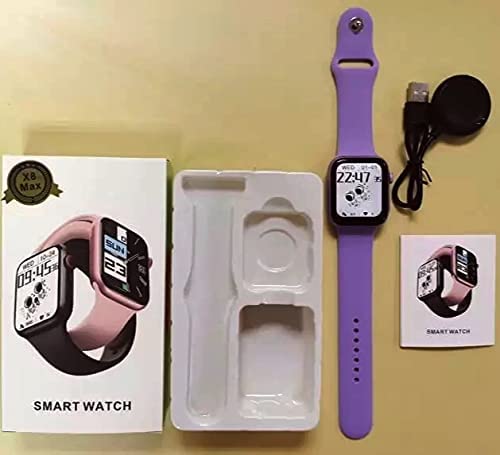
Image: The X8 Max Smartwatch, its silicone strap, magnetic charging cable, and the user manual, laid out as they appear in the product packaging.
4. Initial Setup
4.1. Charging the Smartwatch
Before first use, fully charge your smartwatch. Connect the magnetic charging cable to the charging contacts on the back of the watch and plug the USB end into a standard USB power adapter (not included).
- A full charge typically takes approximately 2 hours.
- The battery icon on the screen will indicate charging status.
4.2. Connecting to Your Smartphone
To unlock the full features of your X8 Max Smartwatch, connect it to your smartphone via the companion application.
- Download the App: Scan the QR code in the manual or on the watch screen (if available) or search for the designated app name (e.g., 'FitPro' or similar, refer to packaging for exact name) in the Apple App Store (for iOS) or Google Play Store (for Android).
- Enable Bluetooth: Ensure Bluetooth is enabled on your smartphone.
- Open the App: Launch the installed application on your smartphone.
- Pair Device: Follow the in-app instructions to add a new device. Select 'X8 Max' or the corresponding device name from the list of available Bluetooth devices.
- Confirm Pairing: A pairing request may appear on both your phone and watch. Confirm the pairing on both devices.
5. Basic Operation
5.1. Powering On and Off
- Power On: Press and hold the side button for a few seconds until the screen lights up.
- Power Off: From the watch face, swipe down to access quick settings, or navigate to the 'Settings' menu. Select 'Power Off' and confirm. Alternatively, press and hold the side button and select 'Power Off' when prompted.
5.2. Screen Navigation
The X8 Max Smartwatch features a 1.75-inch HD IPS touchscreen display for intuitive interaction.
- Swipe Up: Access notifications.
- Swipe Down: Access quick settings (brightness, battery, DND, etc.).
- Swipe Left/Right: Cycle through main functions and widgets (e.g., activity, heart rate, music control).
- Tap: Select an item or open an application.
- Side Button: Press once to return to the watch face or to wake the screen. Press and hold for power options.
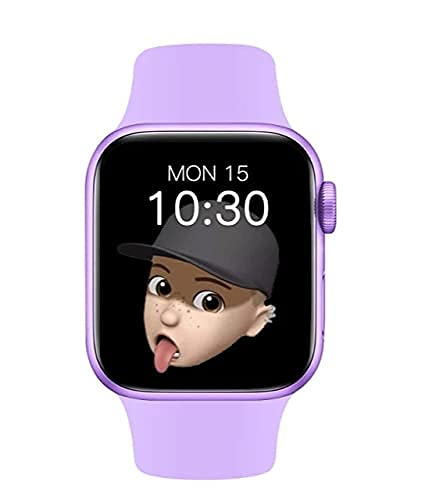
Image: The X8 Max Smartwatch display, illustrating the vibrant 1.75-inch HD IPS screen with a customizable watch face.
6. Health and Fitness Features
The X8 Max Smartwatch includes various sensors to help you monitor your health and fitness.
6.1. Heart Rate Monitoring
The optical heart rate sensor provides real-time heart rate data. To measure, ensure the watch is snugly fitted on your wrist. Navigate to the heart rate function on the watch or through the app to initiate a measurement.
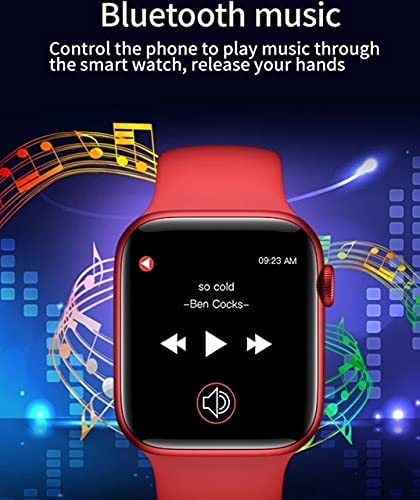
Image: A visual representation of the smartwatch's health monitoring feature, emphasizing the optical heart rate sensor for accurate data collection.
6.2. Blood Pressure and Blood Oxygen Monitoring
The smartwatch can estimate blood pressure and blood oxygen levels. For best results, remain still during measurement. These readings are for reference only and should not replace professional medical advice.
6.3. Activity Tracking (Multi-sport Mode)
Track various activities such as walking, running, cycling, and more. Select the desired sport mode on your watch to record duration, calories burned, and other relevant metrics. Data can be synchronized and viewed in detail within the companion app.
7. Bluetooth Connectivity Features
7.1. Bluetooth Calling
Once paired with your smartphone, the X8 Max Smartwatch allows you to make and receive calls directly from your wrist.
- Answering Calls: When a call comes in, tap the green icon on the watch screen to answer.
- Making Calls: Access the dialer or contact list on your watch to initiate a call.
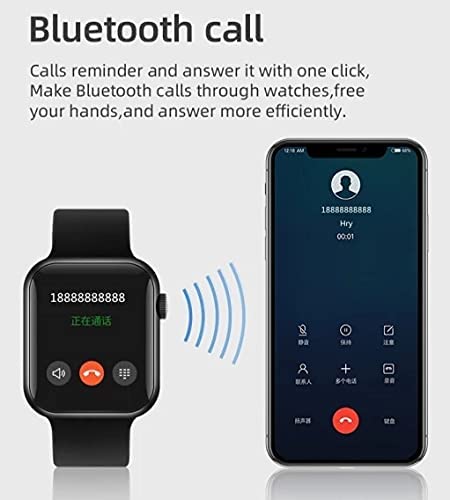
Image: The smartwatch displaying an incoming call, with a smartphone nearby, illustrating the Bluetooth calling feature.
7.2. Music Playback Control
Control music playing on your connected smartphone directly from your smartwatch.
- Navigate to the music control interface on your watch.
- You can play, pause, skip tracks, and adjust volume.
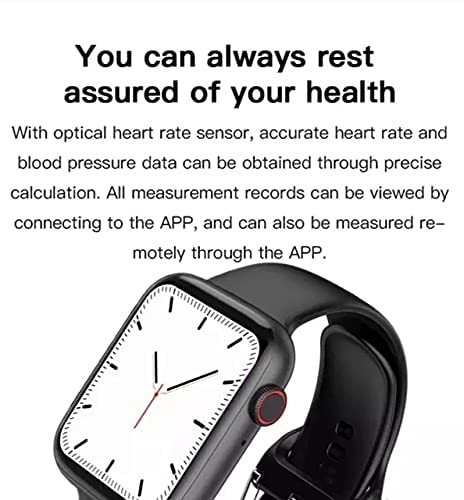
Image: The smartwatch screen displaying music playback controls, allowing users to manage their smartphone's music remotely.
8. Care and Maintenance
- Cleaning: Regularly clean your smartwatch and strap with a soft, dry cloth. If necessary, use a slightly damp cloth and dry thoroughly. Avoid harsh chemicals or abrasive materials.
- Water Resistance: The X8 Max Smartwatch is designed to be waterproof for daily use (e.g., hand washing, rain). Avoid prolonged immersion in water, hot water, or steam. Do not operate buttons underwater.
- Storage: Store the watch in a cool, dry place when not in use.
- Battery: To preserve battery life, avoid fully discharging the battery frequently. Charge the device regularly.
9. Troubleshooting
If you encounter issues with your smartwatch, refer to the following common solutions:
| Problem | Solution |
|---|---|
| Watch does not power on | Ensure the watch is fully charged. Connect to the charger for at least 30 minutes. |
| Cannot pair with smartphone | Check if Bluetooth is enabled on your phone. Ensure the watch is within range. Restart both the watch and phone. Clear previous pairings in phone's Bluetooth settings. |
| Inaccurate health data | Ensure the watch is worn snugly on your wrist, not too tight or too loose. Remain still during measurements. Remember, data is for reference only. |
| Notifications not received | Check app settings to ensure notification permissions are granted. Ensure the app is running in the background and not optimized for battery saving. |
| Screen unresponsive | Restart the smartwatch. If the issue persists, ensure the screen is clean and dry. |
10. Product Specifications
| Feature | Specification |
|---|---|
| Model | 26 (X8 Max) |
| Display | 1.75-inch HD IPS LCD, 240 x 230 Resolution |
| Compatibility | Android, iOS |
| Connectivity | Bluetooth (Wireless) |
| Battery Capacity | 180 Milliamp Hours |
| Special Features | Blood Pressure Monitor, Heart Rate Monitor, Bluetooth Calling, Music Control, Multi-sport Modes |
| Dimensions (LxWxH) | 8 x 5 x 10 Centimeters |
| Material | Other |
11. Warranty and Customer Support
This product comes with a standard manufacturer's warranty. Please refer to the warranty card included in your package for specific terms and conditions. For technical support, troubleshooting assistance, or warranty claims, please contact your retailer or the manufacturer directly.
Manufacturer: BALAJI PLACEMENT SERVICES
For further assistance, please visit the official product support website or contact customer service through the details provided with your purchase.