Introduction
This manual provides essential instructions for the proper installation, operation, and maintenance of your Sunset Healthcare Solutions EverFlo Intake Filter, Model BF1001. Please read this manual thoroughly before use to ensure optimal performance and longevity of the product.
This filter is designed for use with Respironics EverFlo units.
Product Overview
The EverFlo Intake Filter is a crucial component for maintaining the air quality entering your Respironics EverFlo oxygen concentrator. It helps to prevent dust and other particulate matter from entering the device, ensuring clean air delivery and protecting the internal components of the concentrator.
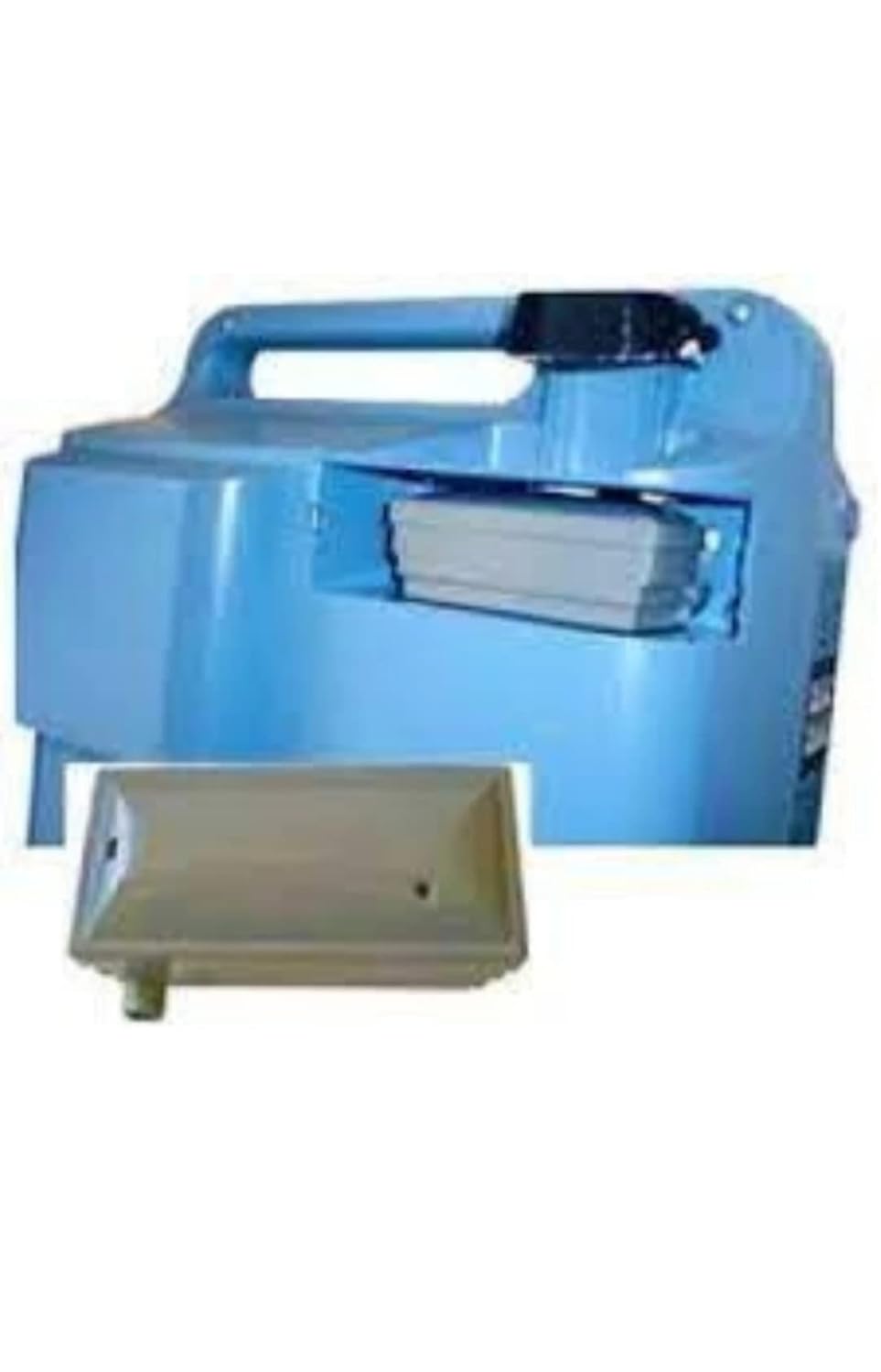
Image 1: The EverFlo Intake Filter shown installed within the designated compartment of a Respironics EverFlo oxygen concentrator. The filter is a rectangular component, typically white or light gray, fitting snugly into an opening on the side of the concentrator unit, which is depicted in a light blue color.
Installation Instructions
Follow these steps to properly install or replace the intake filter in your Respironics EverFlo unit:
- Power Off: Ensure the Respironics EverFlo oxygen concentrator is turned off and unplugged from the power source before proceeding.
- Locate Filter Compartment: Identify the intake filter compartment on your EverFlo unit. This is typically a small, accessible panel or slot on the side or back of the concentrator.
- Remove Old Filter (if applicable): If replacing an existing filter, gently pull or slide out the old filter. Dispose of the old filter responsibly.
- Insert New Filter: Take the new Sunset Healthcare Solutions EverFlo Intake Filter (Model BF1001). Ensure the filter is oriented correctly according to the concentrator's design. It should slide in smoothly without force.
- Secure Compartment: Close the filter compartment cover securely.
- Restore Power: Plug the oxygen concentrator back into the power source and turn it on.

Image 2: A close-up view of the EverFlo Intake Filter, a rectangular, gray plastic component with a small cylindrical protrusion on one side, indicating an air inlet or outlet. The filter's surface appears smooth, designed for efficient air filtration.
Operation
Once installed, the EverFlo Intake Filter operates passively as part of your Respironics EverFlo oxygen concentrator's air intake system. It continuously filters incoming ambient air before it reaches the internal components of the concentrator, ensuring the delivery of clean, filtered air.
No user interaction is required for the filter's operation after installation, beyond routine maintenance.
Maintenance and Replacement
Regular maintenance of the intake filter is essential for the efficient and safe operation of your oxygen concentrator. A clogged or dirty filter can reduce the performance of the unit and potentially affect air quality.
- Inspection: Inspect the intake filter regularly, typically every 1-2 weeks, or as recommended by your oxygen concentrator's manufacturer.
- Cleaning: This intake filter is generally designed for replacement, not cleaning. Do not attempt to wash or clean the filter unless explicitly stated by the concentrator's manual.
- Replacement: Replace the filter every 6 months, or more frequently if it appears discolored, heavily soiled, or if the oxygen concentrator's performance is noticeably diminished. Always use genuine Sunset Healthcare Solutions replacement filters (Model BF1001) to ensure compatibility and proper filtration.
- Disposal: Dispose of used filters according to local regulations for medical waste or general household waste, as appropriate.
Note: Refer to your Respironics EverFlo oxygen concentrator's user manual for specific maintenance schedules and instructions.
Troubleshooting
If you experience issues related to air intake or concentrator performance, consider the following:
- Reduced Airflow/Performance: If the oxygen concentrator seems to be working harder or producing less airflow, the intake filter may be clogged. Inspect and replace the filter if necessary.
- Unusual Noises: While not directly caused by the filter, a severely clogged filter can put strain on the concentrator's motor, potentially leading to unusual noises. Check and replace the filter.
- Filter Not Fitting: Ensure you are using the correct model (BF1001) for your Respironics EverFlo unit. Do not force the filter into the compartment.
For issues beyond filter replacement, consult your Respironics EverFlo oxygen concentrator's user manual or contact a qualified service technician.
Specifications
| Model Number: | BF1001 |
| Brand: | Sunset Healthcare Solutions |
| Compatible Devices: | Respironics EverFlo Oxygen Concentrators |
| Material: | Plastic |
| Product Dimensions: | 6"L x 6"W x 6"Th (approximate) |
| Item Weight: | 2.4 ounces (approximate) |
| Unit Count: | 1.0 Count |
| Date First Available: | December 21, 2011 |
Warranty and Support
For specific warranty information regarding the Sunset Healthcare Solutions EverFlo Intake Filter, please refer to the packaging or contact Sunset Healthcare Solutions directly. As a consumable item, filters typically have a limited or no warranty.
For product support or inquiries, please contact Sunset Healthcare Solutions through their official website or customer service channels.


