
230T/430R
Merlin Prolift Garage Door Remote Control User Manual
Model: 230T/430R | Brand: Generic
Introduction
This manual provides comprehensive instructions for the setup, operation, and maintenance of your new Generic Remote Control for Merlin Prolift 230T and Merlin Prolift 430R Garage Door Openers. This third-party remote operates on a 433.92MHz rolling code frequency, ensuring secure and reliable access to your garage or gate.
Key features include:
- Generic-Unbranded Remote control
- Compatible with Merlin M832, M842, M844, Prolift 230T, and Prolift 430R openers.
- Operates on 433.92MHz rolling code frequency.
- Ergonomic design with 4 buttons.
- Typical transmit distance of 25-50m in open space.
Product Overview

Figure 1: The remote control unit, featuring a black casing with green buttons and a metallic keychain attachment. This is the primary view of the product.

Figure 2: Close-up front view of the remote control, showing the four distinct green buttons and the textured surface of the casing.
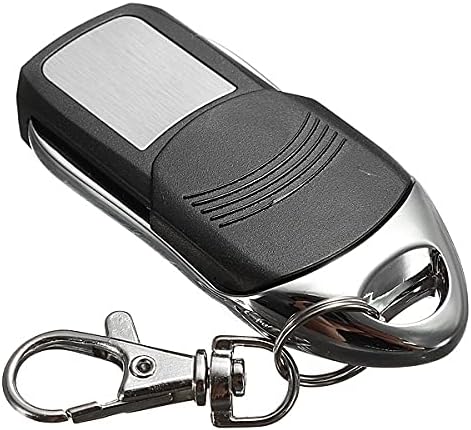
Figure 3: Back view of the remote control, displaying the smooth, metallic back panel and the attachment point for the keychain.
Setup and Programming
Before proceeding, ensure you have physical access to your garage door opener's receiver unit. This remote control operates on a rolling code system and requires pairing with your existing opener.
Compatibility Check:
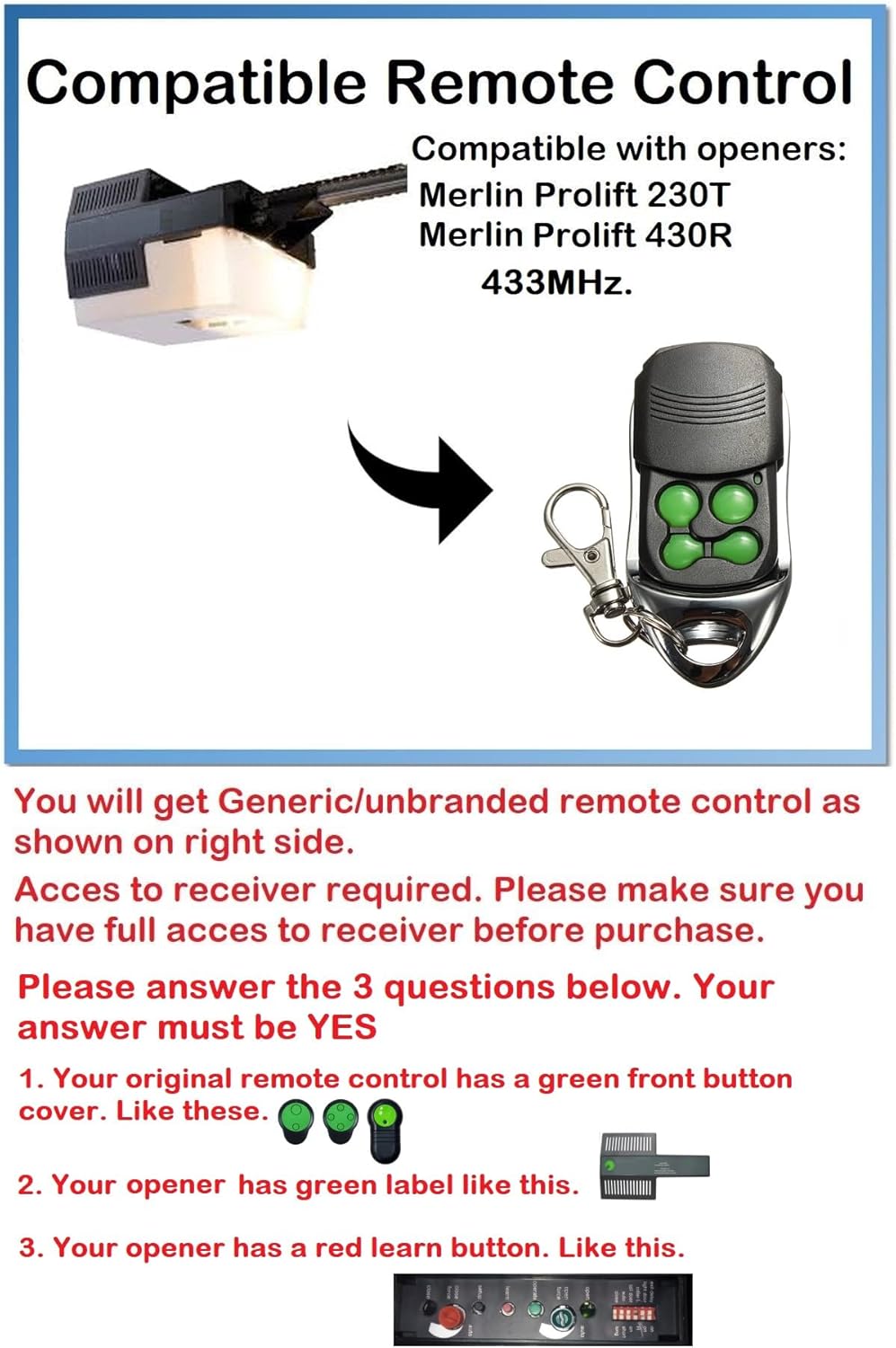
Figure 4: A diagram illustrating the compatibility requirements for Merlin Prolift 230T and 430R garage door openers, including the need for a red learn button on the opener and a green front button cover on the original remote.
- Your original remote control should have a green front button cover.
- Your opener should have a green label.
- Your opener should have a red learn button.
Programming Steps:
- Locate the Learn Button: On your Merlin Prolift 230T or 430R garage door opener, locate the "Learn" or "Code" button. This button is typically red and found on the motor unit itself.
- Activate Learn Mode: Press and immediately release the "Learn" button on your opener. The indicator light on the opener should illuminate, indicating it is in programming mode. You usually have about 30 seconds to complete the next step.
- Program the New Remote: Within the 30-second window, press and hold the desired button on your new remote control that you wish to use for operating the door.
- Confirm Programming: Continue holding the button on the new remote until the opener's indicator light flashes or turns off, or the garage door moves. This signifies successful programming.
- Test the Remote: Release the button on the remote. Wait a few seconds, then press the programmed button again to test if the garage door or gate responds.
Note: If the remote does not work after programming, repeat the steps. Ensure you are within range of the opener's receiver during programming.
Operating Instructions
Once programmed, operating your remote control is straightforward:
- Opening/Closing: Press the programmed button on your remote control once to activate the garage door or gate. Pressing it again will stop or reverse the operation, depending on the opener's current state.
- Range: The typical operating range is 25-50 meters in open space. Obstructions such as walls, doors, trees, or other interference can significantly reduce the effective range. For optimal performance, ensure a clear line of sight to the opener.
Maintenance
Battery Replacement:
The remote control is powered by one 12V A27 battery. If the remote's range decreases significantly or it stops responding, the battery may need replacement.
- Open the Casing: Carefully open the remote control casing. This usually involves prying it open along the seam with a small flat-head screwdriver or similar tool.
- Remove Old Battery: Locate the 12V A27 battery and carefully remove it from its compartment.
- Insert New Battery: Insert a new 12V A27 battery, ensuring the correct polarity (+ and -) is observed.
- Close Casing: Snap the remote control casing back together securely.
Note: Dispose of old batteries responsibly according to local regulations.
Troubleshooting
| Problem | Possible Cause | Solution |
|---|---|---|
| Remote does not work after programming. | Incorrect programming steps, battery low, or not compatible. |
|
| Reduced operating range. | Low battery, environmental interference, or obstructions. |
|
| Remote works intermittently. | Weak battery, loose battery connection, or environmental factors. |
|
Specifications
| Feature | Detail |
|---|---|
| Model Name | Merlin Prolift 230T/430R (Compatible) |
| Brand | Generic |
| Frequency | 433.92MHz |
| Decoder IC | Rolling Code |
| Operating Voltage | 12V DC |
| Battery Type | 1 x A27 (12V) |
| Transmit Distance | 25-50m (in open space) |
| Number of Buttons | 4 |
| Maximum Range | 50 meters (in open space) |
| Controller Type | Button Control |
| Special Features | Ergonomic design |
Warranty and Support
This product is manufactured by AG-AUTOMATIC. For specific warranty information or technical support, please refer to the seller's policies or contact the manufacturer directly.
As per Amazon's policy, this product may be eligible for a return or replacement within 30 days of purchase. Please check your order details for specific return policy information.
Note: The free battery included with the remote does not carry any warranty.
Related documents230T/430R


Ask a question about this manual
Ask about setup, troubleshooting, compatibility, parts, safety, or missing instructions. Manuals+ will review the question and use this page’s manual context to help answer it.