
1. Important Safety Instructions
Please read this entire manual carefully before operating the appliance and retain it for future reference. Failure to follow these instructions may result in electric shock, fire, or serious injury.
- Electrical Safety: Ensure the power supply voltage matches the rating label on the heater. Do not operate with a damaged cord or plug. Do not immerse the heater in water or other liquids.
- Placement: This heater is designed for wall mounting. Ensure it is securely installed according to the mounting instructions. Do not place the heater directly below a socket outlet. Maintain a safe distance from flammable materials (curtains, furniture, etc.).
- Water Resistance: This appliance has an IPX2 rating, meaning it is protected against dripping water when tilted up to 15 degrees. It is suitable for use in bathrooms, but must be installed in a zone where it cannot be reached by a person in a bath or shower.
- Overheat Protection: The heater is equipped with an automatic overheat protection system. If the heater overheats, it will automatically shut off. Unplug the unit and allow it to cool down for 30 minutes before restarting.
- Children and Vulnerable Persons: This appliance can be used by children aged 8 years and above and persons with reduced physical, sensory or mental capabilities or lack of experience and knowledge if they have been given supervision or instruction concerning use of the appliance in a safe way and understand the hazards involved. Children shall not play with the appliance. Cleaning and user maintenance shall not be made by children without supervision.
- Ventilation: Do not cover the air inlet or outlet openings. Ensure proper ventilation around the heater.
2. Product Overview
The HOMCOM Wall-Mounted Oscillating Fan Heater provides efficient and rapid heating for various indoor spaces. It features PTC ceramic heating technology, multiple power settings, and convenient remote control operation.

Figure 2.1: The HOMCOM wall-mounted oscillating fan heater, showcasing its sleek design and accompanying remote control for convenient operation.
Key Features:
- PTC Ceramic Heating: Provides fast and energy-efficient heating.
- 2000W Power: High heating capacity for rooms up to 20-25m².
- 3 Power Levels: Choose between High (2000W), Low (1000W), or Fan-only mode.
- 30° Oscillation: Ensures wide and even heat distribution.
- 12-Hour Timer: Programmable timer for automatic shut-off.
- LED Display: Clear digital display for temperature and settings.
- Remote Control: Full control of all functions from a distance (5m range).
- Overheat Protection: Automatic safety shut-off.
- IPX2 Water Resistance: Suitable for use in damp environments like bathrooms (with proper installation).
3. Setup and Installation
This heater is designed for wall mounting. Follow these steps for safe and proper installation.

Figure 3.1: Technical diagram showing the precise dimensions of the HOMCOM wall-mounted fan heater: 56 cm (length) x 11.7 cm (depth) x 18.5 cm (height).
Installation Steps:
- Choose Location: Select a suitable wall location, ensuring it is away from water sources, flammable materials, and direct sunlight. Ensure there is sufficient clearance around the heater for proper airflow (refer to safety instructions).
- Mark Drilling Points: Use the provided mounting template or measure the distance between the mounting holes on the back of the heater. Mark the drilling points on the wall.
- Drill Holes: Drill holes at the marked points using an appropriate drill bit for your wall type. Insert wall plugs if necessary.
- Secure Bracket: Attach the mounting bracket (if separate) or directly mount the heater to the wall using the provided screws. Ensure it is firmly secured.
- Power Connection: Connect the heater to a suitable power outlet. Ensure the power cord is not stretched or pinched.
Note: Professional installation is recommended if you are unsure about wall mounting procedures or electrical connections.
4. Operating Instructions
Operate your HOMCOM fan heater using either the control panel on the unit or the included remote control.
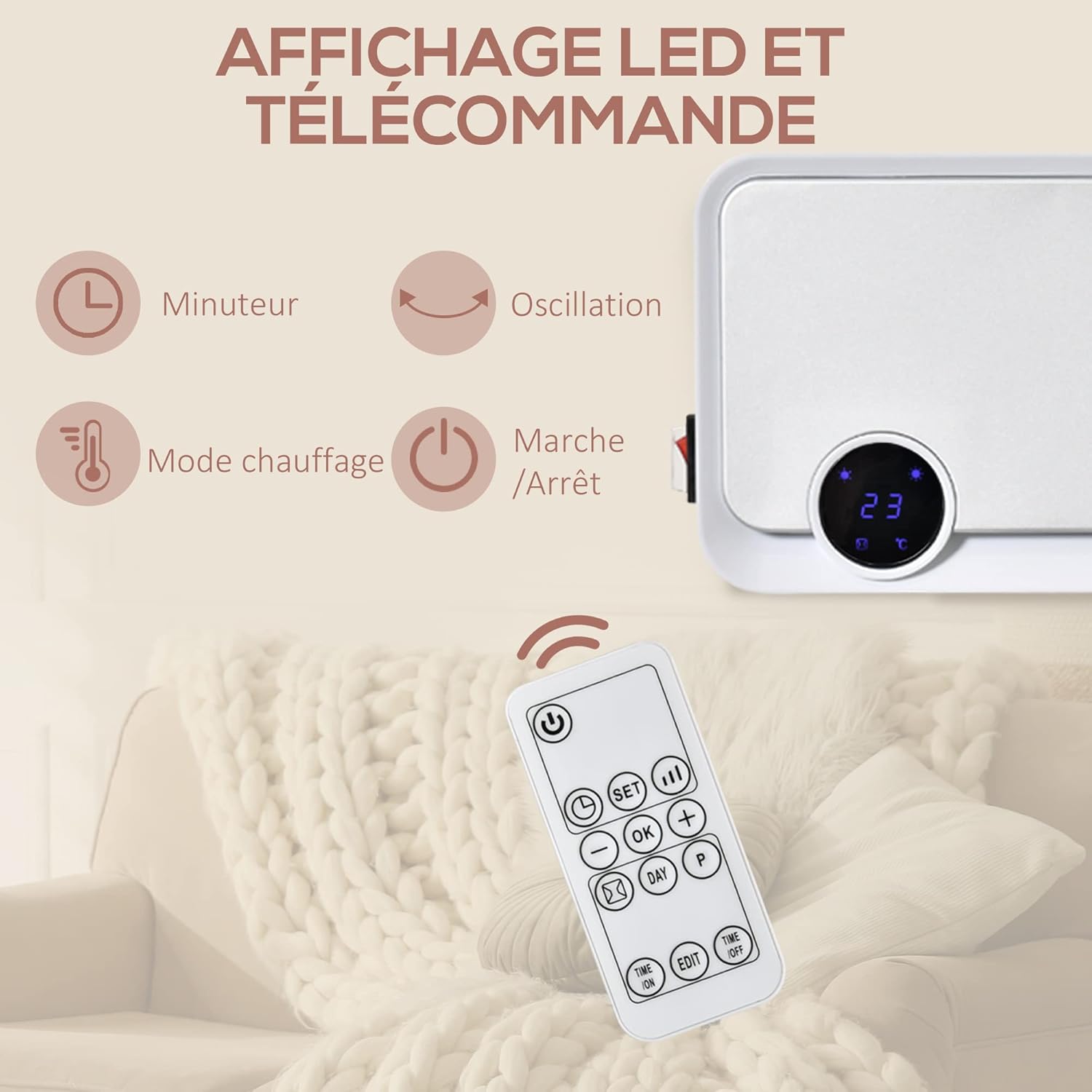
Figure 4.1: Detailed view of the remote control and the heater's LED display, highlighting controls for timer, oscillation, heating mode, and power.
4.1 Power On/Off
- Press the Power button (
 ) on the control panel or remote control to turn the heater on or off.
4.2 Setting Power Levels (Heating Modes)
The heater offers three modes: High Heat, Low Heat, and Fan-only.

Figure 4.2: Visual representation of the three available heating modes: High (2000W), Low (1000W), and Fan-only, offering versatile climate control.
- Press the Mode button (often indicated by a fan or heat icon) to cycle through the available settings:
- High Heat (2000W): For rapid and powerful heating.
- Low Heat (1000W): For moderate heating and energy saving.
- Fan-only: Circulates air without heat.
4.3 Thermostat Function
The integrated thermostat allows you to set a desired room temperature. The heater will automatically turn on or off to maintain this temperature.
- Use the Temperature Up (+) and Temperature Down (-) buttons on the remote control to adjust the desired temperature. The LED display will show the set temperature.
4.4 Oscillation Function
Activate the oscillation feature for wider heat distribution.
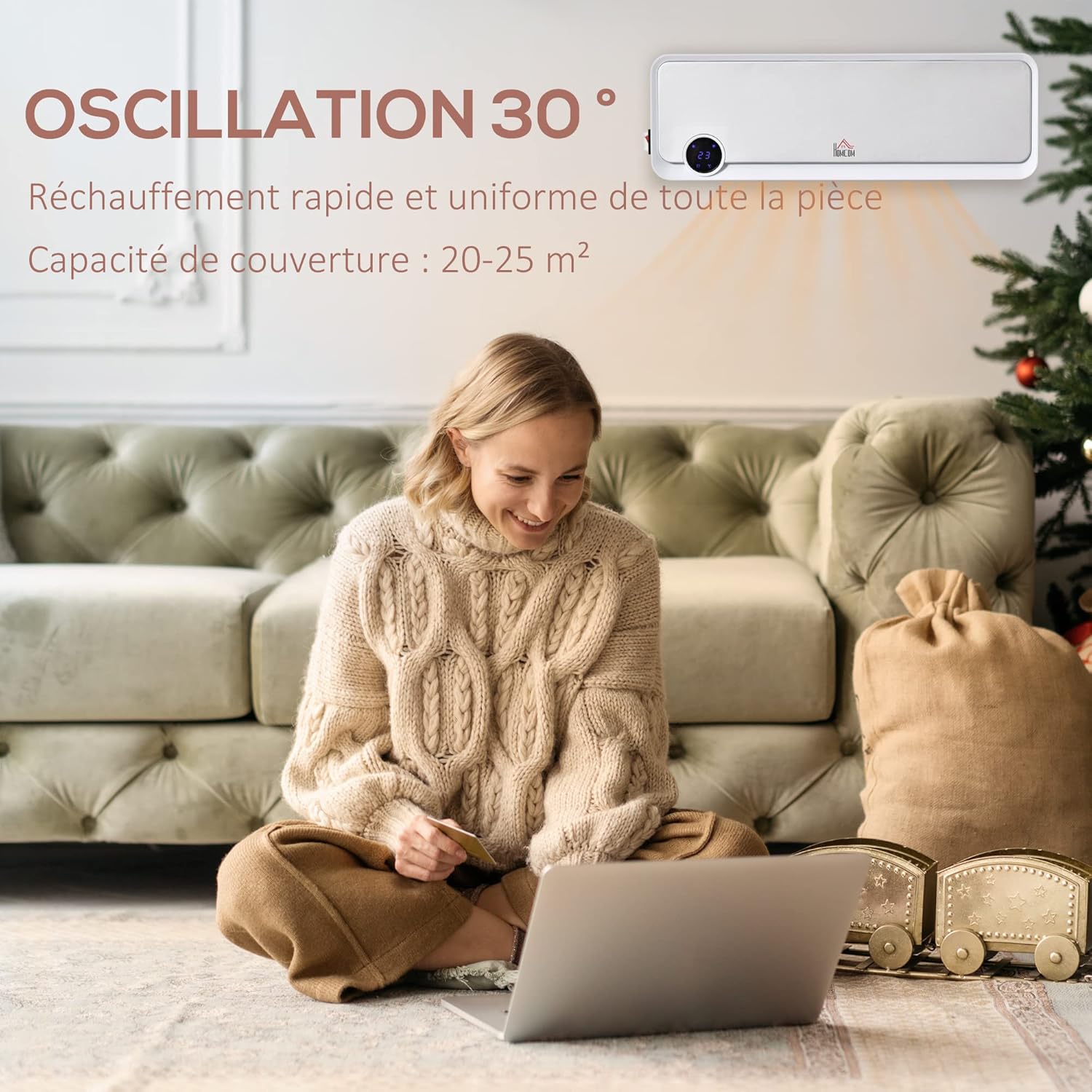
Figure 4.3: The heater's 30-degree oscillation function, ensuring wide and even heat distribution across the room for consistent warmth.
- Press the Oscillation button (often indicated by a swing or arrow icon
 ) on the remote control to start or stop the 30° oscillation.
4.5 Timer Function
Set the timer for automatic shut-off after a specified period (up to 12 hours).
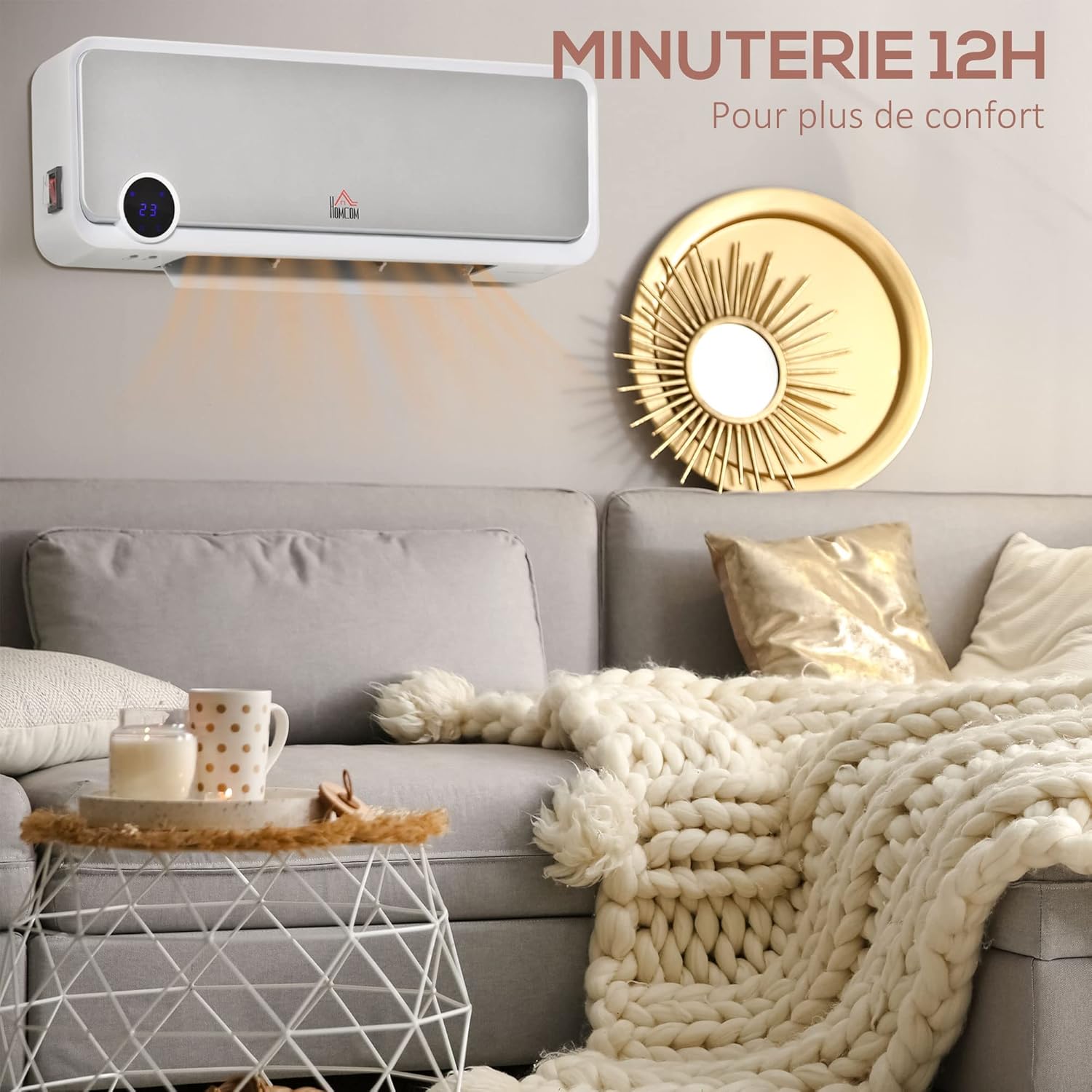
Figure 4.4: Illustration of the heater's 12-hour programmable timer function, allowing users to set operation duration for enhanced comfort and energy efficiency.
- Press the Timer button (often indicated by a clock icon
 ) on the remote control. Each press will increase the timer setting by one hour, up to 12 hours. The LED display will show the remaining time.
5. Maintenance
Regular maintenance ensures optimal performance and extends the lifespan of your heater.
5.1 Cleaning
- Before Cleaning: Always unplug the heater from the power outlet and allow it to cool completely before cleaning.
- Exterior: Wipe the exterior surfaces with a soft, damp cloth. Do not use abrasive cleaners, solvents, or harsh chemicals, as these can damage the finish.
- Air Vents: Use a vacuum cleaner with a brush attachment to gently remove dust and debris from the air inlet and outlet vents. Ensure these are kept clear to prevent overheating.
- Drying: Ensure the heater is completely dry before plugging it back in and operating.
5.2 Storage
If storing the heater for an extended period, ensure it is clean and dry. Store it in a cool, dry place, preferably in its original packaging, to protect it from dust and damage.
6. Troubleshooting
If you encounter issues with your heater, refer to the following common problems and solutions.
| Problem | Possible Cause | Solution |
|---|---|---|
| Heater does not turn on. | No power supply. Power button not pressed. Overheat protection activated. | Check if the power cord is securely plugged in and the outlet is functional. Press the Power button on the unit or remote. Unplug, wait 30 minutes for cooling, then plug back in. |
| Heater stops unexpectedly. | Overheat protection activated. Timer function activated. | Unplug, wait 30 minutes for cooling, then plug back in. Check if the timer is set. Adjust or disable if needed. |
| Remote control not working. | Batteries are dead or incorrectly inserted. Obstruction between remote and heater. | Replace the CR2025 battery (provided). Ensure correct polarity. Remove any objects blocking the signal path. |
| Insufficient heating. | Low heat mode selected. Room size exceeds coverage. Air vents blocked. | Switch to High Heat (2000W) mode. Ensure the heater is appropriate for the room size (20-25m²). Clean air vents as per maintenance instructions. |
If the problem persists after trying these solutions, please contact customer support.
7. Specifications
Detailed technical specifications for the HOMCOM Wall-Mounted Oscillating Fan Heater.
| Feature | Specification |
|---|---|
| Brand | HOMCOM |
| Model Number | 820-252V900531 |
| Color | White |
| Dimensions (L x W x H) | 56 x 11.7 x 18.5 cm |
| Weight | 2.5 kg |
| Power | 2000 Watts |
| Voltage | 240 Volts |
| Material | PP (Polypropylene) |
| Number of Speeds | 3 (High, Low, Fan) |
| Special Features | Digital display, Oscillation, Timer, Overheat protection |
| Auto-off Function | Yes |
| Indoor/Outdoor Use | Indoor |
| Mounting Type | Wall Mount |
| Thermal Coverage | 20-25 m² |
| Water Resistance Rating | IPX2 |
8. Warranty and Support
8.1 Warranty Information
Specific warranty details for your HOMCOM product may vary by region and retailer. Please refer to the warranty card included with your purchase or the terms and conditions provided by your point of sale. Keep your proof of purchase for any warranty claims.
8.2 Customer Support
For technical assistance, troubleshooting beyond this manual, or spare parts inquiries, please contact HOMCOM customer service. Contact information can typically be found on the HOMCOM website or on your product packaging.
You can also visit the official HOMCOM store for more information: HOMCOM Store on Amazon