
1. Introduction
Thank you for purchasing the Cecotec Ready Warm 2690 Flames Connected Electric Fireplace. This manual provides essential information for the safe and efficient use of your new appliance. Please read these instructions carefully before installation and operation, and retain them for future reference.
This electric fireplace is designed to provide supplemental heat and a decorative flame effect for indoor spaces. It features two power levels, Wi-Fi connectivity for smartphone control, and a remote control for convenient operation.
2. Safety Instructions
Important: Always follow basic safety precautions when using electrical appliances to reduce the risk of fire, electric shock, and injury to persons.
- Read all instructions before using this heater.
- Do not use this heater outdoors.
- This heater is hot when in use. To avoid burns, do not let bare skin touch hot surfaces. Keep combustible materials, such as furniture, pillows, bedding, papers, clothes, and curtains at least 1 meter (3 feet) from the front of the heater and keep them away from the sides and rear.
- Extreme caution is necessary when any heater is used by or near children or invalids and whenever the heater is left operating and unattended.
- Always unplug the heater when not in use.
- Do not operate any heater with a damaged cord or plug or after the heater malfunctions, has been dropped, or damaged in any manner. Discard heater or return to an authorized service facility for examination and/or repair.
- Do not run cord under carpeting. Do not cover cord with throw rugs, runners, or similar coverings. Arrange cord away from traffic area and where it will not be tripped over.
- To disconnect heater, turn controls to off, then remove plug from outlet.
- Do not insert or allow foreign objects to enter any ventilation or exhaust opening as this may cause an electric shock or fire, or damage the heater.
- To prevent a possible fire, do not block air intakes or exhaust in any manner. Do not use on soft surfaces, like a bed, where openings may become blocked.
- A heater has hot and arcing or sparking parts inside. Do not use it in areas where gasoline, paint, or flammable vapors or liquids are used or stored.
- Use this heater only as described in this manual. Any other use not recommended by the manufacturer may cause fire, electric shock, or injury to persons.
- Always plug heaters directly into a wall outlet/receptacle. Never use with an extension cord or relocatable power tap (outlet/power strip).
3. Product Overview
The Cecotec Ready Warm 2690 Flames Connected Electric Fireplace offers a modern design with efficient heating capabilities. It features a 26-inch flat design, making it suitable for various indoor spaces. The fireplace provides two heat settings (1000 W and 2000 W) to quickly warm rooms up to 25 m². It includes a realistic flame effect with two LED light intensities. Control options include a remote control and Wi-Fi connectivity via the 'Cecotec' smartphone application, allowing for weekly and daily programming.

4. Package Contents
Verify that all components are present and undamaged upon opening the package. If any items are missing or damaged, contact Cecotec customer support.
- 1 x Cecotec Ready Warm 2690 Flames Connected Electric Fireplace
- 1 x Remote Control
- 1 x User Manual (this document)
- Mounting hardware (if applicable for wall installation)
5. Setup
This electric fireplace is designed for flexible installation, either freestanding or wall-mounted. Ensure the chosen location is away from curtains, furniture, and high-traffic areas, and has a stable electrical outlet.
5.1 Unpacking
- Carefully remove the fireplace from its packaging.
- Remove all protective materials and plastic films.
- Inspect the unit for any signs of damage. Do not operate if damaged.
5.2 Placement and Installation
Ensure the fireplace is placed on a flat, stable surface or securely mounted to a wall. Maintain a minimum distance of 1 meter (3 feet) from any combustible materials.

For wall mounting, use appropriate hardware and ensure the wall can support the unit's weight (approximately 12 kg). Consult a professional if unsure about wall mounting procedures.
6. Operating Instructions
The electric fireplace can be operated using the control panel on the unit, the included remote control, or the Cecotec smartphone application.
6.1 Control Panel
The control panel is located on the unit, typically on the top right side. It includes buttons for power, heat settings, flame effect, and timer.

6.2 Remote Control Usage
The remote control allows for convenient adjustment of all functions from a distance.
- Power Button: Turns the fireplace ON or OFF.
- Heat Settings: Toggle between 1000 W and 2000 W heat output.
- Flame Effect: Adjust the intensity of the flame effect (two levels).
- Timer: Set the operating duration.
6.3 Wi-Fi App Control
Download the 'Cecotec' application on your smartphone to control the fireplace via Wi-Fi. This allows for advanced scheduling and remote operation.
- Download the 'Cecotec' app from your smartphone's app store.
- Follow the in-app instructions to connect your fireplace to your home Wi-Fi network.
- Once connected, you can control power, heat, flame intensity, and set daily/weekly timers from your smartphone.
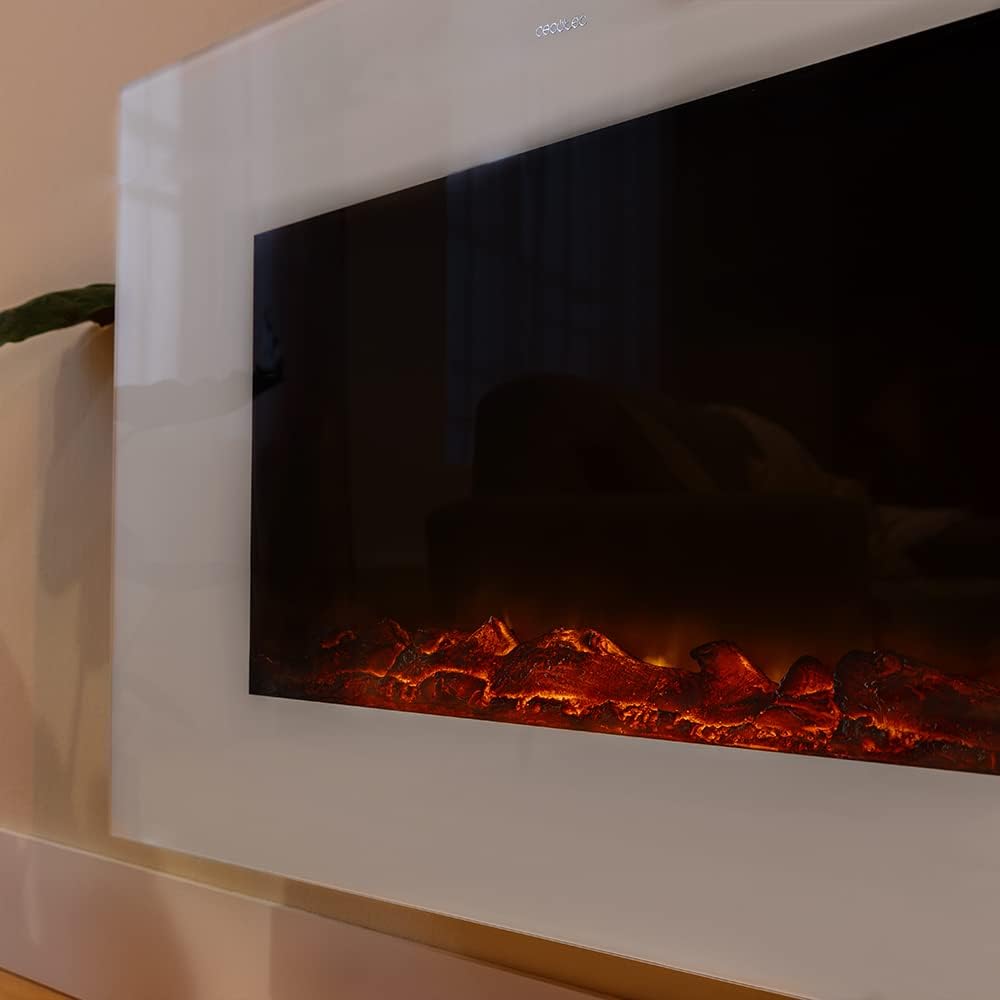
6.4 Flame Effect
The fireplace features a realistic flame effect that can be used independently of the heating function. There are two intensity levels for the LED flames.

7. Maintenance
Regular maintenance ensures the longevity and optimal performance of your electric fireplace. Always unplug the unit and allow it to cool completely before performing any maintenance.
7.1 Cleaning the Exterior
Wipe the exterior surfaces with a soft, damp cloth. Do not use abrasive cleaners, solvents, or chemical sprays, as these can damage the finish.
7.2 Cleaning Air Vents
Periodically check and clean the air intake and exhaust vents to ensure proper airflow. Use a vacuum cleaner with a brush attachment to remove dust and debris.
7.3 Storage
If storing the fireplace for an extended period, unplug it, clean it thoroughly, and store it in a cool, dry place, preferably in its original packaging.
8. Troubleshooting
If you encounter issues with your electric fireplace, refer to the following common problems and solutions.
| Problem | Possible Cause | Solution |
|---|---|---|
| Fireplace does not turn on. | Not plugged in; power switch off; circuit breaker tripped. | Ensure unit is plugged in and the main power switch is ON. Check household circuit breaker. |
| No heat output. | Heat function not activated; thermostat set too low; air vents blocked. | Activate heat function via control panel, remote, or app. Increase thermostat setting. Clear any obstructions from air vents. |
| Flame effect not working. | Flame effect function not activated. | Activate flame effect via control panel, remote, or app. |
| Unusual noise during operation. | Dust in fan; loose components. | Clean air vents. If noise persists, discontinue use and contact customer support. |
| Remote control not responding. | Dead batteries; obstruction between remote and unit. | Replace remote control batteries. Ensure clear line of sight to the fireplace's receiver. |
| Wi-Fi connection issues. | Incorrect Wi-Fi password; router too far; app not updated. | Verify Wi-Fi password. Move fireplace closer to router or use a Wi-Fi extender. Update Cecotec app. Re-pair the device if necessary. |
If the problem persists after attempting these solutions, please contact customer support.
9. Specifications
Technical specifications for the Cecotec Ready Warm 2690 Flames Connected Electric Fireplace:
| Feature | Specification |
|---|---|
| Model Number | 05828 |
| Dimensions (L x W x H) | 72.6 x 19.6 x 60 cm |
| Weight | 12 kg |
| Material | Aluminum |
| Color | White |
| Heat Output | 1000 W / 2000 W |
| Power Source | Wired Electric |
| Special Features | Timer, Wi-Fi Control, Remote Control, 2 Flame Intensities |
| Installation Type | Freestanding / Wall-mounted |
| Recommended Room Size | Up to 25 m² |
10. Warranty Information
This product comes with a manufacturer's warranty. Please refer to the warranty card included in your package or visit the official Cecotec website for detailed terms and conditions. The warranty covers defects in materials and workmanship under normal use.
11. Customer Support
For technical assistance, product inquiries, or warranty claims, please contact Cecotec customer support. You can find contact information on the official Cecotec website or on your product's packaging.
Please have your product model number (05828) and purchase date ready when contacting support.


