
1. Introduction
This manual provides instructions for the safe and efficient use of your Itel Magic3 it6350 feature phone. Please read this manual carefully before using your device to ensure proper operation and to understand its features.

Image: Front view of the Itel Magic3 it6350 feature phone, showcasing its display and keypad.
2. Package Contents
Verify that all items are present in your product package:
- Itel Magic3 it6350 Device
- Battery (pre-installed in some units)
- Charger Adapter
- Earphone
- Quick Start Guide
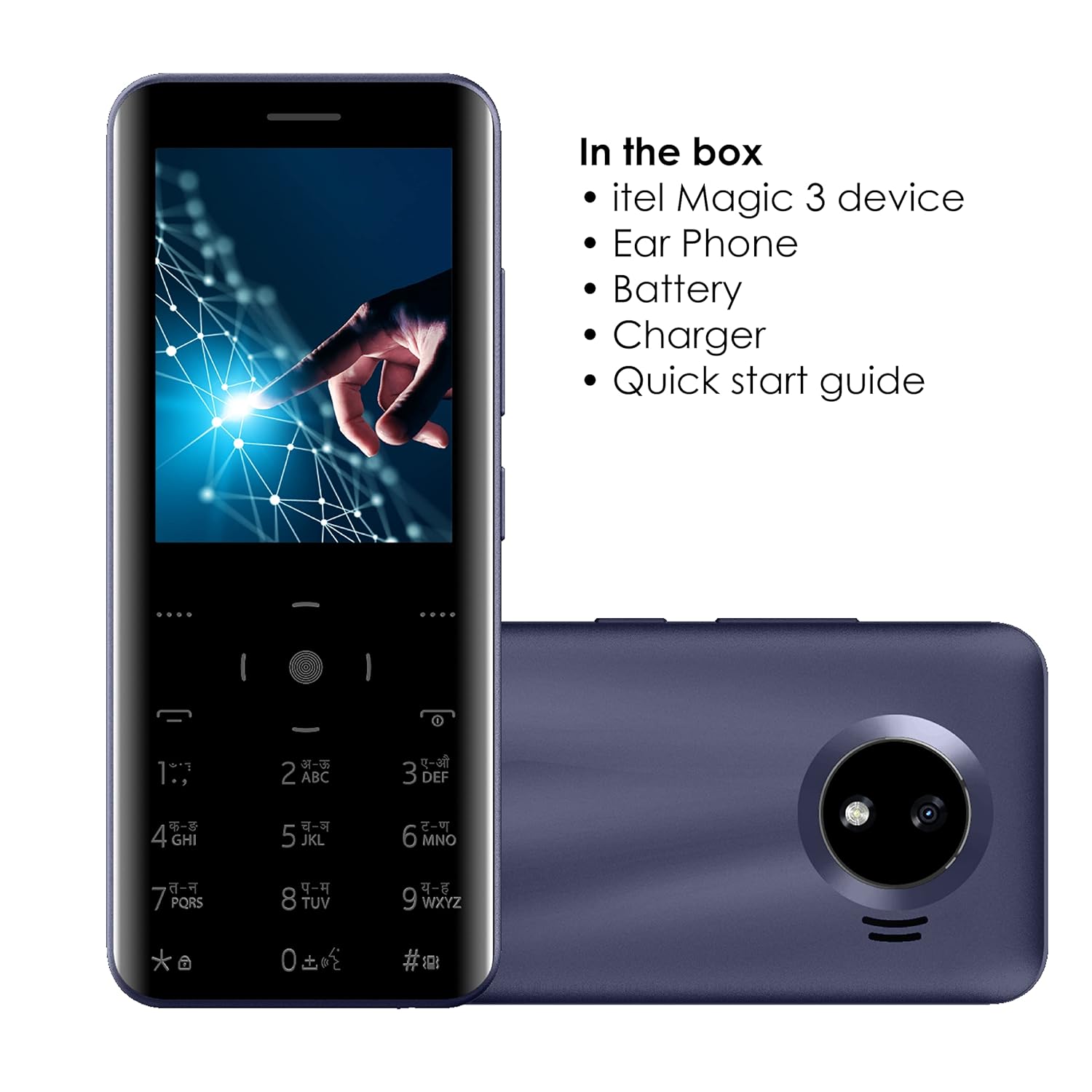
Image: Illustration of the Itel Magic3 it6350 phone alongside its included accessories: earphone, battery, charger, and quick start guide.
3. Device Layout
Familiarize yourself with the physical components of your Itel Magic3 it6350.

Image: Rear view of the Itel Magic3 it6350, highlighting the 1.3MP rear camera with LED flash.

Image: Side view of the Itel Magic3 it6350, illustrating its slim 9.5mm unibody design.
4. Setup
4.1. Inserting SIM Card and Battery
- Power off the device and remove the back cover.
- Insert your SIM card(s) into the designated slot(s).
- Insert the battery into its compartment, ensuring the contacts align.
- Replace the back cover.
4.2. Initial Power On and Charging
- Press and hold the Power key until the screen lights up.
- If the battery is low, connect the charger to the device and a power outlet.
- Allow the device to charge fully before first use for optimal battery life.
5. Operating Instructions
5.1. Basic Navigation
The Itel Magic3 it6350 features a Smart Touch Keypad and a 7.11cm (2.8") QVGA display for navigation.
- Use the navigation keys to move through menus and options.
- Press the center key to select an option.
- Use the 'Back' or 'End Call' key to return to the previous screen or exit a menu.

Image: A hand interacting with the Smart Touch Keypad of the Itel Magic3 it6350.
5.2. Making Calls
- From the home screen, enter the phone number using the keypad.
- Press the 'Call' key (usually green) to initiate the call.
- To end a call, press the 'End Call' key (usually red).
5.3. Sending Messages
- Navigate to the 'Messages' menu.
- Select 'Create New Message' or 'New SMS'.
- Enter the recipient's number or select from contacts.
- Type your message using the keypad.
- Select 'Send'.
5.4. Phonebook
The device supports a Smart Phonebook with up to 2000 contacts, including photo and icon support.
- Access the 'Contacts' or 'Phonebook' menu to manage your contacts.
- Add new contacts, edit existing ones, or search for contacts.
6. Features
6.1. Camera
The Itel Magic3 it6350 is equipped with a 1.3MP camera and LED flash.
- Go to the 'Camera' application from the main menu.
- Frame your shot using the display.
- Press the capture button (usually the center key) to take a photo.
6.2. Wireless FM Radio
Enjoy radio broadcasts without needing to connect earphones as an antenna.
- Access the 'FM Radio' application.
- Use the navigation keys to scan for stations or tune manually.
- Recording functionality may be available within the FM Radio app.
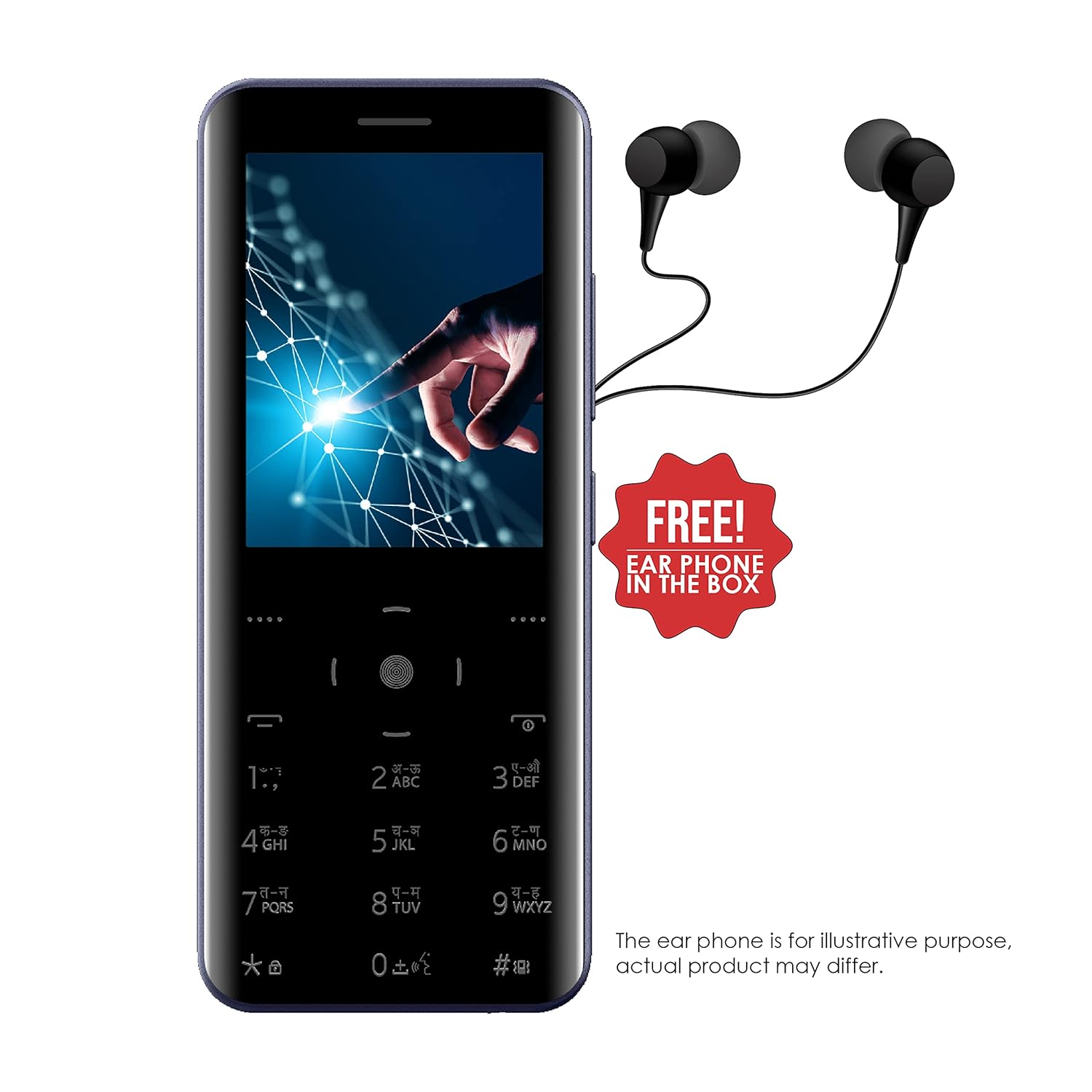
Image: The Itel Magic3 it6350 phone shown with included earphones, which can be used for private listening.
6.3. KingVoice
The KingVoice feature provides audio assistance for various phone functions, enhancing accessibility.
- Refer to the device settings to enable or disable KingVoice.
- KingVoice can read out menu options, incoming caller ID, and messages.
6.4. Connectivity (Bluetooth, Wi-Fi, USB)
The device supports basic connectivity options.
- Bluetooth: For connecting to compatible wireless accessories like headsets or for file transfer. Access via 'Settings' > 'Bluetooth'.
- Wi-Fi: For internet access where Wi-Fi networks are available. Access via 'Settings' > 'Wi-Fi'.
- USB: For charging and connecting to a computer for file transfer.
6.5. Other Features
- Language Support: Supports 9 Indian languages. Change language in 'Settings'.
- JAVA Games: The device supports JAVA games. Access via the 'Games' menu.
- WAP/GPRS Support: For basic internet browsing and accessing online content.
- Facebook Support: A pre-installed or downloadable Facebook application may be available.
- Smart Transfer: For easy sharing of files between devices.
7. Maintenance
7.1. Battery Care
- Use only the original charger and battery provided with the device.
- Avoid exposing the battery to extreme temperatures.
- Do not puncture, disassemble, or modify the battery.
- Recycle used batteries responsibly.
7.2. Cleaning the Device
- Wipe the device with a soft, dry cloth.
- Avoid using harsh chemicals, cleaning solvents, or strong detergents.
7.3. Storage
- Store the device in a cool, dry place away from direct sunlight and extreme temperatures.
- If storing for an extended period, ensure the battery is partially charged (around 50%) to preserve its lifespan.
8. Troubleshooting
If you encounter issues with your device, refer to the following common problems and solutions:
| Problem | Possible Solution |
|---|---|
| Device does not power on | Ensure the battery is correctly inserted and charged. Connect the charger and try again. |
| Cannot make or receive calls | Check if the SIM card is properly inserted and activated. Verify network signal strength. |
| Poor audio quality during calls | Ensure the earpiece/speaker is not blocked. Adjust call volume. Move to an area with better network coverage. |
| Battery drains quickly | Reduce screen brightness. Close unused applications. Limit background data usage. |
| Keypad is unresponsive | Restart the device. Ensure the keypad is clean and free from debris. |
9. Specifications
Detailed technical specifications for the Itel Magic3 it6350:
- Model: it6350
- Display: 7.11cm (2.8") QVGA
- Design: 9.5mm Slim Unibody Design
- Keypad: Smart Touch Keypad
- Camera: 1.3MP with LED Flash (Rear)
- Battery: 1500mAh Lithium Ion (In-built)
- Connectivity: Wi-Fi, Bluetooth, USB
- Audio Jack: 3.5 mm
- Phonebook Capacity: 2000 Contacts
- Special Features: KingVoice, 9 Indian Language Support, WAP/GPRS, JAVA Games, Facebook Support, Smart Transfer, Wireless FM Radio with Recording
- Dimensions (LxWxH): 13.9 x 5.9 x 1 cm
- Weight: 120 g
- Talk Time: Up to 18 Hours
- Standby Time: Up to 6 Days

Image: Diagram illustrating the dimensions of the Itel Magic3 it6350: 139mm length, 59mm width, and 9.5mm thickness.
10. Warranty and Support
Your Itel Magic3 it6350 device comes with a 1-year warranty. For warranty claims or technical support, please contact Itel's authorized service center.
- Warranty Period: 1 Year
- Manufacturer: S MOBILE DEVICES PRIVATE LTD
- Contact Information: Refer to the warranty card included in your package or visit the official Itel website for service center locations and contact details.