
Introduction
The YAOHUIMI Replacement Remote Control is specifically designed to operate select Thermocore air conditioner models. This manual provides essential information for the proper setup, operation, and maintenance of your new remote control.
Important Compatibility Note:
This remote is a dedicated replacement and is not a universal remote. It is specifically compatible with Thermocore air conditioner models T119S-H224, T121D-H218, and T118D-H230. Please verify your air conditioner model number before use to ensure proper functionality.
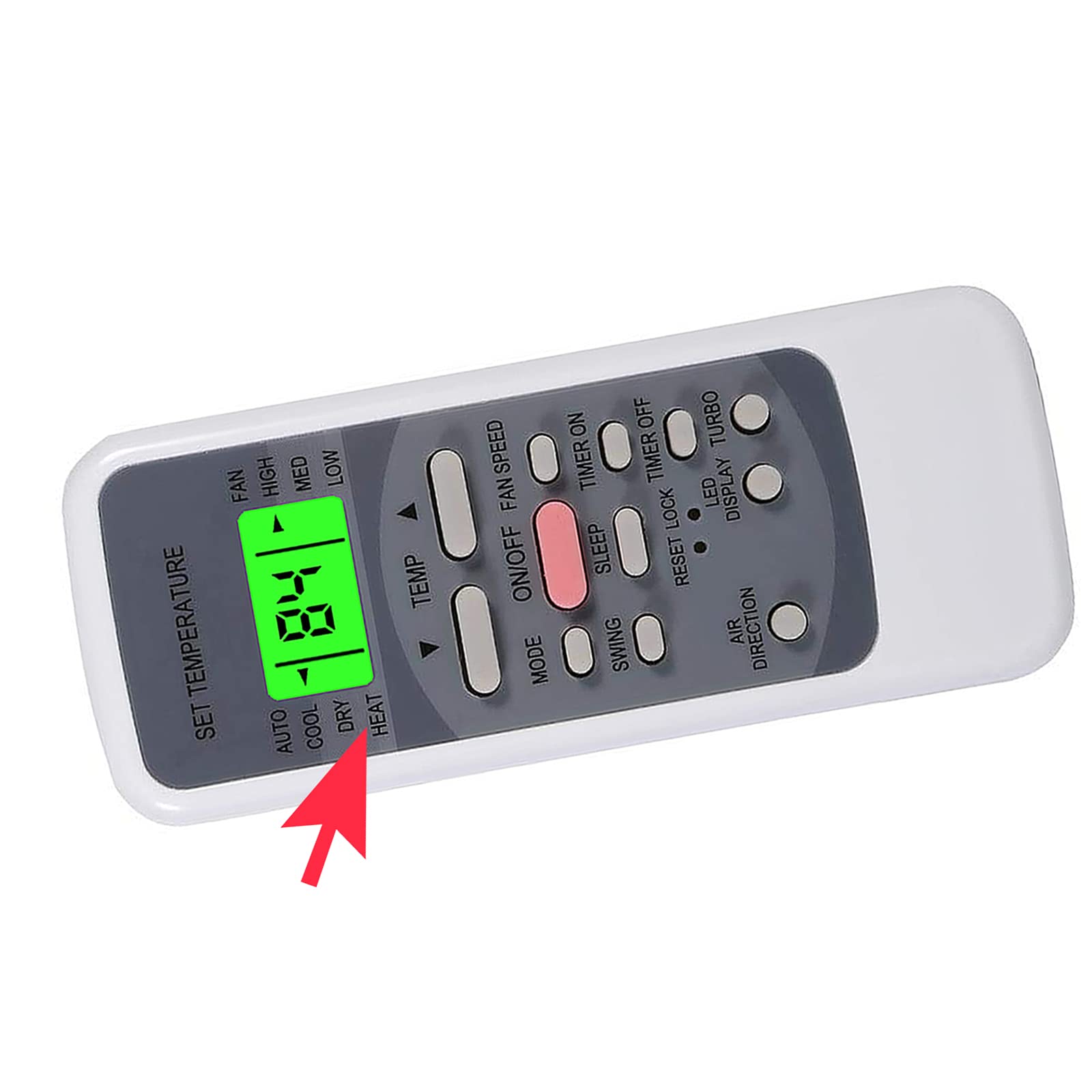
Image: Front view of the YAOHUIMI replacement remote control, showing its display and button layout.
Setup
- Install Batteries: Open the battery compartment cover located on the back of the remote control. Insert two AAA batteries (not included), ensuring the correct polarity (+ and -) as indicated inside the compartment. Close the cover securely.
- Initial Use: Point the remote control directly at your air conditioner's infrared receiver. The remote should function immediately without requiring additional pairing or programming.

Image: A hand holding the remote control, demonstrating typical usage posture.
Operating Instructions
The remote control features a clear digital display and various buttons for comprehensive control of your air conditioner's functions.
Button Functions
- ON/OFF: Press this button to power the air conditioner on or off.
- MODE: Cycles through available operating modes: AUTO, COOL, DRY, HEAT, and FAN.
- TEMP (Up/Down Arrows): Adjusts the desired temperature setting.
- FAN SPEED: Selects the fan speed from options such as HIGH, MED, LOW, or AUTO.
- SWING: Activates or deactivates the automatic air swing function.
- SLEEP: Engages the sleep mode, which adjusts temperature for comfortable nighttime operation.
- TIMER ON/TIMER OFF: Sets a timer for the air conditioner to automatically turn on or off.
- RESET: Resets the remote control settings to default.
- LOCK: Locks the remote control to prevent accidental changes to settings.
- LED: Controls the display light on the air conditioner unit.
- DISPLAY: Toggles the remote's display backlight.
- TURBO: Activates rapid cooling or heating for quick temperature changes.
Special Features
- Fahrenheit and Celsius Display: The remote control display can show temperature readings in both Fahrenheit (°F) and Celsius (°C).
- Green Backlight: The display features a green backlight, enhancing visibility and making operation convenient in low-light conditions.

Image: The remote control display, emphasizing the ability to show temperature in both Fahrenheit and Celsius, and the green backlight feature.

Image: A close-up view of the remote control's digital display, clearly showing the active green backlight.

Image: The remote control display illustrating temperature readings in both Fahrenheit (84°F) and Celsius (24°C).
Maintenance
- Cleaning: Wipe the remote control with a soft, dry cloth. Avoid using liquid cleaners, solvents, or abrasive materials, as these can damage the surface or internal components.
- Battery Replacement: Replace batteries when the display becomes dim, the remote's response time slows, or its operating range decreases. Always replace both batteries simultaneously with new ones of the same type (AAA).
- Storage: If the remote control will not be used for an extended period, remove the batteries to prevent potential leakage and damage to the device.
Troubleshooting
- Remote not responding:
- Check battery polarity and ensure batteries are fresh.
- Ensure there are no physical obstructions between the remote and the air conditioner unit.
- Confirm the remote is pointed directly at the air conditioner's infrared receiver.
- Display is dim or blank:
- Replace the batteries with new ones.
- Air conditioner not responding to commands:
- Verify that the remote control model is compatible with your specific Thermocore air conditioner model (T119S-H224, T121D-H218, T118D-H230).
- Ensure the air conditioner unit is powered on and receiving power.
Specifications
| Feature | Description |
|---|---|
| Brand | YAOHUIMI |
| Model Number | A420210928-(R51)-436 |
| Connectivity Technology | Infrared |
| Controller Type | Button Control |
| Special Features | Display in both Fahrenheit and Celsius, Green Backlight |
| Compatible Air Conditioner Models | Thermocore T119S-H224, T121D-H218, T118D-H230 |
Warranty and Support
For specific warranty information, return policies, or technical support regarding your YAOHUIMI replacement remote control, please contact the original seller or the manufacturer directly. It is recommended to retain your purchase receipt for any warranty claims or support inquiries.