
1. Introduction
The Portta Bi-Directional HDMI 2.0 Switcher (Model N2SW21BX) is designed to manage HDMI signals between multiple devices. This versatile unit can function in two modes: connecting two HDMI source devices to one HDMI display (Switch Mode) or connecting one HDMI source device to two HDMI displays (Splitter Mode). It supports high-resolution video up to 4K@60Hz, including HDR10 and Dolby Vision, ensuring optimal visual and audio performance for your home entertainment or professional setup.
2. Product Features
- 4K 60Hz Resolution: Supports 4K@60Hz YUV 4:4:4 resolution and is backward compatible with 2K/1080p.
- HDMI 2.0 Standard: Compliant with HDMI 2.0 specifications, supporting HDCP2.3/1.4, HDR10, Dolby Vision, 3D, and CEC.
- High Bandwidth: Provides 18Gbps video bandwidth for stable and fast signal transmission.
- Bi-Directional Functionality: Operates as a 2-input, 1-output switch or a 1-input, 2-output splitter (only one display active at a time in splitter mode).
- ARC Support: Audio Return Channel (ARC) is supported on Port 1 only.
- Plug and Play: No external power supply is required for most setups; simply connect your devices.
- Enhanced Audio: Supports LPCM, Dolby True HD, DTS HD Master Audio, Dolby-AC3, and DTS7.1 audio formats.
- Broad Compatibility: Compatible with various HDMI source devices (PC, PS4, PS5, Xbox, Nintendo Switch, Blu-Ray Player, Chromecast, MacBook) and display devices (HDTV, Projector, Monitor).
3. Product Overview
Familiarize yourself with the components and ports of your Portta HDMI Switcher.
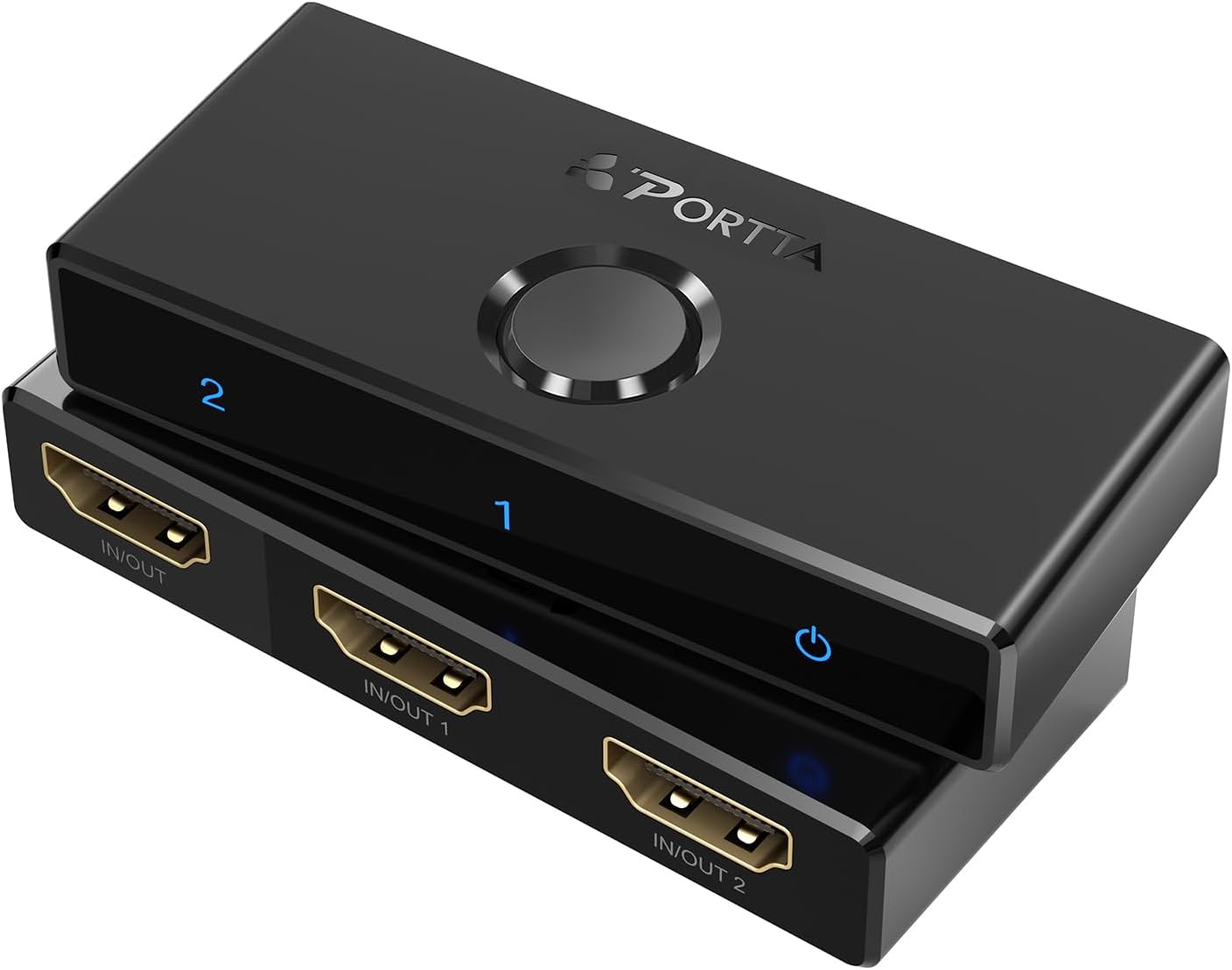
Figure 1: Top view of the Portta Bi-Directional HDMI Switcher.
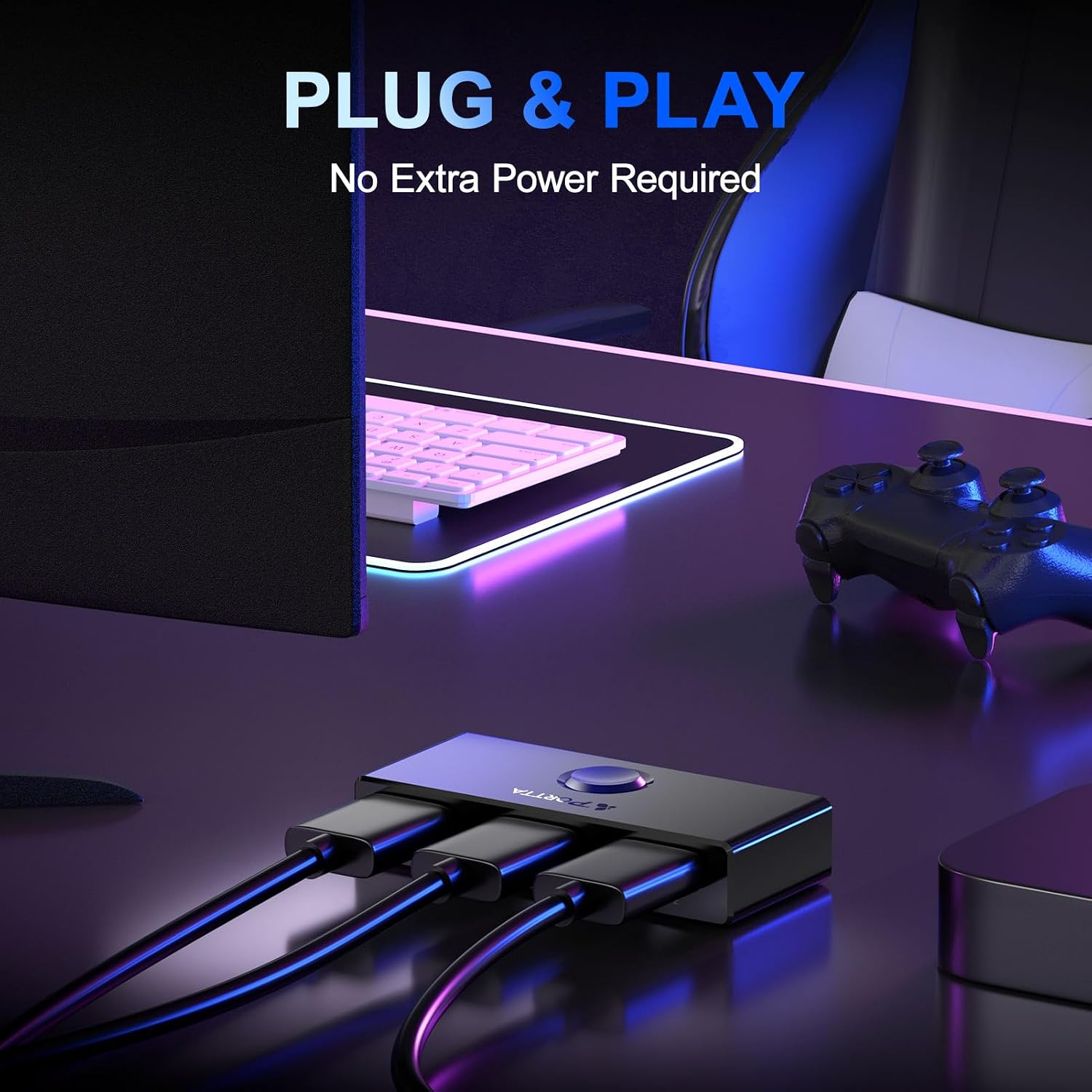
Figure 2: Front panel with LED indicators for active port (1 or 2) and power.
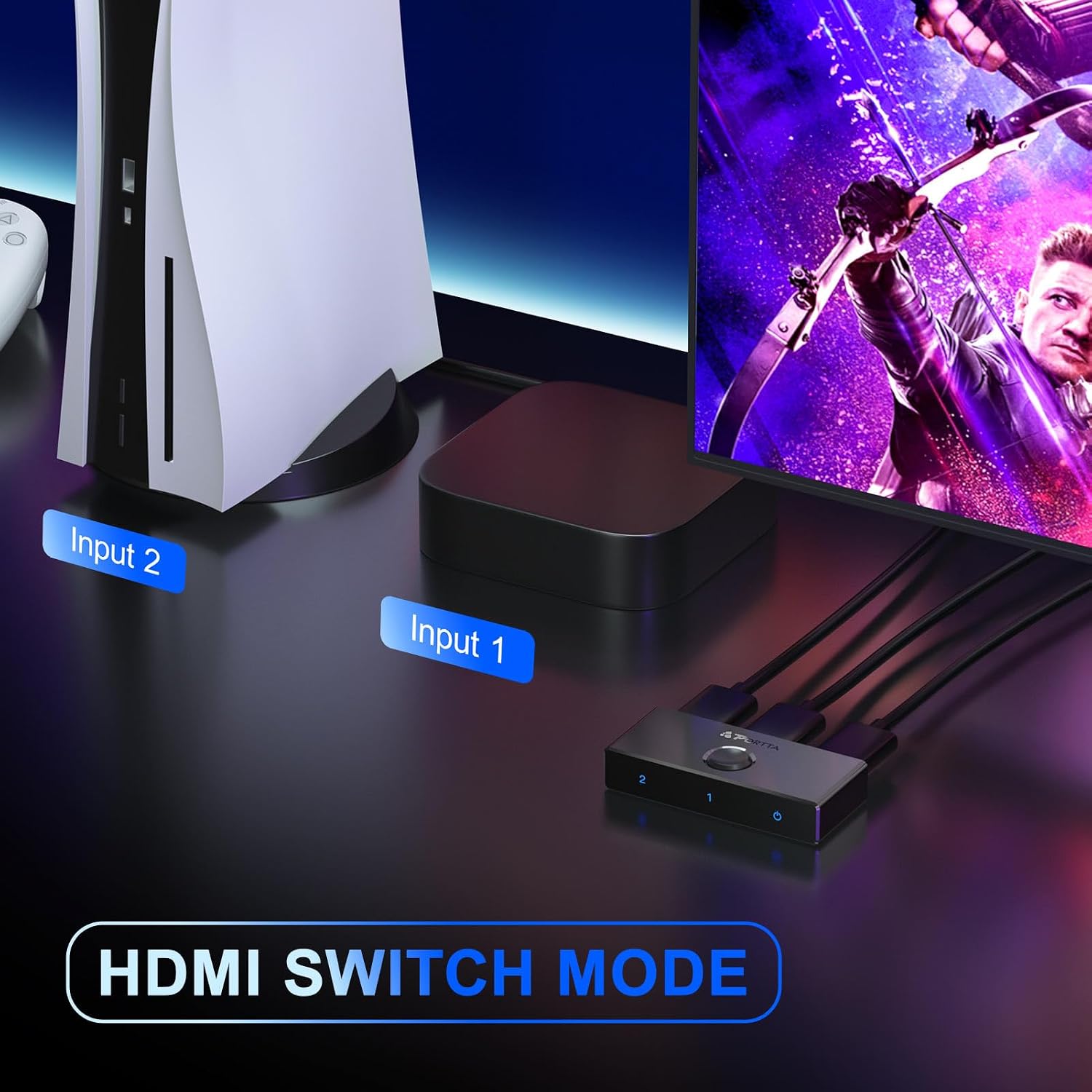
Figure 3: Rear panel showing two HDMI IN/OUT ports.
4. Setup Instructions
The Portta HDMI Switcher offers two primary setup configurations:
4.1. Switch Mode (2 Inputs to 1 Output)
In this mode, you can connect two HDMI source devices (e.g., a game console and a Blu-ray player) to a single HDMI display (e.g., a TV or monitor).
- Connect your first HDMI source device to one of the HDMI IN/OUT ports on the switcher using an HDMI cable.
- Connect your second HDMI source device to the other HDMI IN/OUT port on the switcher using an HDMI cable.
- Connect your HDMI display to the remaining HDMI IN/OUT port on the switcher using an HDMI cable.
- Ensure all devices are powered on.

Figure 4: Setup for HDMI Switch Mode (2 inputs, 1 output).
4.2. Splitter Mode (1 Input to 2 Outputs)
In this mode, you can connect one HDMI source device (e.g., a laptop) to two HDMI displays (e.g., a monitor and a TV). Important: Only one display will be active and show an image at a time.
- Connect your HDMI source device to one of the HDMI IN/OUT ports on the switcher using an HDMI cable.
- Connect your first HDMI display to the other HDMI IN/OUT port on the switcher using an HDMI cable.
- Connect your second HDMI display to the remaining HDMI IN/OUT port on the switcher using an HDMI cable.
- Ensure all devices are powered on.
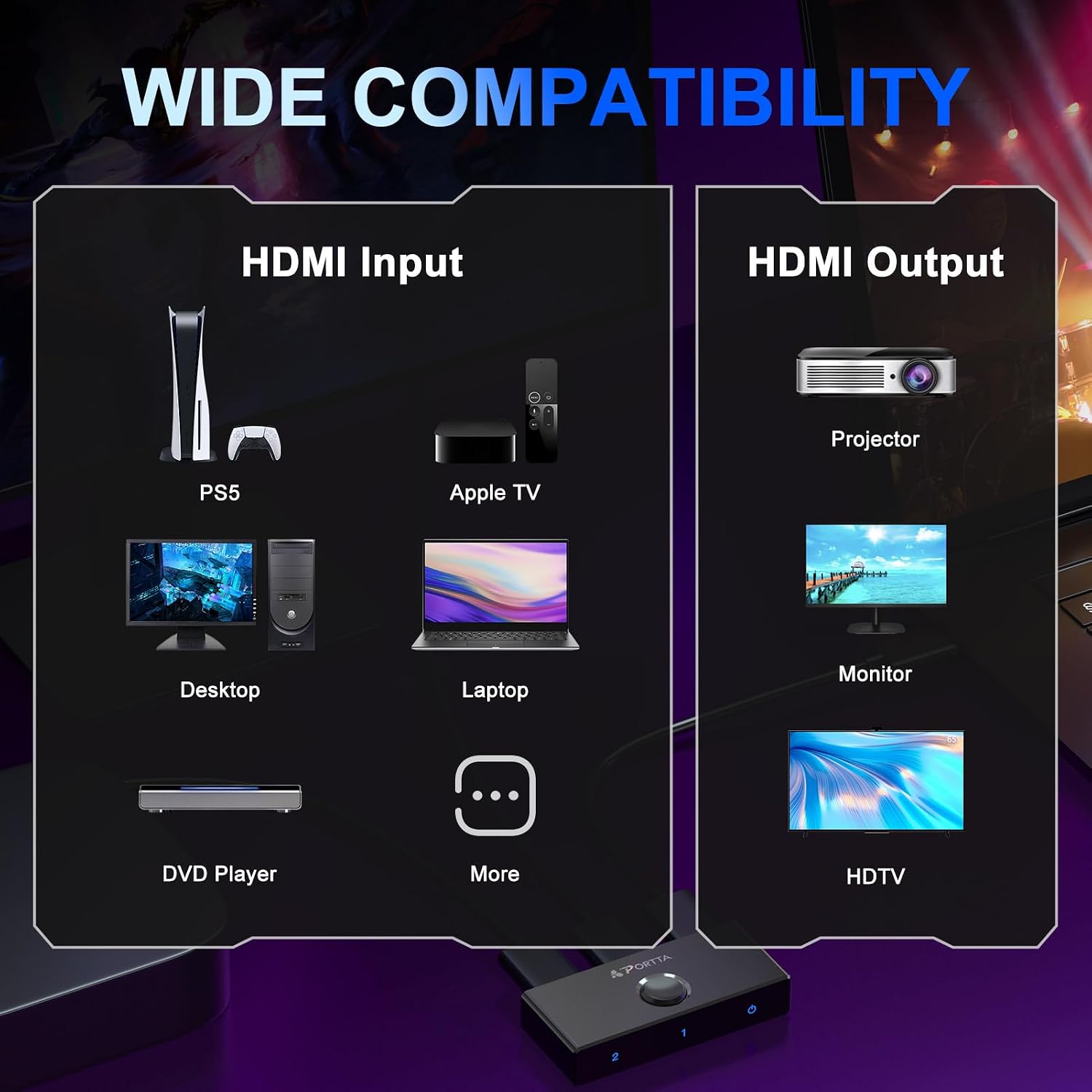
Figure 5: Setup for HDMI Splitter Mode (1 input, 2 outputs - one active at a time).
4.3. Power Connection
The Portta HDMI Switcher is designed to be plug-and-play and typically does not require an external power supply. It draws power directly from the connected HDMI devices. In rare cases, if the HDMI source cannot provide sufficient power, an optional 5V power adapter (not included) can be connected to the micro USB port (if available on your model) for stable operation.

Figure 6: Plug and Play setup, typically no external power required.
5. Operating Instructions
Operating the Portta HDMI Switcher is straightforward:
- Switching Inputs/Outputs: Press the button on the top of the switcher to toggle between the active HDMI port (1 or 2). The corresponding LED indicator will illuminate to show which port is currently active.
- Automatic Switching: In some cases, if only one connected source is active, the switcher may automatically select that input.
6. Maintenance
To ensure the longevity and optimal performance of your Portta HDMI Switcher, follow these maintenance guidelines:
- Keep the device in a cool, dry place, away from direct sunlight, heat sources, and moisture.
- Clean the device with a soft, dry cloth. Do not use liquid or aerosol cleaners.
- Avoid placing heavy objects on top of the switcher.
- Do not attempt to open or modify the device, as this will void the warranty and could cause damage.
7. Troubleshooting
If you encounter issues with your Portta HDMI Switcher, refer to the following common problems and solutions:
7.1. No Image or Sound
- Check Connections: Ensure all HDMI cables are securely connected to the correct IN/OUT ports on the switcher and your devices.
- Verify Input Selection: Press the switch button to ensure the correct input/output port is selected (indicated by the LED).
- Power Cycle: Disconnect and reconnect all HDMI cables, then power cycle your source and display devices.
- Cable Quality: Use high-quality, certified HDMI 2.0 cables, especially for 4K@60Hz content.
- Resolution Compatibility: Ensure your display supports the resolution output by your source device.
7.2. Screen Flickering, Distortion, or No Image at 4K 60Hz
This often relates to cable quality or length when transmitting high-bandwidth signals.

Figure 7: Recommended cable specifications for optimal performance.
- Cable Type: For 4K@60Hz, use standard HDMI 2.0 cables.
- Cable Length: For 4K@60Hz, ensure single cable length is less than 6.6 feet (2 meters). For 4K@30Hz, ensure single cable length is less than 16.5 feet (5 meters).
- Device Compatibility: Ensure all connected devices (source, switch, display) support HDMI 2.0.
7.3. ARC Function Not Working
- Ensure your display and audio receiver both support ARC.
- Connect the ARC-enabled HDMI port on your display to Port 1 of the Portta switcher.
- Verify ARC settings are enabled on your TV and audio receiver.
8. Specifications
| Feature | Specification |
|---|---|
| Model Number | N2SW21BX |
| Product Dimensions | 6.67 x 2.61 x 0.78 inches |
| Item Weight | 1.4 ounces |
| Connector Type | HDMI |
| Cable Type | HDMI |
| HDMI Standard | HDMI 2.0 |
| HDCP Version | HDCP2.3/1.4 |
| Max Resolution | 4K@60Hz (YUV 4:4:4) |
| Backward Compatibility | 2K/1080p |
| Video Bandwidth | 18Gbps |
| HDR Support | HDR10, Dolby Vision |
| Audio Support | LPCM, Dolby True HD, DTS HD Master Audio, Dolby-AC3, DTS7.1 |
| ARC Support | Yes (Port 1 only) |
| Compatible Devices | HDTV, Projector, Monitor, PC, PS4, PS5, Xbox 360, Xbox One, Nintendo Switch, Blu-Ray Player, Roku, Chromecast, MacBook, Computer, satellite receivers |

Figure 8: Product dimensions.
9. Warranty and Support
Portta products are designed for reliability and performance. For specific warranty details, please refer to the warranty card included with your product packaging or visit the official Portta website. For technical assistance, troubleshooting beyond this manual, or customer service inquiries, please contact Portta customer support through the contact information provided on the product packaging or their official website.


