1. Introduction
Thank you for choosing the BOROFONE BR15 Portable Bluetooth Speaker. This manual provides essential information for setting up, operating, and maintaining your speaker. Please read it carefully before use to ensure optimal performance and longevity of your device. The BR15 is a versatile portable speaker designed for various audio playback needs, featuring Bluetooth connectivity, FM radio, and support for TF cards and USB drives.
2. Product Overview
The BOROFONE BR15 is a compact and robust portable Bluetooth speaker. It features a camouflage green design and is built for on-the-go use.
Key Features:
- Bluetooth 5.0: For stable and efficient wireless connection.
- Battery Capacity: 1200mAh, providing approximately 2.5 hours of music playback or talk time.
- Output Power: 5W x 2, delivering clear audio.
- Water Resistant: Designed to withstand splashes.
- Multiple Playback Modes: Supports Bluetooth, FM radio, TF card, and USB disk playback.
- TWS Function: Allows connection of two BR15 speakers for stereo sound.
Speaker Components:
Familiarize yourself with the speaker's physical components and controls.
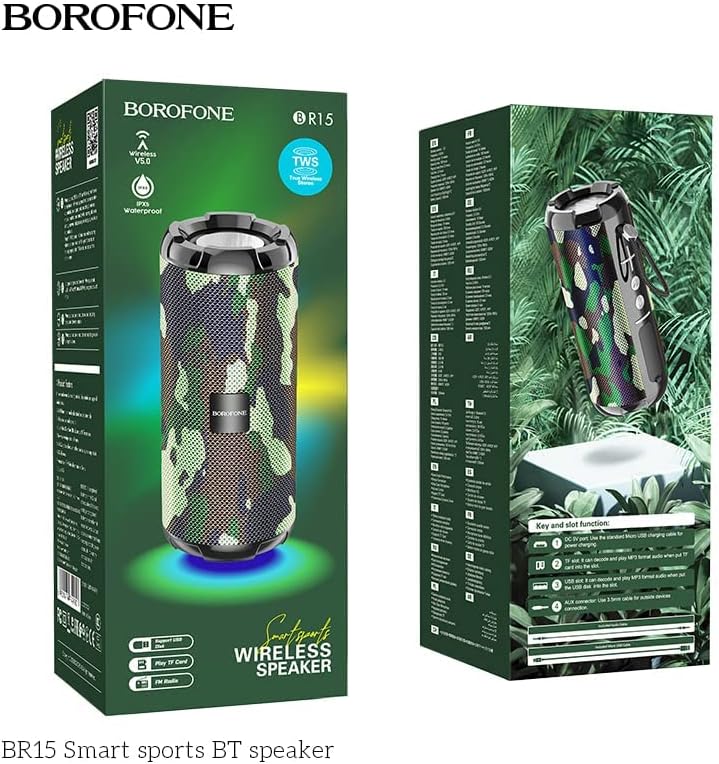
Image: The BOROFONE BR15 speaker packaging, illustrating the various buttons and ports for user reference.
The packaging image above highlights the 'Key and slot function' area, which typically includes:
- Power Button: To turn the speaker on or off.
- Mode Button (M): To switch between Bluetooth, FM radio, TF card, and USB disk modes.
- Volume Up/Next Track Button (+): Short press for next track, long press for volume up.
- Volume Down/Previous Track Button (-): Short press for previous track, long press for volume down.
- Play/Pause Button: To play or pause audio, answer/end calls.
- Charging Port: USB port for charging the speaker.
- TF Card Slot: For playing music directly from a MicroSD card.
- USB Port: For playing music directly from a USB flash drive.
- AUX-in Port: For connecting external audio devices via a 3.5mm audio cable.
3. Setup
3.1 Charging the Speaker
- Connect the provided USB charging cable to the speaker's charging port.
- Connect the other end of the cable to a USB power adapter (not included) or a computer's USB port.
- The charging indicator light will illuminate, typically red, during charging.
- Charging takes approximately 2 hours. The indicator light will turn off or change color (e.g., blue) when fully charged.
3.2 Powering On/Off
- To Power On: Press and hold the Power button for a few seconds until you hear an audible prompt or see an indicator light.
- To Power Off: Press and hold the Power button again for a few seconds until you hear an audible prompt or the indicator light turns off.
4. Operating Instructions
4.1 Bluetooth Pairing
- Ensure the speaker is powered on and in Bluetooth mode (indicated by a flashing blue LED and an audible prompt). If not, press the 'M' (Mode) button to switch to Bluetooth mode.
- On your smartphone or tablet, enable Bluetooth and search for available devices.
- Select "BOROFONE BR15" from the list of devices.
- Once paired, the speaker will emit an audible confirmation, and the blue LED will stop flashing and remain solid.
- You can now play audio from your device through the speaker.
4.2 Playing Music from TF Card/USB Disk
- Insert a TF card (MicroSD) or USB flash drive with MP3 audio files into the respective slot on the speaker.
- The speaker will automatically detect the storage device and switch to the corresponding playback mode. If not, press the 'M' (Mode) button to cycle through modes until you reach TF card or USB disk mode.
- Use the Play/Pause, Next Track (+), and Previous Track (-) buttons to control playback.
4.3 FM Radio Mode
- Press the 'M' (Mode) button repeatedly until you hear the FM radio prompt.
- To auto-scan and save available stations, press and hold the Play/Pause button. The speaker will scan and store stations automatically.
- Use the Next Track (+) and Previous Track (-) buttons to switch between saved stations.
4.4 TWS (True Wireless Stereo) Function
The TWS function allows you to connect two BOROFONE BR15 speakers together for a true stereo sound experience.
- Ensure both BR15 speakers are powered off.
- Power on both speakers. They should both be in Bluetooth pairing mode.
- On one of the speakers, double-press the Play/Pause button. The speaker will attempt to connect to the other BR15 speaker.
- Once successfully paired, you will hear an audible confirmation. The main speaker's LED will flash, and the secondary speaker's LED will be solid.
- Now, connect your smartphone or tablet to the main speaker via Bluetooth as described in section 4.1.
- Audio will now play in stereo through both speakers.
4.5 Volume Control
- Increase Volume: Long press the '+' button.
- Decrease Volume: Long press the '-' button.
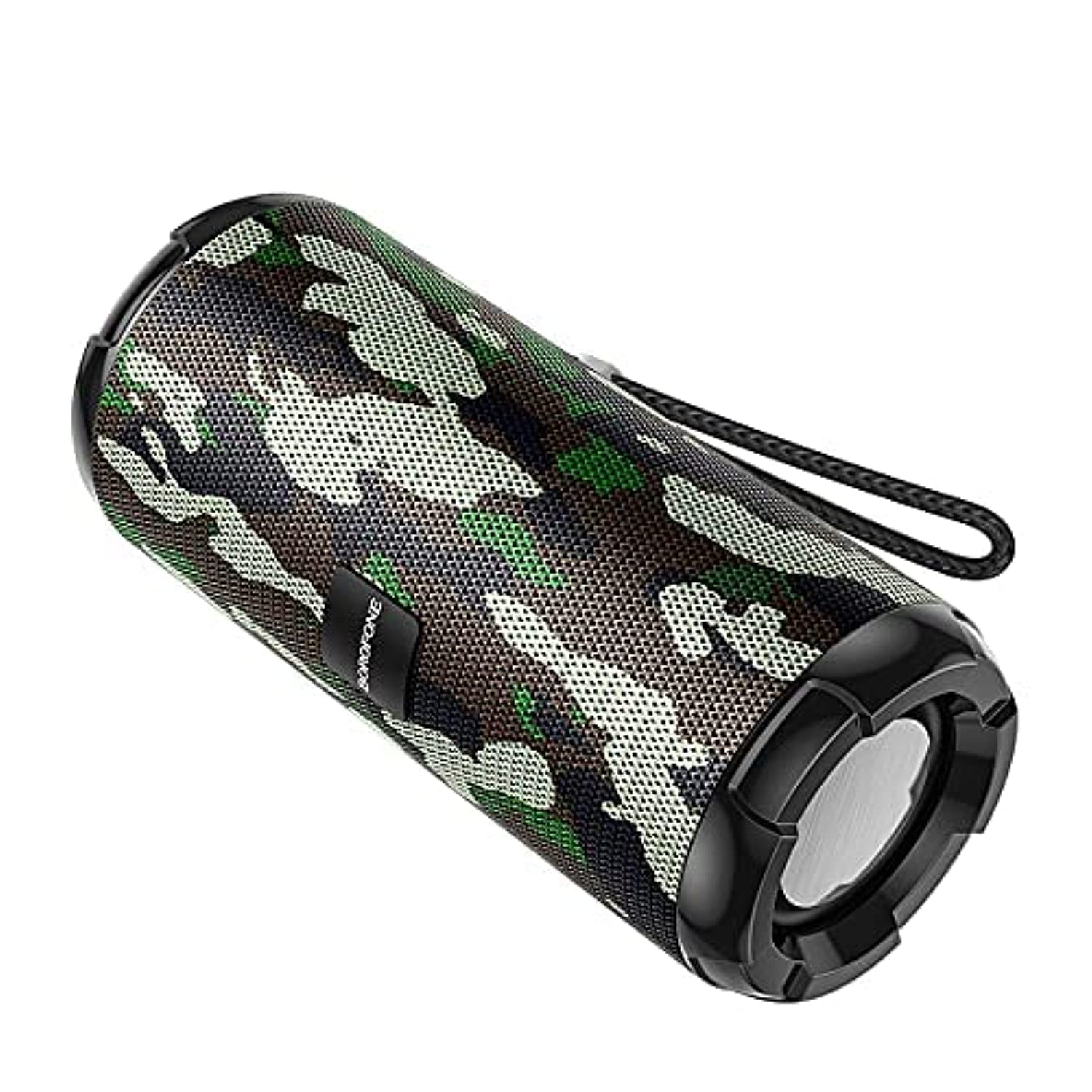
Image: The BOROFONE BR15 Portable Bluetooth Speaker, showcasing its camouflage green finish and cylindrical design.
5. Maintenance
5.1 Cleaning
- Always power off the speaker before cleaning.
- Use a soft, dry, lint-free cloth to wipe the exterior of the speaker.
- Do not use abrasive cleaners, alcohol, benzene, or other chemical solvents, as these may damage the surface or internal components.
5.2 Storage
- Store the speaker in a cool, dry place away from direct sunlight and extreme temperatures.
- If storing for an extended period, charge the battery to approximately 50% every few months to maintain battery health.
5.3 Battery Care
- Avoid fully discharging the battery frequently.
- Do not expose the speaker to temperatures above 60°C (140°F) or below -10°C (14°F).
- Use only the provided charging cable or a certified equivalent.
6. Troubleshooting
| Problem | Possible Cause | Solution |
|---|---|---|
| Speaker does not power on. | Low battery. | Charge the speaker for at least 30 minutes. |
| Cannot pair via Bluetooth. | Speaker not in pairing mode; Bluetooth disabled on device; speaker too far. | Ensure speaker is in Bluetooth mode (flashing LED). Enable Bluetooth on your device. Move speaker closer to your device (within 10 meters). |
| No sound. | Volume too low; incorrect mode; device not playing. | Increase speaker and device volume. Check if the speaker is in the correct mode (Bluetooth, TF, USB, FM). Ensure audio is playing on your connected device. |
| FM radio reception is poor. | Weak signal. | Move the speaker to an open area or closer to a window. |
| TWS pairing fails. | Speakers too far apart; one speaker already paired. | Ensure both speakers are close to each other. Disconnect any existing Bluetooth connections from both speakers before attempting TWS pairing. |
7. Specifications
| Feature | Specification |
|---|---|
| Model Name | BR15 |
| Bluetooth Version | 5.0 |
| Chip | Jerry |
| Battery Capacity | 1200mAh |
| Charging Time | Approximately 2 hours |
| Music/Talk Time | Approximately 2.5 hours |
| Speaker Unit | 45mm x 2 |
| Output Power | 5W x 2 |
| Dimensions (L x W x H) | 162mm x 70mm x 70mm (6.38 x 2.76 x 2.76 inches) |
| Weight | Not specified |
| Material | Plastic |
| Color | Camouflage Green |
| Water Resistance | Yes |
| Connectivity | Bluetooth, TF Card, USB Disk, FM Radio, AUX-in, TWS |
| Compatible Devices | Smartphone, Tablet |

Image: The BOROFONE BR15 Portable Bluetooth Speaker positioned outdoors, highlighting its portability and design.
8. Warranty and Support
BOROFONE products are designed and manufactured to the highest quality standards. For information regarding warranty coverage, please refer to the warranty card included with your purchase or visit the official BOROFONE website. If you encounter any issues or require technical assistance, please contact BOROFONE customer support through their official channels.
No official product videos were provided for this model.


