
Introduction
Thank you for choosing the Aiwa MI-X 450 PRO Enigma Portable Bluetooth Speaker. This manual provides essential information for setting up, operating, and maintaining your speaker to ensure optimal performance and longevity. Please read this manual thoroughly before using the product.
What's in the Box
Verify that all items are present in the package:
- Speaker (1 unit)
- Wireless Microphones (2 units)
- Remote Control (1 unit)
- Type-C Charging Cable (1 unit)
- AUX Line (1 unit)
- User Manual (This document)
- Warranty Card
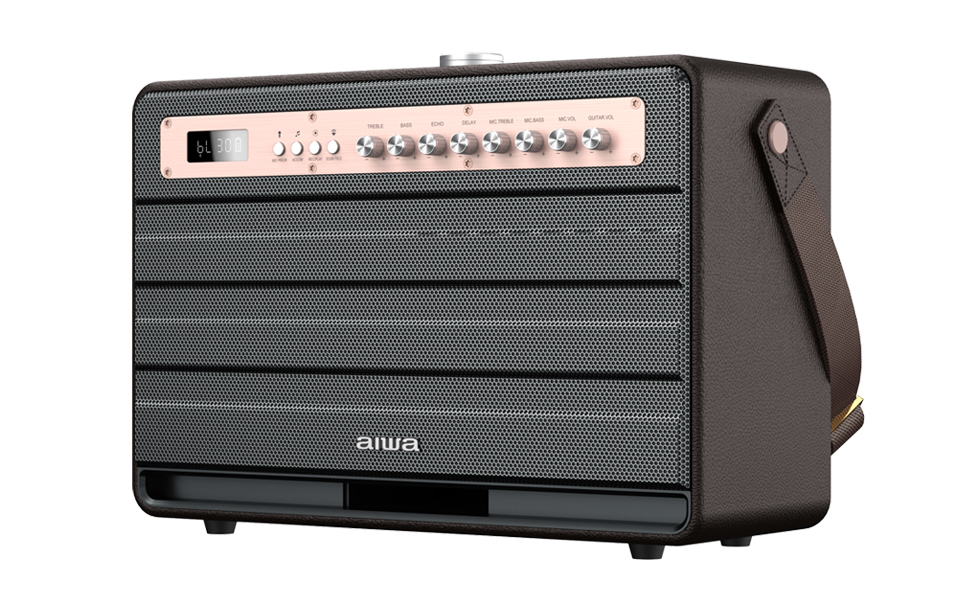
Image: Contents of the Aiwa MI-X 450 PRO Enigma package, including the speaker, two microphones, and remote.
Product Overview
The Aiwa MI-X 450 PRO Enigma is a portable Bluetooth speaker designed for powerful audio output and versatile connectivity. It features a robust design with a handle for easy transport.
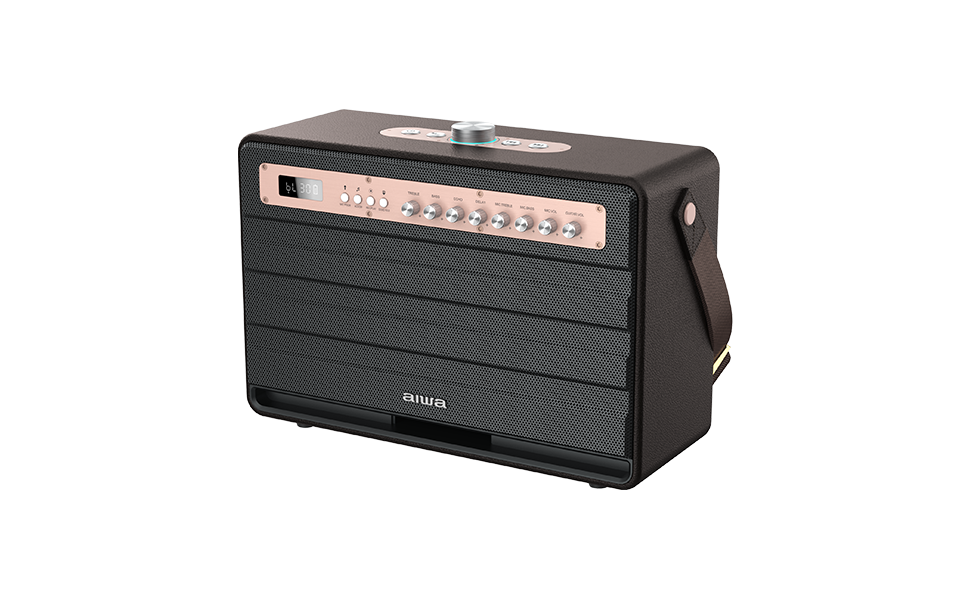
Image: The Aiwa MI-X 450 PRO Enigma speaker, highlighting its portable design with a carrying strap.
Key Features:
- Bluetooth 5.0 Technology for wireless connectivity.
- Guitar Input for instrument connection.
- Wireless Microphones for karaoke and vocal performances.
- Long-lasting battery for extended playtime.
- Recording Functionality.
- Outdoor Mode for enhanced sound in open environments.
- Echo Effect for vocal enhancement.
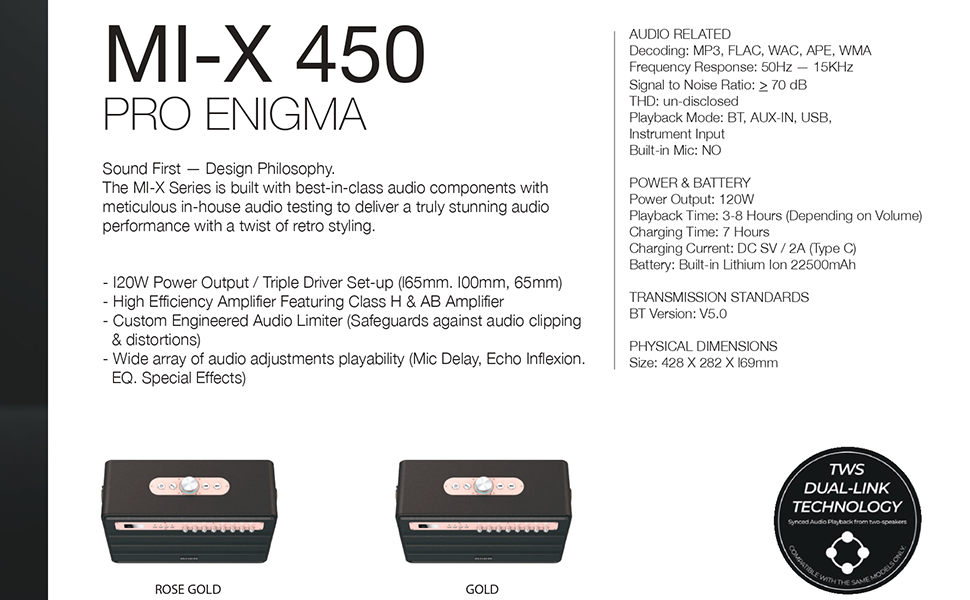
Image: Visual representation of the speaker's dynamic features.
Control Panel and Connections:
The speaker features an intuitive control panel with various buttons and knobs for audio adjustment and mode selection.

Image: Close-up of the speaker's control panel, indicating the function of each button and knob.
- LED Display: Shows current mode and status.
- Mode Button: Switches between Bluetooth, AUX, USB, TF, Live, and Monitor modes.
- Volume Knobs: Master volume, Mic volume, Guitar volume.
- EQ Controls: Bass, Treble, Mic Bass, Mic Treble.
- Effect Controls: Echo, Delay.
- Mic Priority: Prioritizes microphone audio over music.
- Acomm Mode: (Functionality to be detailed in operation section).
- Replay: For recorded audio playback.
- Input Ports: USB, AUX-IN, TF card slot, Guitar input, Type-C charging port.
Setup
Initial Charging:
Before first use, fully charge the speaker. Connect the provided Type-C charging cable to the speaker's charging port and a compatible USB power adapter (DC5V/2A). The charging indicator will show the charging status. A full charge takes approximately 7 hours.
Powering On/Off:
Press and hold the power button on the speaker to turn it on or off. The LED display will illuminate upon power-on.
Operating Instructions
Bluetooth Connection:
- Turn on the speaker. The LED display will show "BT" or similar, indicating Bluetooth mode. If not, press the Mode button to select Bluetooth.
- Enable Bluetooth on your mobile device or computer.
- Search for "AIWA MI-X450 PRO Enigma" in the list of available devices.
- Select the speaker to pair. A confirmation sound will indicate successful pairing.
TWS Dual-Link Technology:
To achieve a stereo sound experience, you can wirelessly pair two Aiwa MI-X 450 PRO Enigma speakers.

Image: Illustration of two speakers connected using TWS Dual-Link for stereo sound.
- Ensure both speakers are powered on and in Bluetooth mode, but not connected to any device.
- On one speaker (this will be the primary speaker), press and hold the TWS button (refer to control panel diagram for location).
- The primary speaker will search for the secondary speaker. Once connected, a confirmation sound will play.
- Now, connect your device to the primary speaker via Bluetooth as described above. Audio will play through both speakers in stereo.
USB/AUX/TF Playback:
- USB Playback: Insert a USB drive with audio files into the USB port. The speaker will automatically switch to USB mode and begin playback.
- AUX-IN Playback: Connect an external audio device using the provided AUX cable to the AUX-IN port. Press the Mode button to select AUX mode.
- TF Card Playback: Insert a TF (MicroSD) card with audio files into the TF card slot. The speaker will automatically switch to TF mode and begin playback.
Using the Wireless Microphones:
The speaker comes with two metallic wireless microphones for karaoke or public speaking.
- Ensure the microphones are charged (they feature Type-C charging).
- Turn on the microphones. They should automatically pair with the speaker.
- Adjust the "MIC VOL" knob on the speaker to control microphone volume.
- Use the "MIC BASS" and "MIC TREBLE" knobs to adjust the microphone's tone.
- Apply "ECHO" and "DELAY" effects using their respective knobs for vocal enhancement.
- Activate "MIC PRIORITY" to automatically lower music volume when speaking into the microphone.
Guitar Input:
Connect your guitar to the dedicated guitar input port. Adjust the "GUITAR VOL" knob to control the instrument's volume.
Recording Function:
The speaker supports recording audio, typically from the microphones, to a connected USB drive or TF card. Refer to the specific recording button on the control panel (if available) or the remote control for initiation and stopping of recording.
Audio Customization:
- Bass/Treble Control: Use the main "BASS" and "TREBLE" knobs to adjust the overall sound profile.
- Indoor/Outdoor Mode: Select the appropriate mode for optimized sound in different environments. Outdoor mode typically boosts volume and bass for open spaces.
- Acomm Mode: This mode may offer specific audio enhancements or vocal processing. Consult the remote control or speaker interface for activation.
Remote Control:
The included remote control allows for convenient operation from a distance, including power, mode selection, volume adjustment, track control, and EQ settings.
Charging and Battery
The Aiwa MI-X 450 PRO Enigma is equipped with a 22,500mAh rechargeable Lithium-Ion battery.
- Charging Input: DC5V/2A (Type-C).
- Charging Time: Approximately 7 hours for a full charge.
- Playback Time: 3-8 hours, depending on the volume level and audio content.
To preserve battery life, avoid fully discharging the speaker frequently and store it with some charge if not used for extended periods.
Maintenance
- Cleaning: Use a soft, dry cloth to clean the speaker's exterior. Do not use abrasive cleaners or solvents.
- Storage: Store the speaker in a cool, dry place away from direct sunlight and extreme temperatures.
- Water Resistance: This product is NOT waterproof. Avoid exposure to water or excessive moisture.
- Handling: Handle the speaker with care to prevent physical damage.
Troubleshooting
| Problem | Possible Solution |
|---|---|
| Speaker does not power on. | Ensure the battery is charged. Connect the speaker to a power source using the Type-C cable. |
| No sound from the speaker. | Check the volume level on both the speaker and the connected device. Ensure the correct input mode (Bluetooth, AUX, USB, TF) is selected. Verify cables are securely connected. |
| Bluetooth pairing fails. | Ensure the speaker is in Bluetooth pairing mode. Disable and re-enable Bluetooth on your device. Move the device closer to the speaker. Clear previous pairings on your device. |
| Microphone not working. | Ensure microphones are powered on and charged. Adjust the "MIC VOL" knob. Check if Mic Priority is enabled and functioning correctly. |
| TWS pairing unsuccessful. | Ensure both speakers are in Bluetooth mode and not connected to any other device. Follow the TWS pairing steps carefully, initiating from one speaker. |
Specifications
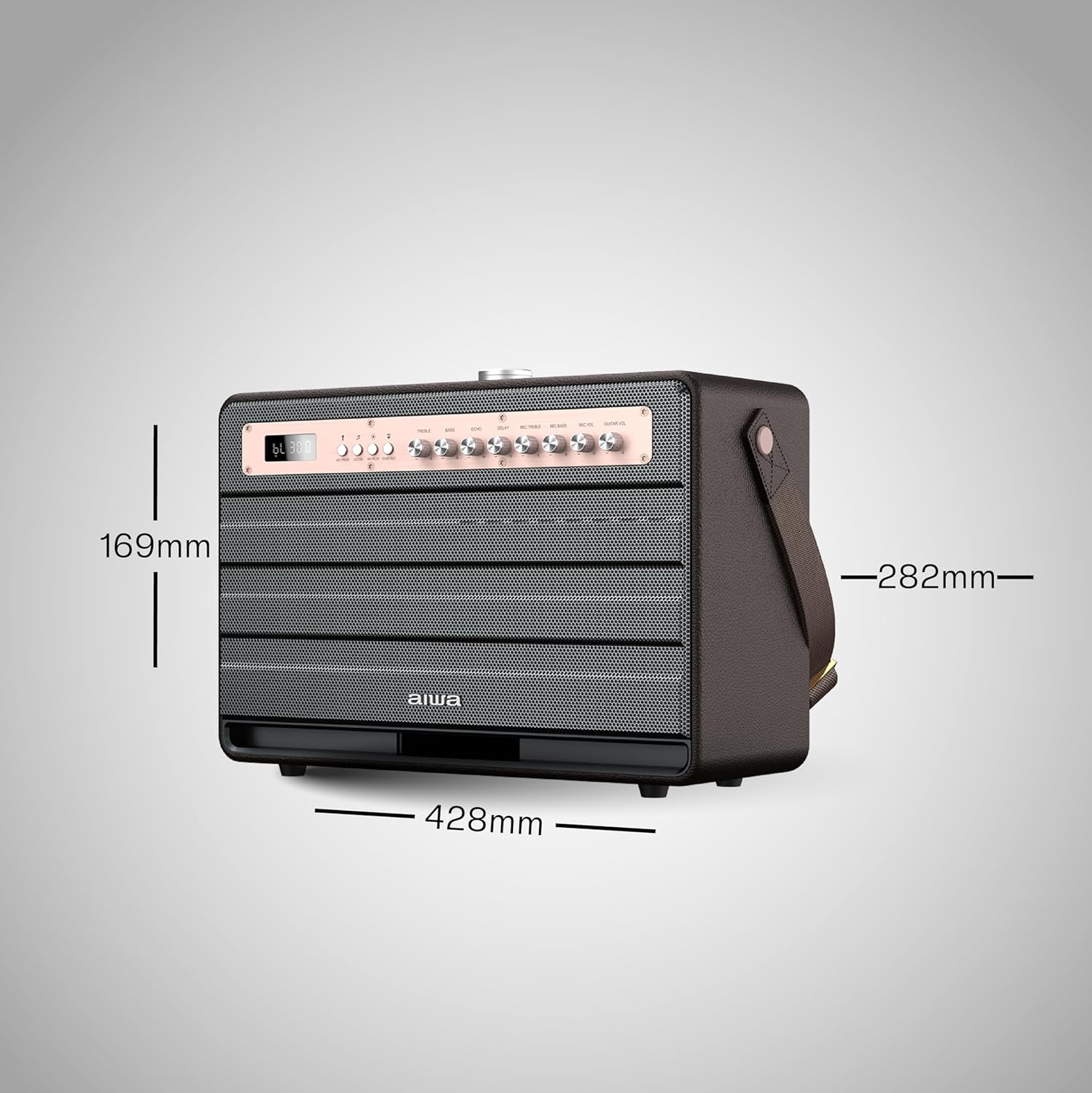
Image: Dimensions of the Aiwa MI-X 450 PRO Enigma speaker.
| Feature | Detail |
|---|---|
| Model Name | MI-X450 Pro Enigma |
| Output Power | 120 Watts |
| Connectivity | Bluetooth V5.0, USB, AUX-IN, TF Card, Guitar Input |
| Battery Capacity | 22,500 mAh Lithium Ion |
| Playback Time | 3-8 Hours (depending on volume) |
| Charging Time | 7 Hours |
| Charging Input | DC5V/2A (Type-C) |
| Speaker Type | Woofer, Dynamic Driver |
| Subwoofer Diameter | 12 Inches |
| Tweeter Diameter | 1 Inch |
| Signal-to-Noise Ratio | 70 dB |
| Product Dimensions | 16D x 16W x 14.2H Centimeters (Approx. 42.8W x 16.9H x 28.2D cm) |
| Item Weight | 4 Kilograms |
| Material | PU leather/Wood |
| Water Resistance | Not Water Resistant |
Warranty and Support
The Aiwa MI-X 450 PRO Enigma speaker comes with a 1-year warranty from the date of purchase.
For warranty claims, technical support, or service inquiries, please contact Aiwa customer support:
- Contact Number: 1800-120-5619
- Email: care@in-aiwa.com
- Manufacturer: Aiwa Electronics International Company Limited
- Importer/Packer: MCC Global Sales LLP, 2E/26,(basement) Jhandewalan Extn., New Delhi 110055

Image: Aiwa's commitment to customer service and support network.