
1. Introduction
This manual provides essential instructions for the safe and effective use of your LinkedSparx LS-S420-2A 420LED 110ft App-Controlled Multicolor String Lights. Please read this guide thoroughly before installation and operation to ensure optimal performance and longevity of your product.
2. Package Contents
- 1 x LED String Lights with Controller
- 1 x Power Adapter
- 1 x User Manual

3. Safety Information
- This product is designed for indoor use only.
- Do not expose the lights or power adapter to water or moisture.
- Ensure the power adapter is connected to a compatible power outlet.
- Do not attempt to modify or repair the product. Contact customer support if assistance is needed.
- Keep out of reach of children and pets.
- Unplug the lights from the power source when not in use or before cleaning.
4. Setup
- Unpack the Lights: Carefully remove the LED string lights, controller, and power adapter from the packaging.
- Connect Power: Connect the LED string lights to the controller, and then connect the controller to the power adapter. Plug the power adapter into a standard electrical outlet.
- Install the App: Download and install the free 'LinkedSparx' App on your mobile device. The app is available on both the App Store and Google Play.
- Enable Bluetooth: Ensure Bluetooth is enabled on your mobile device. The lights connect directly via Bluetooth without requiring manual pairing.
- Position the Lights: Arrange the 110ft (33.5m) string lights as desired for your indoor decoration.

5. Operating Instructions
5.1 App Control
The LinkedSparx App provides full control over your string lights. Once the app is installed and Bluetooth is active, open the app to automatically detect and connect to your lights. No manual pairing is required.
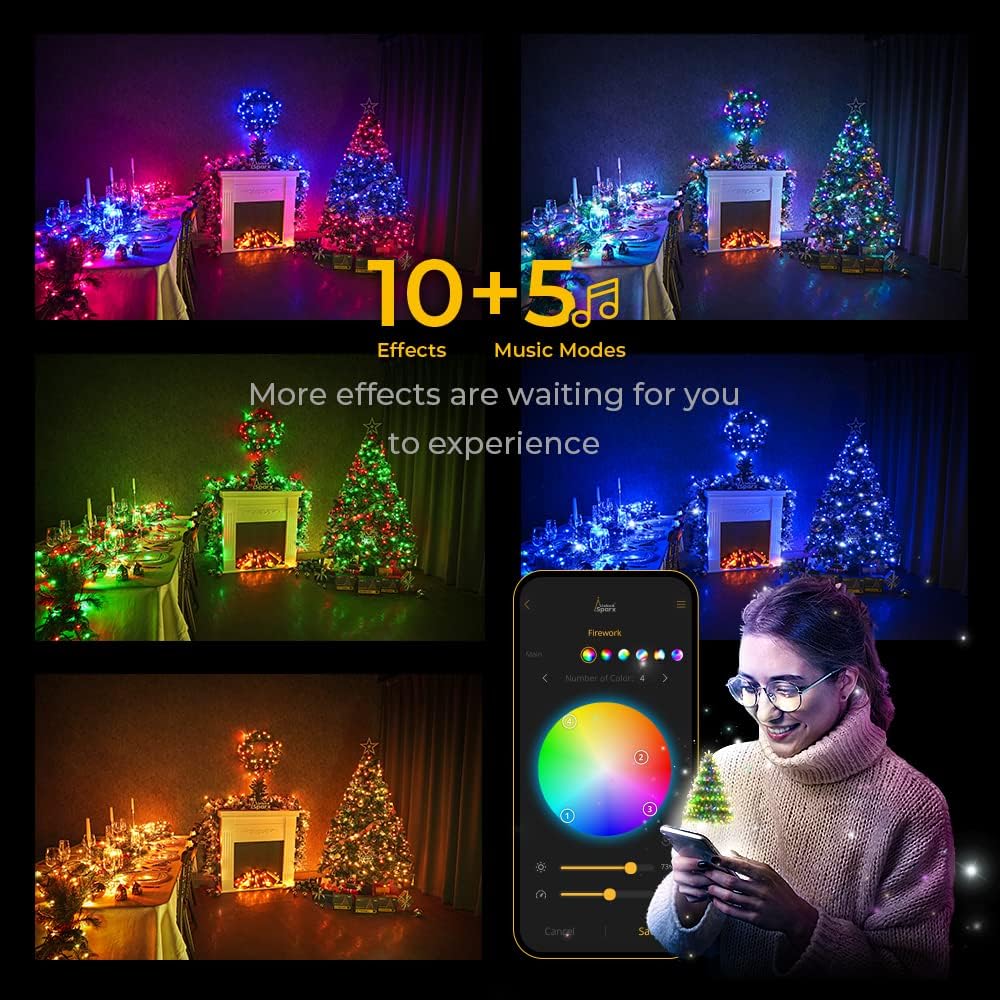
- Select Effects: Choose from 10 dynamic lighting effects and 5 music modes.
- Customize Colors: Access RGB 16 million colors to edit and create custom color schemes.
- Adjust Settings: Modify brightness and speed of effects.
- Power Control: Switch the lights on or off directly from the app.
- Multiple Sets: Control multiple sets of LinkedSparx lights simultaneously through the app after a one-on-one pairing procedure.


5.2 Music Sync Modes
The built-in microphone on the controller allows your lights to synchronize with music. There are 5 music modes available, and the microphone sensitivity can be adjusted to 3 levels via the app. No additional music dongle is required.

5.3 Timer Function
Utilize the app to set a timer for your lights. You can schedule specific on/off times, allowing for automated operation daily or on selected days.
6. Maintenance
- Cleaning: Gently wipe the lights with a soft, dry cloth. Do not use liquid cleaners or immerse in water.
- Storage: When not in use, store the lights in their original packaging or a protective container in a cool, dry place. Avoid tangling the wires.
- Inspection: Periodically inspect the lights and power adapter for any signs of damage. Discontinue use if any damage is found.
7. Troubleshooting
| Problem | Possible Cause | Solution |
|---|---|---|
| Lights do not turn on. | No power, loose connection, app issue. | Check power adapter connection. Ensure outlet is functional. Verify app is connected and lights are switched on in the app. |
| App cannot connect to lights. | Bluetooth off, lights out of range, app glitch. | Ensure Bluetooth is enabled on your device. Move closer to the lights (within 10 meters). Restart the app or your phone. |
| Music sync not working effectively. | Microphone sensitivity, ambient noise. | Adjust microphone sensitivity in the app. Ensure the controller's microphone is not obstructed and is close to the music source. |
| Lights display incorrect colors/effects. | App settings. | Verify the selected effect and color settings within the LinkedSparx app. |
8. Specifications
| Feature | Detail |
|---|---|
| Brand | LinkedSparx |
| Model Number | LS-S420-2A |
| Number of LEDs | 420 |
| Item Length | 110 Feet (33.5 meters) |
| Color | Multicolor + White (RGB 16 Million Colors) |
| Indoor/Outdoor Usage | Indoor |
| Special Features | Color change, adjustable brightness/speed, timer, music sync |
| Light Source Type | LED |
| Power Source | DC |
| Voltage | 30 Volts |
| Wattage | 30 Watts |
| Control Method | App Control (Bluetooth) |
| Material | Plastic |
| Item Weight | 2.34 Pounds |
9. Warranty and Support
LinkedSparx products are designed for quality and reliability. For warranty information or technical support, please refer to the contact details provided on the product packaging or visit the official LinkedSparx website. Keep your purchase receipt for warranty claims.