
1. Introduction
Thank you for choosing the MAGIBX Electronic Piggy Bank ATM Machine Money Safe. This interactive money box is designed to help children learn about saving money in a fun and secure way. It features a password-protected entry, automatic banknote rolling, and a large capacity for both coins and bills.
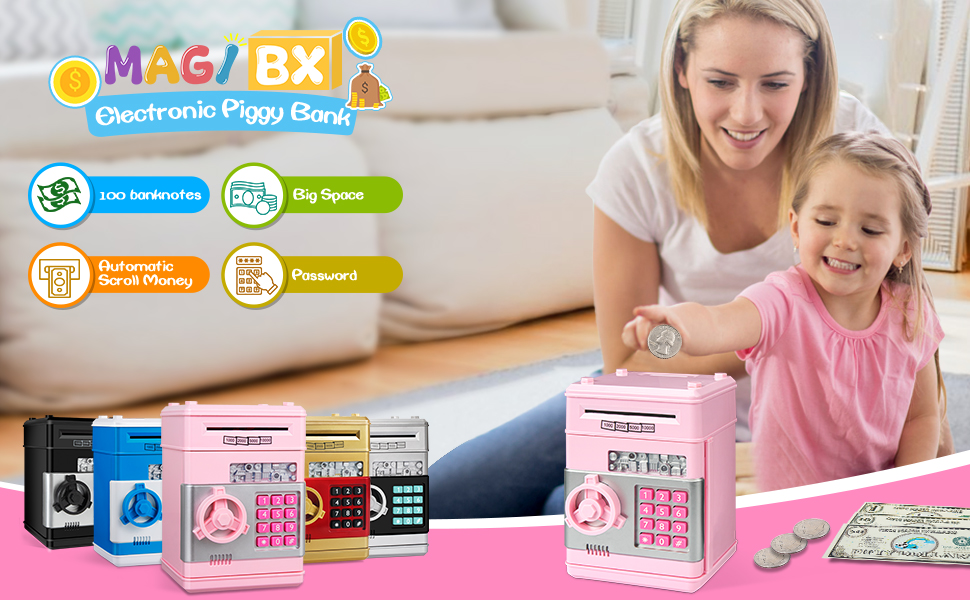
Image: A child imagining future purchases with saved money, next to the pink electronic piggy bank.
2. Key Features
- Password Protection: Secure your savings with a 4-digit password.
- Automatic Banknote Roller: Bills are automatically pulled into the safe for convenient deposit.
- Coin Slot: A dedicated slot on top for easy coin deposits.
- Large Capacity: Stores up to 600 coins or 100 banknotes.
- Durable Construction: Designed to withstand regular use by children.

Image: Close-up of the piggy bank highlighting its features like coin and bill slots, keypad, and door knob.
3. Setup
3.1 Battery Installation
- Locate the battery compartment on the bottom of the piggy bank.
- Using a screwdriver, open the battery compartment cover.
- Insert 3 AA batteries (not included), ensuring correct polarity (+/-).
- Close the battery compartment cover and secure it with the screw.

Image: Step-by-step guide for battery installation, showing the battery compartment and screwdriver.
3.2 Initial Password
The default password for the piggy bank is "0000". You will use this to open the safe for the first time and to change the password.
4. Operating Instructions
4.1 Depositing Money
- For Banknotes: Insert the banknote into the cash deposit slot at the front of the safe. The banknote will be automatically rolled inside. Note: Very old or soft banknotes may not be pulled in automatically.
- For Coins: Place coins into the coin slot located on the top of the piggy bank.

Image: Automatic banknote insertion.

Image: Coin slot for easy deposits.
4.2 Opening the Safe
- Enter your 4-digit password using the keypad. The default password is "0000".
- If the password is correct, a green light will illuminate.
- Turn the knob clockwise to open the safe door.
- The safe will make a sound when opened. If the door is left open, it will beep to remind you to close it.

Image: Opening the safe door by turning the knob.
4.3 Changing the Password
- With the safe door open, press and hold the '*' (asterisk) button.
- While holding '*', enter your new 4-digit password.
- Press the '#' (hash) button to confirm your new password.
- Release the '*' button. Your new password is now set.

Image: Keypad showing buttons for password entry and change.
5. Maintenance
- Battery Life: With new batteries, the safe will work for approximately one month. Replace batteries when sounds become faint or functions stop working.
- Cleaning: Wipe the exterior with a soft, dry cloth. Do not use abrasive cleaners or immerse in water.
- Storage: Store in a cool, dry place away from direct sunlight and extreme temperatures.
6. Troubleshooting
6.1 Forgot Password
If you forget your password, remove the batteries from the compartment and wait for at least 15 minutes. Reinstall the batteries, and the password will reset to the default "0000".
Image: Instructions for resetting the password by removing batteries.
6.2 Banknote Not Rolling In
Ensure the banknote is not too old, soft, or crumpled. Smooth out any creases before inserting. If the issue persists, check for any obstructions in the slot.
7. Specifications
| Product Dimensions | 7.28 x 5.31 x 5.51 inches |
| Item Weight | 1.34 pounds |
| Model Number | G |
| Manufacturer | MAGIBX |
| Batteries Required | 3 AA batteries (not included) |
8. Additional Resources
8.1 Product Video
Video: An official product video from MAGIBX (ThinkingInBaby) demonstrating the features and operation of the ATM Piggy Bank.
9. Warranty and Support
For warranty information or customer support, please refer to the product packaging or contact MAGIBX customer service directly through their official channels. Keep your purchase receipt for any warranty claims.