
Kokoon Nightbuds
Kokoon Nightbuds Sleep Earbuds Instruction Manual
Model: Nightbuds (K2V0W-G)
Introduction
The Kokoon Nightbuds are in-ear headphones designed to assist with sleep and relaxation. They feature noise-masking technology, adaptive audio, and sleep-sensing capabilities, all managed through the MyKokoon application. This manual provides essential information for setting up, operating, maintaining, and troubleshooting your Nightbuds.

Image: The Kokoon Nightbuds, illustrating the flexible design connecting the earbuds to the central control unit.
Package Contents
Your Kokoon Nightbuds package should contain the following items:
- Kokoon Nightbuds
- Multiple sizes of ear tips/wings for optimal fit
- Carrying case (Grey)
- Charging cable (USB-C, typically included)
- Quick Start Guide
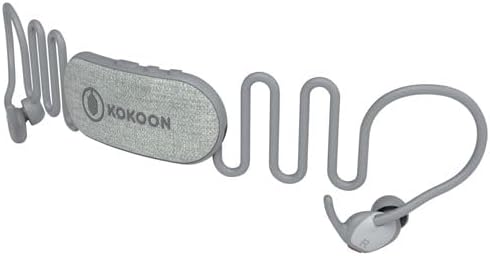
Image: Exploded view of Nightbuds, showing individual components like earbuds, cable, and control unit.

Image: Kokoon Nightbuds stored within their compact grey carrying case.
Setup
1. Charging the Nightbuds
Before initial use, fully charge your Nightbuds. Connect the charging cable to the Nightbuds and a suitable USB power source. A full charge provides approximately 14 hours of battery life.
2. Installing the MyKokoon App
The MyKokoon app is essential for utilizing the full features of your Nightbuds, including adaptive audio, sleep tracking, and access to the audio library. Download the MyKokoon app from your device's app store (iOS or Android).
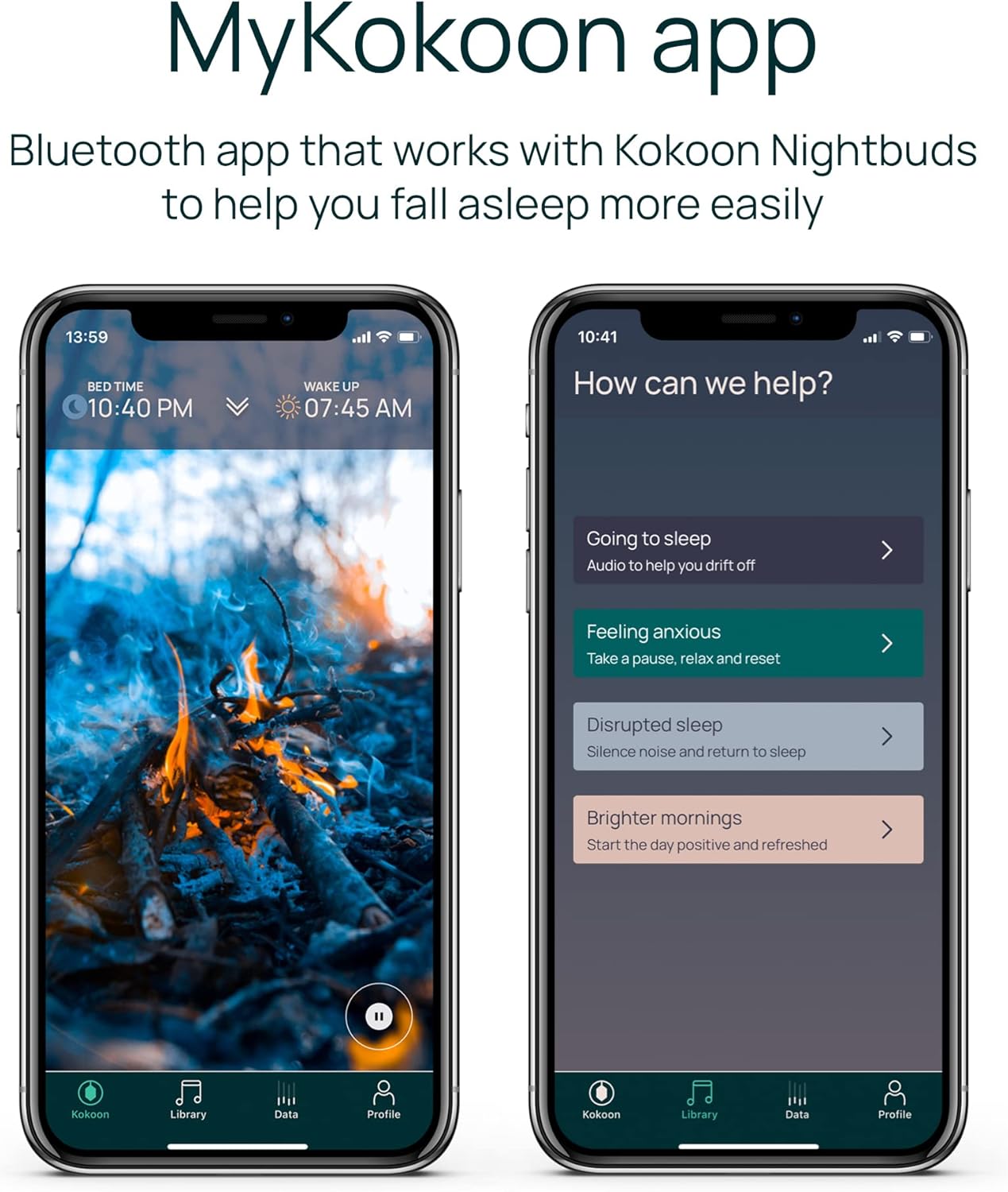
Image: The MyKokoon application interface, showing options for sleep audio and support.
3. Bluetooth Pairing
- Ensure your Nightbuds are powered on.
- Open the MyKokoon app on your smartphone.
- Follow the on-screen instructions within the app to pair your Nightbuds via Bluetooth. The app will guide you through the pairing process.
4. Achieving a Comfortable Fit
Proper fit is crucial for comfort and effective noise masking. The Nightbuds come with various sizes of silicone ear tips and wings. Experiment with different combinations to find the most secure and comfortable fit for your ears, especially if you are a side sleeper.
- Select ear tips that create a gentle seal in your ear canal without causing pressure.
- Adjust the flexible ear wings to sit comfortably around the contours of your outer ear.
- The design aims for a flush fit to minimize discomfort when lying on your side.

Image: A user demonstrating the comfortable fit of Nightbuds for side sleeping.

Image: Icon symbolizing unique comfort, highlighting the ergonomic design.
Operating Instructions
Using the MyKokoon App
The MyKokoon app provides a range of features to enhance your sleep experience:
- Audio Library: Access a collection of relaxing sounds, sleep music, and guided meditations based on Cognitive Behavioral Therapy (CBT) techniques.
- Adaptive Audio: The Nightbuds' sensors detect when you are falling asleep. The app will automatically fade out your chosen audio and introduce white noise to help maintain sleep.
- Noise Masking: When combined with audio from the app, the Nightbuds' design and technology help to mask external disturbances, such as snoring or environmental noise.
- Sleep Tracking: The integrated sensors monitor your sleep patterns. The app provides insights into your sleep duration, time to fall asleep, and overall sleep efficiency score. You can choose whether to utilize this data.
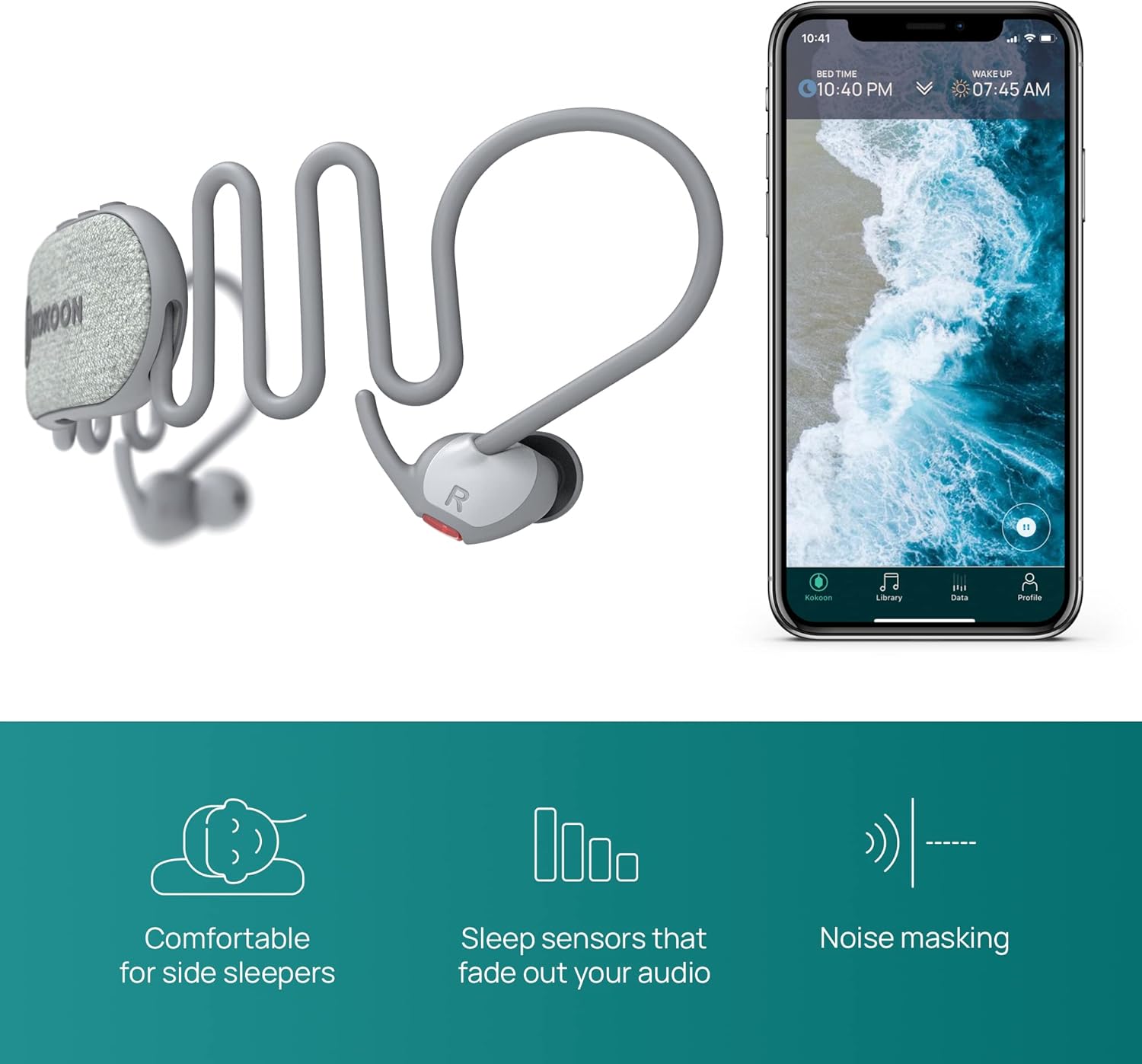
Image: Nightbuds shown alongside a smartphone displaying the MyKokoon app, highlighting sleep tracking and audio features.

Image: Screenshots of the MyKokoon app interface, demonstrating sleep data and audio selection.

Image: Icon symbolizing Adaptive Audio, indicating automatic sound adjustments.

Image: Icon symbolizing Noise Masking, indicating reduction of external sounds.
General Audio Playback
You can use your Nightbuds as standard Bluetooth headphones to listen to audio from any app on your smartphone, such as Spotify, Audible, or YouTube. The MyKokoon app's adaptive audio features will still function in the background if enabled.

Image: Nightbuds in use, demonstrating their ability to mask disturbances like snoring.
Controls
The Nightbuds feature touch controls for media playback and other functions. Refer to the MyKokoon app or the Quick Start Guide for specific touch gestures and their corresponding actions.
Maintenance
- Cleaning: Regularly clean the ear tips and the surface of the earbuds with a soft, dry, lint-free cloth. If necessary, remove ear tips for separate cleaning with mild soap and water, ensuring they are completely dry before reattaching. Avoid moisture entering the earbud openings.
- Storage: When not in use, store your Nightbuds in the provided carrying case to protect them from dust, dirt, and physical damage.
- Water Resistance: The Nightbuds are not water resistant. Avoid exposure to liquids, moisture, or extreme humidity to prevent damage.
Troubleshooting
Connectivity Issues
- Nightbuds not pairing: Ensure Bluetooth is enabled on your device and the Nightbuds are sufficiently charged. Restart both your device and the Nightbuds, then attempt pairing again via the MyKokoon app.
- Choppy audio: If audio is choppy upon initial connection, try restarting the Nightbuds. Ensure your device is within Bluetooth range and there are no significant obstructions.
App-Related Issues
- App not tracking sleep data (e.g., after OS update): Ensure your MyKokoon app is updated to the latest version available in your device's app store. Check for any known compatibility issues with your operating system version on the official Kokoon support website.
- Adaptive audio cutting out prematurely: If the app incorrectly detects you are asleep, you can adjust the sensitivity settings within the MyKokoon app or disable the automatic volume reduction feature if preferred.
- App instability: If the app crashes or behaves unexpectedly, try force-closing and restarting it. Ensure your device's operating system is up to date.
Comfort and Fit Issues
- Ear pain or discomfort: Re-evaluate your ear tip and wing selection. Ensure you are using the size that provides the most comfortable and least intrusive fit. It may take some time for your ears to adjust to wearing earbuds overnight.
- Ear tips coming off: Ensure the ear tips are securely attached to the earbuds. If they consistently detach, contact Kokoon support for assistance.
Battery Issues
- Short battery life: Ensure the Nightbuds are fully charged before use. Battery performance can degrade over time with usage.
Specifications
| Model Name | Nightbuds |
| Model Number | K2V0W-G |
| Brand | Kokoon |
| Connectivity Technology | Wireless (Bluetooth) |
| Ear Placement | In Ear |
| Form Factor | In Ear |
| Material | Silicone |
| Color | Gray |
| Battery Life | 14 Hours |
| Control Type | Media Control, Touch |
| Frequency Range | 20 Hz - 20,000 Hz |
| Water Resistance Level | Not Water Resistant |
| Item Weight | 9.5 ounces (0.27 Kilograms) |
| Product Dimensions | 7.87 x 2.17 x 0.47 inches |
Warranty and Support
For information regarding warranty coverage, product support, or to purchase replacement parts, please visit the official Kokoon website or contact Kokoon customer service directly. Details on warranty periods and terms are typically provided with your purchase documentation or on the manufacturer's website.
Note: Based on available information, Kokoon does not currently offer repair services or supply individual replacement parts for the Nightbuds.