
ERGOMAKER SM205
ERGOMAKER Electric Standing Desk User Manual
Model: SM205 | Brand: ERGOMAKER
Important Safety Information
Please read all instructions carefully before assembly and use. Failure to comply may result in property damage or bodily injury.
- ⚠️ Inappropriate use of this product may cause property or bodily injury.
- ⚠️ Check surroundings on all sides before using the desk. Body parts and property can be crushed if trapped between an immobile obstacle and the desk’s range of motion.
- ⚠️ Ensure the length of power cords are accounted for when operating the desk. Monitors, computers, speakers, anything with a cord that is not long enough for the desk’s range of motion could be pulled down or have its wires broken. Items pulled off the desk may cause other items to fall.
- ⚠️ Please provide this operation to any users, installers, or support personnel operating the product.
- ⚠️ Do not open any of the components: lifting columns, power adaptor, or handset. There is a danger of electric shock.
Product Overview
The ERGOMAKER Electric Standing Desk is designed to provide a versatile and ergonomic workspace, allowing seamless transitions between sitting and standing positions. Its robust construction and intuitive controls make it an ideal solution for home offices, gaming setups, and study areas.
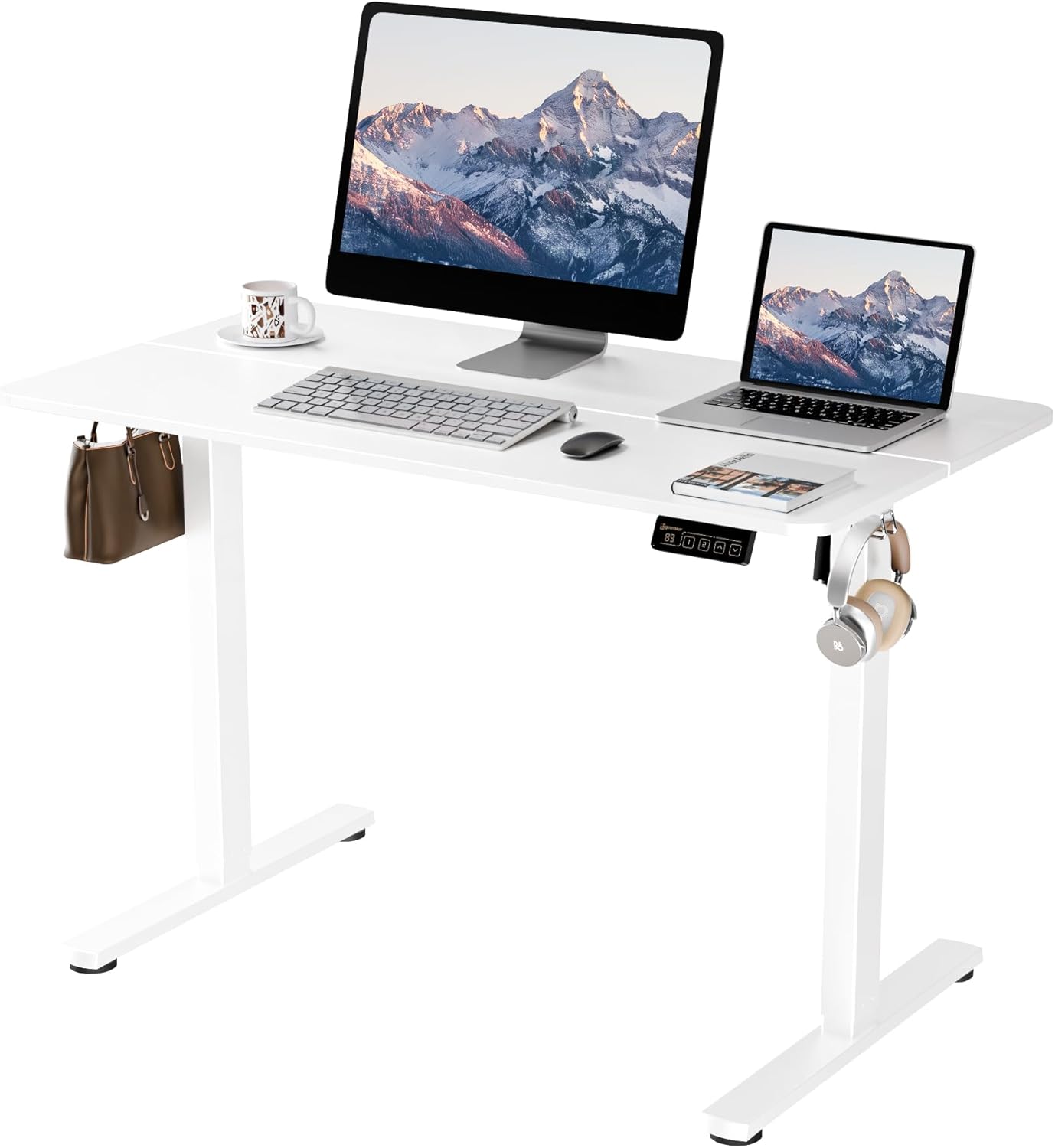
Figure 1: ERGOMAKER Electric Standing Desk in a typical office setup.
Key Features
- Electric Height Adjustment: Effortlessly switch between sitting and standing with a touch of a button, adjusting from 28" to 46.5" (71cm to 118cm).
- Spacious Work Area: The 43.3" x 23.6" desktop accommodates multiple monitors and office essentials. Integrated hooks provide convenient storage for bags or headphones.
- Solid Construction: Built with heavy-duty steel, supporting up to 154 lbs (70 kg) with smooth and quiet operation (less than 50dB).
- Easy Installation: Innovative quick installation design allows for assembly in under 20 minutes with pre-drilled holes and included tools.
- Safety Features: Equipped with overload and overheat protective systems for enhanced safety and durability.
Setup and Assembly
The ERGOMAKER Electric Standing Desk is designed for quick and straightforward assembly. Follow the steps below or refer to the official installation video for a visual guide.
Video 1: Official installation guide for the ERGOMAKER Electric Standing Desk. This video demonstrates the step-by-step assembly process.
Assembly Steps Overview:
- Unpack Components: Carefully remove all parts from the packaging and verify against the parts list in the user guide.
- Assemble Frame: Attach the crossbar to the lifting columns, ensuring proper orientation as indicated in the manual.
- Install Drive Rod: Insert the drive rod into the motor and secure it to the opposite leg. Ensure the hex nut and sleeve are properly clipped.
- Attach Desktop: Secure the two-piece desktop boards to the assembled frame using the provided screws and alignment dowels.
- Connect Electronics: Plug in the motor cable, handset cable, and power adapter. Use cable ties to manage wires neatly.
- Final Adjustments: Ensure all screws are tightened and the desk is stable. Adjust leveling studs if necessary.
Operating Instructions
Your ERGOMAKER Electric Standing Desk features an intuitive control panel for easy height adjustments and memory presets.
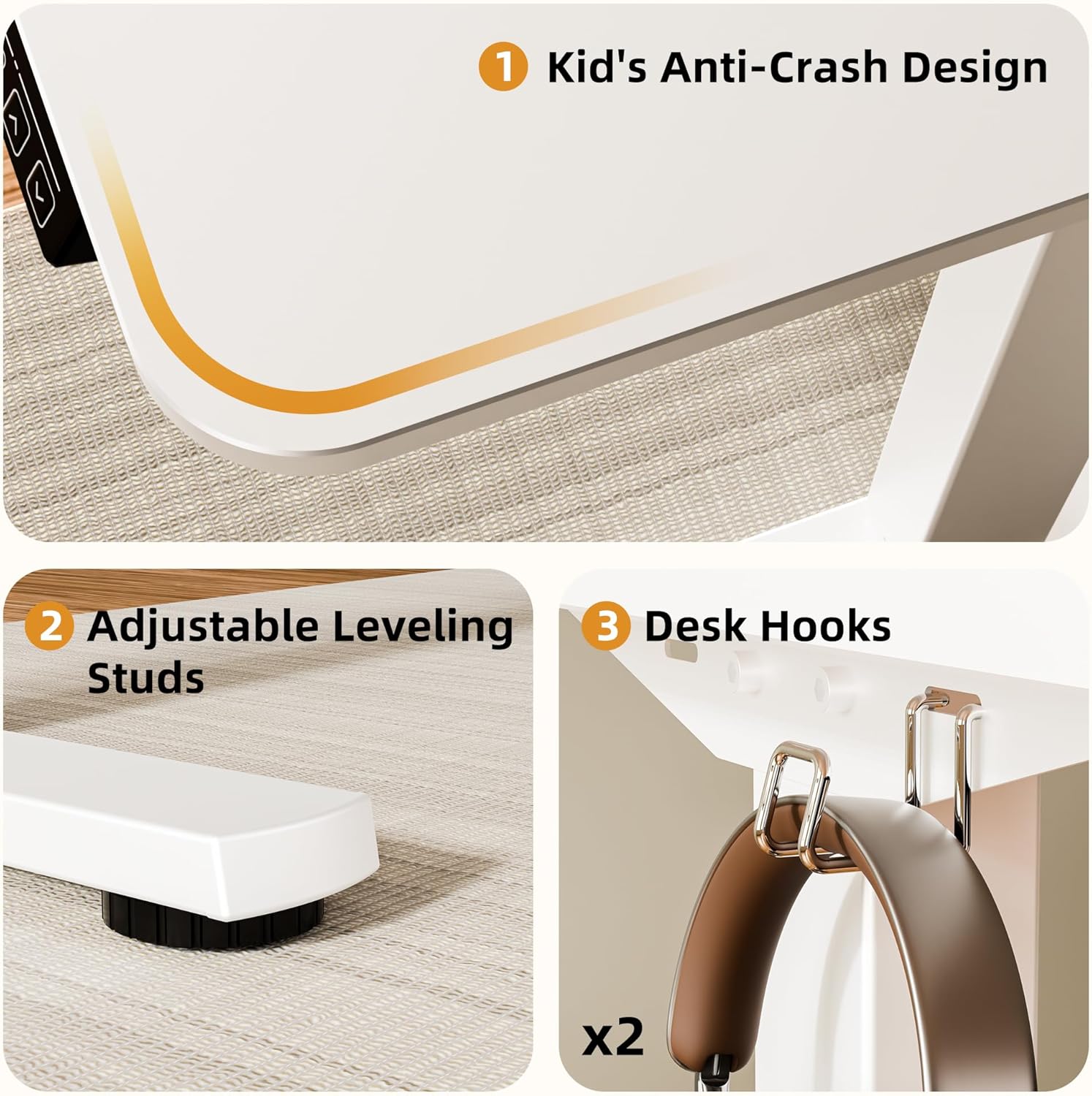
Figure 2: Close-up of the convenient control panel with LED display, memory presets, and up/down buttons.
Electric Height Adjustment
- Adjusting Height: Use the ▲ (Up) and ▼ (Down) buttons on the control panel to raise or lower the desk to your desired height. The LED display will show the current height.
- Smooth Operation: The desk features soft start/stop functions for smooth and quiet movement.
Memory Presets
- Saving a Preset: Adjust the desk to your preferred height. Press and hold one of the numbered preset buttons (1 or 2) until the LED display flashes or beeps, indicating the height has been saved.
- Recalling a Preset: Simply press the corresponding preset button (1 or 2) to automatically move the desk to your saved height.
Video 2: Demonstration of the ERGOMAKER Electric Height Adjustable Standing Desk in use, showcasing height adjustments and features.
Maintenance
To ensure the longevity and optimal performance of your ERGOMAKER Electric Standing Desk, follow these simple maintenance guidelines:
- Cleaning: Wipe the desktop and frame with a damp cloth. Avoid using harsh chemicals or abrasive cleaners that could damage the finish.
- Cable Management: Periodically check and secure all cables to prevent tangling or damage, especially during height adjustments.
- Regular Inspection: Ensure all screws remain tight and components are securely in place.
Troubleshooting
If you encounter any issues with your ERGOMAKER Electric Standing Desk, please refer to the following general troubleshooting tips. For more detailed solutions, consult the official user guide or contact customer support.
- Desk Not Moving: Check all power connections. Ensure the power adapter is securely plugged into both the wall outlet and the desk's control box.
- Error Codes on Display: Refer to the comprehensive user guide for specific error code meanings and corresponding solutions.
- Uneven Movement: Ensure the desk is placed on a flat, stable surface. Check that all assembly screws are tightened evenly.
- Noise During Operation: A slight motor hum is normal. Excessive or unusual noise may indicate a loose component; re-check assembly.
Specifications
| Feature | Detail |
|---|---|
| Brand | ERGOMAKER |
| Model Number | SM205 |
| Product Dimensions | 23.6"D x 43.3"W x 46.5"H |
| Height Adjustment Range | 28" to 46.5" (71cm to 118cm) |
| Max Weight Capacity | 154 lbs (70 kg) |
| Material | Alloy Steel (Base), Wood (Top) |
| Noise Level | <50dB |
| Included Components | 1 x Ergomaker Electric Height Adjustable Desk with Single Motor, 110cm L x 60cm W, White |
| Assembly Required | Yes (Tools included) |
Warranty and Support
ERGOMAKER stands behind the quality of its products. Your Electric Standing Desk comes with comprehensive warranty coverage:
- Desk Frame: 5-year warranty
- Motor & Handset & Power Adapter: 2-year warranty
- Technical Support: Free technical support for a lifetime.
For any questions, technical assistance, or warranty claims, please contact ERGOMAKER customer support. You can also refer to the full Installation Manual (PDF) for detailed information.
Related Documents - SM205
 |
Ergomaker SM205-120 Electric Height Adjustable Standing Desk Installation and Operation Manual This manual provides comprehensive instructions for the assembly, operation, and troubleshooting of the Ergomaker SM205-120 electric height adjustable standing desk. It includes safety warnings, a parts list, step-by-step assembly guides, feature explanations, and error code solutions. |
 |
Ergomaker Electric Height Adjustable Desk User Guide SM205-140 Comprehensive user guide for the Ergomaker SM205-140 Electric Height Adjustable Desk, covering safety, usage, setup, installation, parts list, troubleshooting, and technical specifications. |
 |
ZIEHL-ABEGG ZAtop Bowden Cable System Assembly Instructions Detailed assembly instructions for the ZIEHL-ABEGG ZAtop Bowden cable system, covering installation, start-up, technical data, and safety precautions for various SM model sizes. Includes scope of delivery, product overview, and dimension sheets. |
 |
ZAtop Bowden Cable System Assembly Instructions Comprehensive assembly instructions for the ZIEHL-ABEGG ZAtop Bowden cable system, covering installation, safety, and technical specifications for models SM180, SM200, and SM205. This guide details mounting procedures, operational checks, and technical data. |
Ask a question about this manual
Ask about setup, troubleshooting, compatibility, parts, safety, or missing instructions. Manuals+ will review the question and use this page’s manual context to help answer it.