
HOMCOM UK820-227V700331
HOMCOM Electric Fireplace Suite User Manual
Model: UK820-227V700331
1. Important Safety Information
Please read this manual carefully before assembly, installation, operation, or maintenance of this electric fireplace. Failure to follow these instructions could result in electric shock, fire, property damage, or personal injury.
- Always disconnect the power supply before cleaning or performing any maintenance.
- Do not operate the fireplace with a damaged cord or plug, or if the heater has been dropped or damaged in any manner.
- Keep combustible materials, such as furniture, pillows, bedding, papers, clothes, and curtains at least 1 meter (3 feet) from the front of the heater.
- This fireplace is hot when in use. To avoid burns, do not let bare skin touch hot surfaces.
- Extreme caution is necessary when any heater is used by or near children or invalids and whenever the fireplace is left operating and unattended.
- Do not insert or allow foreign objects to enter any ventilation or exhaust opening as this may cause an electric shock or fire, or damage the heater.
- To prevent a possible fire, do not block air intakes or exhaust in any manner. Do not use on soft surfaces, like a bed, where openings may become blocked.
- The fireplace is equipped with an overheat protection device. If the heater overheats, the device will automatically shut off the heater.
- Ensure the product is placed on a stable, level surface.

Figure 1: Key features including heating area (37m²), rated power (1800W-2000W), overheat protection, and standard plug-in operation.
2. Product Overview
The HOMCOM Electric Fireplace Suite provides a realistic LED flame effect and efficient heating for your living space. It features a freestanding design with a white outer frame and an integrated electric fireplace unit.

Figure 2: Front view of the HOMCOM Electric Fireplace Suite, highlighting its elegant white mantel and the realistic flame effect.

Figure 3: The electric fireplace integrated into a home environment, demonstrating its aesthetic appeal and freestanding placement.
2.1 Components
- Electric Fireplace Insert
- White Mantel Surround
- Remote Control
- Assembly Hardware (screws, brackets, etc.)
- Anti-tip strap (for securing the unit)
3. Setup and Installation
This electric fireplace suite requires assembly. Please follow the instructions provided in the separate assembly guide for detailed steps on constructing the mantel and installing the fireplace insert.
3.1 Placement
- Choose a location that is flat, stable, and away from high traffic areas.
- Ensure there is sufficient clearance around the unit for proper ventilation and safety (at least 1 meter from combustible materials).
- Locate the fireplace near a grounded electrical outlet. Do not use extension cords.
3.2 Securing the Unit (Anti-Tip Strap)
To prevent accidental tipping, it is highly recommended to secure the fireplace suite to the wall using the provided anti-tip strap.
- Attach one end of the strap to the back of the fireplace unit using the provided screw.
- Mark the corresponding position on the wall, ensuring the strap is taut.
- Drill a pilot hole in the wall and insert a wall anchor (if necessary, depending on wall material).
- Secure the other end of the strap to the wall using the provided screw.

Figure 4: Illustration of the anti-tip strap attachment point on the rear of the fireplace, crucial for stability and safety.
4. Operating Instructions
The fireplace can be operated using the control panel on the unit or the included remote control.
4.1 Control Panel and Remote Control

Figure 5: Overview of the control panel and remote control, detailing buttons for flame brightness, power, heat setting, and timer.
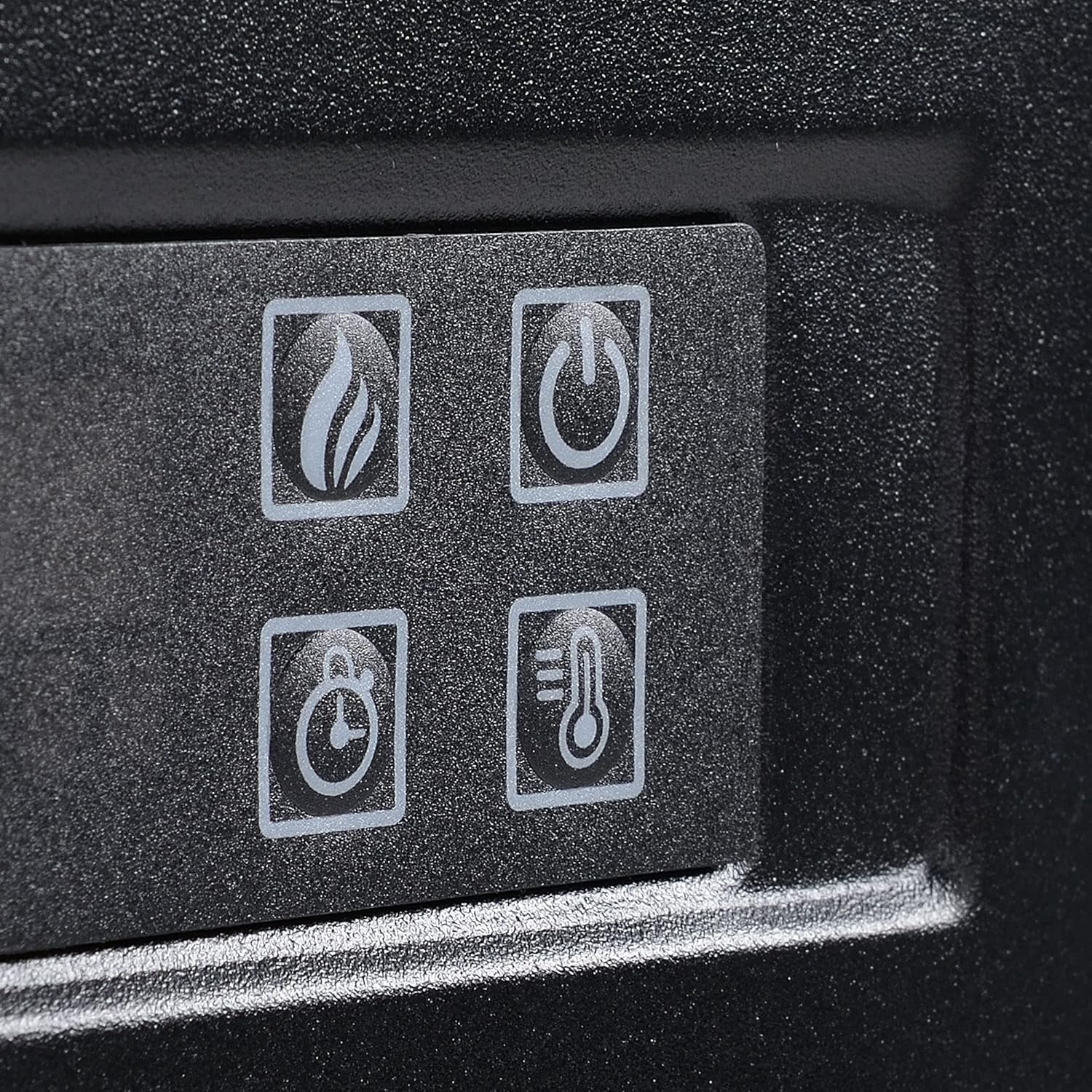
Figure 6: Detailed view of the manual control buttons on the fireplace unit, including flame, power, timer, and temperature icons.
| Icon/Button | Function | Description |
|---|---|---|
| 🔥 (Flame) | Flame & Log Brightness | Adjusts the brightness of the LED flame effect. Features 3 levels. Can be used independently of heat. |
| ⏺ (Power) | Power Switch | Turns the fireplace unit ON or OFF. |
| 🌡 (Temperature) | Heat Setting | Activates or adjusts the heating function. Adaptive heating control sets between 17℃-27℃. |
| ⏰ (Timer) | Timer Setting | Sets the automatic shut-off timer. Timing range: 0.5-6 hours. |
4.2 Flame Effect
The LED flame effect can be adjusted to 3 different brightness levels. It can be operated independently without the heating function, providing ambiance year-round.

Figure 7: Visual representation of the 3-level adjustable flame brightness, demonstrating how the flame effect can be used independently.
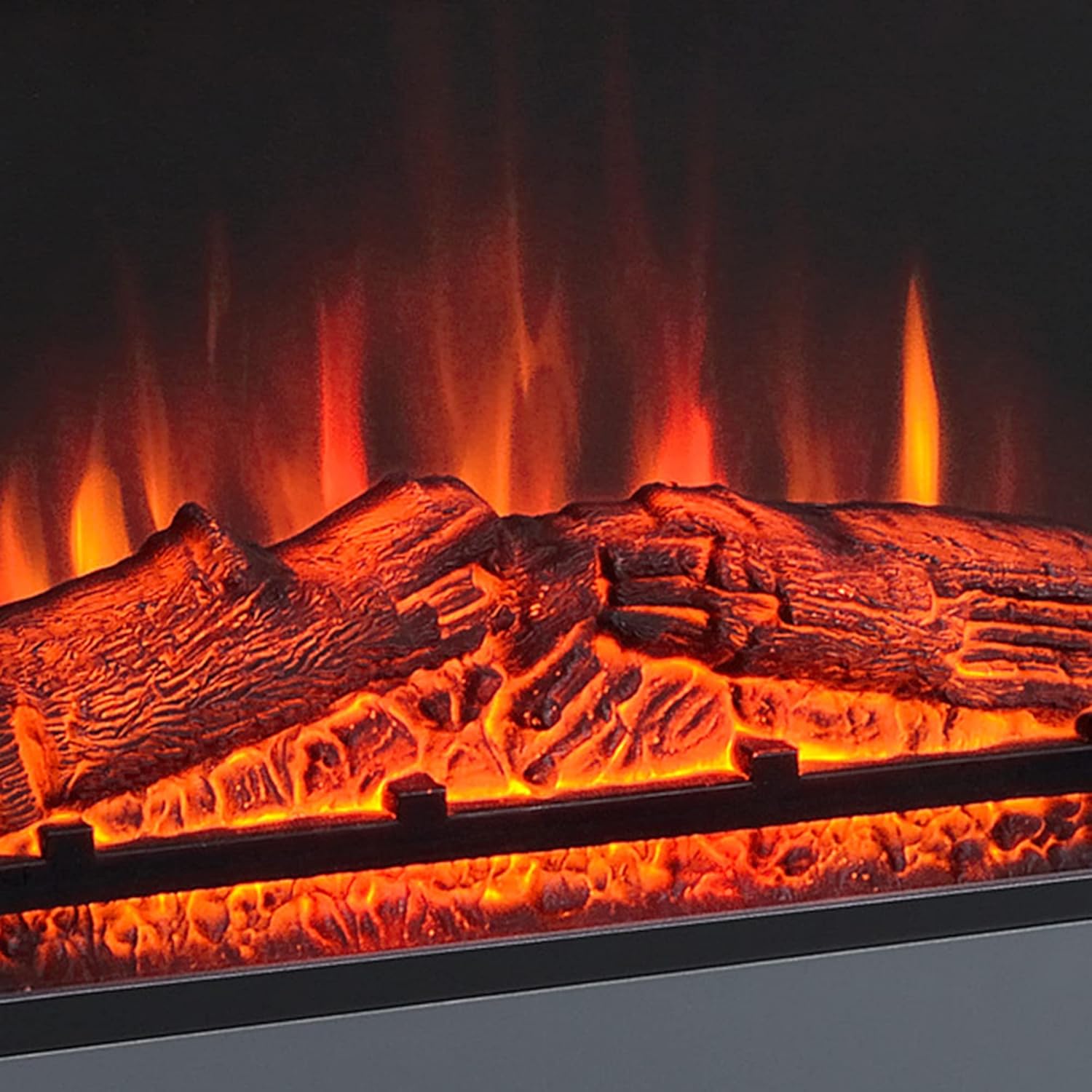
Figure 8: A detailed close-up of the glowing logs and dynamic flame effect, showcasing the visual realism.
4.3 Heating Function
The fireplace features a powerful heater with a rated power of 1800W to 2000W, capable of heating an area up to 37m². The intelligent control system automatically adapts heating power based on temperature difference, maintaining an optimized heat between 17℃ and 27℃.
To activate heating, press the heat setting button on the control panel or remote. Press repeatedly to cycle through temperature settings or turn off the heat.
4.4 Timer Function
The 7-day programmable timer allows you to set specific times for the fireplace to turn on and off. The timing range is 0.5 to 6 hours. Consult the detailed timer programming instructions in the full manual for advanced scheduling.
5. Maintenance
Regular maintenance ensures the longevity and safe operation of your electric fireplace.
- Cleaning: Always unplug the fireplace before cleaning. Use a soft, damp cloth to wipe down the exterior surfaces. Do not use abrasive cleaners or sprays.
- Ventilation: Ensure the air intake and exhaust vents are clear of dust and debris. Use a vacuum cleaner with a brush attachment to gently clean these areas periodically.
- Storage: If storing the fireplace for an extended period, unplug it and store it in a dry, cool place, protected from dust.
6. Troubleshooting
| Problem | Possible Cause | Solution |
|---|---|---|
| Fireplace does not turn on. | No power, power switch off, or circuit breaker tripped. | Check if the unit is plugged in, ensure the power switch is ON, and check your household circuit breaker. |
| No heat output. | Heat function not activated, thermostat set too low, or overheat protection triggered. | Activate heat function, increase thermostat setting, or unplug the unit for 15 minutes to reset overheat protection. |
| Flame effect not working. | Flame effect not activated or LED malfunction. | Ensure the flame button is pressed. If still not working, contact customer support. |
| Unusual noise during operation. | Fan motor noise or obstruction in vents. | Ensure vents are clear. If noise persists or is excessive, discontinue use and contact customer support. |
If the problem persists after attempting these solutions, please contact HOMCOM customer support.
7. Specifications
| Feature | Detail |
|---|---|
| Brand | HOMCOM |
| Model Number | UK820-227V700331 |
| Overall Dimensions | 113W x 26.6D x 87.5H cm |
| Rated Voltage | 220-240V, 50Hz |
| Rated Power / Wattage | 1800W - 2000W |
| Heated Area Coverage | Up to 37m² |
| Material | Engineered Wood |
| Colour | White |
| Special Features | Over-heat Protection, 7-Day Programmable Timer, Remote Control, 3-Level Flame Brightness |
| Item Weight | 25 kg |

Figure 9: Detailed dimensions of the fireplace suite for accurate placement and planning.
8. Warranty and Support
For warranty information and customer support, please refer to the documentation included with your product packaging or visit the official HOMCOM website. Keep your purchase receipt as proof of purchase for any warranty claims.
For further assistance, you may contact HOMCOM customer service directly through their website or the contact details provided in your product's original packaging.
Ask a question about this manual
Ask about setup, troubleshooting, compatibility, parts, safety, or missing instructions. Manuals+ will review the question and use this page’s manual context to help answer it.