
Dascert Q38[NEW]
Dascert Q38 Wireless Bluetooth Earbuds User Manual
Model: Q38[NEW]
1. Introduction
Thank you for choosing the Dascert Q38 Wireless Bluetooth Earbuds. These earbuds are designed to provide a comfortable and immersive audio experience, perfect for sports and daily use. Featuring Bluetooth 5.1 technology, IP7 waterproofing, and a long-lasting battery, the Q38 earbuds offer stable connectivity and high-fidelity stereo sound.
Please read this manual carefully before using the product to ensure proper operation and to maximize its lifespan.
2. Package Contents
Ensure all items are present in the package:
- Dascert Q38 Wireless Earbuds (Left and Right)
- Charging Case
- USB-C Charging Cable
- User Manual
- Earhooks (pre-installed or included separately)
- Multiple sizes of Eartips (S, M, L)

3. Product Overview
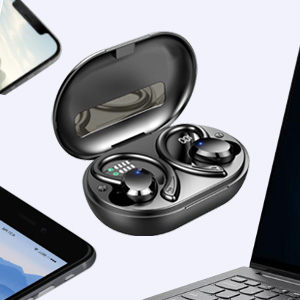
The Dascert Q38 earbuds are designed for comfort and performance, especially during physical activity. Key features include secure earhooks, IP7 waterproofing, and intuitive touch controls.
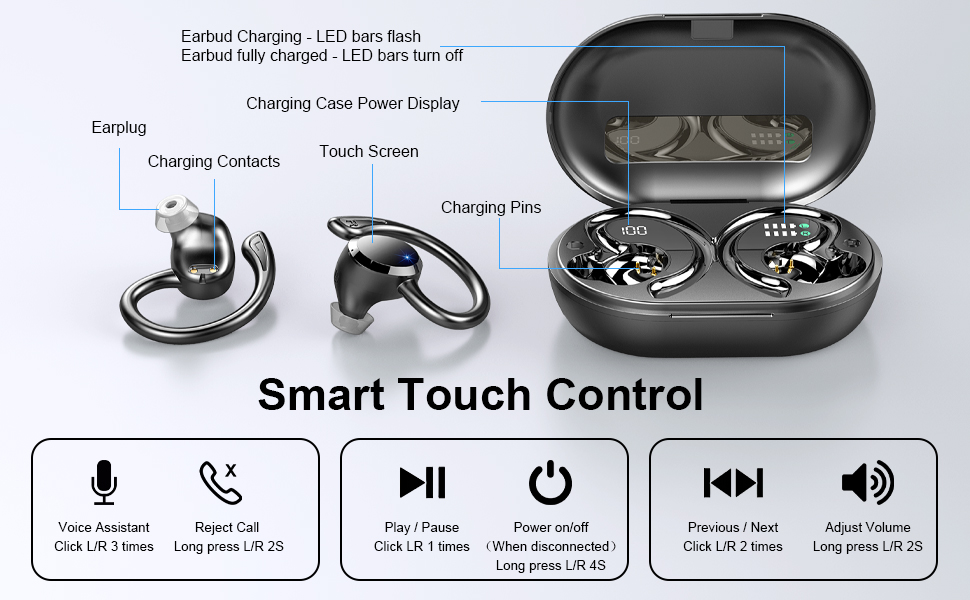
3.1 Earbud Components

- Earhook: Provides a secure and comfortable fit, ideal for sports.
- Touch Control Area: For managing playback, calls, and voice assistant.
- LED Indicator: Shows charging status and connection status.
- Charging Contacts: Connects with the charging case for power.
- Microphone: For calls and voice commands.
3.2 Charging Case Components
- Digital LED Display: Shows the charging case battery percentage (1%-100%).
- Earbud Charging Indicators: LED bars for Left (L) and Right (R) earbuds, flashing when charging and turning off when fully charged.
- USB-C Charging Port: For fast charging the case.

4. Setup
4.1 Initial Charge
Before first use, fully charge the earbuds and the charging case.
- Place both earbuds into the charging case.
- Connect the USB-C charging cable to the charging port on the case and plug the other end into a USB power adapter (not included) or a computer's USB port.
- The LED display on the case will show the battery percentage, and the earbud indicators will flash during charging.
- Charging takes approximately 1 hour for earbuds and 1.5 hours for the case.

4.2 Pairing with a Device (One-Step Pairing)
The earbuds feature one-step pairing for convenience.
- Open the charging case. The earbuds will automatically power on and enter pairing mode.
- On your smartphone or Bluetooth-enabled device, go to the Bluetooth settings.
- Search for "Q38" in the list of available devices and select it to connect.
- Once connected, a voice prompt will confirm the successful pairing.

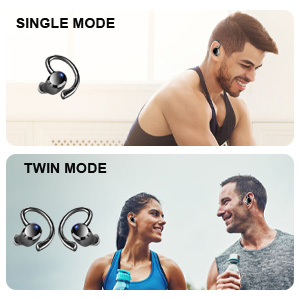
You can use either earbud independently (single mode) or both together (twin mode).
4.3 Choosing the Right Eartips
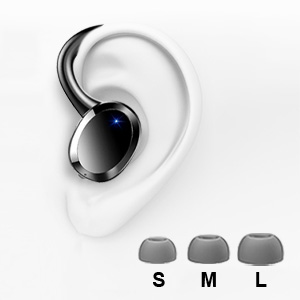
Selecting the correct eartip size is crucial for optimal sound quality and comfort. A proper seal enhances bass and noise isolation.
- Try each size (S, M, L) to find the one that fits snugly and comfortably in your ear canal.
- The earbud should feel secure and create a good seal without causing discomfort.
5. Operating Instructions
5.1 Power On/Off
- Power On: Open the charging case, or long press the touch control area on either earbud for 4 seconds if disconnected.
- Power Off: Place the earbuds back into the charging case and close the lid. Alternatively, long press the touch control area on either earbud for 4 seconds if disconnected.
5.2 Touch Controls
The Dascert Q38 earbuds feature multi-function touch panels for easy control.
| Function | Action |
|---|---|
| Play/Pause | Click L or R once |
| Next Song | Click R twice |
| Previous Song | Click L twice |
| Volume Up | Long press R for 2 seconds |
| Volume Down | Long press L for 2 seconds |
| Answer/Hang Up Call | Click L or R once |
| Reject Call | Long press L or R for 2 seconds |
| Activate Voice Assistant (Siri/Google Assistant) | Click L or R three times |
5.3 Wearing the Earbuds
The ergonomic design with earhooks ensures a secure and comfortable fit.
- Identify the Left (L) and Right (R) earbuds.
- Gently insert the earbud into your ear canal.
- Adjust the earhook over your ear until it feels secure and comfortable.

6. Maintenance and Care
- Cleaning: Regularly clean the earbuds, especially the eartips and charging contacts, with a soft, dry cloth. For stubborn dirt, a slightly damp cloth or alcohol wipe can be used, ensuring no liquid enters the earbud openings.
- Storage: When not in use, store the earbuds in their charging case to protect them and keep them charged.
- Water Resistance: The earbuds are IP7 waterproof, meaning they can withstand sweat, rain, and splashes. However, they are not designed for swimming or submersion for extended periods. Ensure earbuds are dry before placing them back in the charging case.
- Avoid Extreme Temperatures: Do not expose the earbuds or charging case to extreme heat or cold, as this can damage the battery and internal components.

7. Troubleshooting
If you encounter issues with your Dascert Q38 earbuds, please refer to the following common problems and solutions:
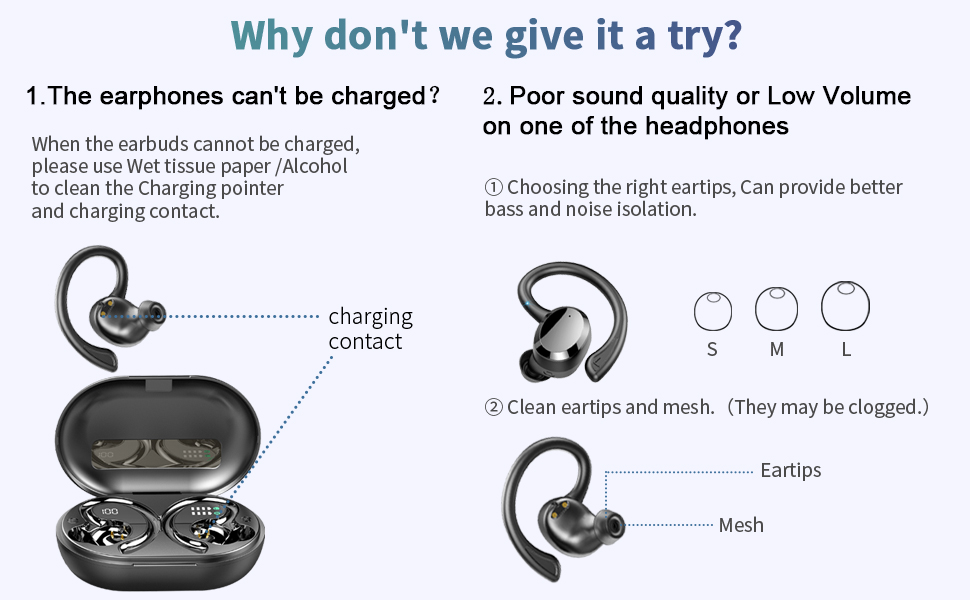
| Problem | Solution |
|---|---|
| Earbuds not charging |
|
| Poor sound quality or low volume |
|
| Earbuds not pairing or connecting |
|
| Only one earbud working |
|
8. Specifications
| Feature | Detail |
|---|---|
| Model Name | Q38[NEW] |
| Connectivity Technology | Wireless (Bluetooth 5.1) |
| Water Resistance Level | IP7 Waterproof |
| Playtime (Earbuds) | 5-6 hours (single charge) |
| Total Playtime (with Charging Case) | Up to 48 hours |
| Charging Time (Earbuds) | Approx. 1 hour |
| Charging Time (Case) | Approx. 1.5 hours |
| Charging Port | USB-C |
| Control Type | Touch, Voice Control |
| Ear Placement | In Ear with Earhooks |
| Noise Control | Active Noise Cancellation |
| Frequency Range | 20 Hz - 20,000 Hz |
| Item Weight | 2.54 ounces |
| Product Dimensions | 3.64 x 2.47 x 1.12 inches |
9. Warranty and Support
Dascert products come with a standard manufacturer's warranty. For detailed warranty information, please refer to the warranty card included in your package or visit the official Dascert website.
If you require technical support or have any questions regarding your Dascert Q38 Wireless Bluetooth Earbuds, please contact our customer service team:
- Email: Not provided
- Phone: Not provided
- Online Support: Visit the Dascert Store on Amazon for FAQs and additional resources.
Please have your model number (Q38[NEW]) and purchase date ready when contacting support.
10. Safety Information
- Do not disassemble or attempt to repair the earbuds or charging case.
- Keep away from children and pets.
- Avoid prolonged exposure to high volume levels to prevent hearing damage.
- Do not use the earbuds in situations where inability to hear ambient sounds could be dangerous (e.g., driving, cycling, walking in traffic).
- Dispose of the product responsibly according to local regulations.
Ask a question about this manual
Ask about setup, troubleshooting, compatibility, parts, safety, or missing instructions. Manuals+ will review the question and use this page’s manual context to help answer it.