
1. Introduction
This manual provides essential instructions for the safe and efficient operation, maintenance, and troubleshooting of your BLACK+DECKER HLVC320J11-QW Cordless Handheld Vacuum Cleaner. Please read this manual thoroughly before first use and retain it for future reference.

Image 1.1: The BLACK+DECKER HLVC320J11-QW Cordless Handheld Vacuum Cleaner.
2. Safety Instructions
Always observe basic safety precautions when using electrical appliances to reduce the risk of fire, electric shock, and personal injury.
- Do not use the appliance in wet conditions or immerse it in water.
- Keep hair, loose clothing, fingers, and all parts of the body away from openings and moving parts.
- Do not pick up flammable or combustible materials, such as lighter fluid, gasoline, or kerosene.
- Do not pick up anything that is burning or smoking, such as cigarettes, matches, or hot ashes.
- Use only as described in this manual. Use only manufacturer's recommended attachments.
- Do not operate the appliance if it has been dropped, damaged, left outdoors, or dropped into water.
- This appliance is intended for household use only.
3. Product Overview
The BLACK+DECKER HLVC320J11-QW is a compact and portable cordless handheld vacuum cleaner designed for quick clean-ups.
Components
- Main Vacuum Unit
- Integrated Wide Nozzle
- Washable Filter
- Charging Adapter (assumed)
Key Features
- Slim & Ergonomic Design: For comfortable handling and easy storage.
- Washable Filter: Reusable filter for sustained performance.
- Built-in Extra Wide Nozzle: Efficiently covers larger areas.
- Twist-off Dust Bowl: Simplifies emptying and cleaning.

Image 3.1: The vacuum cleaner with its integrated wide nozzle extended for use.

Image 3.2: Front view of the handheld vacuum, showcasing its compact design.
4. Setup
Charging the Appliance
- Ensure the vacuum cleaner is switched off.
- Connect the charging adapter to the charging port on the vacuum cleaner.
- Plug the adapter into a standard wall outlet.
- Allow the appliance to charge fully before first use. A full charge typically takes approximately 3-4 hours. The charging indicator light will provide status.
Note: Do not operate the vacuum cleaner while it is charging.
5. Operating Instructions
Turning On/Off
To turn the vacuum cleaner on, slide the power switch to the 'ON' position. To turn it off, slide the switch to the 'OFF' position.
Using the Nozzle
The integrated wide nozzle can be extended for broader cleaning tasks or retracted for more compact storage and precise cleaning.
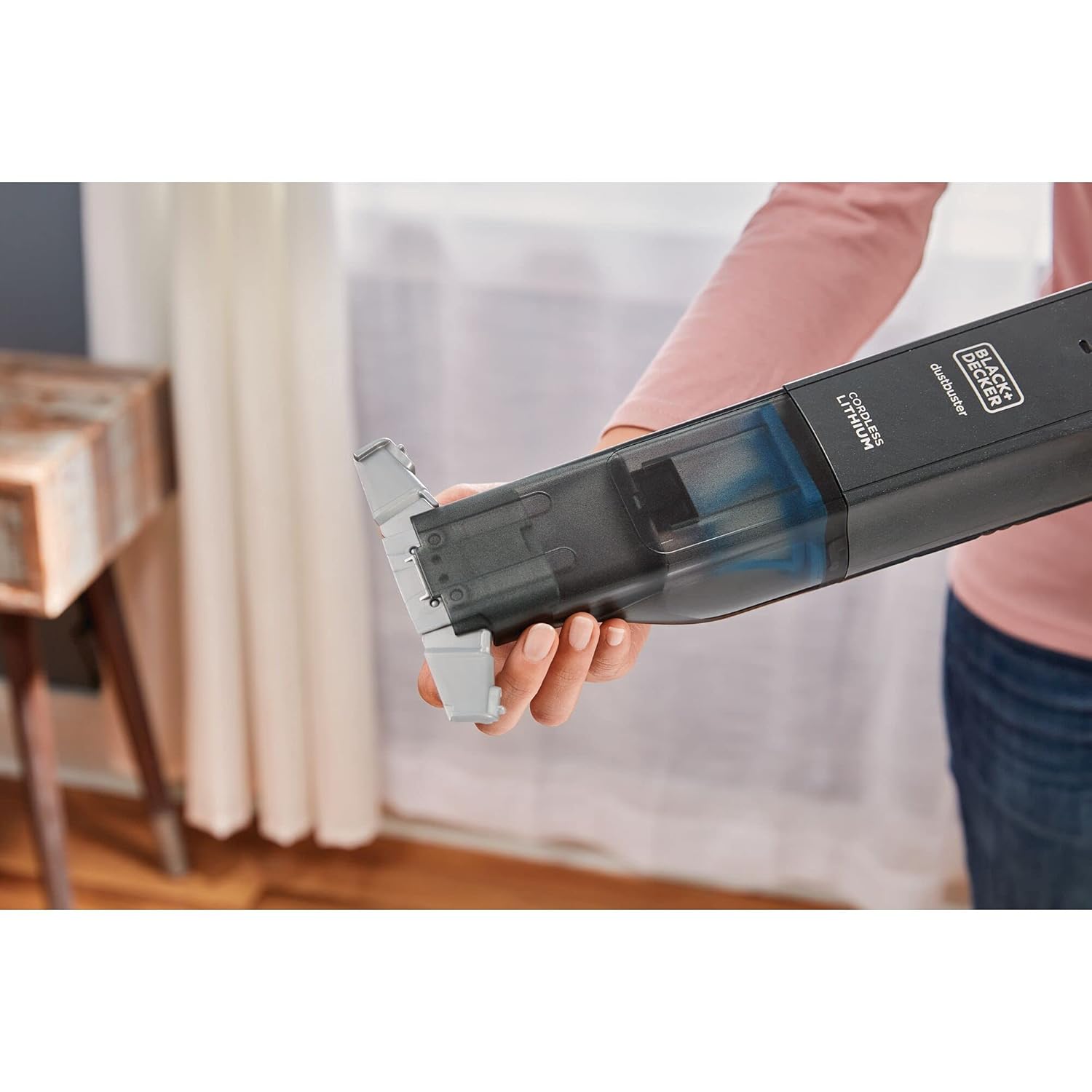
Image 5.1: A hand demonstrating the nozzle extension mechanism on the vacuum cleaner.
General Cleaning Applications
This handheld vacuum is suitable for various dry cleaning tasks around the home and car.

Image 5.2: Cleaning crumbs and small debris from a kitchen counter surface.

Image 5.3: Removing spilled pet food from a hard floor surface.

Image 5.4: Cleaning dust and debris from a car's interior, including cup holders.

Image 5.5: Quickly cleaning up food spills from a child's high chair.

Image 5.6: Cleaning up spilled potting soil from a wooden floor.

Image 5.7: Removing crumbs and dust from upholstery, such as a sofa.

Image 5.8: Cleaning dust and debris from a laptop keyboard.

Image 5.9: The compact design allows for convenient storage in drawers or cabinets.
6. Maintenance
Regular maintenance ensures optimal performance and extends the life of your vacuum cleaner.
Emptying the Dust Bowl
- Ensure the vacuum cleaner is switched off.
- Twist the dust bowl counter-clockwise to detach it from the main unit.
- Carefully empty the contents of the dust bowl into a waste bin.
- Reattach the dust bowl by aligning it and twisting clockwise until it clicks into place.
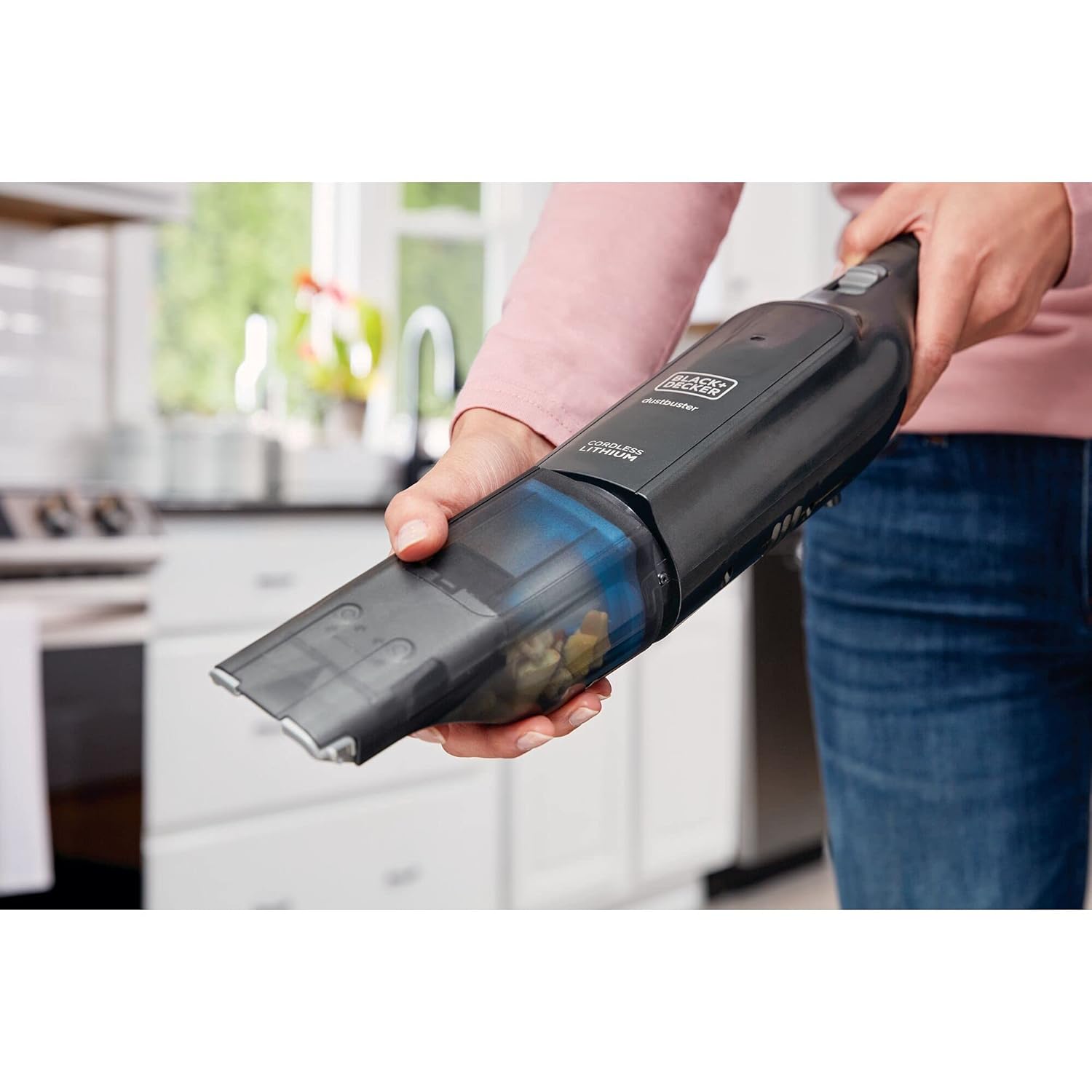
Image 6.1: Detaching the twist-off dust bowl from the vacuum cleaner.

Image 6.2: Disposing of collected debris from the dust bowl into a waste receptacle.
Cleaning the Filter
The filter should be cleaned regularly to maintain suction power.
- After emptying the dust bowl, remove the filter.
- Tap the filter gently over a waste bin to remove loose dust.
- For a more thorough cleaning, rinse the filter under running water. Ensure it is completely dry before reinserting it into the vacuum cleaner.

Image 6.3: Washing the reusable filter under a faucet to remove fine dust and debris.
7. Troubleshooting
If you encounter issues with your vacuum cleaner, refer to the following table for common problems and solutions.
| Problem | Possible Cause | Solution |
|---|---|---|
| Vacuum does not turn on. | Battery is discharged. | Charge the vacuum cleaner fully. |
| Reduced suction power. | Dust bowl is full or filter is clogged. | Empty the dust bowl and clean the filter. |
| Vacuum does not charge. | Charger not properly connected or faulty. | Ensure charger is securely connected to both vacuum and power outlet. Check outlet functionality. |
8. Specifications
Technical specifications for the BLACK+DECKER HLVC320J11-QW Cordless Handheld Vacuum Cleaner.
| Feature | Detail |
|---|---|
| Model Number | HLVC320J11-QW |
| Brand | BLACK+DECKER |
| Power Source | 12V 2.0Ah Lithium-Ion Battery (Cordless) |
| Wattage | 120 Watts |
| Filter Type | Cloth (Washable) |
| Form Factor | Handheld |
| Special Feature | Portable, Wet/Dry (Note: Product description implies dry only, but spec says Wet/Dry. User should verify for their specific model.) |
| Noise Level | 1 dB (This value seems unusually low and might be a data entry error. Typical vacuum noise levels are much higher.) |
| Battery Life | Approximately 13-30 Minutes (Varies with usage) |
| Item Weight | 1 kg 100 g |
| Item Dimensions (LxWxH) | 43 x 15.5 x 8.5 Centimeters |
9. Warranty and Support
Warranty Information
This BLACK+DECKER HLVC320J11-QW Cordless Handheld Vacuum Cleaner comes with a 6-month warranty from the date of manufacture. Please retain your purchase receipt as proof of purchase for warranty claims.
Customer Support
For technical assistance, warranty claims, or to order replacement parts, please contact BLACK+DECKER customer service. Refer to the product packaging or the official BLACK+DECKER website for the most current contact information in your region.


