
1. Introduction
Welcome to the Hape E0631 Dynamic Sound Upright Piano Musical Toy. This instrument is designed to foster musical creativity and early learning in young children aged 12 months and up. It features unique magic touch technology, allowing children to create music without traditional buttons or keys. This manual provides essential information for the safe and proper use of your new musical toy.

Image: A child playing the Hape E0631 Dynamic Sound Upright Piano, highlighting its 30-key design.
2. Important Safety Information
Please read and understand all safety instructions before using this product. Keep this manual for future reference.
- This product is suitable for children aged 12 months and up.
- Adult supervision is recommended during play to ensure safe use.
- Ensure all components are securely assembled before allowing a child to play.
- Keep the piano away from water, excessive moisture, and direct heat sources.
- Do not attempt to disassemble, modify, or repair the product. Contact customer support if issues arise.
- Small parts may be present; ensure batteries are securely installed and out of reach of young children.
3. Package Contents
Please verify that all items listed below are included in your package:
- 1 x Hape E0631 Dynamic Sound Upright Piano
- 1 x Matching Stool
- 1 x Music Stand
- 1 x USB Power Cable
- 3 x Music Sheets (featuring 6 songs)

Image: The Hape E0631 Dynamic Sound Upright Piano shown with its accompanying stool.

Image: Close-up of the three music sheets and the USB power cable included with the piano.
4. Assembly Instructions
The Hape E0631 Dynamic Sound Upright Piano Musical Toy requires no assembly. It is ready for use directly out of the box. Simply place the music stand into its designated slot on the piano.
5. Setup: Powering the Piano
The piano can be powered using either AA batteries or the included USB cable.
5.1 Battery Installation
- Locate the battery compartment on the underside of the piano.
- Using a screwdriver, open the battery compartment cover.
- Insert 4 x AA alkaline batteries (not included), ensuring correct polarity (+/-) as indicated inside the compartment.
- Replace the battery compartment cover and secure it with the screw.
5.2 USB Power Connection
- Connect the small end of the included USB cable to the USB port on the back of the piano.
- Connect the larger end of the USB cable to a compatible USB power adapter (not included) or a powered USB port.

Image: Detailed view of the battery compartment (requiring 4x AA batteries) and the USB power input port, illustrating the dual power supply options.
6. Operation
6.1 Power On/Off
Locate the power switch, typically on the back or side of the piano. Slide it to the "ON" position to activate the piano. Slide it to "OFF" when not in use to conserve power.
6.2 Playing Music
The Hape E0631 piano features "magic touch" technology. Simply touch the keys to produce sound. No physical pressing is required, making it easy for young children to play.
6.3 Play Modes
The piano offers two modes of play to encourage musical exploration:
- Free Play Mode: Allows children to create their own melodies by pressing any key.
- Melody Mode: Enables children to play along with pre-recorded classic melodies. Refer to the included music sheets for guidance on which keys to touch.
6.4 Using Music Sheets
The included music sheets are color-coded to correspond with the keys on the piano. Place a music sheet on the music stand and follow the colored notes to play familiar songs. This visual guide assists children in learning basic melodies.

Image: A child using the color-note strip and music book to guide their play on the piano.

Image: A young child engaging with the Hape piano, demonstrating the color-coded keys that assist in learning.
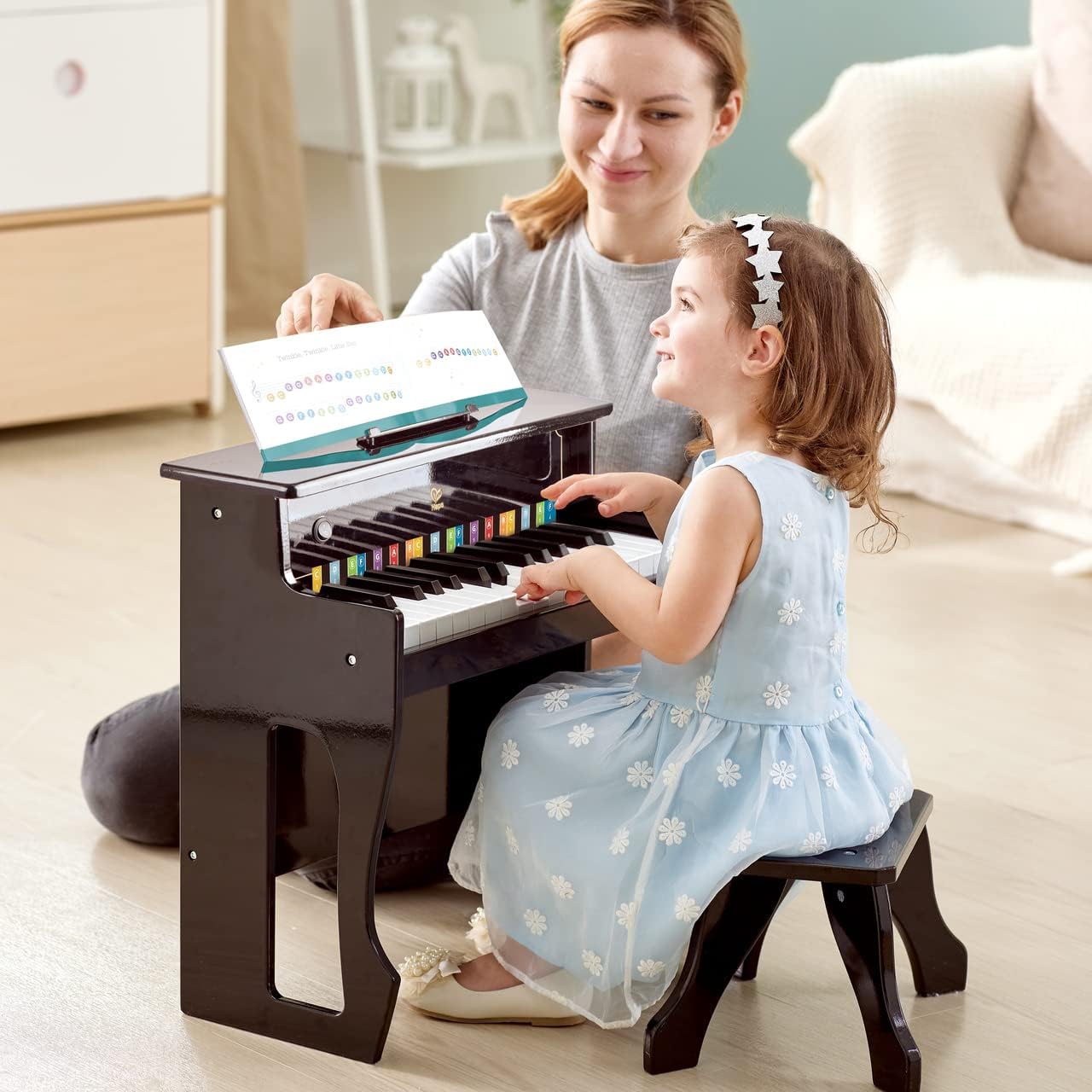
Image: An adult and child interacting with the Hape piano, using a music sheet placed on the stand.
7. Maintenance and Care
Proper care will extend the life of your Hape E0631 piano.
- Clean the piano with a soft, dry cloth. Do not use abrasive cleaners, solvents, or harsh chemicals.
- Avoid exposing the piano to direct sunlight or extreme temperatures, as this may damage the wood and electronic components.
- If the piano will not be used for an extended period, remove the batteries to prevent potential leakage and damage.
- Store the piano in a dry, cool place away from dust.
8. Troubleshooting
If you encounter any issues with your Hape E0631 piano, please refer to the following troubleshooting guide:
8.1 No Sound
- Ensure the power switch is in the "ON" position.
- Check battery installation and replace batteries if they are low or depleted.
- If using USB power, ensure the cable is securely connected to both the piano and a functioning power source.
8.2 Keys Not Responding
- Verify the piano is powered on.
- Ensure no foreign objects are obstructing the keys or the touch sensors.
8.3 Distorted Sound
- Replace batteries if they are low.
- Ensure the piano is placed on a stable, flat surface.
9. Product Specifications
| Feature | Detail |
|---|---|
| Model Number | E0631 |
| Brand | Hape |
| Material | Wood |
| Number of Keys | 30 |
| Product Dimensions (L x W x H) | 47.5 x 23.8 x 49 cm (18.7 x 9.4 x 19.3 inches) |
| Item Weight | 6.2 kg |
| Recommended Age | 12 months and up |
| Power Source | 4 x AA Batteries (not included) or USB Power Cable (included, adapter not included) |
| Assembly Required | No |

Image: Diagram illustrating the dimensions of the Hape E0631 Dynamic Sound Upright Piano.
10. Warranty and Customer Support
Hape products are manufactured to high-quality standards. For specific warranty information, customer support inquiries, or to report any issues, please refer to the contact details provided on the product packaging or visit the official Hape website. Please retain your purchase receipt as proof of purchase for any warranty claims.


