
SAKOBS 29-Inch Soundbar
SAKOBS 29-Inch Soundbar Instruction Manual
Model: 29-Inch Soundbar (60W 80 dB Stereo Home Audio Surround Sound System)
Introduction
Thank you for purchasing the SAKOBS 29-Inch Soundbar. This manual provides detailed instructions for setting up, operating, and maintaining your new sound system. Please read this manual thoroughly before use to ensure proper functionality and to maximize your audio experience. This soundbar is designed to enhance your television's audio with powerful stereo and surround sound, offering multiple connectivity options and equalizer modes for various content types.

Image: The SAKOBS 29-inch soundbar shown with its accompanying remote control. The soundbar is sleek and black, designed to fit seamlessly under a television.
Package Contents
Please check the package contents carefully. If any items are missing or damaged, contact SAKOBS customer support.
- SAKOBS 29-Inch Soundbar
- Remote Control
- Power Adapter
- Optical Cable
- RCA to 3.5mm Audio Cable (for computer/laptop only)
- Wall Mounting Kit (screws, anchors)
- User Manual (this document)
Product Overview
Front Panel & Controls
The front of the soundbar features an LED indicator light and touch-sensitive control buttons on the top surface for easy access.
- LED Indicator: Displays current input mode and status.
- Power Button: Turns the soundbar on/off.
- Volume Up/Down: Adjusts the sound volume.
- Input/Mode Button: Cycles through available input sources (Optical, AUX, Bluetooth, Coaxial).
Rear Panel & Ports
The rear panel houses all the necessary input and output ports for connecting to your TV and other devices.

Image: The rear panel of the SAKOBS soundbar, displaying various input ports including OPT (Optical), COAX (Coaxial), R AUX L (RCA/Auxiliary), and DC IN (Power). The remote control is also visible in the foreground.
- OPT (Optical) Input: For connecting to devices with an optical digital audio output.
- COAX (Coaxial) Input: For connecting to devices with a coaxial digital audio output.
- R AUX L (RCA/Auxiliary) Input: For connecting to devices with RCA or 3.5mm audio output (using the provided RCA to 3.5mm cable).
- DC IN: Power input port.
- SUB OUT: Output for an external subwoofer (if applicable).
Setup Guide
1. Power Connection
Connect the power adapter to the DC IN port on the soundbar and then plug the adapter into a wall outlet.
Video: Demonstrates connecting the power cable to the soundbar's DC IN port and plugging it into a power outlet.
2. Optical Cable Connection (Recommended for best audio quality)
For optimal audio quality, connect your soundbar to your TV using the optical cable. Ensure the optical cable is not bent or kinked to prevent damage.
Video: Illustrates the correct way to connect the optical cable to the soundbar's OPT input and then to the TV's optical output. It highlights the importance of correct cable orientation.
After connecting the optical cable, turn on the soundbar and press and hold the OPT button on the remote control until the first LED light on the soundbar turns blue. This indicates Optical mode is active.
Video: Shows how to select the Optical input mode on the soundbar using the remote control, indicated by the LED light turning blue.
Important: You must set your TV's audio output format to PCM (Pulse Code Modulation) for the optical connection to work correctly. Navigate to your TV's audio settings and select PCM as the digital audio output format.
Video: Demonstrates how to access the TV's sound settings menu and change the audio output format to PCM for compatibility with the soundbar's optical input.
3. RCA Cable Connection
If your TV does not have an optical output, you can use an RCA cable. The package includes a 3.5mm to 2-Male RCA cable, primarily for connecting to computers or laptops. For TV connection, you may need to purchase a 2-Male to 2-Male RCA cable separately. Note that optical connection generally provides better sound quality than RCA.
Video: Shows how to connect RCA cables to the soundbar's R AUX L input and then to the TV's Audio Out (RCA) ports.
After connecting the RCA cable, turn on the soundbar and press and hold the AUX button on the remote control until the fifth LED light on the soundbar turns blue. This indicates AUX mode is active. Ensure your TV's audio output is set to RCA or Analog Out.
Video: Demonstrates how to select the AUX input mode on the soundbar using the remote control, indicated by the LED light turning blue.
4. Bluetooth Connection
To connect via Bluetooth, press the BT button on the remote control or the soundbar. The LED indicator will flash, indicating pairing mode. On your device (smartphone, tablet, etc.), search for "SAKOBS Soundbar" in the Bluetooth settings and select it to pair. Once connected, the LED indicator will turn solid blue.
Operating Instructions
Remote Control Functions
- Power (Red Button): Turns the soundbar on or off.
- BT: Switches to Bluetooth input mode.
- MUTE: Mutes or unmutes the sound.
- Volume +/-: Increases or decreases the volume.
- Previous/Next Track: (Bluetooth mode only) Skips to the previous or next track.
- Play/Pause: (Bluetooth mode only) Plays or pauses audio.
- Movie/Music/News: Selects preset equalizer modes.
- OPT: Switches to Optical input mode.
- COAX: Switches to Coaxial input mode.
- AUX Boost: Switches to Auxiliary input mode.
Equalizer Modes
The SAKOBS soundbar features three distinct equalizer modes to optimize your listening experience for different content types:

Image: A visual representation of the soundbar's three equalizer modes: News, Music, and Movies, each depicted with a corresponding scene on a TV screen, illustrating how the sound is optimized for different content.
- News Mode: Enhances vocal clarity, making dialogue crisp and easy to understand.
- Music Mode: Provides a balanced sound profile with rich bass and clear highs, ideal for music playback.
- Movie Mode: Delivers a dynamic and immersive sound experience, emphasizing effects and cinematic audio.
Maintenance
To ensure the longevity and optimal performance of your SAKOBS soundbar, follow these maintenance guidelines:
- Cleaning: Use a soft, dry cloth to wipe the surface of the soundbar. Do not use liquid cleaners or aerosol sprays, as they may damage the finish or internal components.
- Placement: Place the soundbar on a stable, flat surface or mount it securely on a wall. Avoid placing it near heat sources, direct sunlight, or in excessively humid environments.
- Ventilation: Ensure adequate ventilation around the soundbar to prevent overheating. Do not block any ventilation openings.
- Cable Care: Handle all cables with care. Avoid bending or kinking optical cables, as this can damage the fiber optic core.
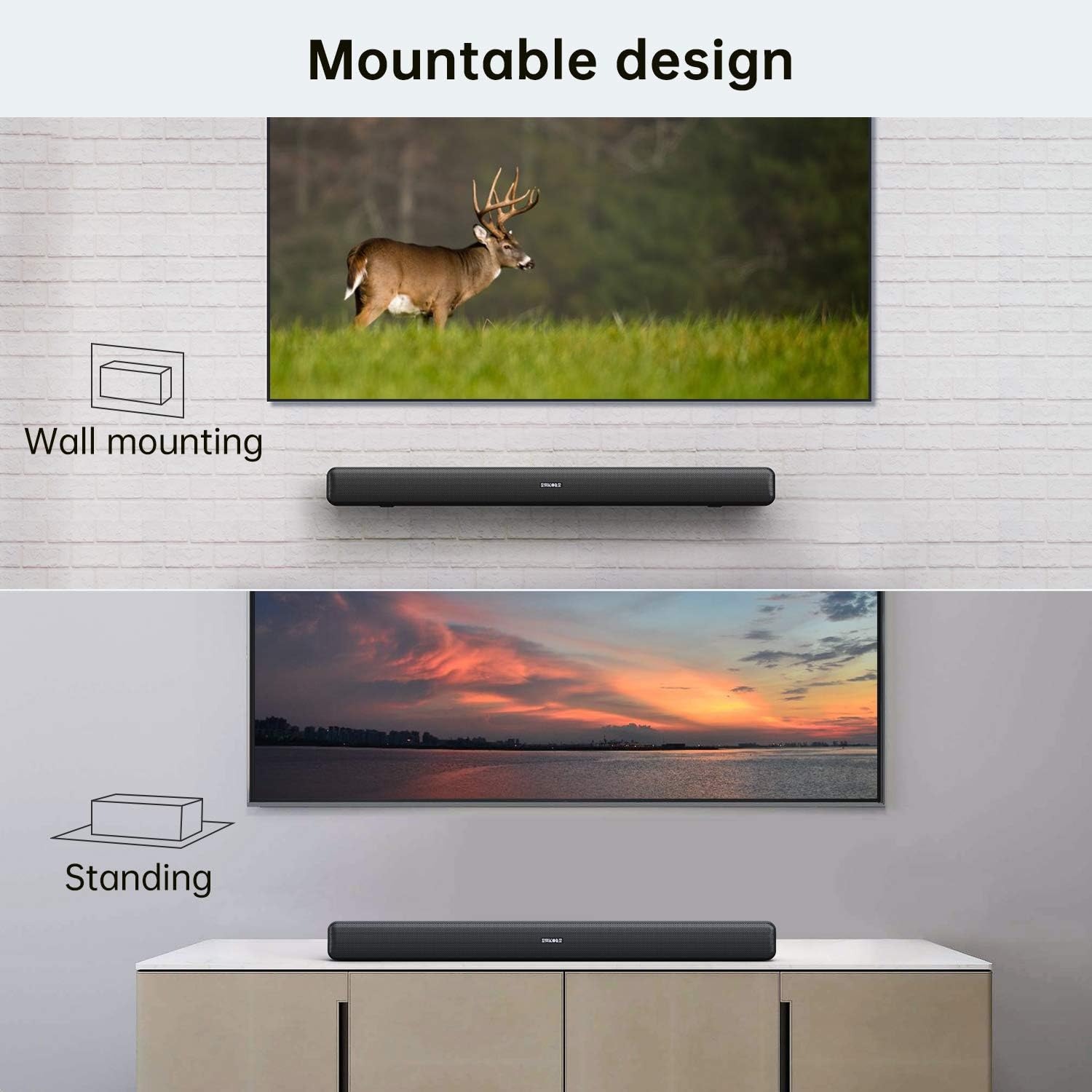
Image: Depicts the soundbar in two common placement scenarios: wall-mounted above a TV and standing on a media console below a TV, illustrating its versatile design.
Troubleshooting
If you encounter any issues with your SAKOBS soundbar, please refer to the following troubleshooting guide. If the problem persists, contact SAKOBS customer support.
| Problem | Possible Cause | Solution |
|---|---|---|
| No Sound |
|
|
| Distorted Sound / Low Volume |
|
|
| Bluetooth Pairing Issues |
|
|
| Beeping Sound when adjusting controls |
|
|
Specifications
| Feature | Detail |
|---|---|
| Brand | SAKOBS |
| Speaker Type | Soundbar, Surround Sound |
| Speaker Size | 29 Inches |
| Speaker Maximum Output Power | 40 Watts |
| Audio Output Mode | Stereo, Surround |
| Connectivity Technology | Bluetooth, Optical, Auxiliary (RCA/3.5mm), Coaxial |
| Controller Type | Remote Control |
| Power Source | Corded Electric |
| Item Weight | 3.74 pounds |
| Package Dimensions | 31.3 x 4.75 x 4.2 inches |
Warranty and Support
For warranty information and customer support, please refer to the warranty card included in your product packaging or visit the official SAKOBS website. You can also contact SAKOBS customer service directly for assistance with product registration, technical support, or service inquiries.
SAKOBS Store: Visit the SAKOBS Store on Amazon