
Comm Gear Supply Tactical Radio Adapter/PTT for Headset w/ Quick Disconnect(Hirose)
User Manual: PTT/Adapter (Hirose)
Model: Tactical Radio Adapter/PTT for Headset w/ Quick Disconnect(Hirose)
Brand: Comm Gear Supply
Product Overview
This Push To Talk (PTT) adapter is designed for tactical and military-grade communication systems, featuring a quick disconnect mechanism. It is compatible with a range of communication devices including select Comtac headsets, Gentex, Ops-Core, OTTO, and NATO/Military wired systems, as well as helicopter headsets. The adapter utilizes the standardized NEXUS TP-120 Connector, making it suitable for integration with various radio models, particularly Harris (L3Harris) and Tait TP3000, TP3300, TP3350, TP3500, TP8100, TP8110, TP8115, TP8120, TP8135, TP8140, TP9300, TP9355, TP9360, TP9400, TP9435, TP9440, TP9445, TP9460 series radios.
The design emphasizes durability and functionality in demanding environments, featuring IP67 dust and waterproof rating for the main unit and IP55 protection for the quick disconnect connector. Its ambidextrous design and heavy-duty 360-degree rotating clip allow for versatile mounting options, including vest and MOLLE configurations. A removable silicone skin is included to prevent unintended open microphone situations.
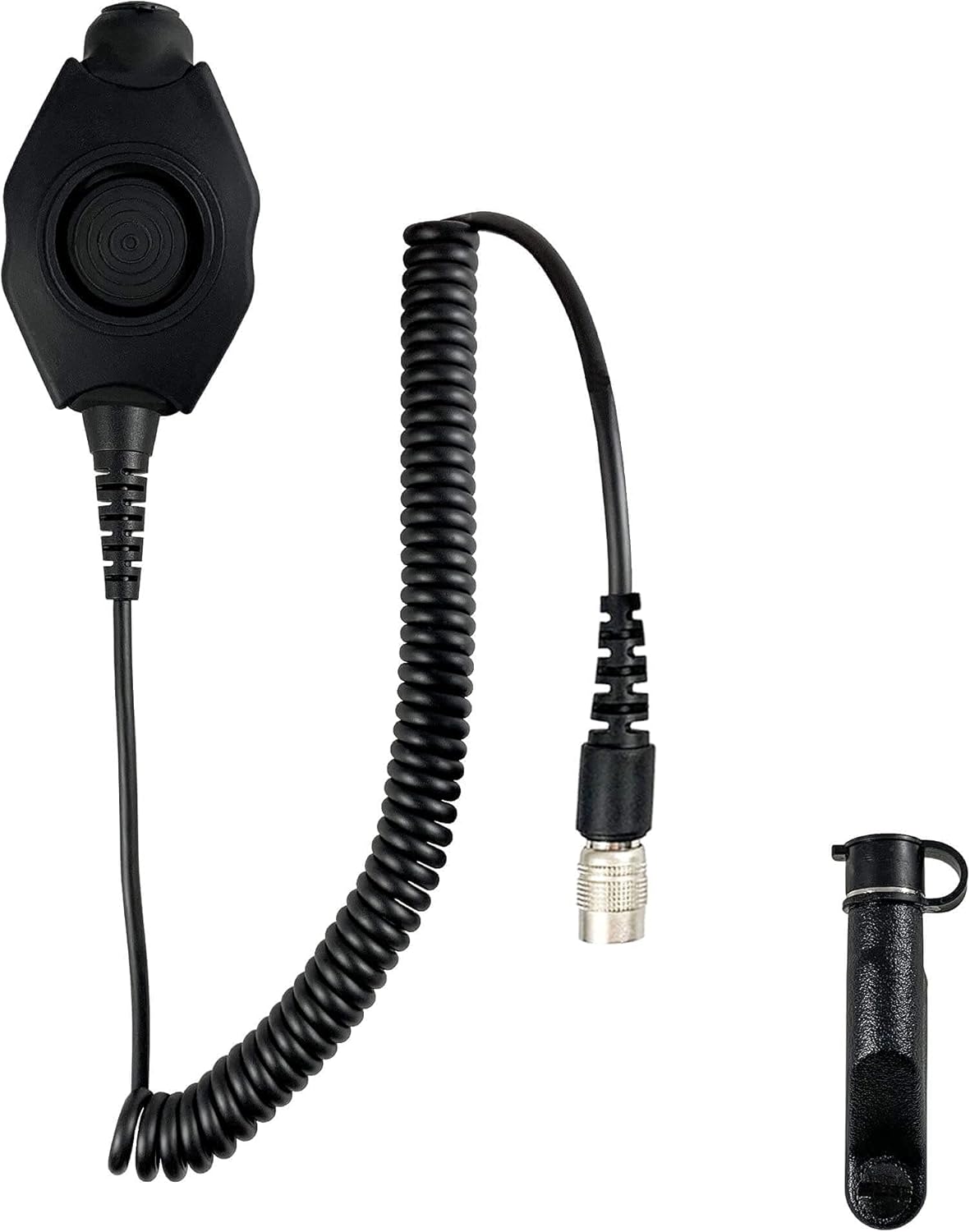
Figure 1: The PTT adapter unit with its coiled cable and a protective cap for the quick disconnect end. This image shows the overall components of the product.
Key Features
- IP67 Rated: Dust sealed and waterproof, capable of full submersion up to 3 feet for 30 minutes.
- Easy Setup: No radio programming required for operation.
- Cable Length: 21 inches total cable length, with 9 inches of extendable coils.
- MIL-SPEC STD: Constructed to military specifications for robust performance.
- 6 Pin Quick Disconnect/Rapid Release Connector: IP55 rated for protection against dust and water/moisture.
- Ambidextrous PTT Design: Ergonomically designed for use with either hand.
- Accidental Activation Prevention: PTT button designed to prevent unintended open/hot mic.
- Heavy Duty 360 Rotating Clip: For secure and flexible attachment.
- Removable Silicone Skin: Provides additional protection and prevents accidental activation.
- Compatible with Helicopter Headsets: Ensures broad utility across various operational needs.
Setup and Installation
- Identify Components: Unpack the PTT adapter unit, ensuring all parts are present. This includes the main PTT unit with its coiled cable and the quick disconnect connector.
- Connect to Headset: Locate the NEXUS TP-120 compatible connector on your headset. Align the PTT adapter's quick disconnect end with the headset connector and push firmly until it clicks into place. Ensure a secure connection.

Figure 2: A detailed view of the PTT adapter's quick disconnect port, showing the internal pin configuration for connection to compatible headsets.
- Connect to Radio: Connect the other end of the PTT adapter's cable to the appropriate port on your compatible radio (e.g., Harris/Tait series). This connection is typically a standard radio accessory port.
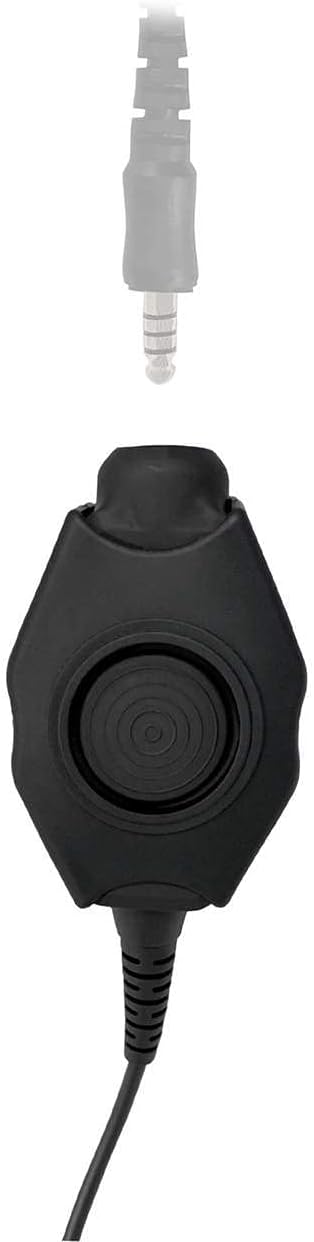
Figure 3: This image illustrates the type of connector on the PTT adapter that interfaces with the radio unit, ensuring proper compatibility.
- Secure the PTT Unit: Utilize the heavy-duty 360-degree rotating clip to secure the PTT unit to your vest, MOLLE system, or other gear. Position it in an easily accessible location for quick activation.

Figure 4: An example of the PTT adapter securely attached to an operator's tactical vest, demonstrating a typical setup for field use.
- Optional Silicone Skin: If desired, install the removable silicone skin over the PTT button area. This can provide additional tactile feedback and help prevent accidental activations.
Operating Instructions
The PTT adapter is designed for straightforward operation, integrating seamlessly with your existing communication setup.
- Initiating Transmission: To transmit, firmly press and hold the large circular PTT button located on the main unit. Speak clearly into your headset microphone.

Figure 5: A top-down view of the PTT adapter, highlighting the large, easily accessible push-to-talk button.
- Ending Transmission: Release the PTT button to end your transmission and return to receive mode.
- Quick Disconnect Feature: To quickly disconnect your headset from the PTT adapter, firmly pull the quick disconnect connector away from the headset's port. This feature allows for rapid detachment when necessary.
- Cable Management: The coiled cable provides flexibility and prevents tangling. Ensure the cable is routed in a way that does not impede movement or create snag hazards.
Maintenance and Care
Proper maintenance ensures the longevity and reliable performance of your PTT adapter.
- Cleaning: Wipe the unit with a damp cloth to remove dirt and debris. For stubborn grime, a mild soap solution can be used. Avoid harsh chemicals or abrasive cleaners.
- Water Exposure: While the unit is IP67 rated, prolonged submersion or exposure to high-pressure water jets should be avoided unless necessary. After exposure to water, ensure the unit is thoroughly dried before storage or next use.
- Connector Care: Keep the quick disconnect connector free of dirt, dust, and moisture. The included protective cap (Figure 6) should be used when the connector is not in use to prevent contamination.
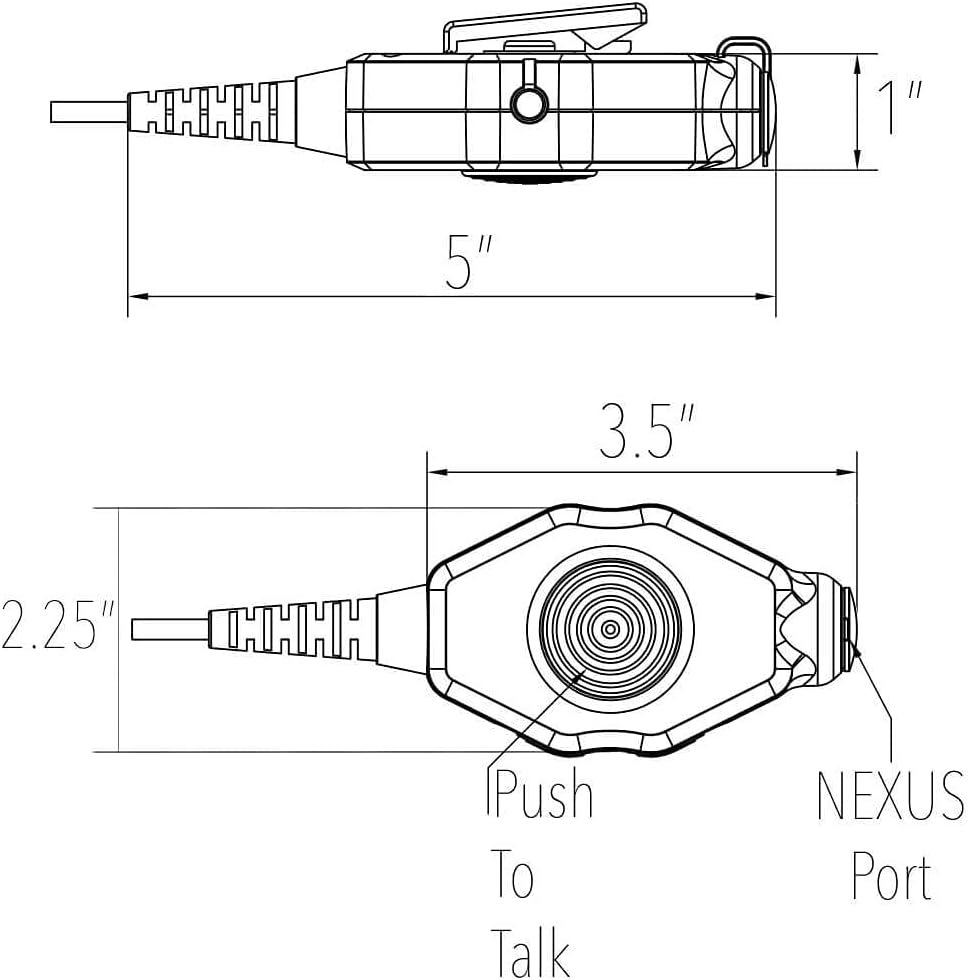
Figure 6: The protective cap designed to cover and shield the quick disconnect connector when not in use, preventing ingress of dust and moisture.
- Storage: Store the PTT adapter in a cool, dry place away from direct sunlight and extreme temperatures. Avoid kinking or sharply bending the cables.
- Cable Integrity: Regularly inspect the cable for any signs of wear, cuts, or fraying. The cable is designed with internal KEVLAR protection and a high-tensile polyurethane jacket for durability (Figure 7).

Figure 7: An illustrative diagram detailing the robust internal construction of the cable, including KEVLAR protection, PVC wire insulation, internal copper wiring, and a polyurethane jacket for enhanced durability and signal integrity.
Troubleshooting
| Problem | Possible Cause | Solution |
|---|---|---|
| No audio transmission/reception. |
|
|
| PTT button not responding. |
|
|
| Intermittent signal. |
|
|
Specifications
| Attribute | Detail |
|---|---|
| Model Name | Tactical Radio Adapter/PTT for Headset w/ Quick Disconnect(Hirose) |
| Brand | Comm Gear Supply |
| Connectivity Technology | Wired |
| Material | Metal |
| Color | Black |
| Water Resistance Level | Waterproof (IP67 for main unit, IP55 for quick disconnect) |
| Cable Feature | Retractable (Coiled) |
| Cable Length | 21 inches total (9 inches extendable coils) |
| Compatible Devices | Harris/Tait (TP3000, TP3300, TP3350, TP3500, TP8100, TP8110, TP8115, TP8120, TP8135, TP8140, TP9300, TP9355, TP9360, TP9400, TP9435, TP9440, TP9445, TP9460 Series), Select Comtac, Gentex, Ops-Core, OTTO, NATO/Military Wiring, Helicopter Headsets |
| Connector Type | NEXUS TP-120 (6 Pin Quick Disconnect) |
| UPC | 698769700738 |
| Dimensions (PTT Unit) | Approx. 5" (length) x 2.25" (width) x 1" (height) - Refer to Figure 8 |

Figure 8: Technical drawing illustrating the approximate dimensions of the PTT adapter unit, including length, width, and height, along with the location of the PTT button and NEXUS port.
Warranty and Support
Comm Gear Supply stands behind the quality and performance of its products. This PTT adapter is covered by a manufacturer's warranty. For specific warranty terms and conditions, please refer to the documentation provided with your purchase or visit the official Comm Gear Supply website.
For technical support, troubleshooting assistance, or warranty claims, please contact Comm Gear Supply directly. As an American-owned and operated company, they are committed to providing reliable support and ensuring customer satisfaction.
Contact Information:
- Website: Comm Gear Supply Store on Amazon (for general inquiries and product information)
- Refer to your purchase invoice or product packaging for direct support contact details.
Ask a question about this manual
Ask about setup, troubleshooting, compatibility, parts, safety, or missing instructions. Manuals+ will review the question and use this page’s manual context to help answer it.