
1. Product Overview
This manual provides essential information for the installation and maintenance of your SWARK LCD Display Replacement for Samsung Galaxy A01 Core SM-A013. This product is designed to replace a damaged or non-functional screen, restoring your device's display capabilities.
The replacement display features a 5.3-inch LCD screen with a resolution of 720 x 1480 pixels, presented in black. The package includes the LCD display and necessary tools for installation.
Key Features:
- Compatibility: Specifically designed for Samsung Galaxy A01 Core models SM-A013F, SM-A013F/DS, SM-A013G, SM-A013G/DS, SM-A013M, Samsung Galaxy A03 Core, and Samsung Galaxy A3 Core. Users should confirm their device version before purchase.
- Quality Assurance: All screens undergo a series of strict tests prior to shipping to ensure functionality and quality.
- Included Tools: The package comes with essential tools and two 3M adhesive tapes to assist with the installation process.
- Dedicated Support: Customer support is available to address any questions or issues, with responses typically provided within 24 hours.
2. Installation Guide
Proper installation is crucial for the functionality and longevity of the replacement screen. It is highly recommended to seek assistance from a professional technician if you are not confident in performing the installation yourself.
2.1 Pre-Installation Check
- Upon receiving the screen, carefully inspect it for any physical damage. If the item appears damaged upon arrival, please contact customer support immediately by sending a message.
- Before full installation, connect the new screen to the mainboard of your phone and power on the device to verify its functionality. This step ensures the screen is working correctly before permanent attachment.

Image 1: SWARK LCD Display Replacement for Samsung Galaxy A01 Core, shown with the included installation tools such as screwdrivers, pry tools, and adhesive strips.
2.2 Installation Steps (General Guidance)
- Power Off Device: Ensure your phone is completely powered off before beginning any disassembly.
- Remove Cracked Screen: Carefully remove the cracked or damaged screen from your device. A hair dryer can be used to gently heat the edges of the screen to loosen the adhesive, making removal easier.
- Connect New Screen: Connect the flex cable of the new LCD display to the corresponding connector on your phone's mainboard. Ensure the connection is secure and properly aligned.
- Test Functionality: Before fully reassembling, power on your phone to test the new screen's touch response, display quality, and overall functionality.
- Secure Installation: Once tested and confirmed working, proceed with securing the new screen using the provided adhesive tapes and reassemble your device.
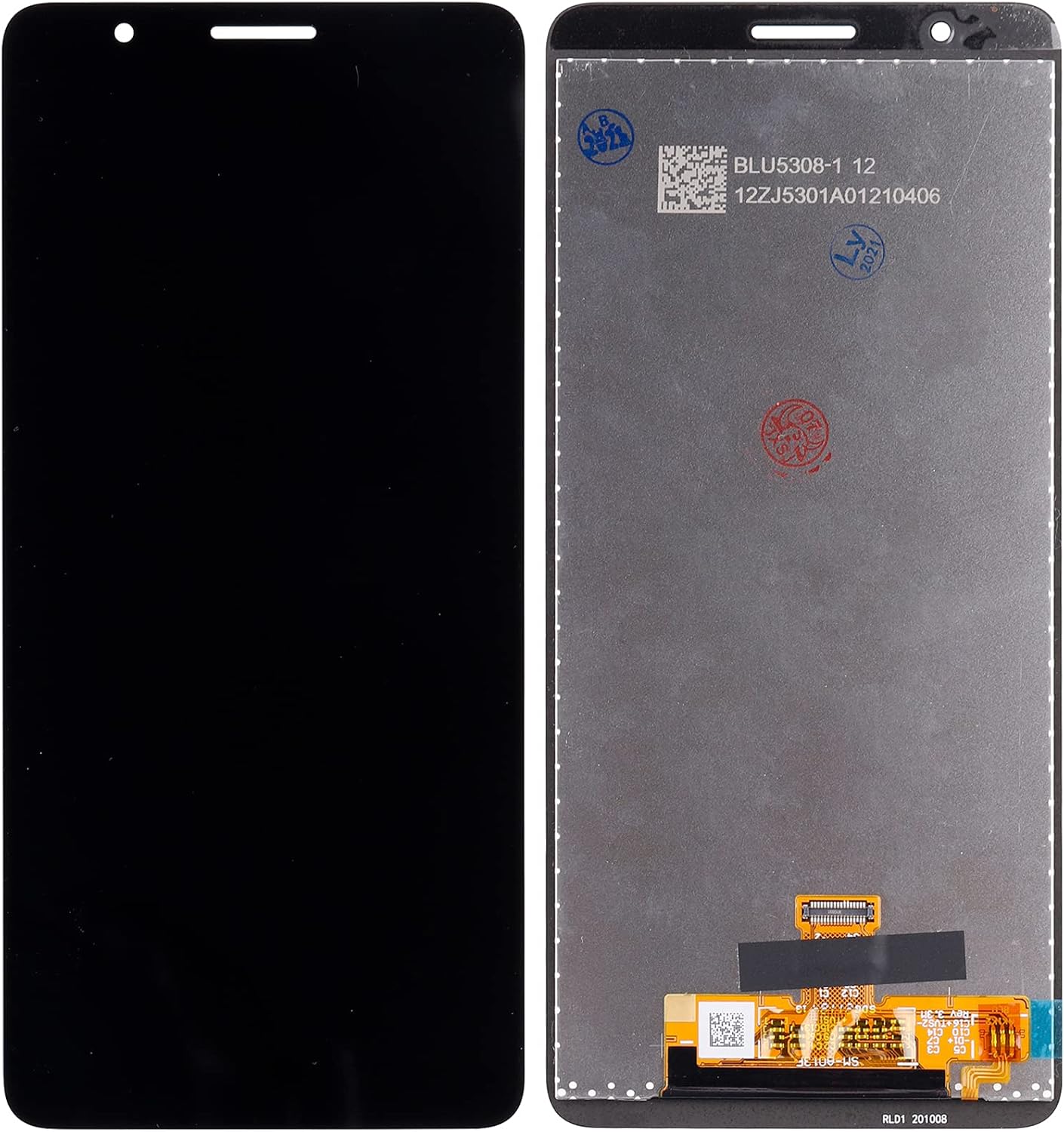
Image 2: Front (left) and back (right) views of the SWARK LCD Display Replacement, showing the display surface and the flex cable connector on the reverse side.
2.3 Important Installation Notes
- The flex cable on the screen is very fragile. Avoid bending it forcefully or at sharp angles, as this can cause irreparable damage.
- There are numerous instructional videos available online (e.g., on YouTube) that demonstrate the screen replacement process for your specific phone model. Watching these videos can provide valuable visual guidance.
- Improper installation can lead to invisible damage such as vertical green lines, fringes, or ghost images on the display. Professional installation is highly recommended to prevent such issues.
3. Operation
Once the SWARK LCD Display Replacement is correctly installed, your Samsung Galaxy A01 Core will operate as intended with its new display. The screen functions as the primary interface for interacting with your device.
- Touch Functionality: The touch screen will respond to your gestures and taps, allowing navigation and interaction with applications.
- Display Quality: The LCD display will render images and text clearly, providing a visual interface for your phone's content.
- Testing After Installation: After installation, thoroughly test all areas of the screen for touch responsiveness and display uniformity. Check for dead pixels, discolored areas, or unresponsive touch zones.
4. Maintenance and Care
To ensure the longevity and optimal performance of your new LCD display, follow these care guidelines:
- Avoid Contact with Hard Objects: Do not place your phone in proximity to keys, coins, or other metal objects that can scratch the screen surface.
- Use a Screen Protector: Applying a high-quality screen protector can provide an additional layer of defense against scratches and minor impacts.
- Keep Away from Magnetic Materials: Prolonged exposure to strong magnetic materials can potentially cause dead touch areas on the screen.
- Use Quality Chargers: Avoid using low-quality, third-party charger adapters, as they can damage the screen and other internal components over time.
- Prevent Drops: Be mindful of your phone's placement, especially when sleeping, to prevent accidental drops that could lead to screen breakage.
5. Troubleshooting
This section addresses common issues you might encounter with your replacement screen.
5.1 Common Issues and Solutions
- Screen Damaged Upon Arrival: If the screen is damaged when you receive it, do not attempt installation. Take a picture of the damaged package and product, then contact customer support immediately.
- Display Malfunctions After Installation (e.g., lines, ghosting, unresponsive touch): These issues often stem from improper installation, such as a damaged flex cable or incorrect connection.
- Recheck all cable connections to ensure they are secure and properly seated.
- Ensure the flex cable was not bent or creased excessively during installation.
- If issues persist, professional assistance is recommended.
- Screen Not Turning On: Verify that the screen is correctly connected to the mainboard and that the phone's battery has sufficient charge.
For any persistent issues or concerns not covered here, please refer to the "Warranty and Support" section for contact information.
6. Product Specifications
| Attribute | Detail |
|---|---|
| Screen Size | 5.3 inches |
| Display Type | LCD |
| Resolution | 720 x 1480 pixels |
| Color | Black |
| Package Dimensions | 7.32 x 4.09 x 1.02 inches |
| Item Weight | 6.3 ounces |
| ASIN | B09G653WKH |
| Manufacturer | shenzhen thinkmap innovative energy co., ltd |
| Country of Origin | China |
| Date First Available | September 14, 2021 |
7. Warranty and Support
SWARK is committed to providing quality products and customer satisfaction. Please review the following information regarding warranty and support.
7.1 Customer Support
If you have any questions, concerns, or encounter issues with your SWARK LCD Display Replacement, please do not hesitate to contact our customer support team. We aim to reply to all inquiries within 24 hours.
To ensure a smooth resolution process, please provide relevant details such as your order number, product description, and a clear explanation of the issue. If the package or product arrived damaged, please include a picture.
Note: Abuse of review or feedback mechanisms may void the product warranty. Please contact us directly to resolve any product-related issues.
7.2 Warranty Information
Specific warranty terms and conditions may apply. For detailed information regarding the warranty period and coverage for your SWARK LCD Display Replacement, please contact our customer support team. They will provide you with the most accurate and up-to-date warranty details.