
1. Introduction
Thank you for choosing the VEEKTOMX 30000mAh Power Bank, Model VT301. This portable charger is designed to provide reliable and fast charging for your electronic devices on the go. Featuring a large capacity, multiple output ports, and a digital LED display, it ensures your devices stay powered throughout your day. Please read this manual carefully to ensure proper use and maintenance of your power bank.
2. Safety Information
To ensure safe operation and prolong the lifespan of your power bank, please observe the following safety guidelines:
- Do not expose the power bank to extreme temperatures (above 60°C/140°F or below 0°C/32°F), direct sunlight, or fire.
- Avoid dropping, hitting, or disassembling the device.
- Keep the power bank away from water, moisture, and corrosive materials.
- Do not use the power bank if it is damaged, swollen, or leaking.
- Keep out of reach of children.
- Use only certified charging cables and adapters.
- The Multi-Protection safety system protects against overcurrent, overheating, and overcharging.
3. What's in the Box
- VEEKTOMX 30000mAh Power Bank (Model VT301)
- USB-A to USB-C Charging Cable
- User Manual

Image: VEEKTOMX 30000mAh Power Bank with included USB-C charging cable.
4. Product Overview
4.1. Components and Ports
The VEEKTOMX Power Bank features multiple input and output ports for versatile charging. Refer to the diagram below for port identification.

Image: Detailed view of the power bank's ports and their respective power specifications.
- USB-A1 Output: 12W
- USB-A2 Output: 12W
- USB-A3 Output: 18W
- USB-C Port: 20W/18W Output/Input (supports Power Delivery)
- Micro-USB Port: 18W Input
4.2. Intelligent LED Display
The power bank is equipped with an intelligent LED display that shows the remaining battery percentage, allowing you to monitor its charge level accurately.

Image: Close-up of the digital LED display indicating battery level.
5. Specifications
| Feature | Specification |
|---|---|
| Model Name | VT301 |
| Brand | VEEKTOMX |
| Battery Capacity | 30000mAh |
| Battery Composition | Lithium-polymer |
| USB-C Input | Up to 20W (PD) |
| Micro-USB Input | Up to 18W |
| USB-C Output | Up to 20W (PD) |
| USB-A1 Output | Up to 12W |
| USB-A2 Output | Up to 12W |
| USB-A3 Output | Up to 18W |
| Total Output | 20W Max |
| Color | Black |
| Item Weight | 617 Grams |
| Special Features | Digital Display, Fast Charging, Universal Compatibility |
6. Setup
6.1. Initial Charging of the Power Bank
Before first use, fully charge your VEEKTOMX Power Bank. This ensures optimal battery performance.
- Connect the provided USB-A to USB-C cable (or your own USB-C to USB-C cable) to the power bank's USB-C input port.
- Connect the other end of the cable to a compatible wall charger (e.g., a 9V/2A USB PD adapter for fastest charging, or a 5V/3A adapter).
- The LED display will show the charging progress. It takes approximately 9 hours to fully charge with a 9V/2A PD adapter, or 14 hours with a 5V/3A adapter.
- Once the display shows "100", the power bank is fully charged and ready for use.

Image: Power bank providing 20W fast charging to a smartphone.
7. Operating Instructions
7.1. Charging Your Devices
The power bank can charge up to four devices simultaneously.
- Connect your device's charging cable to one of the power bank's output ports (USB-A1, USB-A2, USB-A3, or USB-C).
- Connect the other end of the cable to your device.
- The power bank will automatically begin charging your device. The LED display will show the remaining battery percentage.

Image: The power bank charging four devices concurrently.
7.2. Low Current Charging Mode
For smaller devices like Bluetooth earphones, smartwatches, or fitness trackers that require lower charging current, the power bank supports a low-current charging mode. This mode prevents overcharging and potential damage to sensitive devices.
- To activate: Double-press the power button. The LED display may show a specific indicator (refer to the product for exact indicator, if any).
- To deactivate: Double-press the power button again, or it will automatically switch off after a period of inactivity.
7.3. Checking Battery Level
Press the power button once to activate the LED display. The screen will show the current battery percentage of the power bank.
8. Capacity and Compatibility
8.1. Charging Capacity Examples
The 30000mAh capacity allows for multiple charges of various devices:
- iPhone 13: Approximately 6 charges
- Samsung Galaxy S22: Approximately 5 charges
- iPad mini: Approximately 4 charges
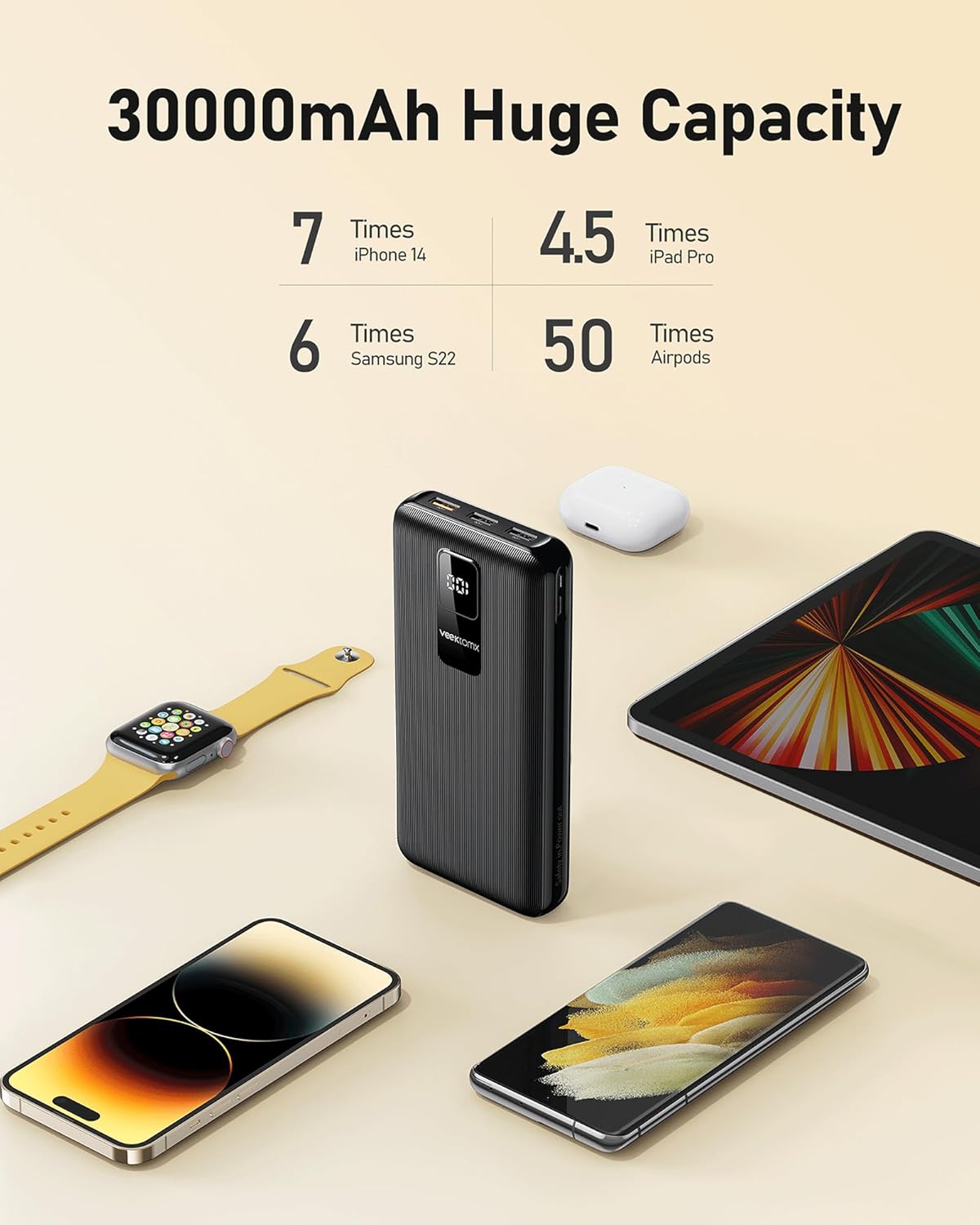
Image: Visual representation of the power bank's charging capacity for different devices.
8.2. Universal Compatibility
The VEEKTOMX Power Bank is designed for broad compatibility, including but not limited to:
- Apple Devices: iPhone 13, 12, 11, 8, 7 Series, iPad Pro, iPad mini.
- Samsung Devices: Galaxy S21, S20 Series, Note 20, Note 10, S10, S9, S8, S7, Z series, Galaxy Tab S7 Plus.
- Google Devices: Pixel 5A, Pixel 6, 6 Pro.
- Other Brands: OnePlus 9, 9 Pro, LG G7 ThinQ, G8, G6, V40, V35, Motorola Moto G Style, G6 G7 series, E5, Z2, Z3 Play, Xperia Pro, TCL 20S, and various other low-voltage devices.
9. Maintenance
- Cleaning: Use a soft, dry cloth to clean the power bank. Do not use liquid cleaners or aerosols.
- Storage: Store the power bank in a cool, dry place away from direct sunlight and extreme temperatures. For long-term storage, charge the power bank to about 50-75% every three months to maintain battery health.
- Battery Care: Avoid fully discharging the power bank frequently, as this can reduce its overall lifespan.
10. Troubleshooting
10.1. Power Bank Not Charging
- Ensure the charging cable is securely connected to both the power bank's input port and the wall charger.
- Verify that the wall charger is functioning correctly and providing adequate power (e.g., 5V/3A or 9V/2A).
- Try a different charging cable or wall adapter.
10.2. Device Not Charging from Power Bank
- Check if the power bank has sufficient charge (refer to the LED display).
- Ensure the charging cable is securely connected to both the power bank's output port and your device.
- Try a different output port on the power bank.
- Try a different charging cable for your device.
- If charging a low-power device, ensure low current charging mode is activated (double-press power button).
10.3. Slow Charging
- Ensure you are using a fast-charging compatible cable and your device supports fast charging.
- For recharging the power bank, use a 9V/2A USB PD adapter for optimal speed.
- Charging multiple devices simultaneously may reduce the charging speed for individual devices.
11. Warranty and Support
VEEKTOMX is committed to providing high-quality products and excellent customer service.
- Customer Service: Enjoy 24-hour friendly customer support for any inquiries or issues.
- Exchange Service: A 30-day exchange service is available for eligible products.
- Care Plan: The product includes a 12-month care plan, providing extended support and coverage.
For further assistance, please contact VEEKTOMX customer support through your purchase platform or the official VEEKTOMX website.