Introduction
Welcome to the user manual for your SAMSUNG Galaxy Z Fold 3 5G. This guide provides comprehensive instructions to help you set up, operate, and maintain your device, ensuring you get the most out of its innovative features. The Galaxy Z Fold 3 offers a unique foldable design, combining the portability of a smartphone with the expansive screen of a tablet.
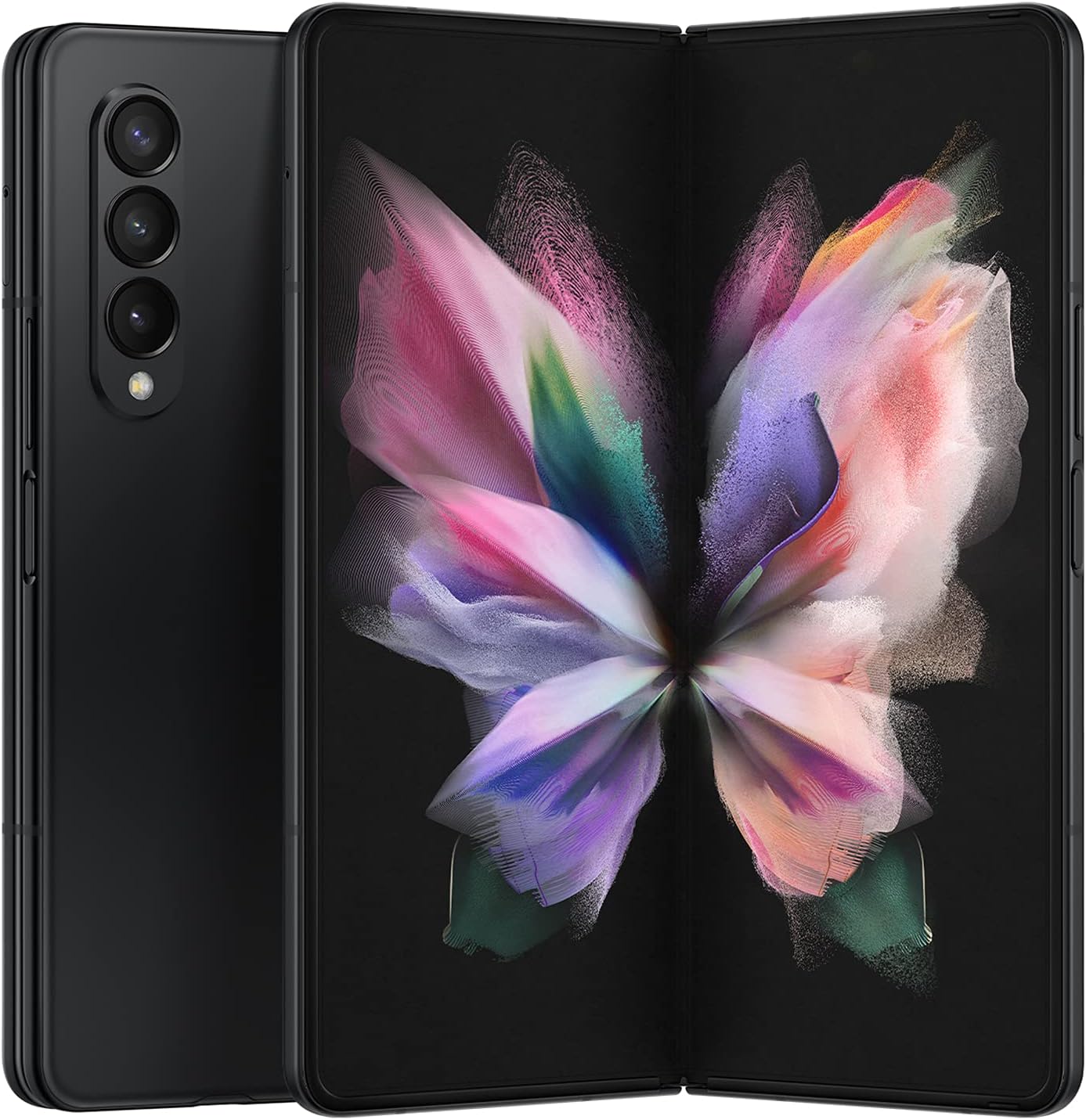
Figure 1: SAMSUNG Galaxy Z Fold 3 5G, showcasing its unique foldable design.
Setup
1. Unboxing and Initial Power On
Upon receiving your Galaxy Z Fold 3, carefully unbox the device. The package typically includes the phone and a USB cable. Power on your device by pressing and holding the power button located on the side. Follow the on-screen prompts to select your language and connect to a Wi-Fi network.
Video 1: Unboxing and initial setup of the Samsung Galaxy Z Fold 3 5G (Creator: Milo B., Influencer).
2. SIM Card Insertion
Locate the SIM card tray on the side of the device. Use the provided SIM ejection tool to open the tray. Insert your Nano-SIM card into the tray, ensuring it is correctly oriented. Gently push the tray back into the device until it clicks into place.
3. Fingerprint Setup
The power button on the side of the Galaxy Z Fold 3 doubles as a fingerprint reader for quick and secure unlocking. During initial setup, you will be prompted to register your fingerprints. Follow the on-screen instructions to scan your finger multiple times from different angles for optimal recognition.
Video 2: Demonstration of fingerprint setup and general phone usage (Creator: Bethany’s Life Changing Picks, Influencer).
Operating Your Device
1. Folding and Unfolding
The Galaxy Z Fold 3 is designed for seamless transitions between its folded (phone) and unfolded (tablet) modes. Gently open the device to reveal the expansive main screen. To fold, simply close the device until the two halves meet securely.
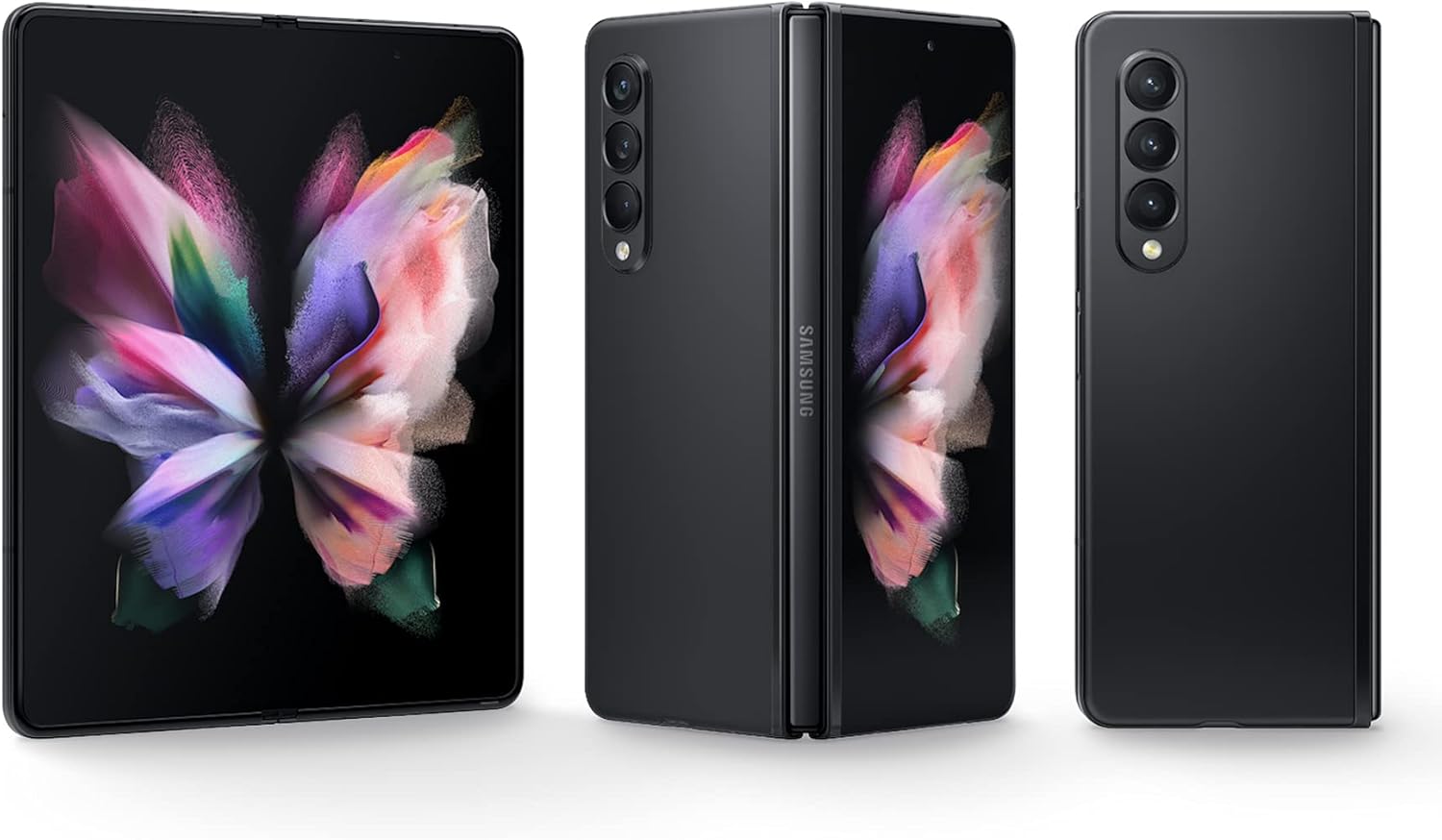
Figure 2: The Galaxy Z Fold 3 in both its folded and unfolded states.

Figure 3: Detailed dimensions of the Galaxy Z Fold 3, highlighting its compact folded form and larger unfolded display.
Video 3: A review demonstrating the folding and unfolding mechanism, and the benefits of having both a phone and tablet in one device (Creator: Alex The REVIEWER, Influencer).
2. Multitasking
Leverage the large main screen for enhanced multitasking. You can open multiple apps simultaneously, resize windows, and drag-and-drop content between them. The Taskbar feature provides quick access to your favorite and recently used applications.

Figure 4: The Galaxy Z Fold 3 demonstrating its multitasking capabilities with multiple applications open on the main screen.
3. Camera Features
The Galaxy Z Fold 3 features a versatile camera system, including a 12MP main lens, a 12MP telephoto lens, and a 12MP ultrawide lens. It also has an Under Display Camera on the main screen and a cover screen camera for selfies. Explore various camera modes like Portrait, Pro Video, Slow Motion, and Hyperlapse for creative photography and videography.

Figure 5: The rear camera array of the Galaxy Z Fold 3 when folded.
4. S Pen Support
The Galaxy Z Fold 3 supports the S Pen (sold separately), allowing for precise writing, drawing, and navigation on the main screen. This feature enhances productivity and creativity, making it ideal for note-taking and artistic expression.
5. Reading and Media Consumption
The large, immersive display is perfect for reading e-books, browsing the web, and watching videos. The adaptive 120 Hz refresh rate ensures smooth scrolling and a fluid viewing experience.
Video 4: A long-term review highlighting the phone's performance for media consumption and productivity (Creator: DonnyGadget, Influencer).
Maintenance
1. Water Resistance
The Galaxy Z Fold 3 boasts an IPX8 water resistance rating, meaning it can withstand immersion in up to 1.5 meters of fresh water for up to 30 minutes. However, it is not dust-resistant. Avoid exposure to sand or small particles that could damage the hinge mechanism.

Figure 6: The Galaxy Z Fold 3 demonstrating its water resistance.
2. Screen Care
To maintain the integrity of your foldable screen, avoid pressing the screen or front camera lens with hard or sharp objects. Only use a Samsung S Pen Pro or S Pen Fold Edition. When folding the phone, ensure no objects are inside that could damage the screen. Do not remove the protective film on the main screen or apply unapproved films or stickers, as this may cause damage.
3. General Cleaning
Regularly wipe your device with a soft, lint-free cloth. Avoid harsh chemicals or abrasive materials that could scratch the screen or body.
Troubleshooting
Common Issues and Solutions
- Screen Cracking/Dead Pixels: Some users have reported issues with the middle screen developing cracks or dead pixels. While this can occur with foldable technology, ensure you follow all screen care guidelines. If the issue persists and is not due to misuse, contact Samsung support for warranty options.
- Phone Not Charging/Turning On: Ensure you are using the original USB cable and a compatible charger. Check the charging port for any debris. If the phone does not turn on, try a forced restart by holding the power and volume down buttons simultaneously for about 10 seconds.
- Locked Phone (Service Provider): If your renewed phone is advertised as "unlocked" but remains locked to a specific carrier, contact the seller or the carrier directly to resolve the unlocking issue.
- Apps Crashing When Folding/Unfolding: Some apps may not be optimized for the foldable screen transition. Ensure all your apps are updated to their latest versions. If an app consistently crashes, try reinstalling it or contacting the app developer.
Specifications
| Feature | Detail |
|---|---|
| Product Dimensions | 6.22 x 2.51 x 0.25 inches |
| Item Weight | 9.4 ounces |
| Item Model Number | Galaxy Z Fold 3 |
| Operating System | Android |
| RAM | 12 GB |
| Memory Storage Capacity | 256 GB |
| Standing Screen Display Size | 7.6 Inches |
| Resolution | 2208 x 1768 |
| Wireless Carrier | Unlocked |
| Cellular Technology | 5G, 4G, 3G, 2G |
| Battery Capacity | 4400 Milliamp Hours |
| Whats in the box | USB Cable |
Warranty and Support
This product is a renewed device. Please refer to your purchase documentation for specific warranty details provided by the seller. Typically, renewed products may have a limited warranty period (e.g., 90 days for refund/replacement). For technical support or service inquiries, please contact Samsung Electronics customer service or the seller directly.
Included in the Box:
- SAMSUNG Galaxy Z Fold 3 5G (Renewed)
- USB Cable


