
Sekonda 1912
Sekonda Smart Watch 1912 Blue User Manual
Model: 1912
1. Introduction
Thank you for choosing the Sekonda Smart Watch 1912 Blue. This smart watch is designed to help you monitor your daily activities, track your fitness goals, and stay connected. It offers a range of features including activity tracking, sports modes, health monitoring, and smart notifications. Please read this manual carefully to ensure proper use and maintenance of your device.
2. What's in the Box
Upon opening your Sekonda Smart Watch package, please ensure all the following items are present:
- Sekonda Smart Watch (Model 1912)
- USB Connect Charging Cable with Magnetic Connection
- Instruction Manual

Image: The Sekonda Smart Watch 1912 Blue, shown alongside its packaging, illustrating the contents you will find inside the box.
3. Initial Setup
3.1. Downloading the App
To fully utilize the features of your Sekonda Smart Watch, you need to download the companion application. Search for "HitFit Pro" in your smartphone's app store (Apple App Store for iOS or Google Play Store for Android) or scan the QR code provided in the watch's packaging.

Image: A smartphone screen illustrating the prompt to download the Sekonda Smart App, with direct links to the Apple App Store and Google Play Store.
3.2. Pairing Your Smart Watch
- Ensure your smart watch is charged and powered on.
- Enable Bluetooth on your smartphone.
- Open the "HitFit Pro" app.
- Follow the in-app instructions to search for and connect to your Sekonda Smart Watch.
- Confirm the pairing request on both your watch and smartphone if prompted.
4. Operating Your Smart Watch
4.1. Daily Activity Tracking
The Sekonda Smart Watch automatically tracks your daily activity. It displays your total number of steps taken, distance walked, and active calories burned. This data helps you monitor your progress towards your fitness goals.

Image: A detailed view of the Sekonda Smart Watch display, showing key metrics such as time, distance (9.45 KM), steps (9314), calories (380.7 KCAL), and body temperature (36.5° TEMP).
4.2. Sports Functions
In sports mode, you can select from various activities such as walking, running, climbing, and more to record specific data during your workout. The watch is IP68 water resistant, making it suitable for swimming and bathing.
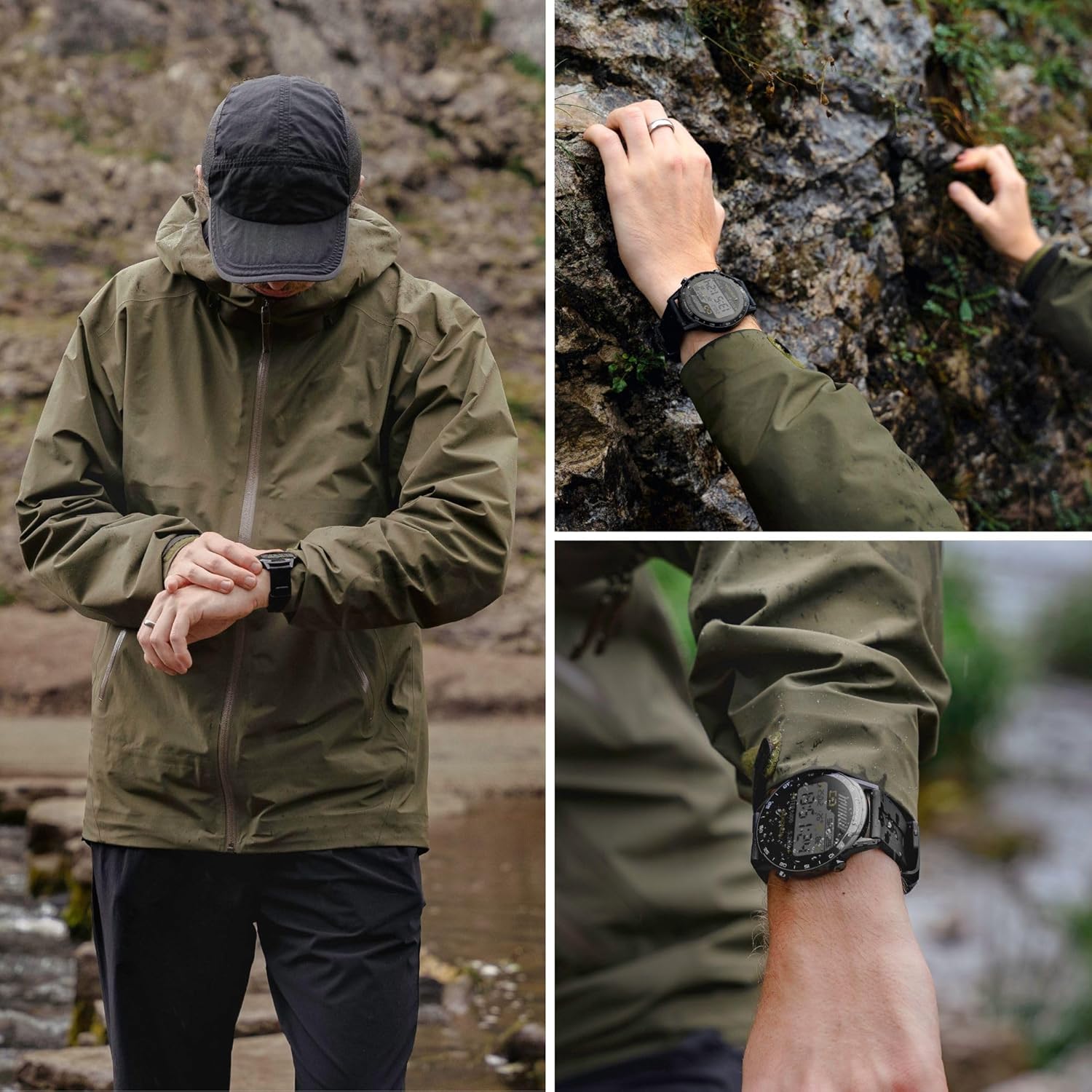
Image: A collage showing the Sekonda Smart Watch being worn during various outdoor activities, including hiking and rock climbing, demonstrating its suitability for sports functions.
4.3. Notifications and Communication
Your Sekonda Smart Watch can display notifications from your smartphone, including messages, social media alerts, and email notifications. You can also receive call notifications directly on your wrist.
4.4. Music Control
Control your phone's music playback directly from your watch. You can skip tracks, pause, play, and adjust the volume.
4.5. Find Phone Feature
If you misplace your phone, use the 'Find Phone' feature on your watch to make your phone ring, helping you locate it quickly.
5. Customization
5.1. Customizable Display Dials
Personalize your watch by choosing from a wide range of dial styles. Press and hold the middle of the screen to change your watch dial. Over 100 dial designs can be downloaded via the "HitFit Pro" app, with the option to even add a personal photo to the dial.

Image: The Sekonda Smart Watch display showcasing one of its customizable watch faces, surrounded by a selection of over 100 different digital dial designs available for download.
6. Health Monitoring
6.1. Heart Rate & Body Temperature Tracking
The watch is equipped with sensors to track your heart rate and body temperature, providing insights into your health metrics.
6.2. Sleep Monitoring
Monitor your sleep patterns, including deep and light sleep, to help you understand and improve your sleep quality.
6.3. Drink Water Reminder
Set reminders to ensure you stay hydrated throughout the day.
7. Connectivity and Compatibility
The Sekonda Smart Watch is compatible with Android version 5.1 and above, and Apple iOS version 10.0 and above. It connects to your smartphone via Bluetooth for seamless data synchronization and notification delivery.
8. Charging and Battery Life
Your Sekonda Smart Watch comes with a standard USB Connect charging cable featuring a magnetic connection for easy charging. A full charge provides a battery life of up to 10 days, depending on usage.
9. Maintenance and Care
The Sekonda Smart Watch has an IP68 water resistance rating, making it suitable for swimming and bathing. However, it is recommended to avoid prolonged exposure to hot water or steam. Clean the watch and strap regularly with a soft, dry cloth. Avoid using harsh chemicals or abrasive materials.
10. Troubleshooting
If you encounter any issues with your Sekonda Smart Watch, please try the following common troubleshooting steps:
- Watch not turning on: Ensure the watch is fully charged. Connect it to the magnetic charging cable and a power source.
- Cannot pair with phone: Make sure Bluetooth is enabled on your phone and the watch is within range. Restart both the watch and your phone, then try pairing again through the "HitFit Pro" app.
- Inaccurate data: Ensure the watch is worn snugly on your wrist. For activity tracking, ensure your profile settings (height, weight) in the app are accurate.
- Notifications not appearing: Check app permissions on your phone to ensure "HitFit Pro" has access to notifications. Also, verify notification settings within the app itself.
11. Technical Specifications
| Feature | Specification |
|---|---|
| Brand | Sekonda |
| Model Name | Sekonda Smart Watch |
| Model Number | 1912 |
| Operating System Compatibility | Android 5.1 or above / iOS 10 or above |
| Display Type | Digital LCD |
| Screen Size | 33 Millimetres |
| Connectivity Technology | Bluetooth, USB (for charging) |
| Water Resistance | IP68 |
| Battery Life (Average) | Up to 10 days |
| Charging Type | Magnetic USB |
| Special Features | Email, USB, Android, Countdown, iOS, Heart Rate, Body Temperature, Sleep Monitor, Music Control, Find Phone |
| Languages Supported | English, French, German, Italian, Japanese, Polish, Portuguese, Russian, Spanish |
12. Warranty and Support
For information regarding the product warranty, please refer to the warranty card included in your product packaging or visit the official Sekonda website. For further support, technical assistance, or frequently asked questions, please visit the Sekonda customer support portal or contact their customer service directly.
Ask a question about this manual
Ask about setup, troubleshooting, compatibility, parts, safety, or missing instructions. Manuals+ will review the question and use this page’s manual context to help answer it.