
ZUNKOM CDP-3032
ZUNKOM Bluetooth CD Player User Manual
Model: CDP-3032
1. Introduction
The ZUNKOM Bluetooth CD Player is a versatile audio device designed for home use, offering multiple functionalities in one compact unit. It can serve as a CD player, home audio boombox, FM radio, Bluetooth Hi-Fi speaker, and USB flash drive player. Its unique design includes LED colorful lights and a mirror finish, making it suitable for various settings. This manual provides detailed instructions for its setup, operation, and maintenance.

Figure 1.1: Multifunctional Overview of the ZUNKOM CD Player.
2. Package Contents
Please check the package carefully to ensure all items are present and in good condition:
- 1 x ZUNKOM CD Player (Model: CDP-3032)
- 1 x 5V-2A USB Power Adapter
- 1 x Remote Control
- 1 x Wall-mounted Plate
- 1 x Wall-mounted Kit (screws and anchors)
- 1 x User Manual
- 1 x Desk Stand

Figure 2.1: Contents of the ZUNKOM CD Player Package.
3. Specifications
| Feature | Specification |
|---|---|
| Model Number | CDP-3032 |
| Disc Size Compatibility | 8 cm and 12 cm diameter |
| Supported CD Types | MP3 disc, CD, CD-R, CD-RW, CD WMA audio files |
| Play Modes | Play in order, Repeat a track, Repeat all, Play in random order |
| Power Input | DC 5V/1A |
| CD S/N Ratio | ≥50dB |
| Headphone Jack | 3.5mm |
| Aux Jack | 3.5mm |
| Speaker Size | 36MM 4Ω 3W (Built-in Hi-Fi dual stereo speakers) |
| FM Radio Range | 87.5-108MHz |
| Bluetooth Version | 5.1 (Receiver only) |
| Supported Audio Formats | MP3, WMA, WAV |
| Product Dimensions | 21.1 x 21.1 x 5.15 cm |
| Product Weight | 1.25 kg |
| Special Features | LED Colorful Lights, Mirror Design, A-B Repeat, 5 Sound Effects (BBS, Pop, Jazz, Rock, Classic) |
4. Safety Instructions
To ensure safe operation and prevent damage, please read and follow these safety guidelines:
- Do not expose the unit to rain or moisture to prevent fire or electric shock.
- Do not open the casing. Refer all servicing to qualified personnel.
- Use only the provided power adapter (DC 5V/1A).
- Avoid placing the unit in direct sunlight, near heat sources, or in environments with high humidity or dust.
- Ensure proper ventilation around the unit. Do not block ventilation openings.
- Keep out of reach of children.
- Clean the unit only with a soft, dry cloth. Do not use liquid cleaners or aerosol cleaners.
- If the unit malfunctions, disconnect it from the power source immediately.
5. Setup
5.1 Power Connection
Connect the provided 5V-2A USB power adapter to the DC IN port on the CD player and plug it into a wall outlet. The unit can also be powered via a power bank or laptop USB port.
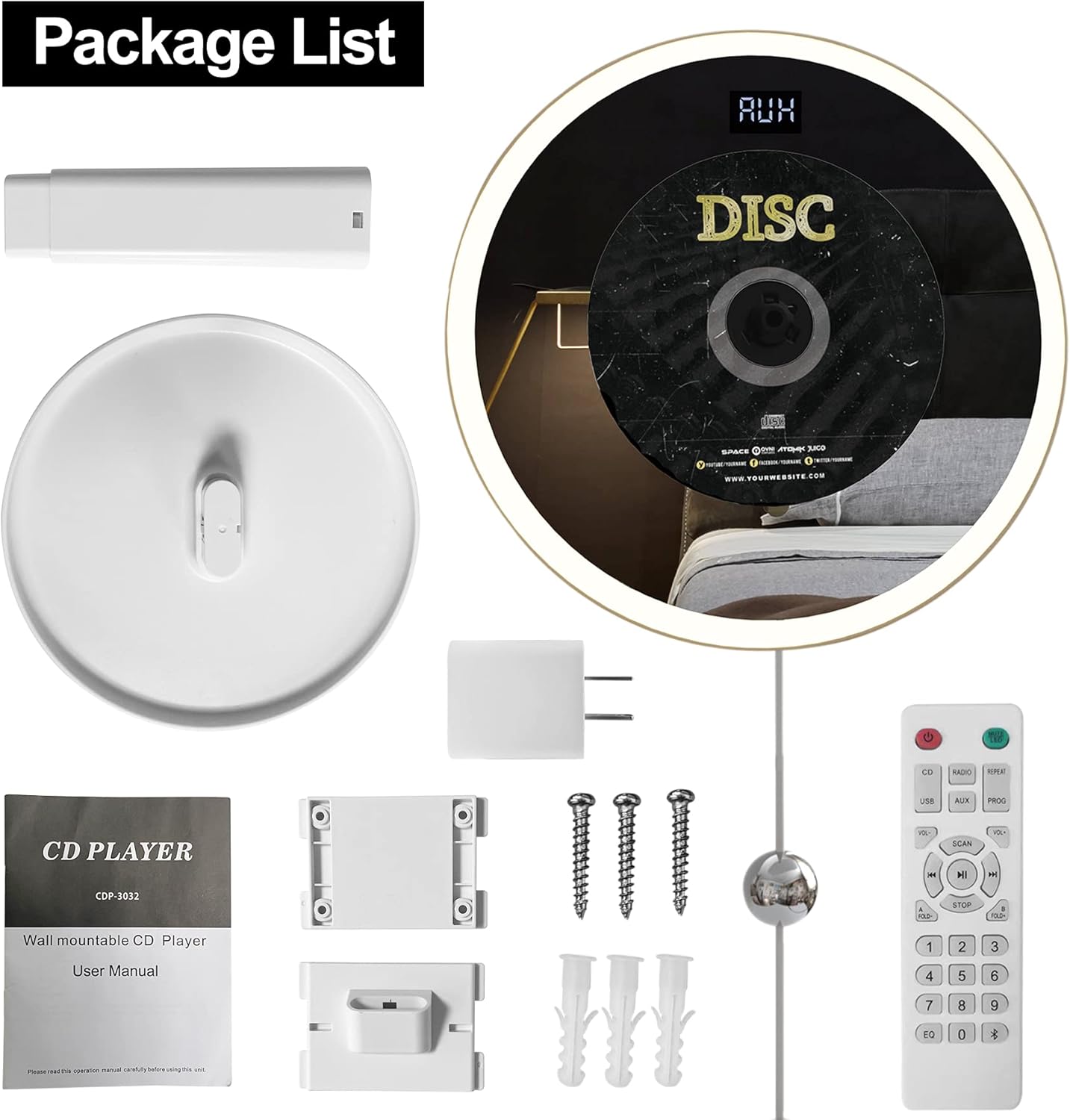
Figure 5.1: Powering the ZUNKOM CD Player.
5.2 Installation Options
The ZUNKOM CD Player offers multiple installation methods:
Wall Mounting:
- Choose a suitable location on a wall.
- Use the provided wall-mounted plate as a template to mark the drilling points.
- Drill holes and insert the wall anchors.
- Secure the wall-mounted plate to the wall using the screws.
- Carefully slide the CD player onto the mounted plate until it clicks into place.
Desk Stand Placement:
Attach the provided desk stand to the bottom of the CD player. Place the unit on any flat, stable surface such as a desk, table, or nightstand.

Figure 5.2: Multiple Installation Options for the CD Player.
6. Operating Instructions
6.1 Remote Control Overview
The remote control allows convenient operation of all player functions from a distance. Ensure the remote control is pointed towards the player's sensor.
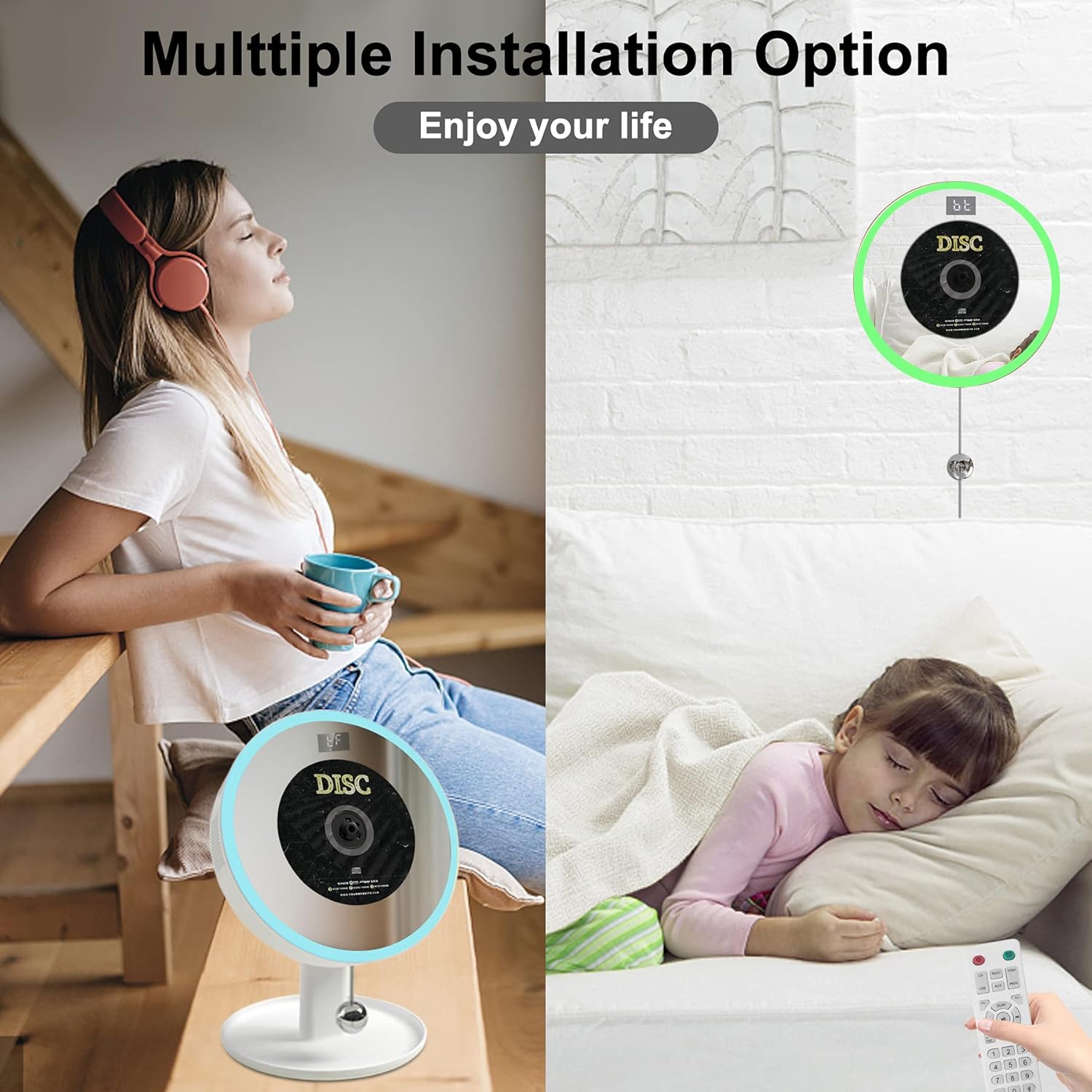
Figure 6.1: ZUNKOM CD Player and Remote Control.
6.2 CD Playback
The player supports MP3 discs, CD, CD-R, CD-RW, and CD WMA audio files.
- Insert a compatible CD into the disc slot. The player will automatically detect and begin playing the CD.
- Use the PLAY/PAUSE button on the remote or unit to pause/resume playback.
- Use the PREV/NEXT buttons to skip tracks.
- Press the STOP button to stop playback.
- Press the REPEAT button to cycle through play modes: Repeat One, Repeat All, Random Play.
- Use the PROG button to program a sequence of tracks.
6.3 Bluetooth Mode
The player features a built-in Bluetooth 5.1 receiver, allowing connection to devices like smartphones, tablets, and laptops. Note: This CD player is a Bluetooth receiver only and cannot connect to Bluetooth speakers or headphones.
- Press the MODE button on the unit or the Bluetooth button on the remote until 'BT' appears on the LCD display.
- On your external device (e.g., smartphone), enable Bluetooth and search for available devices.
- Select 'ZUNKOM CDP-3032' from the list to pair.
- Once connected, you can play audio from your device through the CD player's speakers.

Figure 6.2: Stable Bluetooth Connection with Various Devices.
6.4 FM Radio
Enjoy your favorite radio stations with the built-in FM tuner (range: 87.5-108MHz).
- Press the MODE button on the unit or the RADIO button on the remote until 'FM' appears on the LCD display.
- Press the SCAN button to automatically scan and save available FM stations.
- Use the PREV/NEXT buttons to navigate through saved stations.
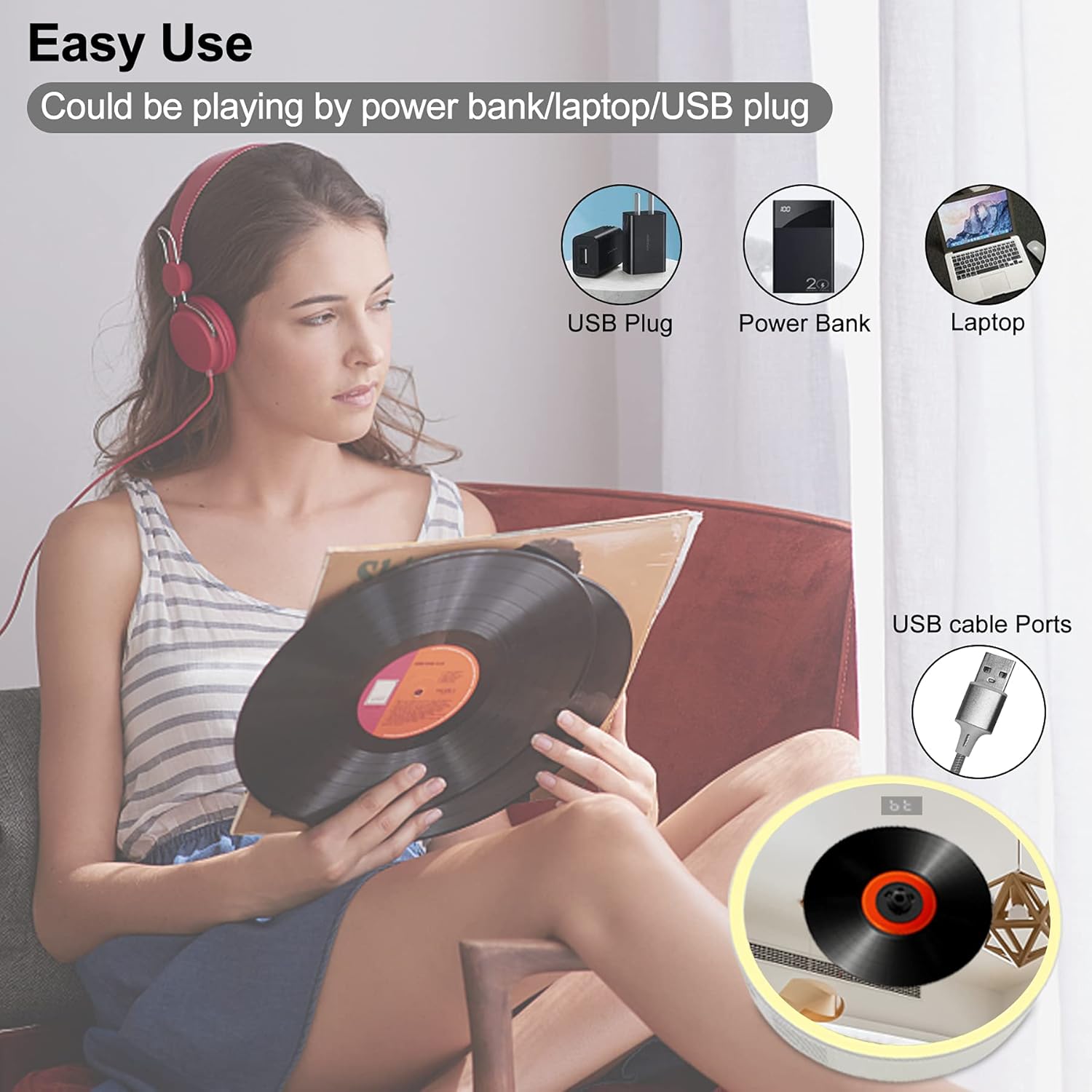
Figure 6.3: FM Radio Functionality.
6.5 USB Playback
The player supports USB flash drives for MP3/WMA/WAV audio file playback.
- Insert a USB flash drive into the USB port on the player.
- Press the MODE button on the unit or the USB button on the remote until 'USB' appears on the LCD display.
- The player will automatically begin playing audio files from the USB drive.
- Use the PLAY/PAUSE, PREV/NEXT, and STOP buttons for control.
6.6 AUX Input
Connect external audio devices via the 3.5mm AUX jack.
- Connect one end of a 3.5mm audio cable (not included) to the AUX jack on the player and the other end to your external audio device's headphone or AUX output.
- Press the MODE button on the unit or the AUX button on the remote until 'AUX' appears on the LCD display.
- Play audio from your external device.
6.7 LED Colorful Lights & Mirror Design
The player features a unique mirror design with integrated LED colorful lights that can enhance your listening experience.
- The LED lights support 7 colors.
- The lights can change automatically or be fixed to a single color. Refer to the remote control for specific light control buttons (if available, otherwise it's automatic).
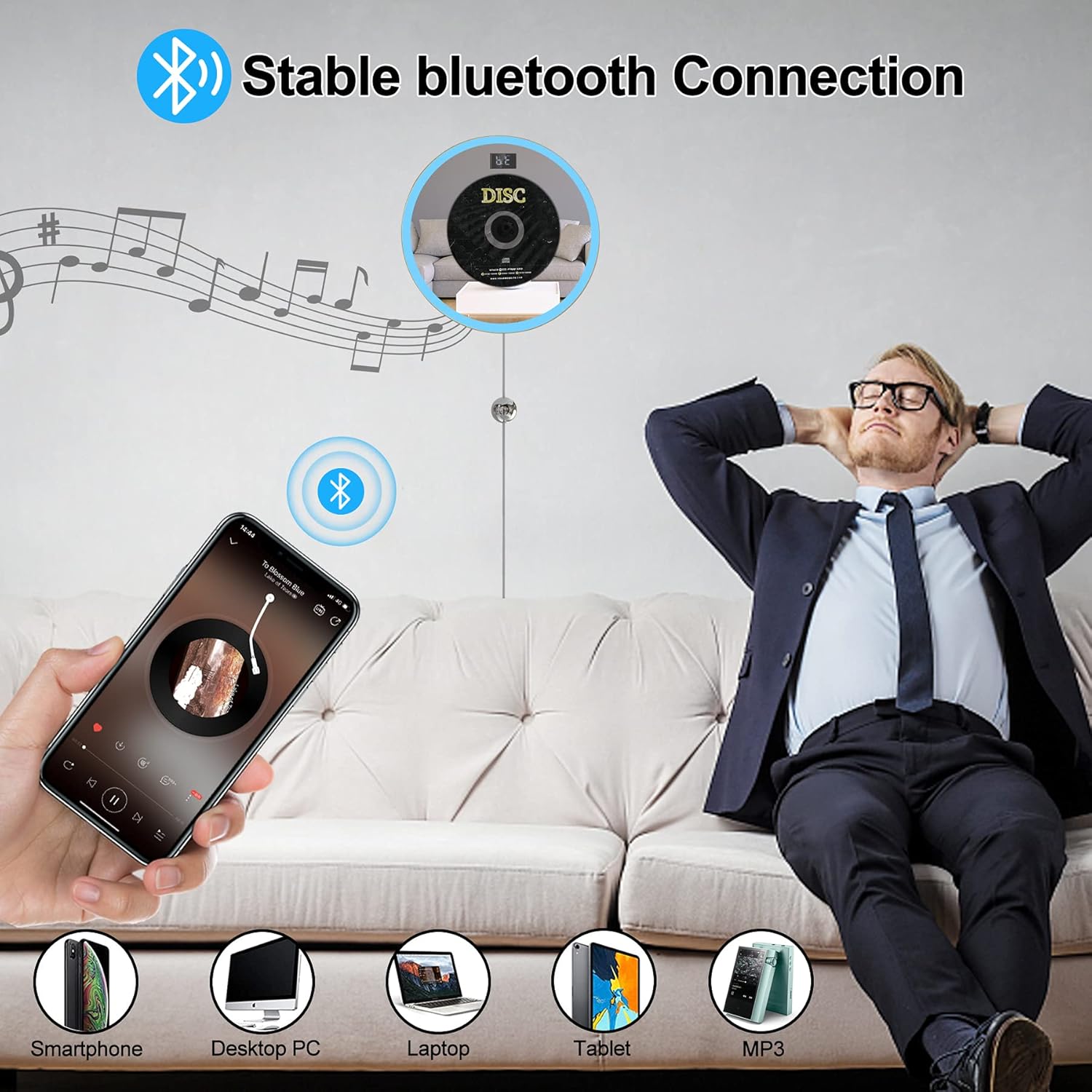
Figure 6.4: LED Colorful Lights and Mirror Design.
6.8 Sound Effects (EQ)
Enhance your audio experience with 5 preset sound effects:
- BBS
- Pop
- Jazz
- Rock
- Classic
Press the EQ button on the remote control to cycle through these sound effects.
6.9 A-B Repeat Function
This function allows you to repeat a specific segment of audio, useful for language learning or musical practice.
- During playback, press the A-B button on the remote control at the desired starting point (A).
- Press the A-B button again at the desired ending point (B).
- The segment between A and B will repeat continuously.
- Press the A-B button a third time to cancel the repeat function.
7. Maintenance
Proper maintenance ensures the longevity and optimal performance of your CD player.
- Cleaning: Use a soft, dry, lint-free cloth to clean the exterior of the unit. Do not use abrasive cleaners, waxes, or solvents. For the disc lens, use a specialized CD lens cleaner.
- Disc Handling: Always handle CDs by their edges. Avoid touching the playing surface. Store discs in their cases when not in use to prevent scratches and dust accumulation.
- Storage: If storing the unit for an extended period, disconnect it from the power source and store it in a cool, dry place away from direct sunlight.
8. Troubleshooting
If you encounter issues with your ZUNKOM CD Player, refer to the following common problems and solutions:
| Problem | Possible Cause | Solution |
|---|---|---|
| No power | Power adapter not connected properly; Power outlet not working. | Ensure the power adapter is securely connected to the unit and the wall outlet. Try a different outlet. |
| CD not playing / Disc error | Disc is dirty or scratched; Disc inserted incorrectly; Incompatible disc format. | Clean the disc with a soft cloth. Re-insert the disc correctly with the label side facing out. Ensure the disc format (CD, CD-R, MP3, etc.) is supported. |
| No sound | Volume too low; Mute function active; Incorrect mode selected. | Increase the volume. Check if the unit is muted. Ensure the correct mode (CD, Bluetooth, FM, USB, AUX) is selected. |
| Bluetooth not connecting | Player not in Bluetooth mode; Device too far; Device already connected to another Bluetooth receiver. | Switch the player to Bluetooth mode. Ensure your device is within range (approx. 10 meters). Disconnect your device from other Bluetooth connections. |
| Remote control not working | Batteries are dead or inserted incorrectly; Obstruction between remote and player; Remote sensor blocked. | Replace batteries with new ones, ensuring correct polarity. Remove any obstructions. Ensure the remote sensor on the player is clean and unobstructed. |
| Poor FM radio reception | Weak signal; Interference. | Adjust the player's position. Try rescanning for stations. Avoid placing near other electronic devices that may cause interference. |
If the problem persists after trying these solutions, please contact customer support.
9. Warranty and Support
ZUNKOM provides a 1-year warranty for this product, with an additional 6 months extended warranty service available. We also offer free returns for 30 days from the date of purchase.
For any product-related inquiries, technical support, or warranty claims, please contact our customer service team through the platform where you purchased the product or refer to the contact information provided on the product packaging or official ZUNKOM website.
Ask a question about this manual
Ask about setup, troubleshooting, compatibility, parts, safety, or missing instructions. Manuals+ will review the question and use this page’s manual context to help answer it.