
Introduction
Thank you for choosing the Famidoc FDTH-V0-22 Baby Bath and Room Thermometer. This device is designed to provide accurate temperature readings for your baby's bath water and room environment, ensuring safety and comfort. Please read this manual thoroughly before use and retain it for future reference.
Product Features
- High & Low Temperature Alarm: Features a colored indicator light and LCD display to alert for unsuitable temperatures. A red light and "HOT" display indicate water that is too warm, while a blue light and "COLD" display indicate water that is too cool.
- Multifunctional Use: Capable of measuring both water temperature during bath time and ambient room temperature when placed in the air.
- Easy Activation: No on/off button; the device activates automatically by shaking.
- Quick and Accurate Readings: Provides updated temperature readings every 5 seconds in Fahrenheit on an easy-to-read LCD screen.
- Waterproof Design: Safely submersible in water for reliable bath temperature measurement.
- Automatic Shut-off: Conserves battery life with a 30-minute automatic shut-off feature.
- Safe and Durable: Constructed from environmentally friendly materials with a smooth finish and a child-friendly duck shape.
Safety Information
- Always test the water temperature with your hand before placing a baby in the bath, even after using the thermometer.
- Ensure the battery compartment is securely closed to maintain waterproofing.
- Do not allow children to play with the thermometer on hard surfaces, as impact may damage the device.
- Keep batteries out of reach of children. If swallowed, seek immediate medical attention.
- Do not attempt to disassemble or repair the device yourself. Contact customer support if issues arise.
Setup
The Famidoc FDTH-V0-22 thermometer comes with a battery pre-installed. No initial setup is required other than activation.
- Activate the Thermometer: Gently shake the thermometer in your hand. The LCD screen will illuminate and display the current temperature.

This image outlines the usage steps, including shaking the thermometer to activate it.
Operating Instructions
Measuring Bath Water Temperature
- Prepare the Bath: Fill the bathtub with water to the desired level.
- Stir Water: Stir the bath water to ensure an even temperature distribution.
- Place Thermometer: Place the activated Famidoc FDTH-V0-22 thermometer into the bath water.
- Read Temperature: Wait approximately 1 minute for the reading on the LCD screen to stabilize. The thermometer will update the temperature every 5 seconds.
- Check Alarms: Observe the colored indicator light and LCD display for temperature warnings:
- Red Light / "HOT": Water is too hot.
- Blue Light / "COLD": Water is too cold.
- No Light / Stable Reading: Water temperature is suitable.

This image illustrates the thermometer's temperature warning system. It shows a baby in a bathtub with the yellow duck thermometer floating. Three digital displays indicate 'COLD' (32.0°C, blue light), 'Just Right' (37.0°C), and 'HOT' (39.0°C, red light), demonstrating how the thermometer alerts users to unsafe water temperatures.
Measuring Room Temperature
To measure room temperature, simply place the activated thermometer in the desired room. The LCD screen will display the ambient air temperature.
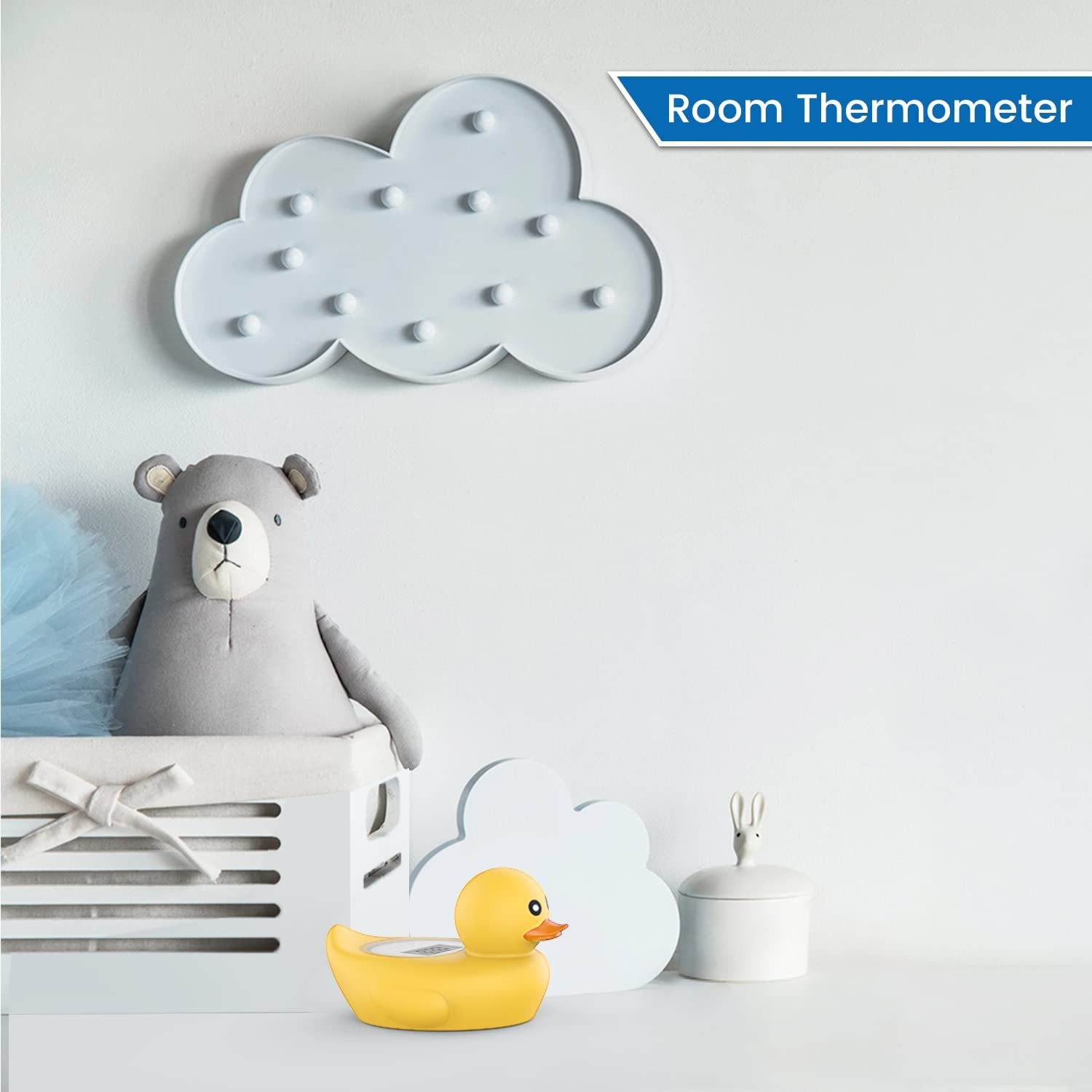
This image demonstrates the thermometer's dual functionality, showing it placed on a shelf in a baby's room, indicating its ability to measure ambient room temperature.
Maintenance
Cleaning
Wipe the thermometer clean with a damp cloth. Do not use abrasive cleaners or solvents.
Battery Replacement
When the display becomes dim or the thermometer stops responding, it may be time to replace the battery.
- Locate the battery compartment on the underside of the duck thermometer.
- Carefully open the compartment using a coin or appropriate tool.
- Remove the old battery and insert a new one, ensuring correct polarity.
- Close the battery compartment securely to maintain the waterproof seal.

This image provides a visual guide to the thermometer's physical characteristics and details the process for replacing the battery.
Troubleshooting
- No Display / Device Not Activating: Ensure the thermometer has been shaken to activate. If the display remains blank, the battery may need replacement. Refer to the 'Battery Replacement' section.
- Inaccurate Readings: Ensure the water is stirred thoroughly before taking a reading. Allow sufficient time (approximately 1 minute) for the temperature to stabilize. If issues persist, replace the battery.
- Water Leakage: Check that the battery compartment cover is securely fastened and properly sealed. If leakage occurs, discontinue use and contact customer support.
Specifications
| Brand | Famidoc |
| Model Name | FDTH-V0-22 |
| Special Feature | Alarm |
| Color | Yellow |
| Age Range (Description) | Infant |
| Included Components | Battery |
| Outer Material | Silicone |
| Display Type | LCD |
| Product Care Instructions | Wipe Clean |
| Unit Count | 1 Count |
| Power Source | Battery Powered |
| Item Length | 7 Centimeters |
| Upper Temperature Rating | 101 Degrees Fahrenheit |
| Response Time | 1 minute |
| Reusability | Reusable |
| Immersion Depth | 7 Centimeters |
| Style | Child-Friendly |
| Indoor/Outdoor Usage | Indoor |
| Item Weight | 2.89 ounces |
Warranty and Support
Specific warranty information for the Famidoc FDTH-V0-22 thermometer was not provided in the product data. For warranty details, technical support, or any inquiries regarding your product, please contact Famidoc customer service directly through their official website or the retailer where the product was purchased.
You may also visit the Famidoc Store on Amazon for additional product information and support resources.