1. Introduction
This manual provides instructions for the safe and efficient use of your MOMAX Q.Mag Dual Magnetic Wireless Charging Stand. This device is designed to wirelessly charge compatible iPhone 12/13/14 series models and AirPods simultaneously.
2. Product Overview
The MOMAX Q.Mag Dual Magnetic Wireless Charging Stand features a magnetic charging pad for iPhones and a flat wireless charging base for AirPods or other Qi-compatible devices. It is constructed with a woven textured surface for a minimalist aesthetic.

Image: The woven textured surface of the charging stand's base.
2.1 Components
- Magnetic Wireless Output: For MagSafe-compatible iPhones.
- Wireless Output: Flat base for AirPods or other Qi-compatible devices.
- USB-C Port: Power input for the charging stand.
- LED Indicator Light: Indicates charging status.

Image: Diagram illustrating the Magnetic Wireless Output, USB-C Port, Wireless Output, and LED Indicator Light.
3. Setup Instructions
- Connect Power Adapter: Ensure you use a USB-C power adapter rated at 20W or higher for optimal performance. A lower wattage adapter may result in slow charging or insufficient power for dual charging.
- Connect USB-C Cable: Insert the included USB-C to USB-C cable into the USB-C port on the back of the charging stand and connect the other end to your 20W+ USB-C power adapter.
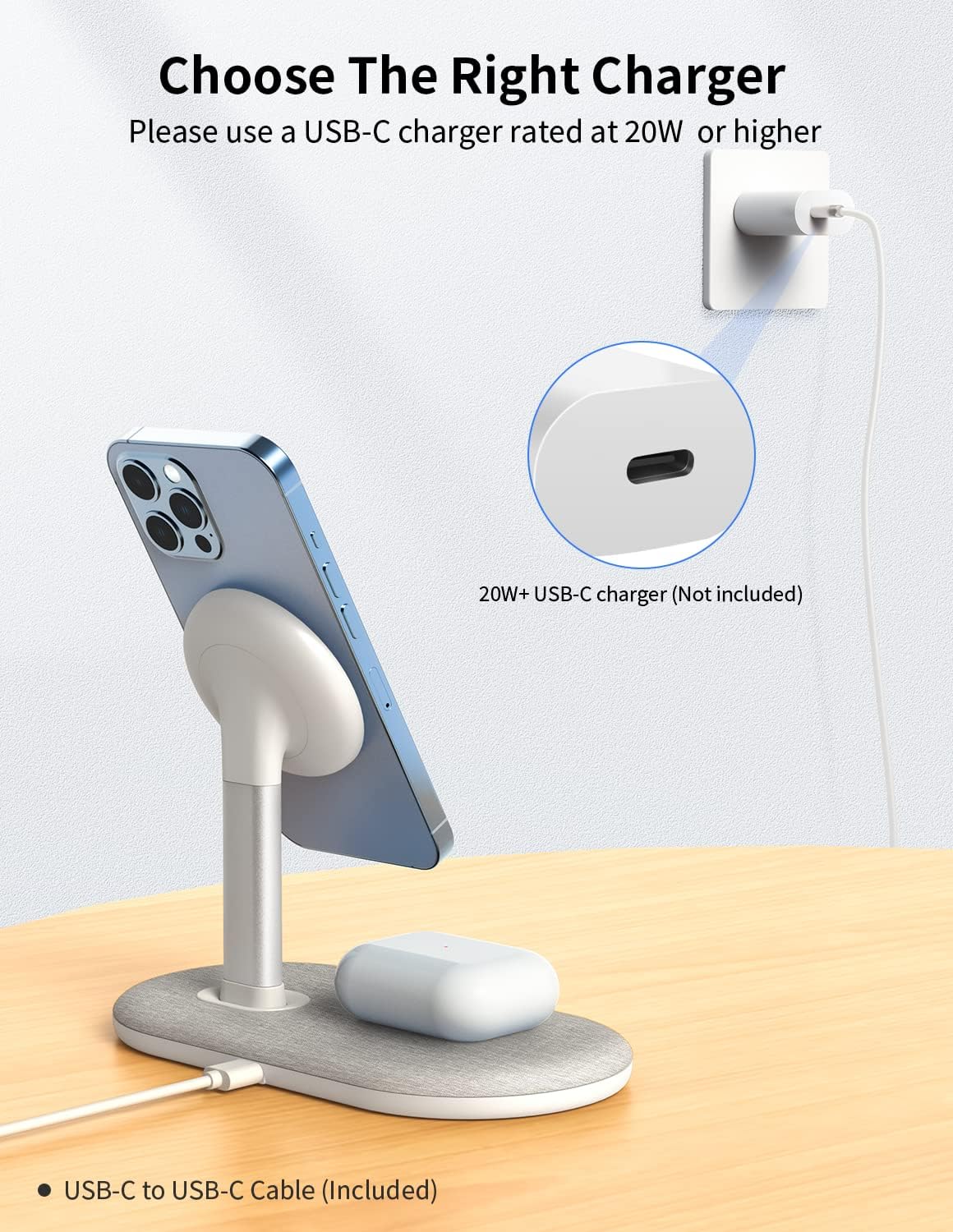
Image: Connect the charging stand to a 20W or higher USB-C power adapter (not included).

Image: Proper connection of the USB-C cable to the charging stand.
4. Operating Instructions
4.1 Charging an iPhone
- Align your MagSafe-compatible iPhone (iPhone 12/13/14 series) with the magnetic charging pad. The magnets will automatically snap the iPhone into place.
- The LED indicator light will illuminate to confirm charging has begun.

Image: An iPhone being magnetically attached to the stand, and AirPods placed on the base for charging.
4.2 Charging AirPods or Other Qi Devices
- Place your AirPods (Pro/2/3) or other Qi-compatible wireless charging device onto the flat charging base.
- Ensure the device is centered on the charging base for proper alignment.
- The LED indicator light will illuminate to confirm charging has begun.

Image: Simultaneous charging of an iPhone and AirPods on the dual charging stand.
4.3 Rotation Feature
The magnetic charging pad allows for 360-degree rotation, enabling you to view your iPhone in both portrait and landscape orientations while charging. This is suitable for video calls, media consumption, or other activities.

Image: The iPhone positioned in both portrait and landscape modes on the rotatable magnetic charging pad.
5. Compatibility
This charging stand is specifically designed for optimal compatibility with the following devices:
- Magnetic Charging Pad: iPhone 14, 14 Max, 14 Pro, 14 Pro Max, iPhone 13, 13 Pro, 13 Pro Max, 13 Mini, iPhone 12, 12 Pro, 12 Pro Max, 12 Mini.
- Wireless Charging Base: AirPods Pro, AirPods 2, AirPods 3, and other Qi-compatible devices.
For non-MagSafe iPhones or other devices to utilize the magnetic charging feature, a MagSafe-compatible case is required.

Image: Visual guide to compatible iPhone and AirPods models.

Image: An iPhone with a MagSafe-compatible case on the magnetic charging pad.
6. Maintenance
- Keep the charging stand clean and free from dust. Use a soft, dry cloth for cleaning.
- Avoid using abrasive cleaners or solvents, as these may damage the surface.
- Do not expose the device to extreme temperatures or humidity.
7. Troubleshooting
7.1 Device Not Charging
- Check Power Connection: Ensure the USB-C cable is securely connected to both the charging stand and the power adapter, and that the adapter is plugged into a working power outlet.
- Verify Power Adapter: Confirm that your USB-C power adapter is rated at 20W or higher. Lower wattage adapters may not provide sufficient power.
- Device Alignment: For magnetic charging, ensure your iPhone is correctly aligned and snapped onto the magnetic pad. For the base, ensure your device is centered.
- Case Interference: If using a phone case, ensure it is MagSafe-compatible for magnetic charging, or thin enough not to interfere with wireless charging on the base.

Image: An unsuitable power adapter (less than 20W).
7.2 Slow Charging
- Power Adapter Output: Slow charging is often due to an insufficient power adapter. Use a 20W or higher USB-C power adapter.
- Background Apps: Close unnecessary applications on your device during charging.
8. Specifications
| Feature | Detail |
|---|---|
| Product Dimensions | 6.69 x 3.54 x 5.04 inches |
| Item Weight | 13.4 ounces |
| ASIN | B09FXC9V89 |
| Manufacturer | MOMAX Technology Ltd. |
| Brand | MOMAX |
| Connector Type | USB Type C |
| Compatible Devices | AirPods Pro, AirPods 2, AirPods 3, Any Qi Devices, iPhone 14, 14 Max, 14 Pro, 14 Pro Max, iPhone 13, iPhone 13 Pro, iPhone 13 Pro Max, iPhone 13 Mini, iPhone 12, iPhone 12 Pro, iPhone 12 Pro Max, iPhone 12 Mini |
| Special Feature | Dual Wireless Charging, Made for MagSafe, Magnetic Snap-On, Rotation-Friendly Stand, Strong Magnetic Attach for iPhone 12/13/14 series |
| Color | Light Grey |
| Input Voltage | 12 Volts |
| Total USB Ports | 1 |
| Wattage | 7.5 watts (for iPhone) |
| Specification Met | CE, FCC |
9. Safety Information
- Do not disassemble or modify the device.
- Keep away from water, fire, and high temperatures.
- Avoid dropping or subjecting the device to strong impacts.
- Do not place metal objects or magnetic cards between the charging surface and your device, as this may interfere with charging or damage the device.
- This product is not a toy. Keep out of reach of children.
10. Warranty and Support
For warranty information or technical support, please refer to the MOMAX official website or contact their customer service directly. Please retain your proof of purchase for any warranty claims.