
Introduction
This manual provides detailed instructions for the A ALPS Kids Digital Sport Watch, Model L6606. Please read this manual carefully to understand the watch's functions and ensure proper use and maintenance. This watch is designed for children, featuring a digital display, LED backlight, and various functions suitable for daily activities.

Image: Front view of the A ALPS Kids Digital Sport Watch L6606, showcasing its digital display and button layout.
Product Features
- Digital Display: Clear and easy-to-read time display.
- LED Backlight: For visibility in low-light conditions.
- Multifunctionality: Includes date, 12/24 hour format, alarm, and stopwatch.
- Water Resistance: 50M (5ATM/150FT) water-resistant, suitable for splashes and rain.
- Durable Design: High-quality PU strap and wear-resistant glass resin mirror.
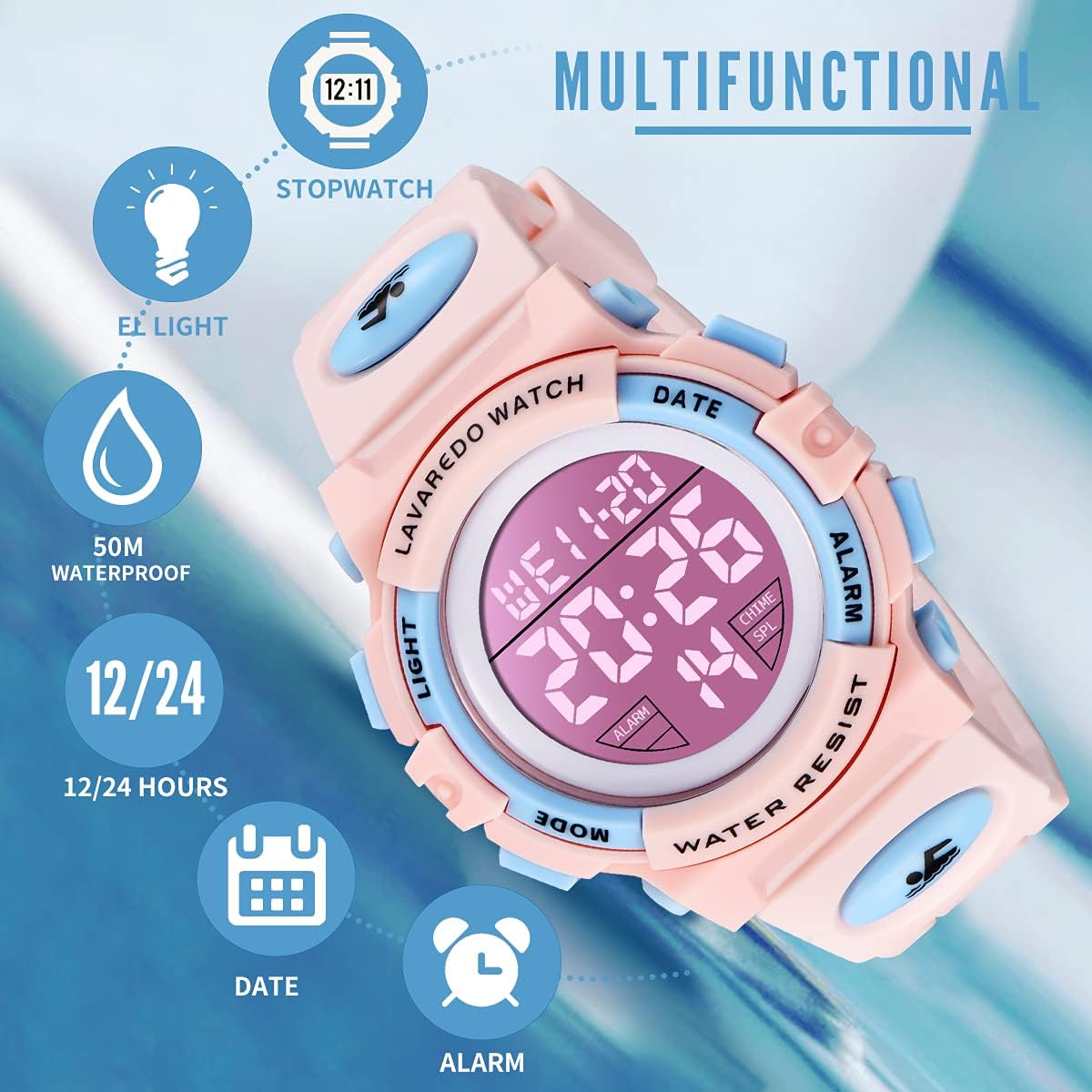
Image: Visual representation of the watch's key features: EL light, 50M waterproof, 12/24 hour display, date, alarm, and stopwatch.
Watch Components
Familiarize yourself with the watch's buttons:
- LIGHT Button: Activates the LED backlight.
- MODE Button: Cycles through different modes (Time, Alarm, Stopwatch).
- DATE Button: Used for setting and adjusting values.
- ALARM Button: Used for setting and activating the alarm, and for adjusting values.

Image: Diagram indicating the location and function of the watch's four control buttons.
Setup Instructions
Setting Time and Date
- From the normal time display, press the MODE button three times to enter time setting mode. The seconds will flash.
- Press the ALARM button to reset the seconds to zero.
- Press the DATE button to move to the next setting (hours).
- Press the ALARM button to adjust the hours.
- Repeat pressing DATE to cycle through minutes, month, date, and day of the week, and use ALARM to adjust each value.
- Once all settings are correct, press the MODE button to exit setting mode.

Image: Visual guide for setting the time, highlighting the buttons used for adjustment.
12/24 Hour Format
In normal time display mode, press the ALARM button to toggle between 12-hour and 24-hour formats.

Image: Illustration demonstrating how to change the time display between 12-hour and 24-hour formats.
Operating Instructions
Using the Backlight
Press the LIGHT button to illuminate the display. The backlight will stay on for a few seconds.

Image: The watch display illuminated by its LED backlight for improved visibility.
Setting the Alarm
- From the normal time display, press the MODE button twice to enter alarm setting mode. The hour digits will flash.
- Press the ALARM button to adjust the hour.
- Press the DATE button to move to the minute setting.
- Press the ALARM button to adjust the minutes.
- Press the MODE button to exit alarm setting mode.
To turn the alarm on or off, in alarm mode, press the ALARM button to toggle the alarm icon. To activate the hourly chime, press the DATE button in alarm mode to toggle the chime icon.

Image: Visual instructions for setting and activating the watch's alarm function.
Using the Stopwatch
- From the normal time display, press the MODE button once to enter stopwatch mode.
- Press the ALARM button to start the stopwatch.
- Press the ALARM button again to pause the stopwatch.
- Press the DATE button to reset the stopwatch to zero.
- Press the MODE button to exit stopwatch mode.

Image: Step-by-step guide on how to operate the stopwatch feature of the watch.
Maintenance
- Water Resistance: The watch is 50M water-resistant. This means it can withstand splashes, rain, and brief immersion in water. Do not press buttons underwater. Avoid wearing the watch during hot showers, saunas, or diving, as extreme temperatures and water pressure can compromise the seals. The 50M rating indicates resistance under static conditions and does not correspond to actual diving depth.
- Cleaning: Clean the watch regularly with a soft, dry cloth. For stubborn dirt, a slightly damp cloth can be used, followed by drying. Avoid harsh chemicals or abrasive materials.
- Storage: When not in use for extended periods, store the watch in a cool, dry place away from direct sunlight and extreme temperatures.
- Battery: The watch uses a standard watch battery. Battery replacement should ideally be performed by a qualified technician to ensure water resistance is maintained.

Image: Visual representation of the watch's 5ATM water resistance, suitable for daily activities like hand washing and exposure to rain.
Troubleshooting
| Problem | Possible Cause | Solution |
|---|---|---|
| Display is blank or dim. | Low or dead battery. | Replace the battery. |
| Time is incorrect. | Time not set properly or accidental button press. | Refer to "Setting Time and Date" section to reset. |
| Alarm does not sound. | Alarm not activated or set incorrectly. | Ensure alarm is set and activated (alarm icon visible). Refer to "Setting the Alarm" section. |
| Water inside the watch face. | Water resistance compromised (e.g., buttons pressed underwater, exposure to hot water). | Stop using the watch immediately. Seek professional repair to prevent further damage. |
Specifications
| Feature | Detail |
|---|---|
| Model Number | L6606 |
| Brand | A ALPS |
| Display Type | Digital |
| Water Resistance | 50M (5ATM/150FT) |
| Strap Material | PU Silicone |
| Case Diameter Width | 1.69 inches / 43 mm |
| Case Thickness | 0.62 inches / 16 mm |
| Band Width | 0.71 inches / 18 mm |
| Band Length | 9.84 inches / 250 mm |
| Watch Weight | 1.58 ounces / 45 grams |
| Functions | Time, Date, Day, Alarm, Stopwatch, LED Backlight, 12/24 Hour Format |

Image: Detailed measurements of the watch's case diameter, thickness, band width, and total band length.
Support
For any questions or concerns regarding your A ALPS Kids Digital Sport Watch L6606, please contact the seller directly. They are committed to providing a satisfactory solution for any product-related inquiries.
Please refer to your purchase documentation for specific seller contact information.