
1. Introduction
The Avantree Duet is a dual wireless headphone system designed to provide a clear and comfortable audio experience for TV watching. It features 2.4GHz RF technology for stable, lag-free audio, independent volume controls for each headphone, and a convenient charging dock that also functions as the transmitter. This manual provides comprehensive instructions for setting up, operating, and maintaining your Avantree Duet system.
Video: Introduction to Avantree Duet Dual Wireless TV Headphones. This video provides a brief overview of the product's features and benefits.
2. What's in the Box
Please check the package contents to ensure all items are present:
- Headphones x 2
- Transmitter with charging dock x 1
- Optical audio cable x 1
- 3.5mm audio cable x 1
- Power cable x2
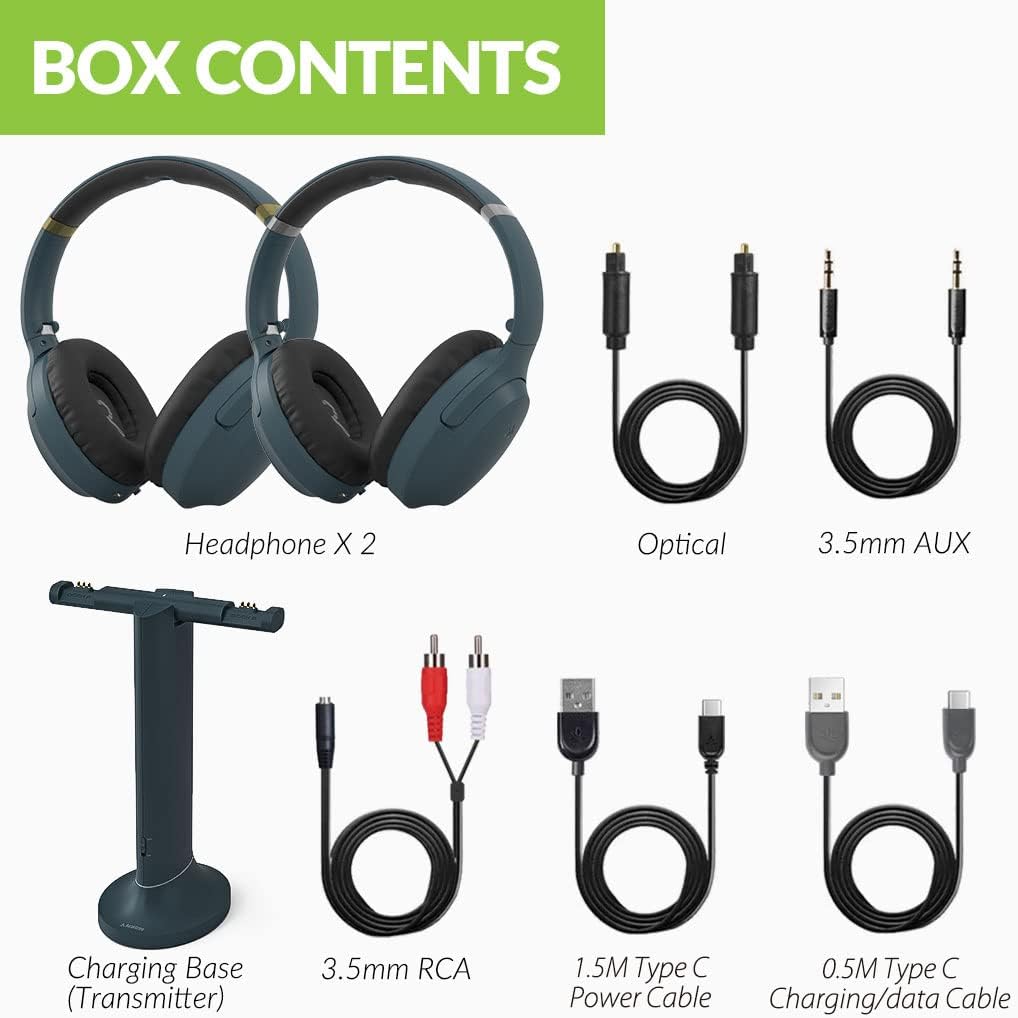
Image: All components included in the Avantree Duet package, including two headphones, the transmitter/charging dock, and various audio and power cables.
3. Setup Guide
3.1 Initial Setup & Power On
- Connect the transmitter to a power source using one of the provided USB power cables.
- Flip the power switch on the transmitter to the "ON" position. The LED indicator on the transmitter will illuminate.
- Power on both headphones by sliding their respective power switches to the "ON" position.
- The headphones and transmitter are pre-paired from the factory. Once powered on, the LED indicators on both the headphones and transmitter will turn solid blue, indicating a successful connection.

Image: The Avantree Duet headphones resting on their charging dock, which also serves as the transmitter.
3.2 Connecting to Your TV
The Avantree Duet offers multiple connection options to your TV or audio source:
- Optical (Digital Audio Out): For TVs with an Optical/TOSLINK/SPDIF OUT port. Use the provided optical audio cable. Set your TV's audio format to PCM.
- AUX (3.5mm Audio Out): For TVs with a 3.5mm headphone jack or AUX OUT port. Use the provided 3.5mm audio cable. Set your TV's audio output to "Headset" or "External Speaker".
- RCA (Red/White Audio Out): For TVs with red and white RCA audio output ports. Use the provided 3.5mm to RCA adapter cable. Set your TV's audio output to "External Speaker".
Ensure the input mode switch on the back of the transmitter is set to match your chosen connection type (OPT or AUX).
3.3 Using with External TV Speaker (Bypass Functionality)
The Avantree Duet transmitter supports audio passthrough, allowing your external soundbar or TV speakers to work simultaneously with the headphones. This means others can still hear the TV through your speakers while you use the headphones.
- Connect your TV to the transmitter using one of the input methods described above (Optical, AUX, or RCA).
- Connect your soundbar or stereo system to the corresponding output port on the back of the transmitter. Ensure you use the same connection type for both input and output (e.g., Optical In from TV to Optical Out to Soundbar).
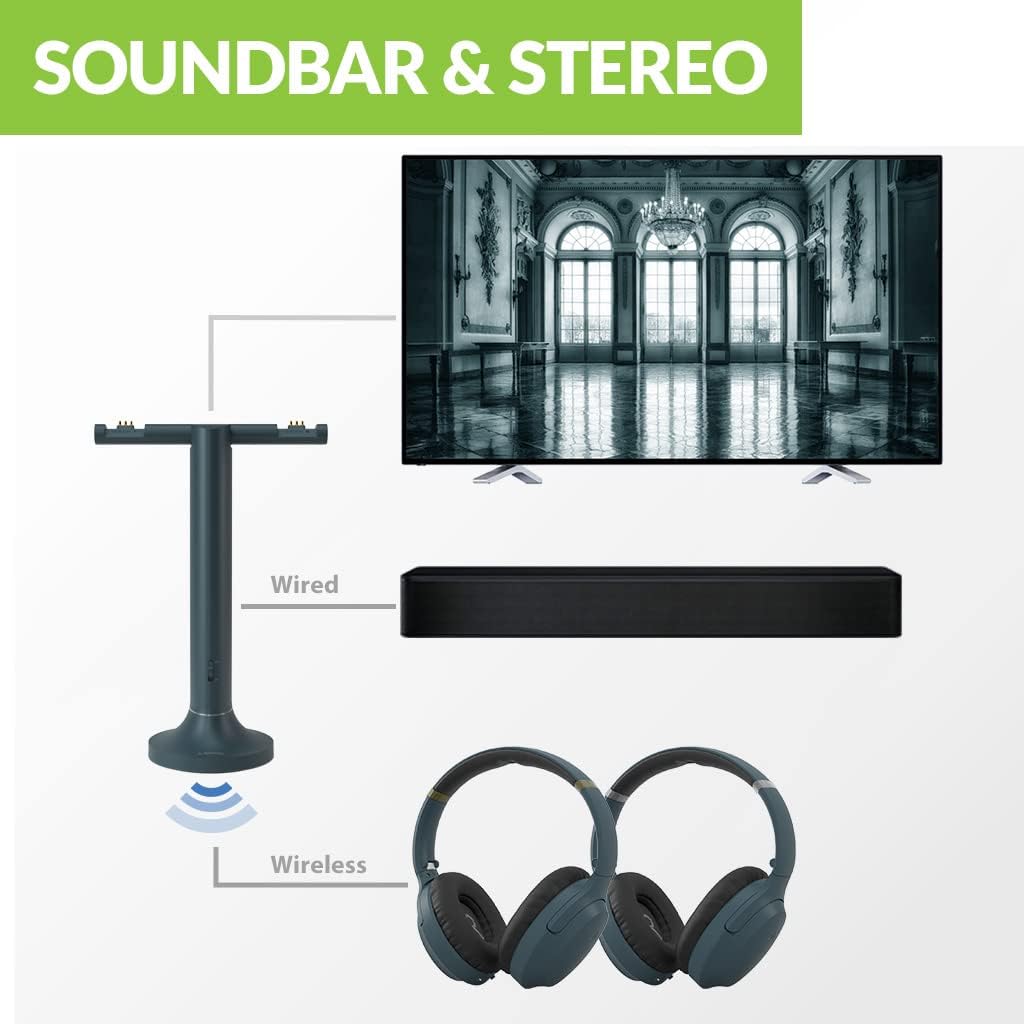
Image: Diagram illustrating how the Avantree Duet transmitter can connect to a TV and simultaneously output audio to both the wireless headphones and an external soundbar.
3.4 Adding More Headphones
The Avantree Duet system can support multiple additional headphones (up to 100) connected to a single transmitter. To add a new headphone:
- Power on the new headphone.
- Slide the power switch on the new headphone to the "PAIR" position and hold it there until the indicator starts flashing red and blue.
- On the transmitter, slide and hold the power switch to "PAIR" until its LED also starts flashing red and blue.
- Once connected, both indicators will stop flashing and turn solid blue.
4. Operating Instructions
4.1 Headphone Controls
- Volume Control: Use the '+' and '-' buttons on the headphones to adjust your personal listening volume independently.
- Mute: Press the mute button to temporarily silence the audio.
- Clear Voice Mode: Activate this mode to enhance speech and reduce background noise, making dialogue clearer.
- Mono / Stereo Switch: Toggle between Mono and Stereo audio modes. Mono mode is beneficial for users with hearing loss in one ear, ensuring all audio is heard in both earcups.

Image: Close-up view of the controls on the Avantree Duet headphones, including volume, mute, and mode switches.

Image: Illustrates the benefit of Clear Dialogue mode for enhanced speech clarity during TV viewing.
4.2 Transmitter Controls
- Volume Boost: A button on the back of the transmitter allows you to boost the overall volume for all connected headphones, useful for those with significant hearing impairment.
- Input Mode Switch: Selects between Optical (OPT) and AUX input sources.
Video: Tips & Tricks for using the Avantree Duet Dual Wireless TV Headphones. This video covers advanced features like Clear Voice mode and volume boost.
5. Maintenance
- Cleaning: Use a soft, dry cloth to clean the headphones and transmitter. Avoid using harsh chemicals or abrasive materials.
- Storage: When not in use, store the headphones on the charging dock to keep them charged and ready. Store in a cool, dry place away from direct sunlight and extreme temperatures.
- Battery Care: For optimal battery life, avoid fully discharging the headphones frequently. Charge them regularly.
6. Troubleshooting
- No Sound:
- Ensure the transmitter is powered on and connected to the TV correctly (check input mode switch).
- Verify the headphones are powered on and successfully paired (solid blue LED).
- Check TV audio output settings (e.g., set to PCM for Optical, or Headset/External Speaker for AUX/RCA).
- Increase volume on both the headphones and the TV.
- Intermittent Audio/Static:
- Ensure the transmitter and headphones are within the operating range (up to 100ft / 30m).
- Minimize interference from other 2.4GHz devices (e.g., Wi-Fi routers, cordless phones).
- Check cable connections for looseness or damage.
- Headphones Not Charging:
- Ensure the headphones are correctly seated on the charging pins of the transmitter.
- Verify the transmitter is powered on.
- Try charging the headphones directly using a USB-C cable if the dock charging is not working.
Video: Comprehensive User Guide for Avantree Duet Dual Wireless Headphones for TV. This video provides detailed instructions on setup, usage, and troubleshooting.
7. Specifications
| Feature | Detail |
|---|---|
| Model Name | Duet |
| Model Number | WSHT-D6129 |
| Connectivity Technology | 2.4G RF |
| Wireless Communication Technology | RF |
| Operating Range | Up to 100ft / 30m |
| Latency | 30ms |
| Frequency Response | 20Hz - 20kHz |
| Battery Life (Headphones) | Up to 20 hours play time |
| Charging Time | 1.5 Hours |
| Headphones Jack | Type C (for direct charging) |
| Noise Control | Sound Isolation |
| Material | Leather (ear pads) |
| Item Weight | 4 pounds (total package) |
8. Warranty & Support
Avantree products typically come with a manufacturer's warranty. For specific warranty details, please refer to the warranty card included in your product packaging or visit the official Avantree website.
For further assistance, troubleshooting, or to download the full PDF user manual, please visit the Avantree support page or refer to the official user manual document: