

1. Setup
Follow these steps to set up your VECYS IC1211S Countertop Ice Maker for first use.
1.1 Unpacking
- Carefully remove the ice maker from its packaging.
- Remove all packing materials, including tape and protective films.
- Inspect the unit for any damage. If damaged, do not operate and contact customer support.
1.2 Placement
- Place the ice maker on a stable, level surface away from direct sunlight and heat sources.
- Ensure there is at least 4 inches (10 cm) of space around the unit for proper ventilation.
- Do not place the unit near appliances that produce heat, such as ovens or refrigerators.

Image: VECYS IC1211S Ice Maker placed on a kitchen countertop, illustrating proper placement.
1.3 Initial Cleaning
- Before first use, clean the interior of the ice maker.
- Open the lid and wipe the water reservoir and ice basket with a soft cloth dampened with warm water and a mild detergent.
- Rinse thoroughly and wipe dry.
1.4 Adding Water
- Open the top lid of the ice maker.
- Pour potable water into the water reservoir up to the MAX fill line. Do not overfill.
- Close the lid securely.

Image: A hand pouring water into the VECYS IC1211S ice maker reservoir, demonstrating the water filling process.
2. Operation
Learn how to operate your VECYS IC1211S Ice Maker to produce ice.
2.1 Powering On and Ice Size Selection
- Plug the ice maker into a grounded electrical outlet.
- Press the POWER button to turn on the unit. The power indicator will illuminate.
- Use the SELECT button (indicated by arrows) to choose between SMALL or LARGE ice cube sizes. The corresponding indicator light will illuminate.
- The ice making cycle will begin automatically after selection.
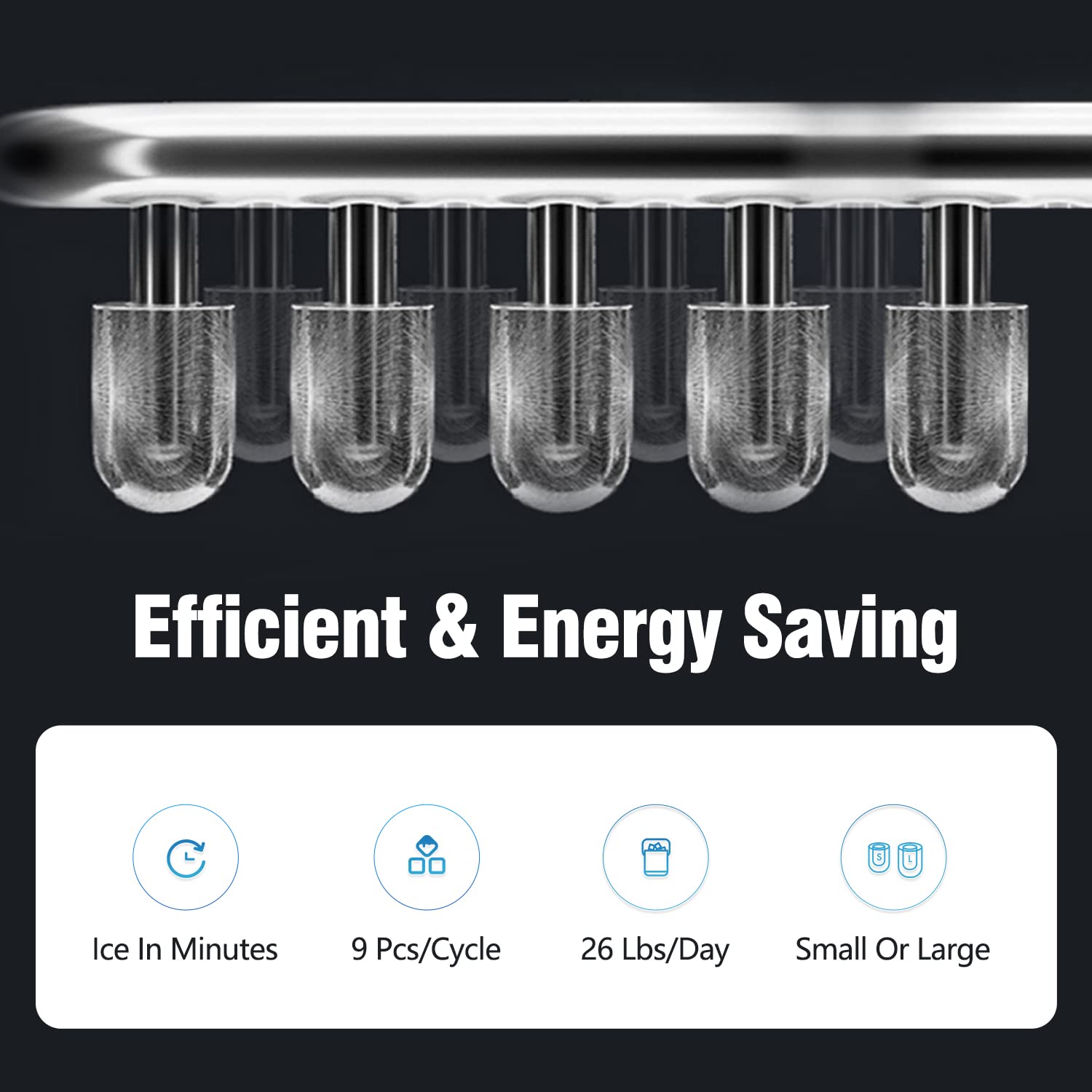
Image: Close-up view of the VECYS IC1211S control panel, highlighting the power and ice size selection buttons.
2.2 Ice Production
- The ice maker can produce 9 ice cubes per cycle.
- Each cycle takes approximately 8 minutes, depending on ambient temperature and water temperature.
- When the ICE FULL indicator illuminates, the ice basket is full. The unit will pause ice production until ice is removed.
- When the ADD WATER indicator illuminates, the water reservoir is low. Add more water to resume ice production.
2.3 Product Operation Video
Video: This video demonstrates the basic operation of the VECYS IC1211S ice maker, including adding water, selecting ice size, and the ice production process.
3. Maintenance
Regular maintenance ensures optimal performance and longevity of your ice maker.
3.1 Self-Clean Function
- The ice maker features a self-clean function.
- To activate, press and hold the POWER button for more than 5 seconds.
- The unit will perform an internal cleaning cycle. After the cycle, drain the water.

Image: The VECYS IC1211S ice maker with water circulating during the self-clean function.
3.2 Regular Cleaning
- Unplug the ice maker before cleaning.
- Remove the ice basket.
- Wipe the interior surfaces, including the water reservoir and ice shovel, with a soft cloth and mild detergent.
- Rinse with clean water and dry thoroughly.
- Clean the exterior with a soft, damp cloth.

Image: A hand wiping the interior of the VECYS IC1211S ice maker, demonstrating manual cleaning.
3.3 Draining Water
- To drain the water, locate the drain plug at the bottom of the unit.
- Place a container under the drain plug and remove the plug to allow water to flow out.
- Once drained, replace the drain plug securely.
4. Troubleshooting
Refer to this section for solutions to common issues.
| Problem | Possible Cause | Solution |
|---|---|---|
| Ice maker not producing ice. | No water in reservoir. | Add water to the reservoir up to the MAX line. |
| Ice maker not producing ice. | Unit not plugged in or power off. | Ensure the unit is plugged in and the POWER button is pressed. |
| Ice maker not producing ice. | Ambient temperature too high. | Move the ice maker to a cooler location. |
| "ADD WATER" indicator is on. | Water level is low. | Add water to the reservoir. |
| "ICE FULL" indicator is on. | Ice basket is full. | Remove ice from the basket. |
| Ice cubes are too small or cloudy. | Water temperature is too high. | Use colder water. |
| Ice cubes are too small or cloudy. | Air vents are blocked. | Ensure proper ventilation around the unit. |
5. Specifications
Technical details for the VECYS IC1211S Countertop Ice Maker.
| Feature | Detail |
|---|---|
| Brand | VECYS |
| Model Name | IC1211S |
| Product Dimensions (D x W x H) | 12.6" x 8.7" x 12" |
| Capacity | 1.5 Liters (Water Reservoir) |
| Daily Ice Making Capacity | 26 LBS |
| Wattage | 100 Watt-hours |
| Voltage | 115 Volts (AC) |
| Refrigerant | R600a |
| Material Type | Stainless Steel |
| Noise Level | Below 35dB |
6. Warranty & Support
6.1 Warranty Information
The VECYS IC1211S Countertop Ice Maker comes with a 1-year manufacturer warranty from the date of purchase. This warranty covers defects in materials and workmanship under normal use.
Please retain your proof of purchase for warranty claims.
6.2 Customer Support
For any questions, concerns, or warranty claims, please contact VECYS customer support. Our team is dedicated to providing assistance and ensuring your satisfaction.
Contact information can typically be found on the VECYS official website or through your retailer's support channels.