
1. Introduction
This manual provides essential information for the proper installation, operation, and maintenance of your LeftSuper Chadwick 810-8182 Car Alarm System. This device is designed to provide anti-theft protection for your 12V DC vehicle.

Figure 1: The Chadwick 810-8182 Car Alarm System is suitable for all types of 12V vehicles.

Figure 2: The alarm system helps protect against common vehicle threats such as collisions, scratches, and theft.
2. Safety Information and Installation
Important: The product must be installed by professionals with a certified electrician or by yourself for a 12V DC car. Incorrect installation can lead to damage to the product or your vehicle. This item does not include a central locking function.
Ensure the vehicle's power is disconnected before beginning installation. Follow all local regulations and safety guidelines for automotive electrical work.
3. Package Contents
Please check the package to ensure all components are present:
- 1 x Main Control Unit
- 2 x Remote Controls
- 1 x English User Manual (this document)

Figure 3: Contents of the Chadwick 810-8182 Car Alarm System package.
4. Product Specifications
Main Unit:
- Operating Voltage: DC 12 ± 3V
- Static Current: < 10 mA
- Siren Current: 10 A
- Operating Frequency: 433.92 MHz
Remote Control:
- Operating Voltage: DC 12V
- Average Static Current: 0 mA
- Battery: 2 x CR2016 V batteries
General:
- Brand: LeftSuper
- Compatible Devices: Cars (12V DC)
- Remote Control Included: Yes
5. Operating Instructions
5.1 Arming the Alarm System
Press the Lock button on the remote control. The siren will sound once, indicating that the system has entered the anti-theft state after 5 seconds. If the alarm is triggered by vibrations, it will sound for 5 seconds. If triggered again within 3 seconds, it will sound for 30 seconds with 6 cycled tones.
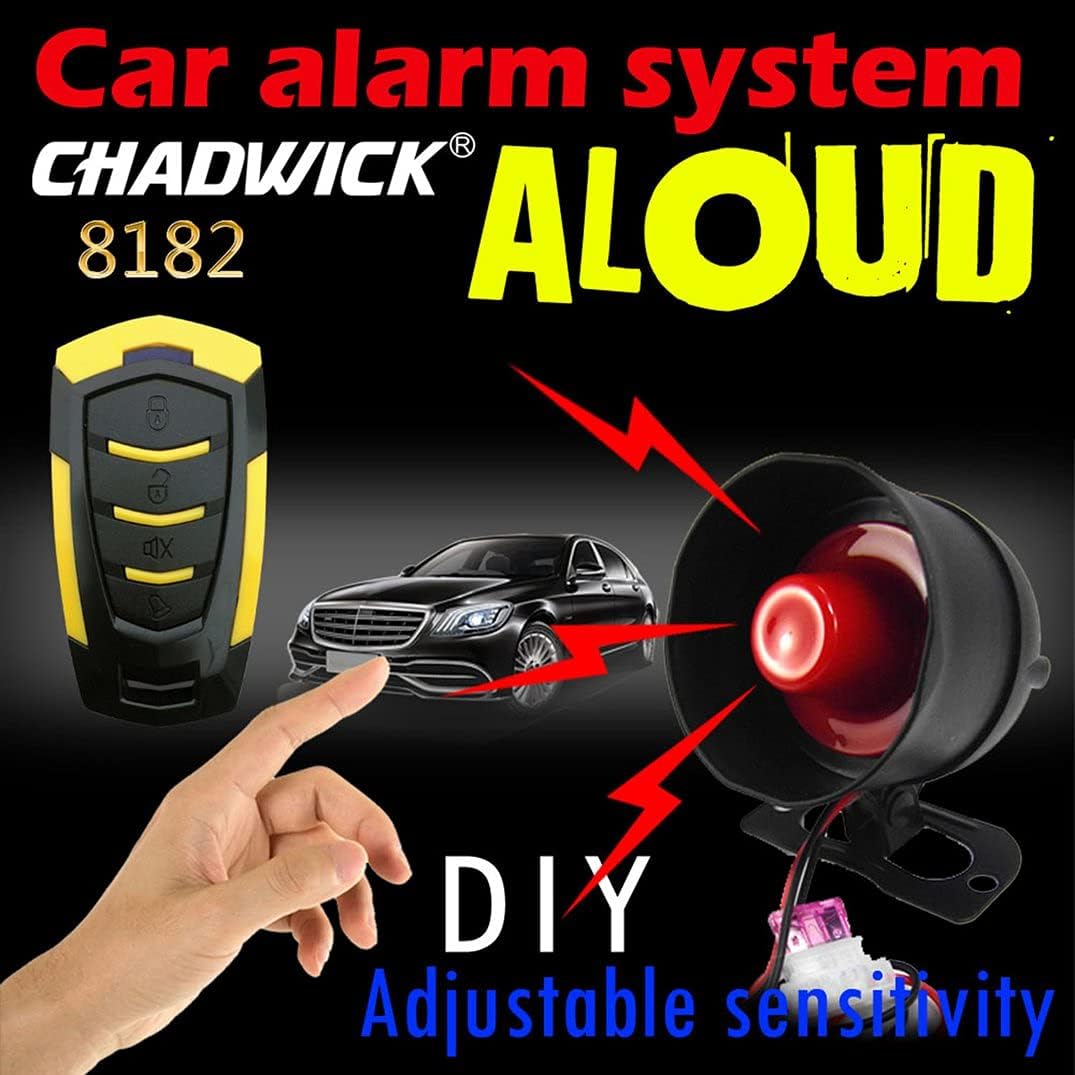
Figure 4: The alarm system features a hierarchical trigger for different levels of vibration.

Figure 5: The system is designed to activate the alarm upon impact or significant vibration.
5.2 Disarming the Alarm System
Press the Unlock button on the remote control. The siren will sound twice, and the unit will deactivate.
5.3 Car Search Function
Press the Mute button or the Bell button on the remote control. The siren will sound for 30 seconds. Press any button to stop the sound. Note: If your remote does not have a dedicated 'Mute' or 'Bell' button, this function may not be available.

Figure 6: Remote control with buttons for arming, disarming, and car search functions.
6. Sensitivity Adjustment
The alarm system has 7 sensitivity levels. Level 7 is the highest sensitivity, and Level 1 is the lowest. The default setting is Level 4.

Figure 7: The alarm system allows for DIY adjustment of sensitivity levels.
To Adjust Sensitivity:
- Press and hold both the Lock and Unlock buttons simultaneously for 3 seconds.
- The siren will sound a number of times corresponding to the current sensitivity level. For example, if it sounds 4 times, it is currently at Level 4.
- To increase sensitivity, press the Lock button once. The sensitivity will increase by one level, and the siren will sound to indicate the new level (e.g., 5 sounds for Level 5).
- Repeat step 3 until you reach the desired sensitivity level. (Caution: Level 7 is very high and may lead to false alarms.)
- To save the setting, either do not press any button for 5 seconds, or press the Unlock button.
7. Maintenance
To ensure optimal performance and longevity of your car alarm system, follow these general maintenance guidelines:
- Keep the main control unit and siren free from excessive moisture and dust.
- Regularly check the remote control batteries (2 x CR2016 V). Replace them when the range decreases or the remote becomes unresponsive.
- Avoid exposing the remote controls to extreme temperatures or direct sunlight for prolonged periods.
- Do not attempt to open or repair the main control unit or siren yourself, as this may void the warranty and cause further damage.
8. Troubleshooting
If you experience issues with your LeftSuper Chadwick 810-8182 Car Alarm System, consider the following common troubleshooting steps:
- Alarm not arming/disarming: Check the remote control batteries. Ensure you are within range of the vehicle.
- False alarms: The sensitivity setting might be too high. Refer to Section 6 to adjust the sensitivity to a lower level. Ensure the main unit is securely mounted and not subject to excessive movement.
- Siren not sounding: Check all wiring connections to the siren and main unit. Ensure the siren is not obstructed.
- No response from remote: Replace the remote control batteries. If the issue persists, the remote may need to be re-paired (refer to specific instructions if provided with the product, or contact support).
For persistent issues, it is recommended to consult a professional automotive electrician.
9. Warranty and Support
Information regarding specific warranty terms and conditions for the LeftSuper Chadwick 810-8182 Car Alarm System is not available in this document. Please refer to the product packaging or your point of purchase for warranty details.
For technical support or further assistance, please contact LeftSuper customer service through the vendor's official channels.