
Xiaomi QBH4227GL
Xiaomi Soundbar 3.1ch User Manual
Model: QBH4227GL
Introduction
Thank you for choosing the Xiaomi Soundbar 3.1ch. This powerful audio system is designed to elevate your home entertainment experience with immersive 3.1-channel sound, 430W max power, and advanced features like DTS® Virtual X Sound and NFC connectivity. This manual provides essential information for setting up, operating, maintaining, and troubleshooting your new soundbar.

Image: The Xiaomi Soundbar 3.1ch and its wireless subwoofer, showcasing their sleek design in a home environment.
Setup
Unpacking
Carefully remove all components from the packaging. Ensure the following items are present:
- Xiaomi Soundbar 3.1ch unit
- Wireless Subwoofer (8.3 x 11.7 x 14.6 inches)
- Remote Control
- Power Cable(s)
- User Manual (this document)
Placement
For optimal audio performance, consider the following:
- Soundbar: Place the soundbar centrally below your TV, ensuring no obstructions block the front speakers. It can be placed on a TV stand or wall-mounted.
- Subwoofer: The wireless subwoofer can be placed anywhere in the room, ideally within 10 meters of the soundbar, for enhanced bass. Avoid placing it in enclosed spaces that might muffle the sound.
Connections
The Xiaomi Soundbar 3.1ch offers multiple connectivity options:
- HDMI ARC: For the best audio quality and TV remote control integration, connect an HDMI cable from the soundbar's HDMI OUT (ARC) port to your TV's HDMI ARC port.
- Optical: Connect an optical cable from the soundbar's OPTICAL port to your TV's optical audio output.
- Coaxial: Connect a coaxial cable from the soundbar's COAXIAL port to your TV's coaxial audio output.
- USB: Insert a USB drive into the USB port for direct audio playback.
- Bluetooth: For wireless audio streaming from mobile devices, refer to the 'Bluetooth Pairing' section under Operating.
- NFC: For quick pairing with NFC-enabled devices, refer to the 'NFC Pairing' section under Operating.
Wireless Subwoofer Pairing: The subwoofer automatically connects to the soundbar when both are powered on. Ensure both units are plugged into a power source.

Image: Connectivity diagram illustrating how the soundbar connects to various devices like a TV, laptop, and smartphone, highlighting Bluetooth wireless connection.
Operating
Power On/Off
Press the Power button on the soundbar or the remote control to turn the unit on or off.
Remote Control Functions
The included remote control allows for convenient operation:
- Power: Turns the soundbar on/off.
- Input: Cycles through available input sources (HDMI, Optical, Coaxial, USB, Bluetooth).
- Volume +/-: Adjusts the master volume.
- Bass +/-: Adjusts the subwoofer bass level independently.
- Mute: Mutes or unmutes the sound.
- Mode Buttons: Selects specific audio modes (Music, Film, News, Game, AI, Night).
Audio Modes
Optimize your listening experience with various audio modes:
- Music Mode: Enhanced for musical playback, providing balanced sound.
- Film Mode: Optimized for movies, enhancing dialogue clarity and cinematic effects.
- News Mode: Focuses on vocal clarity, ideal for news broadcasts or talk shows.
- Game Mode: Provides enhanced sound localization for an immersive gaming experience.
- AI Mode: Automatically adjusts sound settings based on the content being played.
- Night Mode: Reduces dynamic range to prevent disturbing others, ideal for late-night viewing.

Image: The Xiaomi Soundbar 3.1ch wall-mounted, illustrating the various audio modes available for different content types.
NFC Pairing
For quick pairing with NFC-enabled smartphones:
- Ensure NFC is enabled on your smartphone.
- Tap your smartphone near the NFC logo on the soundbar.
- Confirm the connection prompt on your smartphone.
Bluetooth Pairing
To connect a Bluetooth device:
- Press the Input button on the soundbar or remote until 'Bluetooth' is selected. The soundbar will enter pairing mode.
- On your device, search for 'Xiaomi Soundbar 3.1ch' in the Bluetooth settings.
- Select the soundbar to pair. Once connected, the soundbar will indicate a successful connection.
Maintenance
Cleaning
To maintain the appearance and performance of your soundbar:
- Always unplug the soundbar and subwoofer before cleaning.
- Use a soft, dry, lint-free cloth to wipe down the surfaces.
- Do not use liquid cleaners, sprays, or abrasive materials, as they may damage the finish or internal components.
Storage
If storing the unit for an extended period:
- Disconnect all cables and power cords.
- Store the soundbar and subwoofer in a cool, dry place, away from direct sunlight and extreme temperatures.
- Keep the original packaging for safe storage and transport if possible.
Troubleshooting
If you encounter issues with your Xiaomi Soundbar 3.1ch, refer to the following common problems and solutions:
| Problem | Possible Cause / Solution |
|---|---|
| No power | Ensure the power cable is securely connected to both the soundbar/subwoofer and a working power outlet. Try a different outlet. |
| No sound | Check the input source is correctly selected. Ensure volume is not muted or too low. Verify cables are securely connected. For HDMI ARC, ensure ARC is enabled on your TV. |
| Subwoofer not connecting | Ensure the subwoofer is powered on. It should automatically pair. If not, try restarting both the soundbar and subwoofer. Ensure they are within the wireless range (10 meters). |
| Bluetooth pairing issues | Ensure the soundbar is in Bluetooth pairing mode. Delete the soundbar from your device's Bluetooth list and try pairing again. Move your device closer to the soundbar. |
| Remote control not working | Check the battery in the remote control and replace if necessary. Ensure there are no obstructions between the remote and the soundbar's sensor. |
Specifications
Detailed technical specifications for the Xiaomi Soundbar 3.1ch:
| Feature | Specification |
|---|---|
| Speaker Type | Surround Sound, Subwoofer, Woofer, Soundbar |
| Surround Sound Channel Configuration | 3.1 |
| Speaker Maximum Output Power | 250 Watts (Total Max Power: 430W) |
| Subwoofer Diameter | 6.5 Inches |
| Connectivity Technology | Bluetooth, USB, Optical, HDMI, NFC, Coaxial |
| Wireless Communication Technology | NFC |
| Bluetooth Range | 10 Meters |
| Control Method | Remote Control |
| Product Dimensions | 4.33 x 33.86 x 2.36 inches |
| Item Weight | 17.6 pounds (8 Kilograms) |
| Power Source | Corded Electric |
| Color | Black |
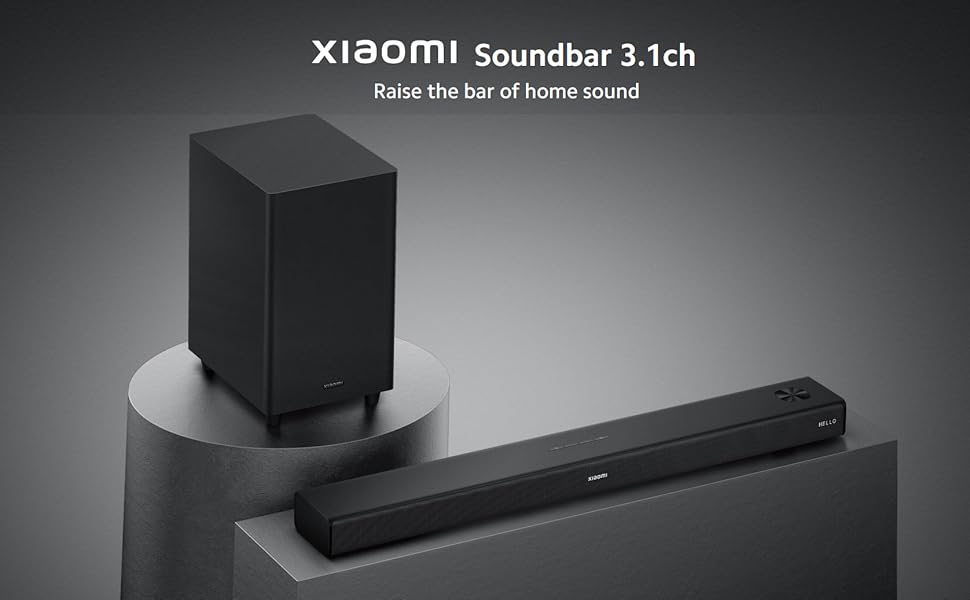
Image: An internal view of the soundbar, highlighting its seven individual audio drivers: three full-range speakers, three tweeters, and the 6.5-inch woofer.
Warranty and Support
Your Xiaomi Soundbar 3.1ch comes with a standard manufacturer's warranty. Please refer to the warranty card included in your product packaging for specific terms and conditions, including warranty period and coverage details.
For technical support, service, or further inquiries, please visit the official Xiaomi support website or contact their customer service. You can also find more information and products at the Xiaomi Store on Amazon.
Related Documents - QBH4227GL
 |
Xiaomi Soundbar 3.1ch User Manual and Specifications Comprehensive user manual for the Xiaomi Soundbar 3.1ch (Model S26), detailing packing contents, product overview, connection methods (HDMI ARC, external devices), hanger mount installation, safety instructions, remote functions, NFC pairing, bar-subwoofer connection, and technical specifications. Includes Dolby, DTS, and HDMI licensing information. |
 |
Xiaomi Soundbar 3.1ch (MITVS26) User Manual and Specifications Comprehensive user manual and specifications for the Xiaomi Soundbar 3.1ch (Model MITVS26). Includes setup instructions, safety information, remote functions, connectivity options (HDMI, NFC, Bar/Subwoofer), and technical details in multiple languages. |
 |
Xiaomi Soundbar Pro 2.1 Ch User Manual - Installation, Setup, and Specifications Official user manual for the Xiaomi Soundbar Pro 2.1 Ch (MDZ-41-DB). Find detailed instructions on installation, connecting to your TV, Bluetooth pairing, operation, safety guidelines, and technical specifications. |
 |
Xiaomi Soundbar Pro 2.0 ch (MDZ-40-DB) User Manual, Installation Guide, and Specifications User manual and technical specifications for the Xiaomi Soundbar Pro 2.0 ch (Model: MDZ-40-DB). This document provides detailed instructions on installation, setup, button operations, mobile device connectivity (Bluetooth, NFC), wall mounting, remote control functions, and essential safety, warranty, and compliance information. |
 |
Xiaomi Soundbar Pro 2.1 ch (MDZ-41-DB) User Manual and Specifications Official user manual for the Xiaomi Soundbar Pro 2.1 ch (Model MDZ-41-DB). Includes installation guides, button descriptions, technical specifications, warranty information, and safety precautions. |
 |
Xiaomi Soundbar Pro 2.1 ch - Návod na použitie a špecifikácie Kompletný návod na použitie a technické špecifikácie pre Xiaomi Soundbar Pro 2.1 ch (MDZ-41-DB), vrátane inštalácie, ovládania, pripojenia a bezpečnostných pokynov. |
Ask a question about this manual
Ask about setup, troubleshooting, compatibility, parts, safety, or missing instructions. Manuals+ will review the question and use this page’s manual context to help answer it.