
1. Safety Information
Please read all safety instructions carefully before installing or using the ZP LED Light Bulb. Failure to follow these instructions may result in electric shock, fire, or other hazards.
- Power Off: Always turn off the power supply at the circuit breaker or fuse box before installing, removing, or performing any maintenance on the light bulb.
- Avoid Contact: Do not touch the lamp body or other parts of the bulb when it is powered on.
- Dry Environment: Do not use the lamp in wet or open outdoor environments unless the fixture is specifically rated for such conditions.
- Proper Base: Ensure the bulb is screwed securely into an appropriate E26/E27 medium base socket.
- Ventilation: Ensure adequate ventilation around the bulb to prevent overheating and ensure optimal lifespan.
- Non-Dimmable: This bulb is non-dimmable. Do not use it with dimmer switches, as this may damage the bulb and void the warranty.
2. Product Overview
The ZP 60W LED Light Bulb is designed to provide high brightness and energy efficiency for various indoor and outdoor applications. It features a corn-shaped design for 360° illumination and a long lifespan.
2.1 Key Features
- Energy Saving: 60W LED bulb replaces 500W incandescent bulbs, reducing electricity costs by over 90%.
- Long Lifespan: Over 50,000 hours of operation, thanks to quality aluminum structure for rapid heat dissipation.
- Super Bright: 7500 Lumen output with 5000K daylight white color temperature for instant, bright illumination.
- Eye-Care & Eco-friendly: No flicker, no dazzle, no lead or mercury, and no IR radiation, promoting eye health.
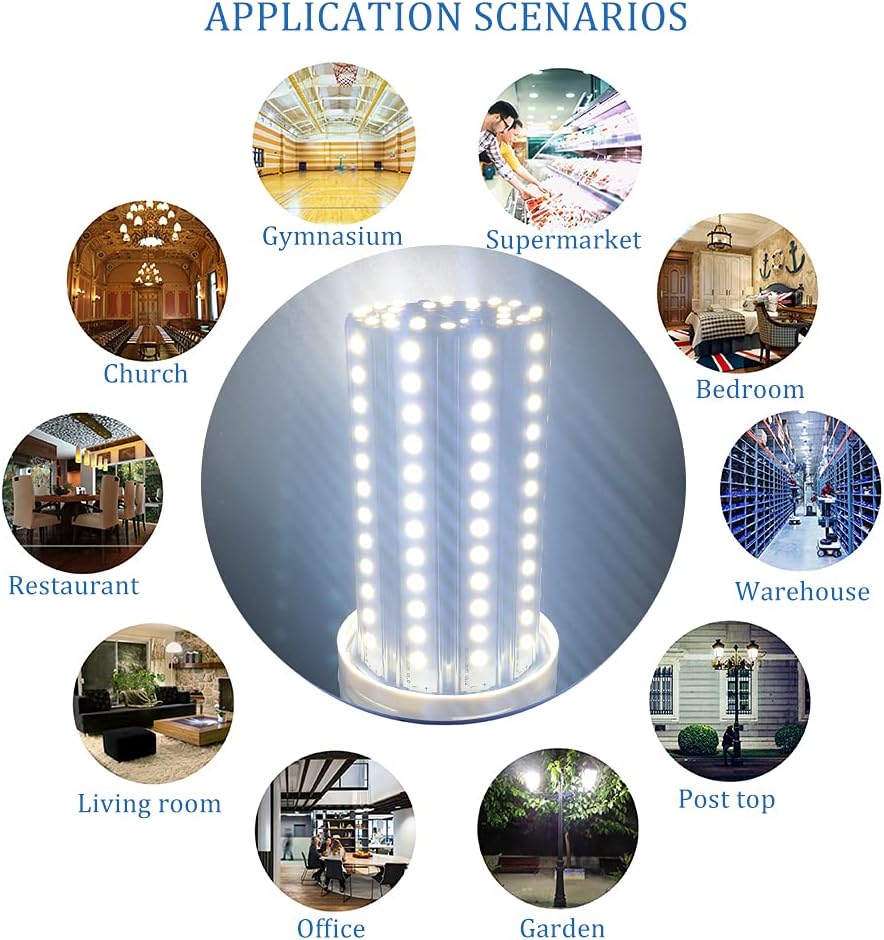
- Wide Applications: E26/E27 medium base for easy installation in garages, warehouses, gardens, workshops, courtyards, patios, barns, hotels, and more.
- 360° Illumination: Unique corn shape design ensures comprehensive light distribution.
2.2 Specifications
| Specification | Value |
|---|---|
| Brand | ZP |
| Light Type | LED |
| Wattage | 60 Watts |
| Incandescent Equivalent | 500 Watts |
| Brightness | 7500 Lumens |
| Color Temperature | 5000 Kelvin (Daylight White) |
| Bulb Base | E26 Medium |
| Voltage | 100-240 Volts |
| Frequency | 50-60 Hertz |
| Average Life | 50,000 Hours |
| Shape | Tubular (T) / Corn Shape |
| Material | Aluminum |
| Product Dimensions | 2.36"W x 7.08"H |
| Color Rendering Index (CRI) | 85.00 |
| Beam Angle | 360 Degrees |
| Dimmable | No |
| Indoor/Outdoor Usage | Outdoor (suitable for appropriate fixtures) |
2.3 Product Images



2.4 Product Videos
3. Setup & Installation
Follow these steps to safely install your ZP 60W LED Light Bulb:
- Ensure Power is OFF: Before beginning installation, always turn off the power to the light fixture at the circuit breaker or wall switch. This is crucial for your safety.
- Unpack the Bulb: Carefully remove the LED bulb from its packaging. Handle the bulb by its base, avoiding direct contact with the LED array.
- Remove Old Bulb (if applicable): If replacing an existing bulb, ensure it has cooled down completely before unscrewing it counter-clockwise from the socket.
- Install New Bulb: Screw the ZP LED Light Bulb clockwise into the E26/E27 medium base socket until it is snug. Do not overtighten.
- Restore Power: Once the bulb is securely installed, restore power at the circuit breaker or wall switch.
- Test: Turn on the light switch to confirm the bulb is functioning correctly.
Note: This bulb is designed for standard E26/E27 medium base sockets. Ensure your fixture is compatible.
4. Operating Instructions
Operating the ZP 60W LED Light Bulb is straightforward:
- Power On/Off: Use the standard wall switch connected to the light fixture to turn the bulb on or off.
- Instant On: The LED bulb provides instant full brightness without any warm-up time.
- Non-Dimmable: This bulb is not compatible with dimmer switches. Attempting to use it with a dimmer may cause flickering, damage the bulb, or shorten its lifespan.
5. Maintenance
The ZP LED Light Bulb requires minimal maintenance due to its long lifespan. However, occasional cleaning can help maintain optimal light output.
- Cleaning: Ensure the power is off and the bulb is cool before cleaning. Use a soft, dry, or slightly damp cloth to wipe the surface of the bulb. Do not use harsh chemicals or abrasive cleaners.
- Inspection: Periodically inspect the bulb and fixture for any signs of damage or loose connections. If any issues are found, turn off the power and address them safely.
- Replacement: Due to its long lifespan, frequent replacement is not expected. When replacement is eventually needed, follow the installation steps in Section 3.
6. Troubleshooting
If you encounter issues with your ZP LED Light Bulb, refer to the following common problems and solutions:
| Problem | Possible Cause & Solution |
|---|---|
| Bulb does not light up |
|
| Bulb is flickering |
|
| Light output is low |
|
If the problem persists after trying these solutions, please contact customer support.
7. Warranty & Support
7.1 Warranty Information
The ZP 60W LED Light Bulb comes with a Totally Free 5 Years Unlimited Warranty. This warranty covers defects in materials and workmanship under normal use. Please retain your proof of purchase for warranty claims.
The warranty does not cover damage caused by improper installation, misuse, accidents, modifications, or use with incompatible devices (e.g., dimmer switches).
7.2 Customer Support
For technical assistance, warranty claims, or any questions regarding your ZP LED Light Bulb, please contact the manufacturer:
- Manufacturer: LZNS Lighting
- Contact Information: Please refer to the product packaging or the seller's information on the purchase platform for the most current contact details.