
YOODITA P7+RC531
RISWOND Wireless Motion Sensor Alarm System User Manual
Model: P7+RC531
1. Introduction
Thank you for choosing the RISWOND Wireless Motion Sensor Alarm System. This device is designed to enhance the security of your home, shed, garage, caravan, or van by detecting motion and alerting you with a loud siren or a doorbell chime. It utilizes advanced digital dual-core fuzzy logic infrared control processing technology and intelligent analysis algorithms for reliable performance. Please read this manual thoroughly before installation and operation to ensure proper use and maximum effectiveness.
2. Safety Information
- Keep the device away from water and high humidity to prevent damage and electric shock.
- Do not attempt to disassemble or repair the device yourself. Refer all servicing to qualified personnel.
- Ensure proper battery installation, observing polarity (+/-). Remove batteries if the device will not be used for an extended period.
- Keep the device and its components out of reach of children and pets.
- Avoid placing the motion sensor directly facing heat sources (e.g., direct sunlight, heaters, air conditioning vents) as this may cause false alarms.
- The siren can reach 125dB. Avoid prolonged exposure to loud sounds to prevent hearing damage.
3. Product Overview
The RISWOND Motion Sensor Alarm System consists of a main alarm unit with an integrated PIR motion sensor and a remote control for convenient operation.

Figure 3.1: RISWOND Motion Sensor Alarm Unit and Remote Control.
3.1 Components and Functions
- Alarm Unit:
- PIR Motion Sensor: Detects infrared changes caused by movement within its detection range.
- Siren/Warning Light: Emits a loud alarm (up to 125dB) and a red flashing light when motion is detected in alarm mode.
- Mode Button: Cycles between doorbell and alarm modes.
- On/Off Button: Powers the unit on or off.
- Volume Button: Adjusts the volume level (low/high).
- USB Port: For optional USB power supply.
- Battery Compartment: Holds 3 AAA batteries for power.
- Remote Control:
- Arm Button (🔒): Activates the alarm unit into armed mode.
- Disarm Button (🔓): Deactivates the alarm unit.
- Switch Mode/Volume Button (🔊): Toggles between doorbell and alarm modes, and adjusts volume.
- Bell Button (🔔): Triggers a loud emergency alarm (panic button function).

Figure 3.2: Detailed diagram showing alarm unit dimensions and labeled components, along with remote control button functions.
4. Setup
4.1 What's in the Box
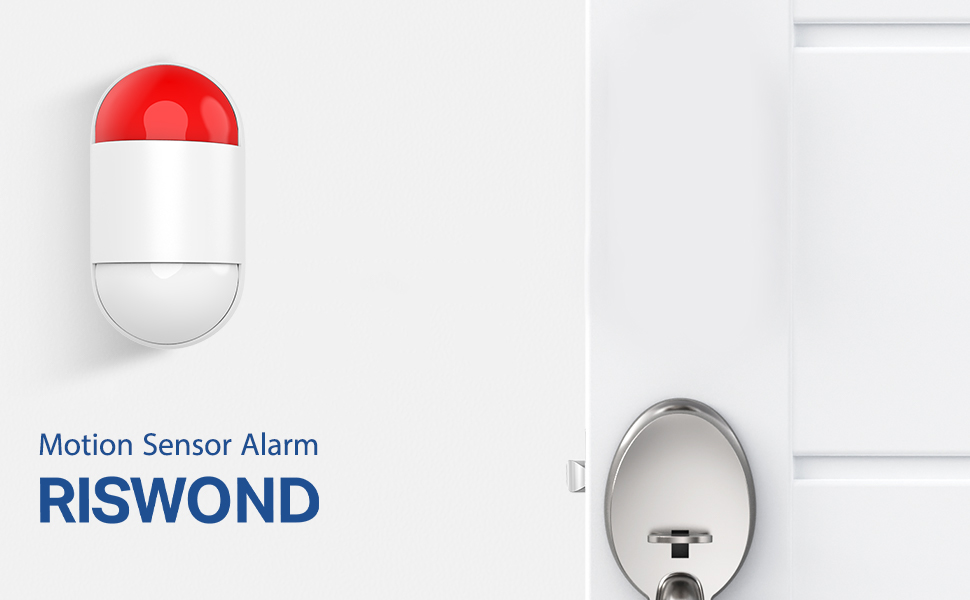
Figure 4.1: Package contents including the alarm unit, remote control, AAA batteries, user manual, screws, and adhesive film.
Before you begin, ensure all components are present:
- RISWOND Motion Sensor Alarm Unit
- Remote Control
- 3 x AAA Batteries (included)
- USB Cable (for optional power)
- Mounting Screws and Wall Plugs
- Adhesive Film
- User Manual
4.2 Power Supply
The alarm unit can be powered by either AAA batteries or a USB cable.
- Battery Installation: Open the battery compartment on the back of the alarm unit. Insert 3 AAA batteries, ensuring correct polarity. Close the compartment securely.

Figure 4.2: Inserting AAA batteries into the alarm unit.
- USB Power (Optional): Connect the provided USB cable to the USB port on the alarm unit and plug the other end into a compatible USB power adapter (not included) or a USB port. The unit will draw power from the USB source if connected.
4.3 Mounting the Alarm Unit
Choose a suitable location for the alarm unit, such as near an entrance, window, or in a specific area you wish to monitor. Consider the detection range (approximately 16-26 feet) and angle (110 degrees) when positioning.

Figure 4.3: Illustration of the alarm unit's 110-degree detection angle and 8-meter (approx. 26 feet) detection range.
You can mount the unit using the provided screws or adhesive film:
- Screw Mounting: Use the included screws and wall plugs to securely attach the mounting bracket to a wall or surface. Then, attach the alarm unit to the bracket.
- Adhesive Mounting: For lighter applications or temporary placement, use the adhesive film to stick the unit to a clean, dry surface. Ensure the surface is smooth and strong enough to hold the unit.
5. Operating Instructions
The RISWOND alarm system offers two main modes: Doorbell Mode and Alarm Mode, and can be controlled via the remote or buttons on the unit.
5.1 Powering On/Off
- Press the On/Off Button on the side of the alarm unit to power it on or off.
5.2 Mode Selection (Doorbell / Alarm)
You can switch between modes using the Mode Button on the unit or the Switch Mode/Volume button on the remote control.

Figure 5.1: Visual representation of Doorbell Mode (chime) and Alarm Mode (siren and flashing light).
- Doorbell Mode: When motion is detected, the unit will emit a "Ding Dong" chime. This is ideal for welcoming visitors or as an entry alert.

Figure 5.2: Example of the alarm unit functioning in doorbell mode as people approach the door.
- Alarm Mode: When motion is detected, the unit will sound a loud 125dB siren and flash a red warning light. This mode is designed to deter intruders and alert you to potential security breaches.

Figure 5.3: Example of the alarm unit activating its siren and light in alarm mode when an intruder is detected.

Figure 5.4: The alarm's anti-theft capability, highlighting the 125dB siren and 8-meter light range.
5.3 Volume Adjustment
- Press the Volume Button on the side of the alarm unit to toggle between low and high volume levels.
5.4 Remote Control Functions
The remote control allows for convenient operation from a distance.
- Arm (🔒): Press this button to arm the alarm system. The unit will enter the selected mode (alarm or doorbell) and respond to motion.
- Disarm (🔓): Press this button to disarm the alarm system. The unit will stop responding to motion until re-armed.
- Switch Mode/Volume (🔊): Press this button to cycle through the doorbell mode, alarm mode, and adjust volume levels.
- Bell (🔔): Press this button to immediately trigger the loud emergency alarm, regardless of the current mode. This acts as a panic button.
5.5 Application Scenarios
The RISWOND alarm system is versatile and can be used in various settings:

Figure 5.5: Examples of where the RISWOND alarm can be effectively used, including garages, sheds, caravans, and vans.

Figure 5.6: Additional visual examples of the alarm's use in a shed, garage, van, and home environment.
6. Maintenance
- Cleaning: Wipe the device with a soft, dry cloth. Do not use abrasive cleaners or solvents.
- Battery Replacement: Replace AAA batteries when the unit's performance degrades or if the low battery indicator (if present) activates. Always use new batteries of the same type.
- Sensor Area: Ensure the motion sensor lens is clean and free from obstructions to maintain optimal detection performance.
7. Troubleshooting
| Problem | Possible Cause | Solution |
|---|---|---|
| Device does not power on. | Batteries are dead or incorrectly installed. USB cable not connected or faulty. | Check battery polarity and replace if necessary. Ensure USB cable is securely connected to a working power source. |
| Motion not detected. | Sensor obstructed or dirty. Device out of range. Incorrect placement. | Clean the sensor lens. Reposition the unit within the desired detection area. Ensure no objects are blocking the sensor's view. |
| False alarms. | Sensor facing heat sources (sunlight, vents). Pets or small animals triggering sensor. | Relocate the unit away from heat sources. Adjust placement to avoid detection of pets if possible. |
| Remote control not working. | Remote battery dead. Remote out of range. | Replace the remote control battery. Ensure you are within effective range of the alarm unit. |
| Siren is too quiet or too loud. | Volume setting is not desired. | Press the Volume Button on the unit or the Switch Mode/Volume button on the remote to adjust the volume. |
8. Specifications
| Feature | Detail |
|---|---|
| Model Number | P7+RC531 |
| Brand | YOODITA (RISWOND) |
| Dimensions (L x W x H) | 7.11 x 8.38 x 11.43 cm (2.8 x 3.3 x 4.5 inches) |
| Weight | 180 Grams (0.4 lbs) |
| Power Source | 3 x AAA Batteries (included) or USB Powered |
| Siren Volume | Max 125 dB |
| Detection Range | Approx. 16-26 feet (5-8 meters) |
| Detection Angle | 110 degrees |
| Color | Red |
| Mounting Type | Wall Mount |
| Included Components | Alarm unit, remote control, AAA batteries, screws, adhesive film, user manual |
9. Warranty & Support
RISWOND provides a professional return and exchange guarantee from the date you receive your security alarm. For any questions, technical support, or warranty claims, please contact our customer service team through the platform where you purchased the product. We are committed to ensuring your family's safety and satisfaction.
For further assistance, please refer to the contact information provided with your purchase or visit the official RISWOND website.
Ask a question about this manual
Ask about setup, troubleshooting, compatibility, parts, safety, or missing instructions. Manuals+ will review the question and use this page’s manual context to help answer it.