
Delleson DL-DVP Mini
Delleson Mini DVD Player User Manual
Model: DL-DVP Mini

Figure 1: Delleson Mini DVD Player with accessories.
Introduction
The Delleson Mini DVD Player (Model: DL-DVP Mini) is an ultra-compact and portable entertainment device designed for versatile media playback. Its slim profile and lightweight construction make it ideal for use in various settings, from home entertainment systems to on-the-go travel. This manual provides essential information for setting up, operating, maintaining, and troubleshooting your new DVD player.
Key Features:
- Ultra-Compact & Portable Design: Measuring 6 x 5.4 x 1.1 inches and weighing only 0.68 lb, engineered for on-the-go entertainment.
- Region Free & USB File Support: Reads almost all region DVDs and CDs (CD, DVD, DVD-R/+R, DVD-/+RW, CD-R/-RW, VCD, SVCD). Supports USB files in AVI/MPG/MPEG4/VOB formats.
- HDMI & AV Output: Connects to PC monitors, smart TVs, and projectors via HDMI (1080p) or traditional TVs via RCA.
- Breakpoint Memory Function: Automatically resumes playback from the last paused position.
- Multiple Power Connections: Compatible with wall adapters, power banks, and car chargers for flexible use.
What's in the Box
Please check the contents of your package to ensure all items are present:
- Delleson Mini DVD Player (Model: DL-DVP Mini)
- HDMI Cable
- RCA Cable
- Remote Control (Batteries not included)
- User Manual (This document)

Figure 2: Package contents overview.
Setup
1. Power Connection
Connect the provided power adapter to the DC IN port on the DVD player and plug it into a power outlet. The player can also be powered via a power bank or car charger using a compatible USB cable (not included).
2. Connecting to a TV or Projector
Your Delleson Mini DVD Player offers two primary connection methods:
HDMI Connection (Recommended for HD Quality)
- Locate the HDMI OUT port on the back of the DVD player.
- Connect one end of the supplied HDMI cable to the HDMI OUT port on the DVD player.
- Connect the other end of the HDMI cable to an available HDMI IN port on your TV or projector.
- Select the corresponding HDMI input on your TV/projector using its remote control.
RCA (AV) Connection (for Traditional TVs)
- Locate the AV OUT port on the back of the DVD player.
- Connect the supplied RCA cable to the AV OUT port on the DVD player.
- Connect the red, white, and yellow plugs of the RCA cable to the corresponding color-coded AV IN ports on your TV.
- Select the corresponding AV input on your TV using its remote control.

Figure 3: Connection options (RCA and HDMI).
Operating Instructions
1. Disc Playback
- Open the disc cover on the top of the DVD player.
- Carefully place a compatible disc (CD, DVD, DVD-R/+R, DVD-/+RW, CD-R/-RW, VCD, SVCD) onto the spindle with the label side facing up.
- Close the disc cover. The player will automatically begin reading the disc.
- Use the remote control to navigate menus, play, pause, stop, skip tracks/chapters, and adjust volume.
Video 1: Demonstrating disc insertion and basic operation of the Delleson Mini DVD Player.
2. USB Media Playback
The DVD player supports playback of media files from a USB flash drive.
- Insert your USB flash drive into the USB port on the side of the DVD player.
- The player will detect the USB drive and display its contents.
- Navigate through your files using the remote control and select the desired picture, audio, or video file (AVI/MPG/MPEG4/VOB formats supported) to play.

Figure 4: USB input icon, indicating support for external media.
3. Breakpoint Memory Function
The Delleson Mini DVD Player features a convenient breakpoint memory function. If playback is stopped or the player is powered off, it will automatically resume from the exact position where it left off when the disc is re-inserted or the player is turned back on. This feature is particularly useful for enjoying movies or shows without losing your place.

Figure 5: Memory Playback in action, ideal for RV travel.
4. Region Free Playback
This DVD player is designed to be region-free, meaning it can play DVDs and CDs from any region worldwide. This eliminates compatibility issues often encountered with region-locked players, providing greater flexibility for your media collection.
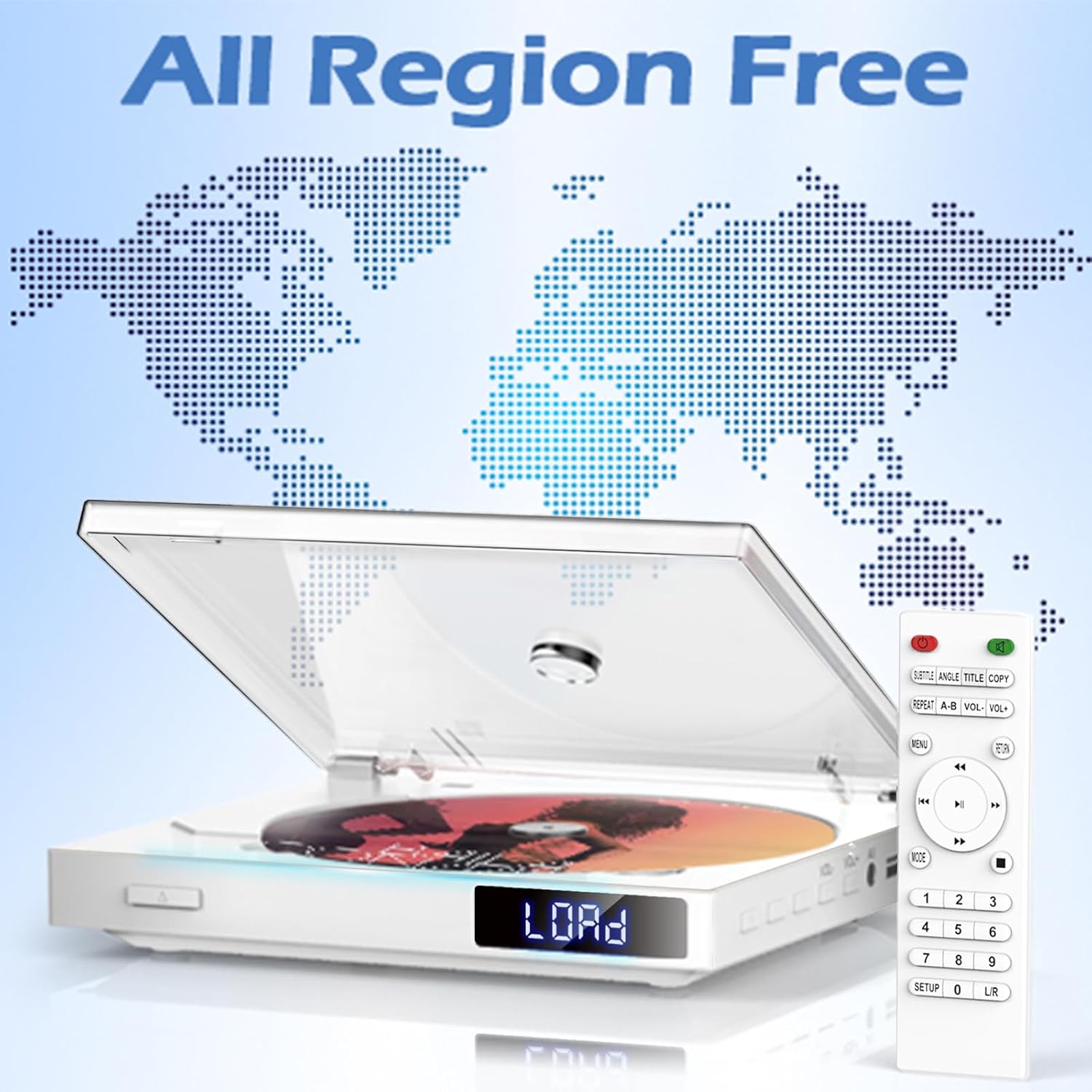
Figure 6: All Region Free capability.
Maintenance
Proper maintenance ensures the longevity and optimal performance of your DVD player.
- Cleaning: Use a soft, dry cloth to wipe the exterior of the player. Do not use liquid cleaners or abrasive materials. For the disc lens, use a specialized DVD lens cleaner disc.
- Disc Care: Handle discs by their edges. Keep them clean and free of dust, fingerprints, and scratches. Store discs in their cases when not in use.
- Ventilation: Ensure the player is placed in a well-ventilated area to prevent overheating. Do not block any ventilation openings.
- Storage: When not in use for extended periods, disconnect the power adapter and store the player in a cool, dry place.
Troubleshooting
If you encounter issues with your Delleson Mini DVD Player, please refer to the following common problems and solutions:
| Problem | Possible Cause | Solution |
|---|---|---|
| No Power | Power adapter not connected properly; Power outlet not working. | Ensure power adapter is securely connected. Try a different power outlet. |
| No Picture/Sound | Incorrect input selected on TV; Cables not connected properly; Disc is dirty or damaged. | Select the correct HDMI/AV input on your TV. Check all cable connections. Clean or replace the disc. |
| Disc Not Reading | Disc is dirty, scratched, or incompatible format; Disc inserted incorrectly. | Clean the disc. Ensure the disc is inserted label-side up. Verify disc format is supported (no Blu-ray). |
| Remote Control Not Working | Batteries are dead or inserted incorrectly; Obstruction between remote and player. | Replace batteries (ensure correct polarity). Remove any obstructions. Point remote directly at the player. |
| USB Drive Not Recognized | USB drive format not supported; File format not supported. | Ensure USB drive is formatted to FAT32. Verify media files are in supported formats (AVI/MPG/MPEG4/VOB). |
Specifications
| Feature | Detail |
|---|---|
| Brand | Delleson |
| Model Name | DL-DVP Mini |
| Product Dimensions | 5.91 x 5.12 x 1.18 inches |
| Item Weight | 0.68 lb (10.88 ounces) |
| Color | White |
| Media Type Supported | CD, DVD, DVD-R/+R, DVD-/+RW, CD-R/-RW, VCD, SVCD (Does not support Blu-ray Disc) |
| USB File Formats | AVI, MPG, MPEG4, VOB |
| Video Resolution | Up to 1080p (via HDMI) |
| System Compatibility | NTSC, PAL |
| Connectivity | HDMI, RCA, USB |
| Special Features | Compact, Region Free, Multi-Format Playback, Breakpoint Memory, Multiple Power Options |
Warranty and Support
Delleson products are manufactured to the highest quality standards. For specific warranty information and terms, please refer to the warranty card included with your product or visit the official Delleson website.
If you require technical assistance or have questions not covered in this manual, please contact Delleson Customer Support through the retailer's platform or the official brand website. Please have your product model number (DL-DVP Mini) and purchase information ready when contacting support.
For more information, visit the Delleson Store on Amazon.
Related Documents - DL-DVP Mini
 |
Tojock DVD Player Quick User Guide and Warranty Information A comprehensive quick user guide for the Tojock DVD Player, offering setup advice, troubleshooting tips for common issues like screen display and disc reading, and detailed warranty activation and coverage information. Includes contact details for support. |
 |
Sony DVP-NS305/NS310/NS315/NS405/NS410/NS415 Service Manual This service manual provides detailed technical information and block diagrams for the Sony DVP-NS305, DVP-NS310, DVP-NS315, DVP-NS405, DVP-NS410, and DVP-NS415 DVD players. It includes specifications, circuit diagrams, and component layouts essential for maintenance and repair. |
 |
Sony DVP-S530D Digital Video Player Training Manual This training manual for the Sony DVP-S530D Digital Video Player provides in-depth technical information, including circuit descriptions, block diagrams, DVD features across multiple models (DVP-S330, DVP-S550D, DVP-C600, DVP-S7700), audio format analysis (DTS, AC-3), mechanical sequences, and troubleshooting guides. |
 |
Sony DVP-S360/S363/S365 CD/DVD Player Operating Instructions Detailed operating instructions and setup guide for the Sony DVP-S360, DVP-S363, and DVP-S365 CD/DVD players, covering connections, playback features, and troubleshooting. |
 |
Delta DVP Series Programmable Logic Controllers: Industrial Automation Solutions Explore the Delta DVP Series Programmable Logic Controllers (PLCs) for industrial automation. Discover a wide range of high-performance, flexible, and cost-effective solutions designed to meet diverse application needs. |
 |
SONY DVP-FX97/FX980/FX980WM Service Manual Service manual for the SONY DVP-FX97, DVP-FX980, and DVP-FX980WM portable CD/DVD players, detailing specifications, disassembly procedures, block diagrams, schematic diagrams, printed wiring boards, waveforms, circuit voltage charts, IC pin descriptions, electrical adjustments, troubleshooting guides, and repair parts lists. |