
Luomo STK-7007F
Luomo STK-7007F Wireless Game Controller User Manual
Model: STK-7007F | Brand: Luomo
1. Introduction
Thank you for purchasing the Luomo STK-7007F Wireless Game Controller. This manual provides detailed instructions on how to set up, operate, and maintain your new device. Please read this manual thoroughly before use to ensure optimal performance and longevity of the product.
The STK-7007F is a durable wireless game controller designed for seamless connection to your mobile devices, offering a comfortable and immersive gaming experience without the clutter of wires. Its compact and portable design makes it ideal for gaming in various environments, from your living room to your bedroom.

Image: The Luomo STK-7007F Wireless Game Controller in its compact, collapsed state, showcasing its black finish and button layout.
2. Setup Guide
2.1. Unboxing and Initial Charge
- Carefully remove the game controller and all accessories from the packaging.
- Inspect the controller for any visible damage.
- Before first use, fully charge the controller using the provided USB charging cable. Connect the cable to the controller's charging port and a compatible USB power source (e.g., computer USB port, USB wall adapter).
- The charging indicator light will typically show the charging status and turn off or change color when fully charged. Charging time is approximately 1.5 hours.
2.2. Connecting to Your Device (Bluetooth Pairing)
- Ensure the controller is sufficiently charged.
- Turn on the controller by pressing and holding the HOME button (or power button, if separate) until the indicator lights begin to flash, indicating it's in pairing mode.
- On your mobile device (smartphone or tablet), navigate to the Bluetooth settings.
- Enable Bluetooth and search for available devices.
- Select "STK-7007F" or a similar name from the list of found devices.
- Once connected, the controller's indicator light will typically become solid, indicating a successful pairing.
- Note: This controller is compatible with Android 4.4 and above, and iOS 7.1 and above. It is not compatible with iOS 13.4 and above.

Image: A close-up view of the left side of the controller, highlighting the HOME button and the responsive joystick, which is crucial for precise in-game movements.
3. Operating Instructions
3.1. Basic Controls
The STK-7007F features standard game controller layouts for intuitive gameplay.
- Left Analog Stick: Used for character movement or camera control.
- D-Pad (Directional Pad): For precise directional input, often used in menus or for specific actions.
- Right Analog Stick: Typically for camera control or aiming.
- Action Buttons (A, B, X, Y): Used for in-game actions such as jumping, attacking, interacting, etc.
- Shoulder Buttons (L1/L2, R1/R2): For various actions like shooting, aiming, or special abilities.
- HOME Button: Powers on/off the controller, or returns to the device's home screen.
- MODE Button: May switch between different operating modes (e.g., Android, iOS, PC if applicable). Refer to specific game instructions for optimal mode.
- RESET Button: A small button, usually recessed, used to reset the controller in case of malfunction or connection issues. Use a thin object like a paperclip to press it.

Image: A multi-panel view showcasing the controller's key components: the action buttons (A, B, X, Y), the textured grip for comfort, the responsive analog joystick, and the precise D-pad.
3.2. In-Game Use
Once connected, most compatible games will automatically recognize the controller. Some games may require you to enable controller support in their settings. For optimal performance, ensure your device's operating system and game applications are up to date.
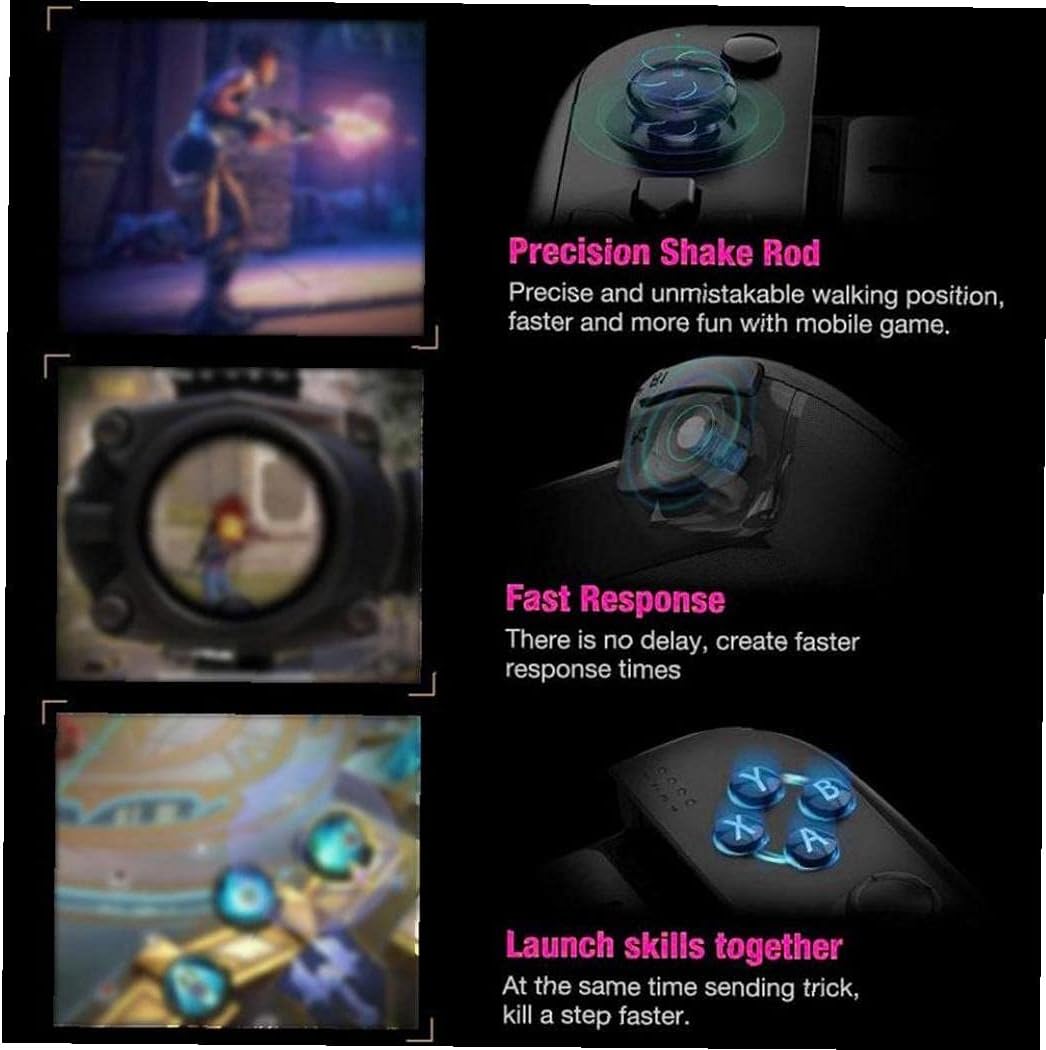
Image: This image illustrates key gaming advantages: "Precision Shake Rod" for accurate movement, "Fast Response" for minimal delay, and the ability to "Launch skills together" for enhanced gameplay.
4. Key Features
- Wireless Connectivity: Utilizes Bluetooth for a stable and clutter-free connection to your devices.
- Ergonomic Design: Features a unique horn-shape grip design for comfortable extended gaming sessions, preventing hand fatigue.
- Stretchable Section: Designed to accommodate most mobile phones, with a maximum stretch distance of 16 cm (6.3 inches).
- Long Standby Time: Equipped with a built-in 300mAh battery, allowing for extended periods of happy gaming.
- Durable Material: Constructed from environmentally friendly ABS material, ensuring durability, wear resistance, and long-term use.
- Anti-slip Texture: The controller features an anti-slip texture on its grips for secure handling during intense gaming.
- Cooling Design: Incorporates a cooling design to help dissipate heat from the device, enhancing performance and comfort.

Image: A visual comparison demonstrating the comfort provided by the controller's ergonomic grip design versus a standard flat grip, emphasizing reduced hand fatigue during long playtimes.

Image: This image highlights three design elements: the anti-slip texture on the controller's surface, the internal cooling design with airflow indicators, and the anti-slip strip that secures the phone in place.
5. Product Specifications
| Attribute | Value |
|---|---|
| Model | STK-7007F |
| Brand | Luomo |
| Color | Black |
| Material | ABS |
| Dimensions (L x W x H) | 19 x 13 x 4.5 cm (7.48 x 5.12 x 1.77 inches) |
| Product Weight | 247 grams |
| Connectivity | Wireless (Bluetooth) |
| Battery Capacity | 300mAh |
| Charging Voltage | 4.8-5.2V |
| Working Time | Up to 12 hours |
| Charging Time | Approximately 1.5 hours |
| Compatible Mobile OS | Android 4.4 and above, iOS 7.1 and above (Not compatible with iOS 13.4 and above) |
| Other Functions | Stretchable design for mobile phone accommodation |

6. Maintenance
- Cleaning: Use a soft, dry cloth to wipe the controller. For stubborn dirt, slightly dampen the cloth with water. Do not use harsh chemicals or abrasive cleaners.
- Storage: Store the controller in a cool, dry place away from direct sunlight and extreme temperatures.
- Battery Care: To prolong battery life, avoid fully discharging the battery frequently. Charge the controller regularly, even if not in use for extended periods.
- Avoid Drops: Protect the controller from drops and impacts, which can damage internal components.
- Liquid Exposure: Do not expose the controller to water or other liquids.
7. Troubleshooting
| Problem | Possible Cause | Solution |
|---|---|---|
| Controller does not turn on. | Low battery. | Charge the controller for at least 1.5 hours. |
| Cannot pair with device. | Bluetooth not enabled on device; controller not in pairing mode; device OS not compatible. |
|
| Controller disconnects frequently. | Low battery; interference; too far from device. |
|
| Buttons/joysticks not responding. | Software glitch; physical damage. |
|

8. Warranty and Support
Luomo products are manufactured to the highest quality standards. For information regarding warranty coverage, please refer to the warranty card included with your product or visit the official Luomo website.
If you encounter any issues not covered in this manual or require further assistance, please contact Luomo customer support through the retailer where you purchased the product or via the contact information provided on the official Luomo website.
Please retain your proof of purchase for warranty claims.
Related Documents - STK-7007F
 |
STK-7038 Wireless Controller User Manual User manual for the STK-7038 Wireless Controller by Shenzhen Saitake Electronic Co., Ltd., detailing setup, features, and FCC compliance. |
 |
Saitake STK-7032SN Wireless Gamepad for Nintendo Switch: User Manual Comprehensive user manual for the Saitake STK-7032SN wireless gamepad, covering pairing, connection, vibration and turbo speed adjustment, NFC functionality, PC X-Input mode, calibration, and warranty information. |
 |
STK-I5 Wireless Controller for Nintendo Switch - User Manual User manual for the Saitake STK-I5 wireless controller for Nintendo Switch, detailing setup, operation, turbo functions, calibration, and specifications. |
 |
Saitake STK-7040RG Game Controller User Manual Comprehensive user manual for the Saitake STK-7040RG game controller, detailing its features, connectivity, and operation for various gaming platforms. |
 |
STK-7038 Wireless Game Controller User Manual Comprehensive user manual for the STK-7038 wireless game controller, detailing setup, connection modes for Nintendo Switch, PC, and Android/iOS, button functions, vibration settings, turbo, macro, and firmware update procedures. |
 |
ZA FREE Toilet Seat Parts and Accessories Catalog Comprehensive catalog of optional and included parts for ZA FREE toilet seats, featuring mounting hardware, remote controls, hoses, and accessories. Includes part numbers, specifications, and installation guidance. |