
SoundPEATS T3
SoundPEATS T3 Wireless Earbuds User Manual
Model: T3 | Brand: SoundPEATS
Introduction
The SoundPEATS T3 Wireless Earbuds are designed to provide an immersive audio experience with advanced features. These in-ear headphones incorporate Active Noise Cancelling (ANC) to minimize external distractions, a Transparency Mode for situational awareness, and Sound+ AI Environmental Noise Cancellation (ENC) technology for crystal-clear calls. Equipped with Bluetooth 5.2, the T3 earbuds offer stable connectivity and intuitive touch controls for seamless operation.
What's in the Box

Image: The SoundPEATS T3 earbuds, charging case, USB-C charging cable, user manual, and three sizes of ear tips are included in the package.
- SoundPEATS T3 Earbuds (x2)
- Charging Case (x1)
- USB-C Charging Cable (x1)
- User Manual (x1)
- Ear Tips (S/M/L sizes, x3 pairs)
Setup Guide
1. Initial Charging
Before first use, fully charge the earbuds and the charging case. Connect the provided USB-C cable to the charging port on the case and a power source. The indicator light on the case will show charging status.
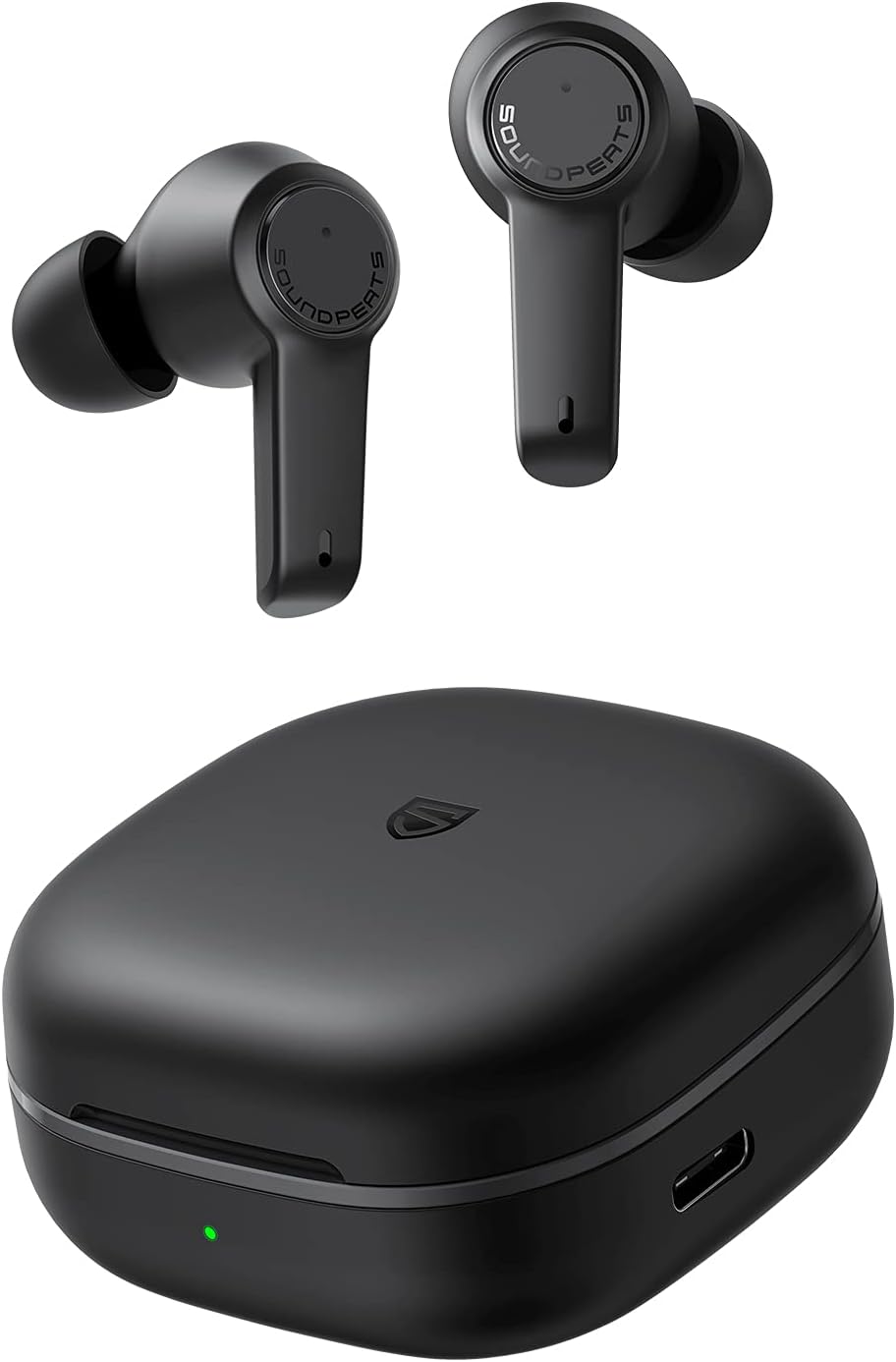
Image: The SoundPEATS T3 earbuds in their charging case, indicating charging status via an LED light.
2. Pairing with Your Device
- Open the charging case. The earbuds will automatically enter pairing mode.
- On your device (smartphone, tablet, etc.), enable Bluetooth.
- Search for "SOUNDPEATS T3" in the Bluetooth device list and select it to connect.
- Once connected, a voice prompt will confirm successful pairing.

Image: A visual representation of the SoundPEATS T3 earbuds connecting to a mobile device via Bluetooth.
Operating Instructions
Touch Controls
The SoundPEATS T3 earbuds feature intuitive touch controls on each earbud. Refer to the diagram below for common functions:

Image: A detailed diagram illustrating the various touch control functions available on the SoundPEATS T3 earbuds.
- Power On: Open the case or press the MFB (Multi-Function Button) for 1.5 seconds.
- Power Off: Place back and close the lid or press the MFB for 10 seconds.
- Play/Pause: Double tap on the MFB.
- Volume +/-: Single tap on the right/left MFB.
- Next Track: Press and hold the right MFB for 1.5 seconds.
- Voice Assistant: Triple tap on the MFB.
- Answer/Hang Up a Call: Double tap on the MFB.
- ANC / Transparency Mode: Press and hold the left MFB for 1.5 seconds to cycle through modes.
Active Noise Cancelling (ANC)
The ANC feature reduces ambient noise by up to 24dB, allowing for a more focused listening experience. To activate or deactivate ANC, press and hold the left earbud's MFB for 1.5 seconds. You will hear a voice prompt confirming the mode change.
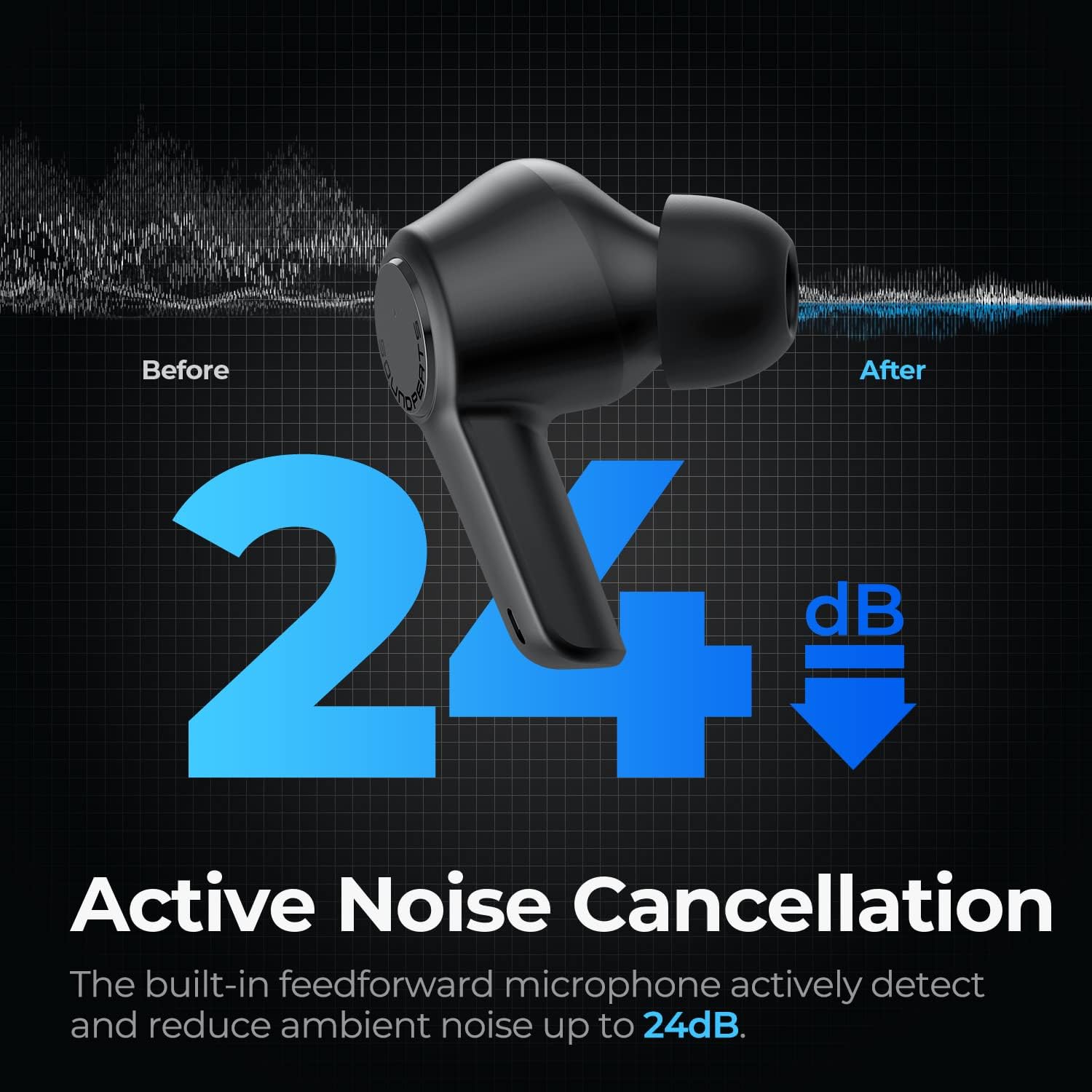
Image: A visual representation of how Active Noise Cancellation reduces ambient sound by up to 24dB.
Video: Demonstrates the effect of Active Noise Cancelling with the SoundPEATS T3 earbuds, showing a user finding peace from noisy environments.
Transparency Mode
Transparency Mode allows you to hear your surroundings without removing the earbuds. This is useful for conversations or when you need to be aware of your environment. To activate or deactivate Transparency Mode, press and hold the left earbud's MFB for 1.5 seconds until you hear the voice prompt.

Image: A user demonstrating the Transparency Mode, allowing them to communicate easily while wearing the earbuds.
Clear Calls with Sound+ AI ENC Tech
The SoundPEATS T3 earbuds utilize Sound+ AI Environmental Noise Cancellation (ENC) technology to ensure clear voice pickup and reduced ambient noise during calls, even in noisy environments.

Image: An internal view of the earbud highlighting the AI ENC Technology for crystal clear calls.
Maintenance
Proper maintenance ensures the longevity and optimal performance of your SoundPEATS T3 earbuds.
- Cleaning: Regularly clean the earbuds, especially the ear tips and charging contacts, with a soft, dry, lint-free cloth. Do not use harsh chemicals or abrasive materials.
- Storage: Always store the earbuds in their charging case when not in use to protect them from dust, damage, and to keep them charged.
- Charging: Avoid overcharging or completely draining the battery. Charge the case and earbuds regularly, even if not in frequent use, to maintain battery health.
- Water Resistance: The earbuds have a water-resistant rating. However, they are not waterproof. Avoid submerging them in water or exposing them to heavy rain. Dry them thoroughly if they get wet.
Troubleshooting
If you encounter issues with your SoundPEATS T3 earbuds, try the following steps. For a more detailed guide, please refer to the official Troubleshooting Guide (PDF).
- Earbuds not connecting/pairing:
- Ensure both earbuds are in the charging case and have sufficient battery.
- Delete "SOUNDPEATS T3" from your device's Bluetooth list.
- Place both earbuds back into the charging case, close the lid, and then open it again to re-enter pairing mode.
- Try pairing again.
- Only one earbud working:
- Ensure both earbuds are charged.
- Perform a factory reset (refer to the full user manual for specific steps).
- Re-pair the earbuds with your device.
- Low volume or poor sound quality:
- Clean the ear tips and speaker mesh to remove any debris.
- Adjust the volume on both your device and the earbuds.
- Try different sizes of ear tips to ensure a proper seal in your ear canal.
- Charging issues:
- Ensure the charging cable is securely connected to both the case and the power source.
- Clean the charging contacts on both the earbuds and inside the case.
- Try a different USB-C cable or power adapter.
Specifications
| Feature | Detail |
|---|---|
| Model Name | T3 |
| Connectivity Technology | Wireless (Bluetooth 5.2) |
| Noise Control | Active Noise Cancellation |
| Audio Driver Type | Dynamic Driver |
| Audio Driver Size | 10 Millimeters |
| Battery Life (Earbuds) | Approx. 5.5 hours per charge |
| Total Playtime with Case | Approx. 16.5 hours (2 recharges from case) |
| Charging Time | 1.5 Hours |
| Control Type | Touch Control |
| Water Resistance Level | Water Resistant |
| Item Weight | 3.6 ounces (102 Grams) |
| Product Dimensions | 1.3 x 0.85 x 1.01 inches |
Warranty and Support
For detailed warranty information and further support, please refer to the official SoundPEATS resources:
- Official User Guide (PDF): Download Here
- Official Troubleshooting Guide (PDF): Download Here
- Visit the SoundPEATS Store on Amazon: SoundPEATS Store
SoundPEATS is committed to providing excellent sound quality and ergonomic design. Their products are sold in over 30 countries, bringing exciting and energetic sound to millions of music lovers.