
Magic Life 7720
Magic Life Ergonomic Office Chair Gaming Chair Model 7720 User Manual
Model: 7720
Introduction
Thank you for choosing the Magic Life Ergonomic Office Chair Gaming Chair Model 7720. This manual provides essential information for the safe assembly, operation, maintenance, and troubleshooting of your new chair. Please read these instructions carefully before use and retain them for future reference.
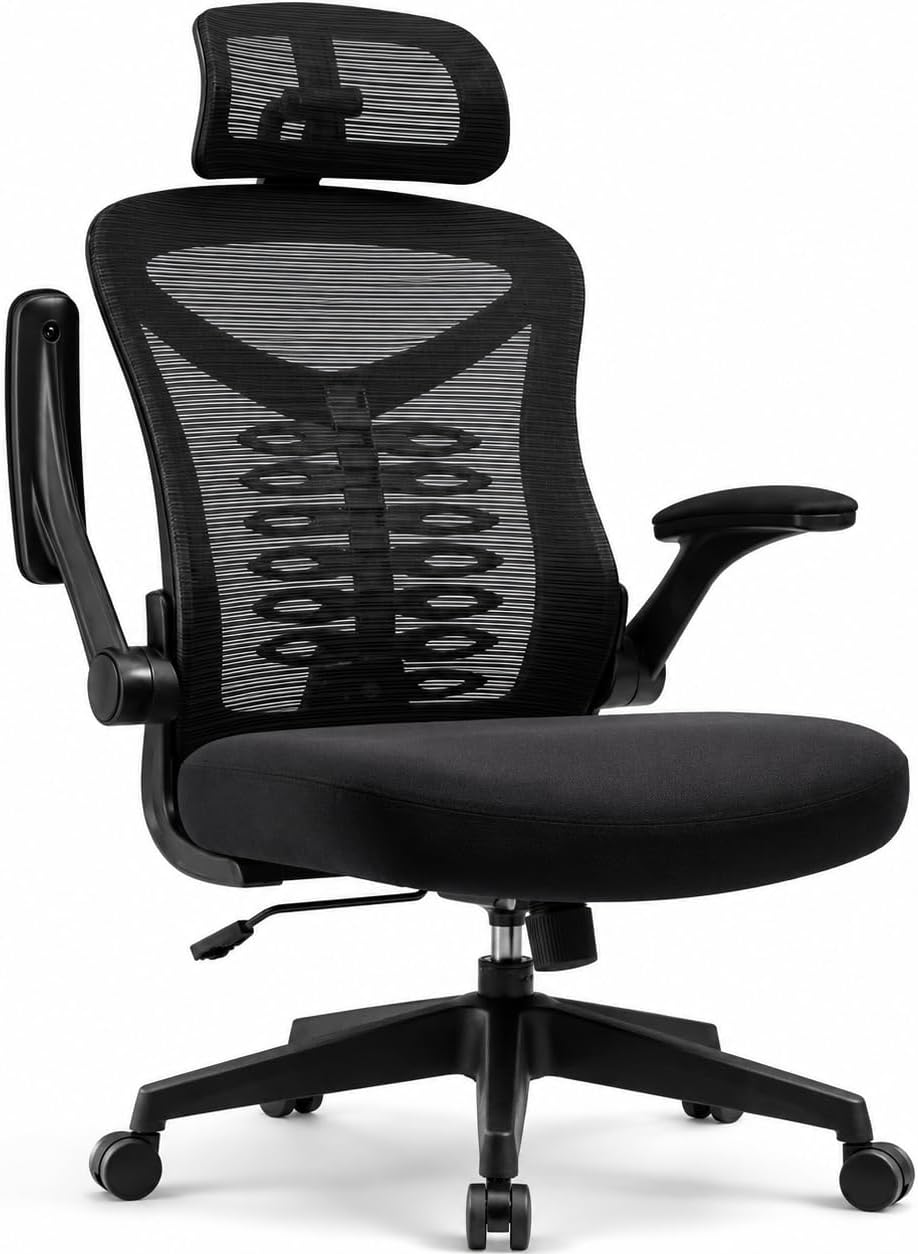
Image: The Magic Life Ergonomic Office Chair Model 7720 in a contemporary home office environment.
Safety Information
- Maximum Weight Capacity: Do not exceed the maximum weight recommendation of 150 kilograms (330 pounds).
- Ensure all screws and bolts are securely tightened before use. Periodically check and re-tighten as necessary.
- Avoid standing on the chair or using it as a step stool.
- Keep hands and fingers clear of moving parts during adjustment.
- Use the chair on a flat, stable surface to prevent tipping.
Setup and Assembly
Assembly of your Magic Life office chair is designed to be straightforward and typically takes about 15 minutes. Please follow the included assembly instructions carefully.
General Assembly Steps:
- Unpack all components and verify against the parts list.
- Attach the casters to the chair base.
- Insert the gas lift cylinder into the center of the base.
- Assemble the seat and backrest components, securing them with the provided hardware.
- Attach the assembled seat and backrest to the gas lift cylinder.
- Install the headrest and armrests.
- Ensure all connections are tight and the chair is stable before first use.

Image: An illustration showing various components of the chair, useful for assembly identification.
Operating Instructions
Your Magic Life office chair features multiple adjustments to customize your seating experience for optimal comfort and ergonomic support.
1. Seat Height Adjustment
To adjust the seat height (44–54 cm range), pull up the lever located under the seat on the right side.
- To raise: Lift your weight off the seat and pull the lever up. The seat will rise. Release the lever at the desired height.
- To lower: Remain seated and pull the lever up. The seat will lower. Release the lever at the desired height.

Image: Demonstrates the seat height adjustment lever and the 90-degree flip-up armrest feature.
2. Backrest Tilt and Tension Adjustment
The chair features a tilting backrest (up to 125 degrees) and adjustable tilt tension.
- Tilt Lock/Unlock: Pull out the lever under the seat (usually on the left side) to unlock the tilt function, allowing the backrest to recline. Push the lever in to lock the backrest in an upright position.
- Tilt Tension: Rotate the round knob located under the seat, towards the front, to adjust the resistance of the tilt mechanism. Turn clockwise to increase tension (firmer tilt), and counter-clockwise to decrease tension (easier tilt).

Image: Illustrates the range of backrest tilt (100° to 120°) and the tilt tension knob and height/tilt adjustment lever.
3. Adjustable Lumbar Support
The chair includes height- and depth-adjustable lumbar support to conform to the natural curve of your lower back.
- Depth Adjustment: Use the dials on either side of the backrest to adjust the lumbar support depth, moving it up to 3cm forward or backward.
- Height Adjustment: The lumbar support can also be adjusted vertically by sliding it along the backrest frame.

Image: Highlights the adjustable lumbar support mechanism and the 3D adjustable headrest.
4. Adjustable Headrest
The headrest can be adjusted for both height (up to 6cm) and angle (up to 45 degrees) to provide optimal neck and head support.
- To adjust height: Gently pull the headrest up or push down to the desired position.
- To adjust angle: Tilt the headrest forward or backward to find your preferred angle.
5. Flip-up Armrests
The armrests can be flipped up 90 degrees to save space or allow the chair to be pushed closer to a desk.
- To flip up: Lift the armrests upwards until they lock into a vertical position.
- To flip down: Gently pull the armrests down until they return to the horizontal position.
Maintenance
Regular maintenance will help prolong the life and appearance of your Magic Life office chair.
- Cleaning: Spot clean the mesh and fabric surfaces with a mild detergent and damp cloth. Avoid harsh chemicals or abrasive cleaners.
- Inspection: Periodically inspect all bolts, screws, and connections to ensure they are tight. Re-tighten as needed.
- Casters: Keep casters free of hair and debris to ensure smooth rolling and prevent floor damage.
- Gas Lift: Do not attempt to disassemble or repair the gas lift cylinder yourself. Contact customer support if it malfunctions.
Troubleshooting
| Problem | Possible Cause | Solution |
|---|---|---|
| Chair wobbles or feels unstable | Loose bolts or uneven assembly. | Check and tighten all assembly bolts and screws. Ensure the chair is on a level surface. |
| Squeaking noises | Loose connections or friction between parts. | Tighten all bolts. Apply a small amount of silicone lubricant to moving parts if necessary (avoiding the gas lift). |
| Casters not rolling smoothly | Debris (hair, dust) caught in casters. | Turn the chair over and carefully remove any debris from the caster wheels. |
| Seat height adjustment not working | Gas lift malfunction or lever mechanism issue. | Ensure the lever is fully engaged. If the issue persists, contact customer support for gas lift replacement. |
| Backrest tilt not functioning correctly | Tilt lock engaged or tension too high/low. | Ensure the tilt lock lever is disengaged. Adjust the tilt tension knob to your preference. |
Specifications

Image: Detailed dimensional diagram of the chair, including height, width, and depth measurements.
| Feature | Detail |
|---|---|
| Brand | Magic Life |
| Model Name | Office Desk Chair (Model 7720) |
| Colour | Black |
| Material | Nylon, Metal Frame, Mesh, Foam Fill |
| Product Dimensions (D x W x H) | 33D x 51W x 59H centimetres (Overall: 59 x 33 x 51 cm) |
| Item Weight | 12 kg |
| Maximum Weight Recommendation | 149.69 kg (approx. 330 lbs) |
| Seat Height Range | 44–54 cm |
| Seat Depth | 51 cm |
| Back Style | Mesh Back |
| Special Features | Adjustable Height, Adjustable Lumbar, Thickened Seat Cushion, 3D Adjustable Headrest, Flip-up Armrests, Reclining Function (up to 125 degrees) |
| Recommended Uses | Computer, Gaming, Home, Office |
| Assembly | Assembly required. Instructions included. |
Warranty and Support
Magic Life is committed to providing high-quality products and customer satisfaction.
- Warranty: This office chair is backed by a Lifetime Warranty for responsive support and a Three Years Warranty for parts, covering manufacturing defects and significant performance degradation.
- Customer Support: Our support team is available to assist with any questions, missing parts, shipping damage, assembly concerns, or fit issues.
- Contact Information: For support, please refer to the contact details provided with your purchase documentation or visit the official Magic Life website.
- Manufacturer Contact Information: Anji Yike Decorative Materials Technology Co., Ltd. Address: Zhejiang Province, Huzhou City, Anji County, Xiaofeng Town, Bamboo Industry Science and Technology Entrepreneurship Centre, Building 1, 2nd Floor Office, Building 2.
Ask a question about this manual
Ask about setup, troubleshooting, compatibility, parts, safety, or missing instructions. Manuals+ will review the question and use this page’s manual context to help answer it.