
1. Introduction
The Britbe G3 Pro is a professional long-range metal detector designed for locating various metallic objects, including gold, silver, coins, and jewelry. It utilizes advanced geolocation technology for both deep-seeking and long-range target identification. This manual provides essential information for the proper setup, operation, and maintenance of your G3 Pro device.
2. Product Components
The G3 Pro system consists of a main control unit and a locator antenna. Familiarize yourself with these components before operation.
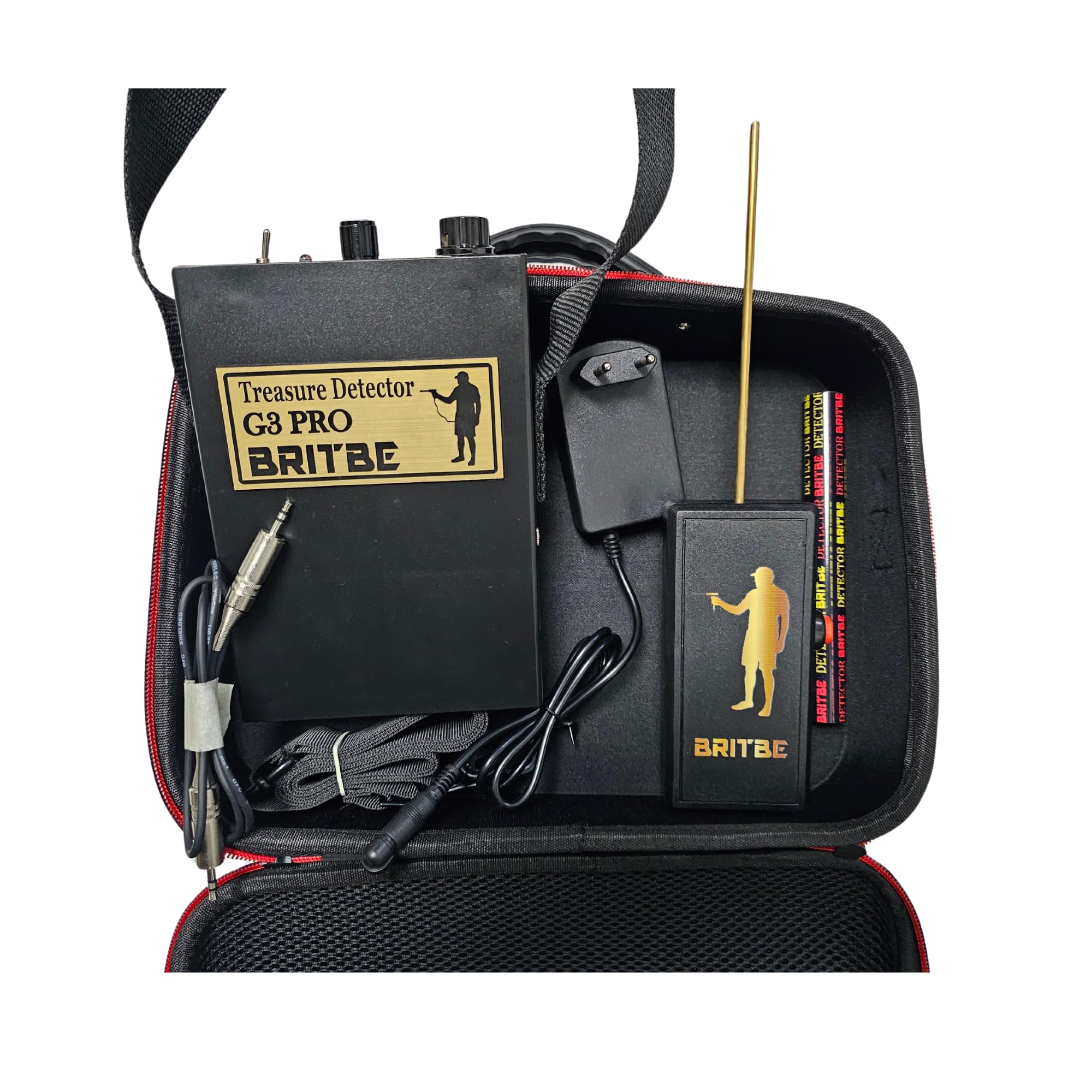
Figure 1: The G3 Pro control panel, showing the Discrimination dial, Ionic Sensor dial, Locator Antenna port, and Power switch.

Figure 2: The G3 Pro control unit and the separate locator antenna, ready for assembly.
3. Setup
3.1 Battery Installation
- Ensure the device is powered off.
- Locate the battery compartment on the control unit.
- Insert two (2) 9V batteries, observing the correct polarity.
- Securely close the battery compartment.
3.2 Assembling the Locator Antenna
- Carefully connect the locator antenna to the designated port on the control unit.
- Ensure a firm and secure connection.
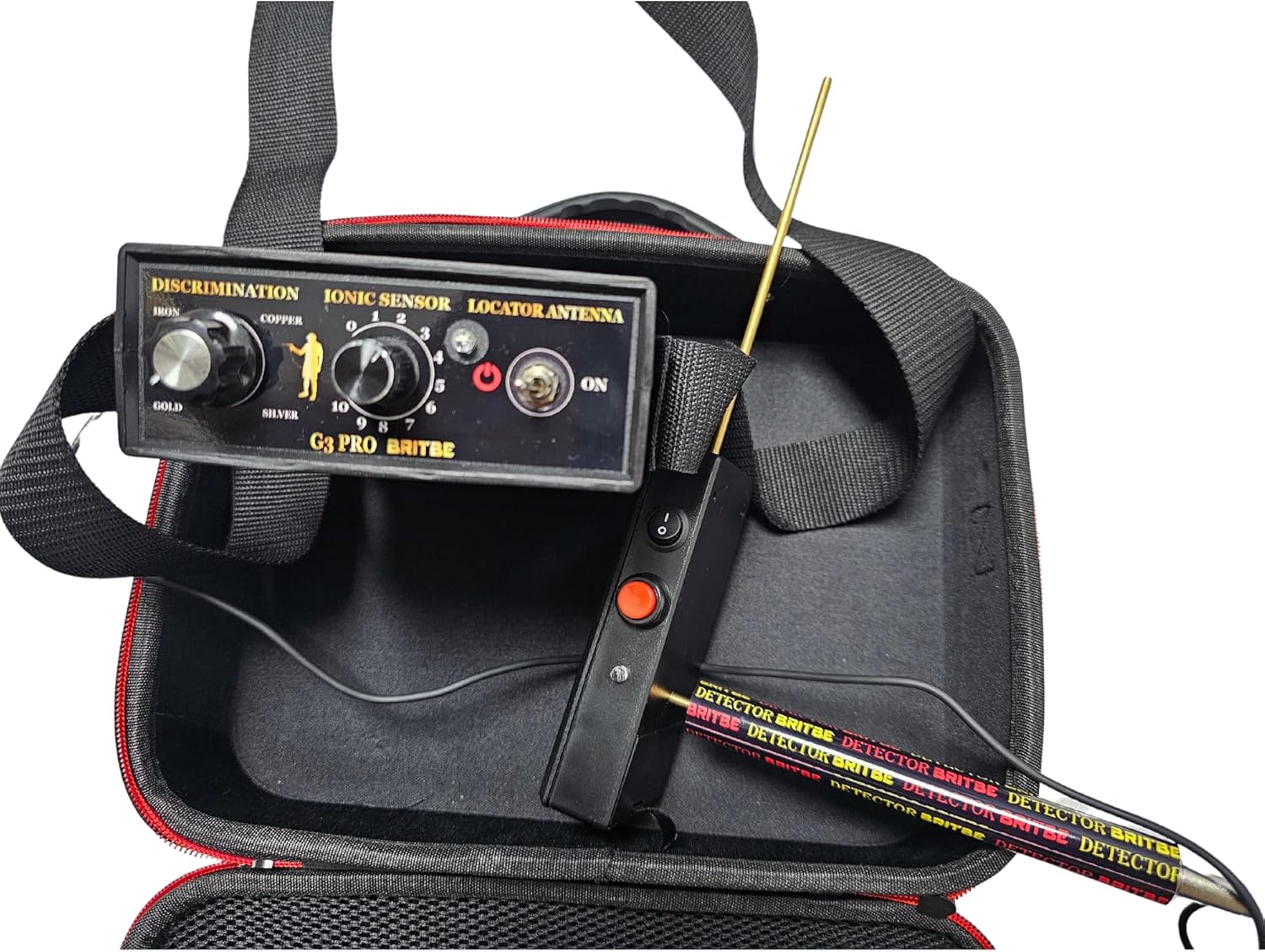
Figure 3: The G3 Pro control unit with the locator antenna properly connected.
4. Operating Instructions
4.1 Powering On/Off
To power on the device, toggle the 'ON' switch located on the control panel. To power off, toggle the switch back to the 'OFF' position.
4.2 Discrimination Modes
The G3 Pro features a Discrimination dial, allowing you to select specific metal types for detection. Rotate the dial to choose from the following modes:
- Iron: For detecting iron objects.
- Copper: For detecting copper objects.
- Silver: For detecting silver objects.
- Gold: For detecting gold objects.
4.3 Ionic Sensor
The Ionic Sensor dial adjusts the sensitivity of the ionic detection system, ranging from 0 to 10. Higher numbers indicate increased sensitivity. Adjust this setting based on your search environment and target size.
4.4 Locator Antenna
The locator antenna is crucial for long-range detection and pinpointing the direction of targets. Ensure it is properly connected and extended during operation.
4.5 Ionic System Operation
The G3 Pro's Ionic System is designed to detect ions emitted by noble metals such as gold and silver. For optimal performance, observe the following guidelines:
- Environmental Conditions: The Ionic System functions most effectively on dry land where metals react to solar temperatures, causing them to emit detectable ions.
- User Positioning: For best results, position yourself in cardinal directions (North to South, East to West) during your search.
- Detection Capabilities: The device can detect targets at depths of up to 30 meters and has a detection range of up to 1,000 meters. It is capable of finding small gold nuggets.
- Humid Terrain: In humid terrain or areas with rainwater, the equipment may still detect targets via the locator antenna.

Figure 4: Conceptual image illustrating the Ionic System's capability for deep seeking and discrimination.
5. Maintenance
Proper maintenance ensures the longevity and performance of your G3 Pro metal detector.
- Cleaning: After each use, wipe down the control unit and antenna with a soft, dry cloth. Avoid using abrasive cleaners or solvents.
- Storage: Store the device in a cool, dry place, away from direct sunlight and extreme temperatures. If storing for extended periods, remove the batteries.
- Battery Replacement: Replace batteries when the power indicator shows low charge or when the device's performance diminishes.
- Water Resistance: The G3 Pro has an International Protection Rating of IP54, meaning it is protected against dust ingress and splashing water from any direction. It is not designed for submersion.

Figure 5: The G3 Pro control unit and locator antenna stored securely in its carry case.
6. Troubleshooting
If you encounter issues with your G3 Pro, refer to the following common troubleshooting steps:
- Device does not power on: Check battery installation and ensure batteries are fully charged or replaced.
- No detection: Verify that the locator antenna is securely connected. Adjust the Ionic Sensor sensitivity dial. Ensure you are operating in suitable environmental conditions for the Ionic System.
- Inaccurate detection: Re-evaluate your search pattern and ensure proper user positioning (North to South, East to West). Check for strong electromagnetic interference in the area.
7. Specifications
| Feature | Specification |
|---|---|
| Model Number | G3 Pro |
| Brand | Britbe |
| Color | Black |
| Power Source | Battery Powered |
| Batteries Required | 2 x 9V batteries |
| Adjustable Length | Yes |
| International Protection Rating | IP54 |
| Operating Frequency | 12 KHz |
| Item Weight | 3.05 pounds |
| Package Dimensions | 13.23 x 9.45 x 4.33 inches |
8. Warranty and Support
8.1 Manufacturer's Warranty
The Britbe G3 Pro is covered by a manufacturer's warranty. Please refer to the warranty documentation included with your purchase for specific terms and conditions.
8.2 Return Policy
Detector Power offers a 15-day return policy for this product. For details on returns, please contact Detector Power customer service or refer to their official return policy.
8.3 Customer Support
For technical assistance, questions, or support regarding your Britbe G3 Pro metal detector, please contact the retailer or manufacturer's customer service department.


