
Introduction
This manual provides instructions for the proper setup, operation, and maintenance of your Timex Women's Classic Quartz Dress Watch, Model TW2U69700. This timepiece features a reliable quartz movement, an alloy steel strap, and a gold-tone case with a faceted crystal and silver-tone dial, designed for lasting wear.
Setup
1. Setting the Time
- Locate the crown on the right side of the watch case.
- Gently pull the crown outwards to the time-setting position. You may feel a slight click.
- Rotate the crown clockwise or counter-clockwise to adjust the hour and minute hands to the correct time.
- Once the time is set, push the crown back into its original position against the watch case. The watch will begin to run.

Image: Side view of the watch, highlighting the crown used for setting the time. The watch features a gold-tone case and a silver-tone alloy steel bracelet.
2. Adjusting the Bracelet
This watch features a self-adjustable jewelry link bracelet. For minor adjustments, some links may be removed or added. If you require significant adjustment or are unsure, it is recommended to consult a professional jeweler or watch repair service to avoid damage to the bracelet or clasp mechanism.
Operating the Watch
Reading the Time
Your Timex Classic Quartz Dress Watch displays time using traditional hour, minute, and second hands on a silver-tone dial with clear markers.
Water Resistance
This watch is rated for 30 meters (3 ATM) of water resistance. This means it is suitable for everyday use and can withstand splashes, rain, and brief immersion in water. It is not recommended for swimming, showering, or diving, as prolonged water exposure or high-pressure water activities can compromise the seals.
Maintenance
Cleaning Your Watch
- Wipe the watch case and bracelet with a soft, dry, lint-free cloth regularly to remove dust and fingerprints.
- For more thorough cleaning, a slightly damp cloth can be used, followed immediately by a dry cloth. Avoid using harsh chemicals, solvents, or abrasive cleaners, as these can damage the finish.
- Ensure the crown is fully pushed in before any cleaning involving moisture.
Battery Replacement
The quartz movement in your watch is powered by a battery. When the watch stops running, it indicates the battery needs replacement. It is highly recommended to have the battery replaced by a qualified watch technician to ensure proper sealing and maintain water resistance.
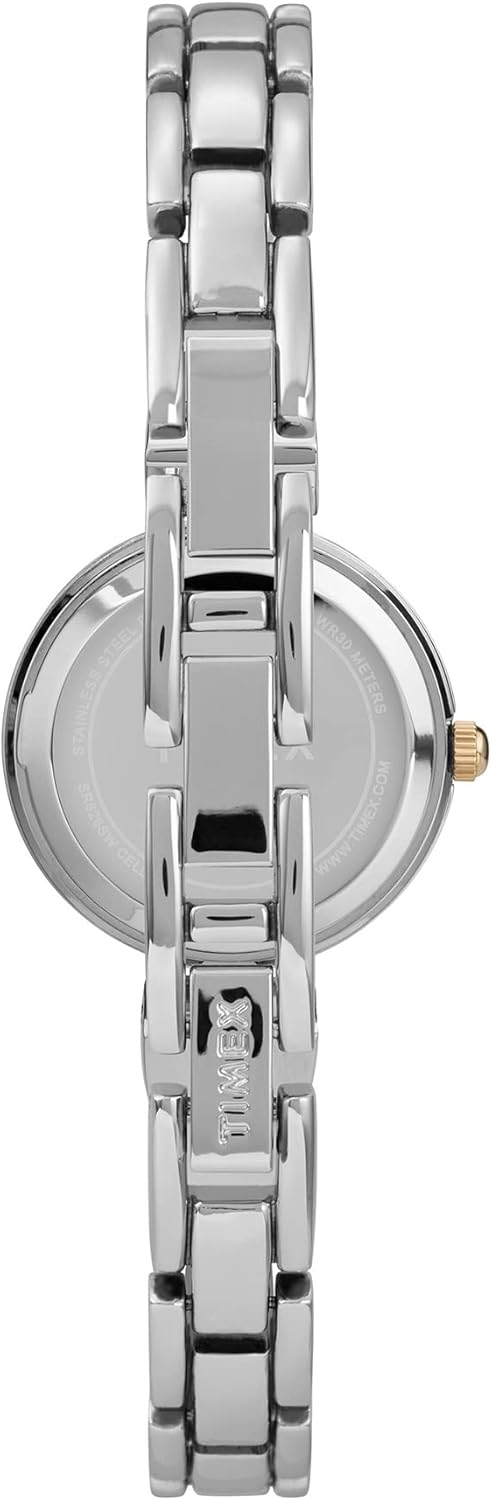
Image: Rear view of the watch, showing the case back where battery replacement would be performed by a professional. The alloy steel bracelet is also visible.
Storage
When not wearing your watch, store it in a cool, dry place away from direct sunlight, extreme temperatures, and strong magnetic fields. Keeping it in its original box or a watch case can help protect it from dust and scratches.
Troubleshooting
- Watch Not Running:
- Check if the crown is fully pushed in against the case.
- The battery may need replacement. Consult a professional watch technician.
- Inaccurate Time:
- A low battery can affect accuracy.
- Exposure to strong magnetic fields can temporarily affect quartz watches. Move the watch away from magnetic sources.
- Condensation Under Crystal:
- This indicates moisture has entered the watch. Seek immediate professional service to prevent damage to the movement.
Specifications
| Model Number | TW2U69700 |
| Brand | Timex |
| Watch Movement Type | Quartz |
| Case Material Type | Alloy Steel |
| Band Material Type | Alloy Steel |
| Case Diameter | 26 Millimeters |
| Band Width | 10 Millimeters |
| Case Thickness | 10 Millimeters |
| Crystal | Mineral Glass |
| Water Resistance Depth | 30 Meters (3 ATM) |
| Clasp Type | Jewelry Clasp |
| Dial Color | Silver |
| Band Color | Gold |
| Item Weight | 0.13 Kilograms |
Warranty and Support
Your Timex watch is covered by a manufacturer's warranty. For detailed information regarding warranty terms, conditions, and to access customer support, please refer to the official Timex website or contact Timex customer service directly. Keep your proof of purchase for warranty claims.
For further assistance or service inquiries, please visit the official Timex support page: Timex Support


