
TOPSKY DF04.01
TOPSKY DF04.01 Electric Adjustable Standing Desk Frame User Manual
Model: DF04.01
1. Introduction
Thank you for choosing the TOPSKY DF04.01 Dual Motor 3 Stage Electric Adjustable Standing Desk Frame. This manual provides essential information for the safe and efficient use of your new desk frame. Please read it thoroughly before assembly and operation.
The TOPSKY DF04.01 is designed for both home and office environments, offering robust construction and versatile adjustability to enhance your workspace ergonomics.
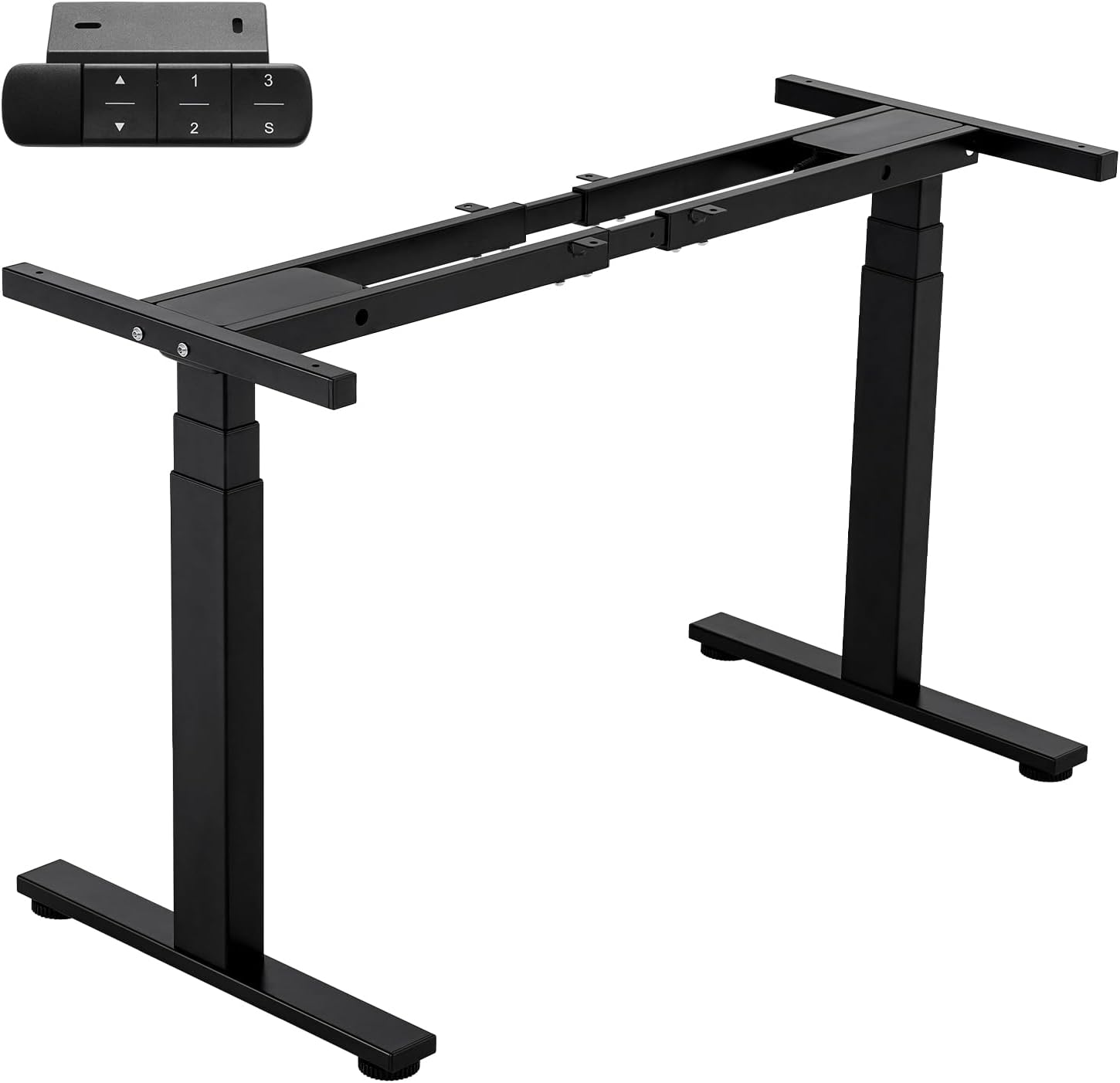
Figure 1: TOPSKY DF04.01 Dual Motor 3 Stage Electric Adjustable Standing Desk Frame (Black Frame Only)
2. Key Features
- Dual-Motor System: Powerful and quiet operation for smooth height adjustments.
- 3-Stage Column: Provides a wide height adjustment range from 23.6 inches (60cm) to 49.2 inches (125cm), accommodating various user heights.
- Heavy-Duty Load Capacity: Supports up to 300 lbs (136kg), suitable for multiple monitors, CPUs, and other office equipment.
- Adjustable Width: Frame width can be adjusted from 43 inches (108.8cm) to 67 inches (170cm) to fit various tabletop sizes. Recommended tabletop size: 47.2"x23.6" (Min) to 80"x31.5" (Max).
- Multi-Function LED Controller: Features 3 memory positions, unit conversion (cm/inch), container and self-stop positions, and an anti-collision function.
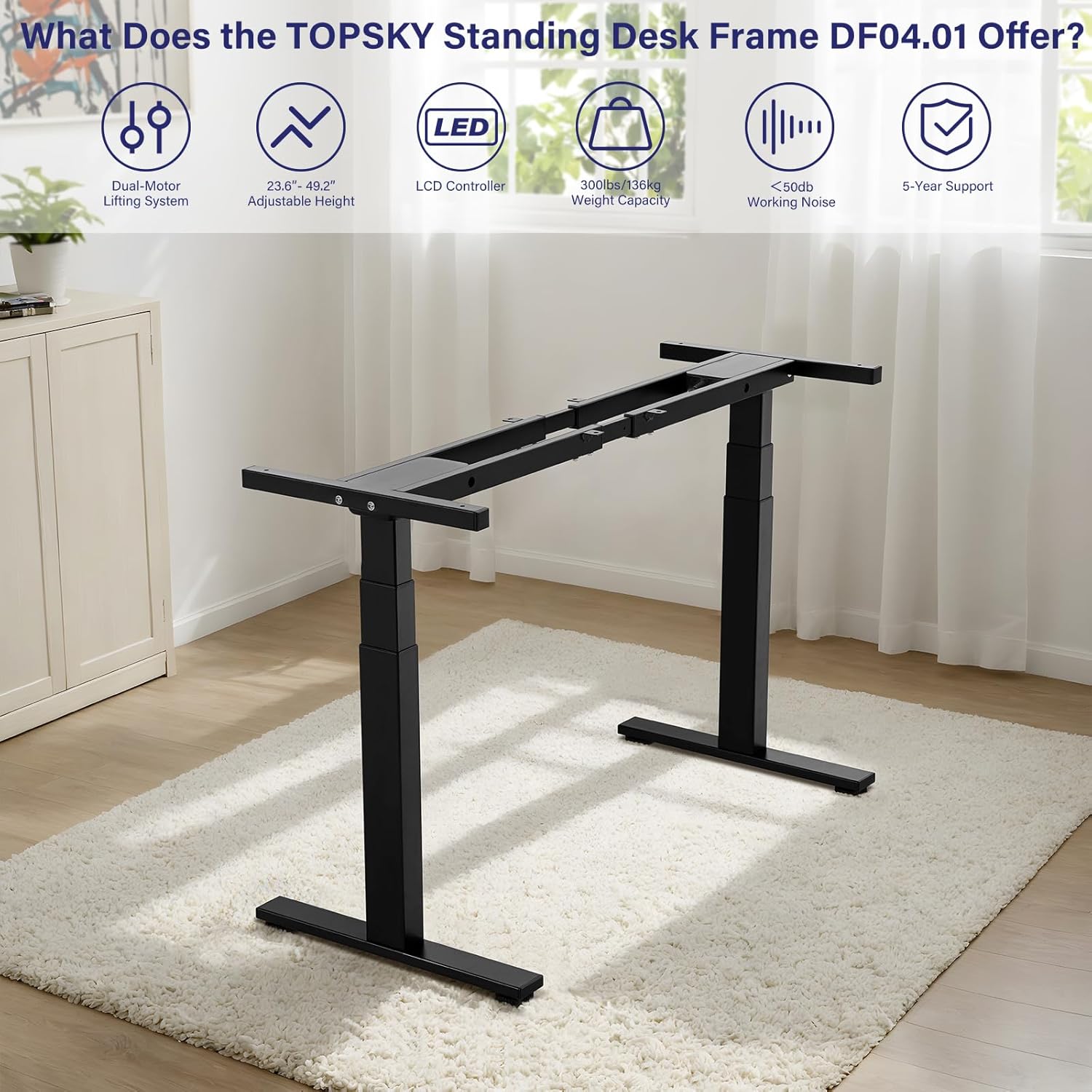
Figure 2: Overview of TOPSKY DF04.01 Features
3. Setup and Assembly
For detailed assembly instructions, please refer to the official Installation Manual (PDF) provided with your product or available online. Ensure all components are present before beginning assembly.
Important Note: It is suggested not to use the guide sleeve if the tabletop length is less than 48 inches (122cm).
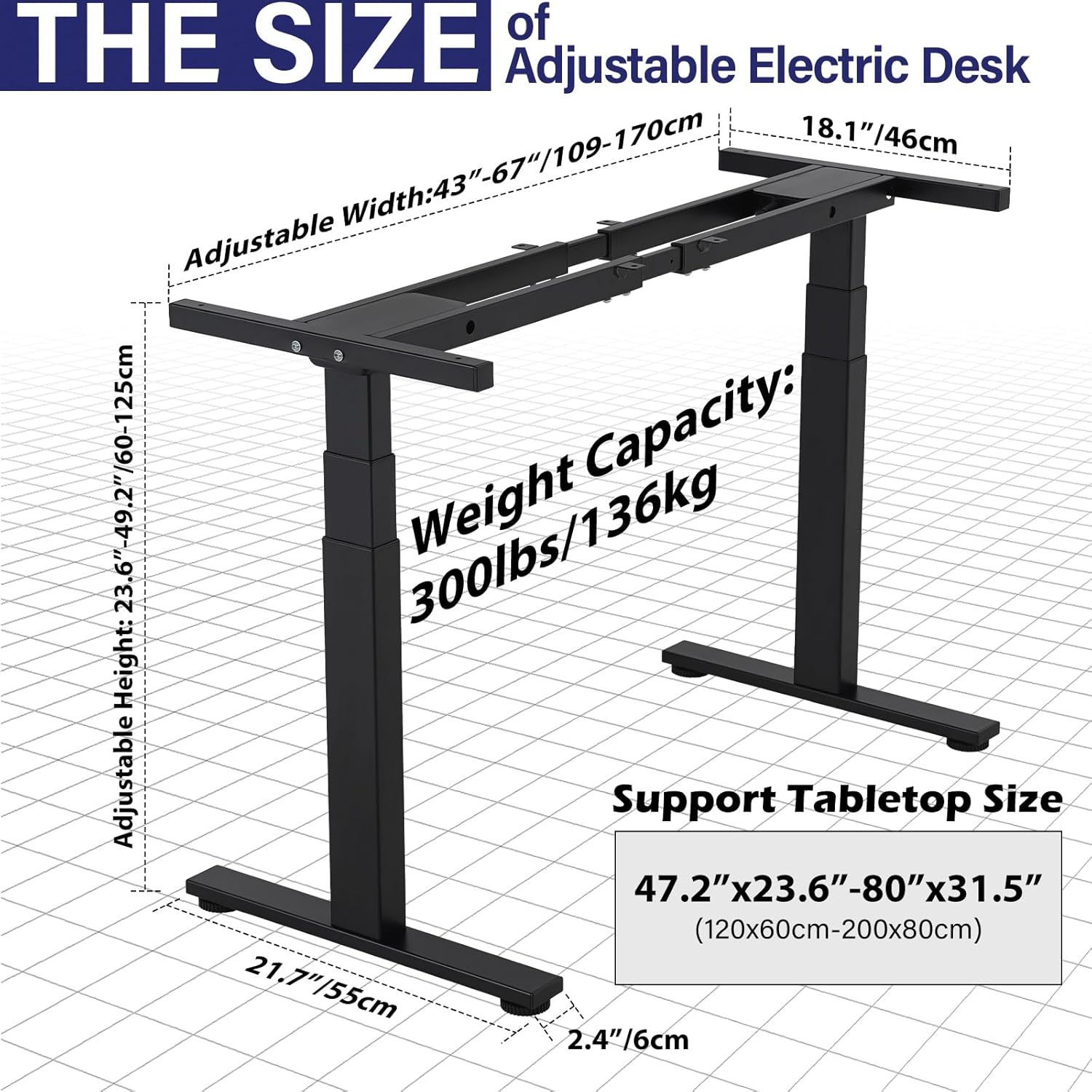
Figure 3: Adjustable Electric Desk Dimensions and Recommended Tabletop Size
Ensure the handset and control box are fixed horizontally on the tabletop to prevent potential malfunctions and error codes (e.g., E-2 error).
4. Operating Instructions
The multi-function LED controller allows for easy and precise height adjustments.
- Height Adjustment: Use the up and down arrow buttons to manually adjust the desk height.
- Memory Positions: The controller features 3 memory positions (1, 2, 3) to save and recall your preferred sitting and standing heights. Press 'S' then the desired number (1, 2, or 3) to save. Press the number directly to recall.
- Unit Conversion: Convert the displayed unit between centimeters (CM) and inches (IN).
- Anti-Collision Function: The desk is equipped with an anti-collision system that uses a gyroscope with high sensitivity. If the desk encounters an obstacle during movement, it will stop and reverse slightly to prevent damage.
- Customize High and Low Limitation Positions: Set custom minimum and maximum height limits for the desk.
- Amend the Desktop Height Displayed: Adjust the displayed height if calibration is needed.
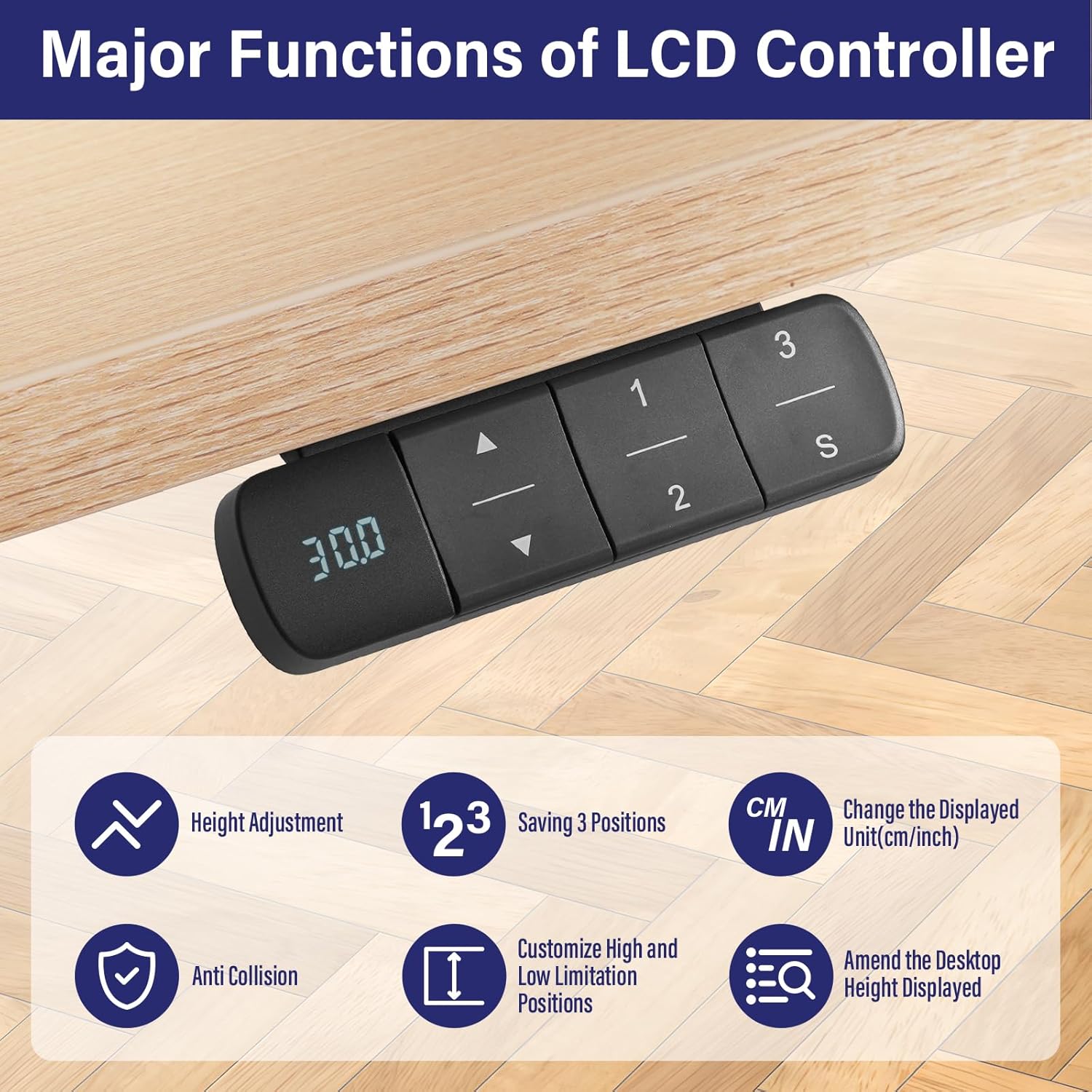
Figure 4: Multi-Function LCD Controller
5. Maintenance
To ensure the longevity and optimal performance of your TOPSKY standing desk frame, follow these simple maintenance guidelines:
- Regularly wipe down the frame with a soft, damp cloth to remove dust and debris. Avoid abrasive cleaners.
- Check all screws and bolts periodically to ensure they are tight. Tighten if necessary.
- Keep the motors and control box free from obstructions and excessive moisture.
- Avoid overloading the desk beyond its maximum weight capacity of 300 lbs (136kg).
6. Troubleshooting
If you encounter issues with your TOPSKY DF04.01 desk frame, please refer to the following common problems and solutions:
- E-2 Error Code: This error often appears if the handset and control box are not fixed horizontally on the tabletop. Ensure they are securely mounted in a level position. If the error persists, try lowering the desk to its lowest position to reset the system.
- Desk Not Moving: Check all cable connections to ensure they are securely plugged in. Verify that the power supply is connected to a working outlet.
- Uneven Movement: Ensure the desk is not overloaded on one side. Distribute weight evenly across the tabletop. Perform a reset by lowering the desk to its lowest point and holding the down button for a few seconds until it recalibrates.
For further assistance, please contact TOPSKY customer support.
7. Specifications
| Attribute | Value |
|---|---|
| Brand | TOPSKY |
| Model Number | DF04.01 |
| Color | Black |
| Product Dimensions | 19.69"D x 66.93"W x 49.21"H |
| Adjustable Height Range | 23.6" (60cm) to 49.2" (125cm) |
| Adjustable Width Range | 43" (108.8cm) to 67" (170cm) |
| Maximum Weight Recommendation | 300 Pounds (136kg) |
| Motor Type | Dual Motor |
| Column Segments | 3-Stage |
| Base Material | Alloy Steel |
| Finish Type | Powder Coated |
| Required Assembly | Yes |

Figure 5: DF04.01 Performance Comparison
8. Warranty and Support
The TOPSKY DF04.01 desk frame comes with a 5-year after-sales service. Please retain your proof of purchase for warranty claims.
For any inquiries, technical support, or warranty claims, please contact TOPSKY customer service. You can find contact information on the TOPSKY Amazon Shop Page or official website.
Protection Plans: Additional protection plans may be available for purchase to extend coverage beyond the standard warranty. Please check product listings for details.