
1. Introduction
This manual provides instructions for the INTECHING R101 Projector Remote Control. This remote is designed as a direct replacement and requires no programming or pairing for use with compatible Christie projector models.
Compatible Projector Models:
- Christie DHD851-Q
- Christie DHD951-Q
- Christie DHD1052-Q
- Christie DWU851-Q
- Christie DWU951-Q
- Christie DWX851-Q
- Christie DWX951-Q
- Christie DWU1052-Q
- Christie DXG1051-Q
2. Setup
2.1 Battery Installation
The remote control requires two (2) AA batteries (not included) for operation. Follow these steps to install the batteries:
- Locate the battery compartment on the back of the remote control.
- Slide the battery compartment cover downwards to open it.
- Insert two AA batteries, ensuring the positive (+) and negative (-) terminals align correctly with the markings inside the compartment.
- Slide the battery compartment cover back into place until it clicks securely.

Figure 1: Battery compartment with batteries inserted.

Figure 2: Battery compartment closed.
2.2 Initial Use
Once batteries are installed, the remote control is ready for immediate use. No programming, pairing, or additional setup is required. Point the remote directly at the projector to operate.
3. Operation
3.1 Basic Functionality
The INTECHING R101 remote control provides full functionality for your compatible Christie projector. Simply point the remote towards the projector and press the desired button.

Figure 3: Front view of the R101 remote control.
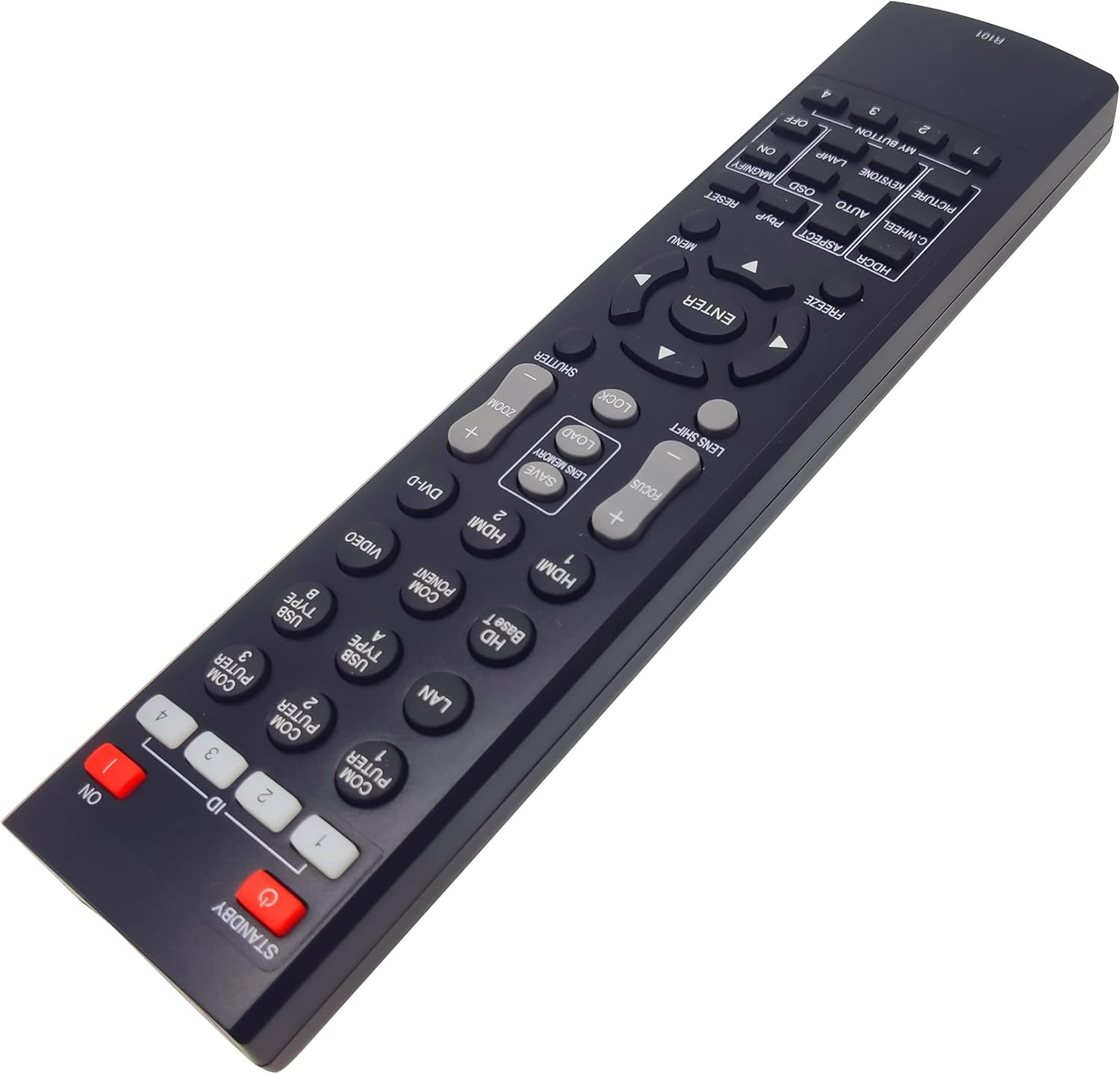
Figure 4: Angled view of the R101 remote control.
3.2 Important Considerations
- Ensure there are no physical obstacles between the remote control and the projector's infrared receiver.
- The maximum effective range for operation is approximately 10 meters (33 feet).
- Pressing any key will transmit the corresponding command to the projector.
4. Maintenance
4.1 Battery Replacement
If the remote control becomes unresponsive or its range decreases, replace the batteries. Refer to Section 2.1 for battery installation instructions. Always replace both batteries simultaneously with new AA batteries.
4.2 Cleaning
To clean the remote control, gently wipe its surface with a soft, dry cloth. Do not use liquid cleaners, abrasive materials, or immerse the remote in water.
5. Troubleshooting
5.1 Remote Control Not Responding
- Check Batteries: Ensure batteries are correctly installed with the correct polarity (+/-) and are not depleted. Replace with new AA batteries if necessary.
- Line of Sight: Verify that there are no obstructions between the remote control and the projector's infrared receiver.
- Distance: Confirm you are within the effective operating range (approximately 10 meters).
- Projector Status: Ensure the projector is powered on and functioning correctly.
6. Specifications
| Feature | Specification |
|---|---|
| Brand | INTECHING |
| Model Name | R101 |
| Model Number | R101 |
| Color | White |
| Connectivity Technology | Infrared |
| Compatible Devices | Projector |
| Maximum Number of Supported Devices | 1 |
| Button Quantity | 35 |
| Maximum Range | 10 Meters |
| Battery Type | AA |
| Number of Batteries Required | 2 |
| Item Weight | 0.11 Kilograms |
| Country of Origin | China |
7. Warranty and Support
7.1 Warranty Information
This product comes with a warranty:
- Refund: Available within 30 days from the order date.
- Replacement: Available within 12 months from the order date.
7.2 Customer Support
For any questions, issues, or warranty claims, please contact INTECHING customer service. Messages are typically replied to by the support team within 24 hours.


