
Samsung UN70AU7700GXZD
Samsung 70AU7700 70-inch UHD 4K Smart TV User Manual
Model: UN70AU7700GXZD
1. Introduction
This manual provides essential information for setting up, operating, maintaining, and troubleshooting your Samsung 70AU7700 70-inch UHD 4K Smart TV. Please read this manual thoroughly before using your TV to ensure safe and correct operation.
The Samsung 70AU7700 features a 70-inch display with 4K resolution, powered by the Crystal 4K Processor for enhanced picture quality. It includes multiple voice assistants, a single remote control, and smart features for an integrated entertainment experience.

Figure 1.1: Samsung 70AU7700 Smart TV in a living room setting.
2. What's in the Box
Carefully unpack the box and ensure all the following items are included:
- Samsung 70AU7700 Smart TV
- Smart Control Remote Control (TM2180A)
- Batteries for remote control
- User Manual (this document)
- Power Cable
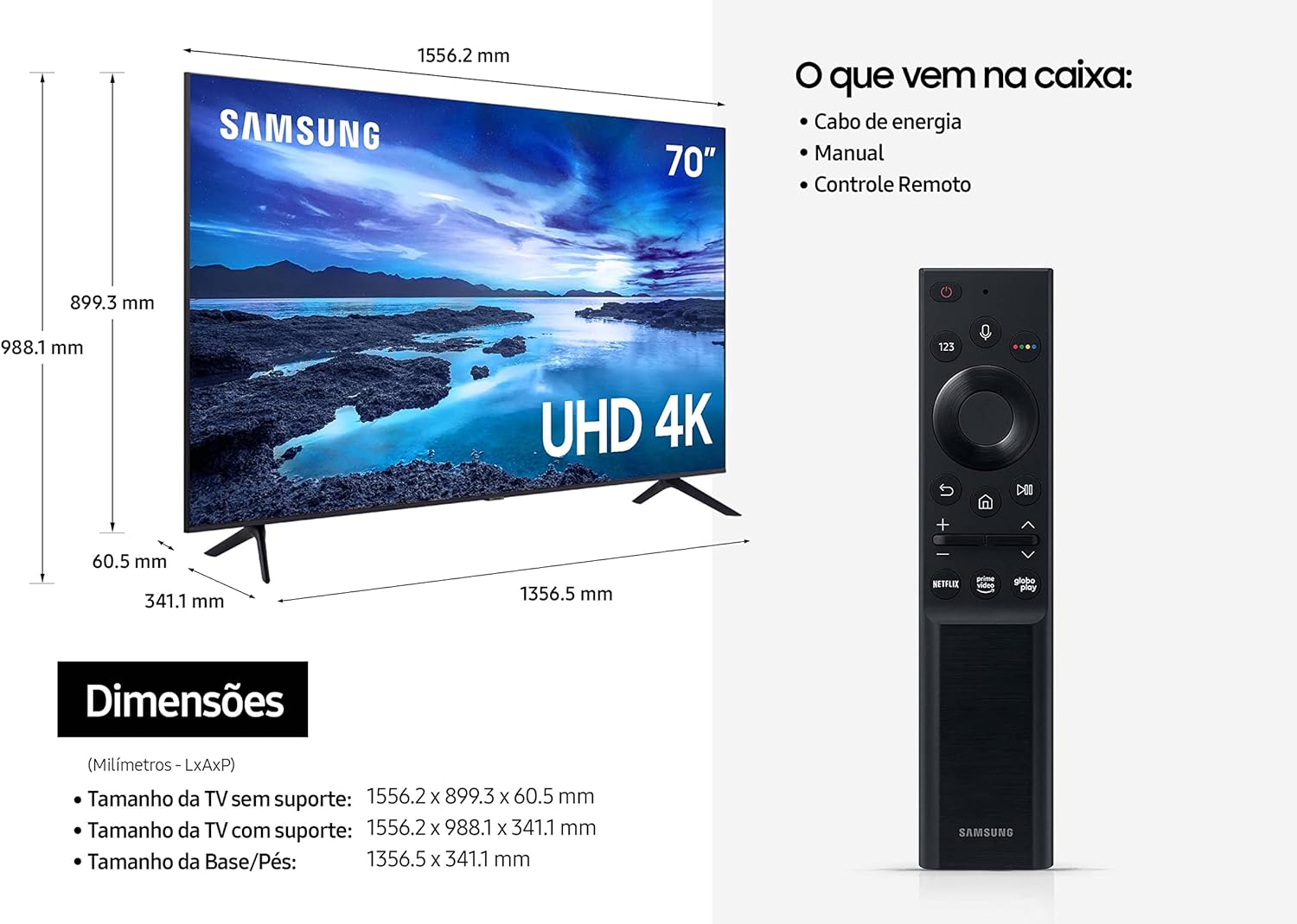
Figure 2.1: Included components and TV dimensions.
3. Setup
3.1 Physical Installation
Your Samsung TV can be installed on a stand or wall-mounted. Ensure proper ventilation around the TV.
- Stand Installation: Attach the included stands to the bottom of the TV using the provided screws. Place the TV on a stable, level surface.
- Wall Mounting: For wall mounting, use a VESA-compatible wall mount kit (sold separately). Follow the instructions provided with your wall mount. Ensure the wall can support the TV's weight.

Figure 3.1: AirSlim Design and stand installation.
3.2 Connecting Cables
Connect your devices to the TV using the appropriate ports. The TV features a cable management system for a clean,