
Hidrate Spark 20oz TAP
Hidrate Spark TAP Smart Water Bottle User Manual
Model: 20oz TAP
1. Product Overview
The Hidrate Spark TAP Smart Water Bottle is designed to help you track your daily water intake and stay hydrated. It features an insulated stainless steel body, an LED glow reminder system, and NFC technology for easy tracking with your smartphone.

Image: Hidrate Spark TAP Smart Water Bottle in Scuba color, featuring a glowing base and a straw lid.
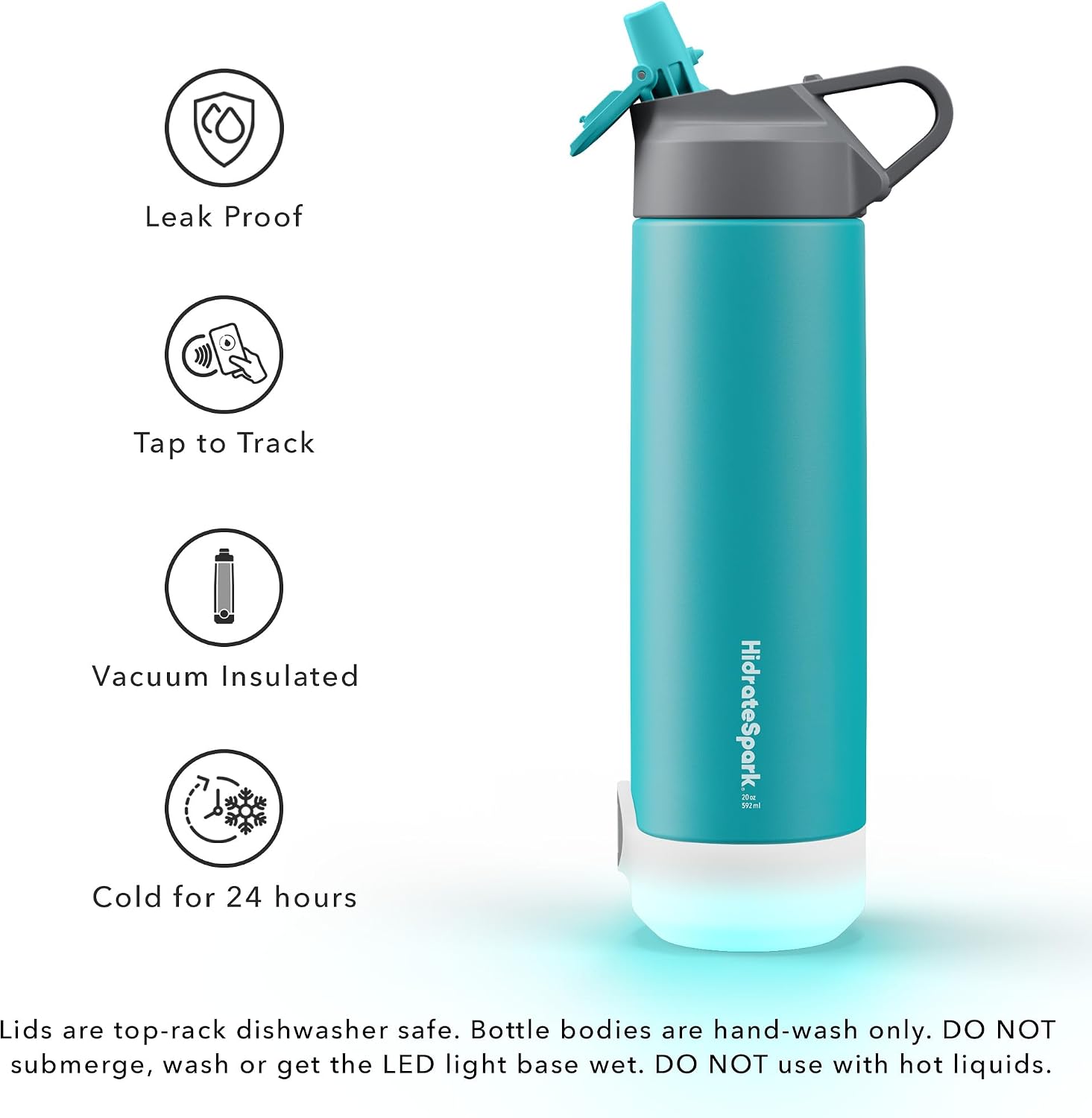
Image: Visual representation of key product features including leak-proof design, tap-to-track functionality, vacuum insulation, and 24-hour cold retention.
Key Features:
- Smart Hydration Tracking: Tap your phone to the bottle's sensor to log water intake in the Hidrate Spark app.
- LED Glow Reminders: The bottle glows to remind you when it's time to drink, customizable with 7 different colors.
- Vacuum-Insulated Stainless Steel: Keeps drinks cold for up to 24 hours.
- Durable Design: Available in 20oz, 24oz, and 32oz sizes, with options for stainless steel or Tritan plastic.
- Interchangeable Lids: Compatible with both Chug and Straw lids.
- Long-Lasting Replaceable Battery: Ensures continuous operation.
Video: An official product video demonstrating the features of the Hidrate Spark TAP bottle, including its glow reminders, app integration, and design.
2. Setup
2.1 Initial Battery Installation
The Hidrate Spark TAP bottle comes with a pre-installed Lithium Ion battery. If you need to replace it, unscrew the sensor puck from the bottom of the bottle, insert the new battery according to the polarity markings, and screw the puck back on securely.
2.2 App Download and Pairing
To begin tracking your hydration, download the free Hidrate Spark app from the App Store (iOS) or Google Play Store (Android). Follow the in-app instructions to create an account and pair your bottle. The app will guide you through setting up your personalized hydration goal.

Image: The Hidrate Spark TAP bottle positioned next to a smartphone, illustrating the integration with the Hidrate Spark mobile application for tracking water intake.
3. Operating Instructions
3.1 Tracking Water Intake
The Hidrate Spark TAP bottle uses NFC (Near Field Communication) technology to log your water intake. After filling and drinking from your bottle, simply tap your smartphone to the sensor puck located at the bottom of the bottle. The app will automatically record the amount of water consumed.

Image: A user demonstrating the "Tap to Track" feature, where the bottle's sensor is brought into contact with a smartphone to log hydration data.
3.2 LED Glow Reminders
The bottle's base will glow to remind you to drink water throughout the day. These reminders are synchronized with your hydration goal set in the Hidrate Spark app. The glow pattern and frequency can be customized within the app settings.
3.3 Customizing Glow Colors
The Hidrate Spark app allows you to choose from 7 customizable glow colors for your bottle's reminders. Navigate to the bottle settings within the app to select your preferred color.
4. Maintenance
4.1 Cleaning Instructions
- Bottle Body: The stainless steel bottle body should be hand washed only. Do not submerge the bottle body or get the LED light base wet.
- Lids: Both the Chug and Straw lids are top-rack dishwasher safe.
- General Care: Do not use with hot liquids. Ensure the sensor puck area is dry before reattaching to the bottle.
4.2 Battery Replacement
The Hidrate Spark TAP uses a long-lasting, replaceable Lithium Ion battery. When the battery needs replacement, the bottle's glow reminders may become dim or stop functioning. To replace, unscrew the sensor puck from the bottom of the bottle, remove the old battery, and insert a new one, ensuring correct polarity. Securely screw the puck back into place.
5. Troubleshooting
Common Issues and Solutions:
- Bottle Not Glowing:
- Check battery level in the app. Replace battery if low.
- Ensure the sensor puck is securely screwed into the bottle base.
- Verify glow reminder settings in the Hidrate Spark app.
- Water Intake Not Tracking:
- Ensure NFC is enabled on your smartphone.
- Make sure you are tapping your phone directly to the sensor puck at the bottom of the bottle.
- Check for app updates and ensure the app is running in the background or foreground when tapping.
- App Connectivity Issues:
- Restart the Hidrate Spark app.
- Restart your smartphone.
- If issues persist, try unpairing and re-pairing the bottle within the app settings.
For further assistance, please refer to the official Hidrate Spark support resources or contact customer service.
6. Specifications
| Feature | Detail |
|---|---|
| Brand | Hidrate Spark |
| Model | 20oz TAP |
| Material | Stainless Steel |
| Bottle Type | Standard Bottle |
| Color | Scuba |
| Capacity | 1.3 Pounds (approx. 20 oz) |
| Special Features | Insulated, Straw, Vacuum-insulated |
| Product Dimensions | 3.94"W x 11"H |
| Product Care Instructions | Hand Wash Only (bottle body) |
| Recommended Uses | Fitness, Sports |
| Batteries | 1 Lithium Ion battery required (included) |
| UPC | 815105025106 |
| ASIN | B09DTGFXJL |
7. Warranty and Support
For detailed warranty information and customer support, please visit the official Hidrate Spark website or refer to the documentation included with your product. A digital version of the User Manual is available for download:
For technical assistance or inquiries, please contact Hidrate Spark customer service directly through their official channels.
Related documents20oz TAP

Ask a question about this manual
Ask about setup, troubleshooting, compatibility, parts, safety, or missing instructions. Manuals+ will review the question and use this page’s manual context to help answer it.