
1. Introduction
Thank you for choosing an Ariston refrigerator. This manual provides essential information for the safe and efficient use of your new appliance. Please read these instructions carefully before installation and operation, and keep them for future reference. This refrigerator, model ENBLH19122FT, is designed for household use and features a total capacity of 513 liters, automatic defrost, and LED lighting.
2. Safety Information
Your safety and the safety of others are paramount. Please observe all safety warnings and precautions outlined in this section.
- Ensure the appliance is properly grounded.
- Do not use electrical appliances inside the food storage compartments unless they are of the type recommended by the manufacturer.
- Do not store explosive substances such as aerosol cans with a flammable propellant in this appliance.
- Keep ventilation openings, in the appliance enclosure or in the built-in structure, clear of obstruction.
- Do not damage the refrigerant circuit.
- This appliance is not intended for use by persons (including children) with reduced physical, sensory or mental capabilities, or lack of experience and knowledge, unless they have been given supervision or instruction concerning use of the appliance by a person responsible for their safety.
3. Setup and Installation
Proper installation is crucial for the performance and longevity of your refrigerator.
3.1 Unpacking
Remove all packaging materials, including tape and protective films. Inspect the refrigerator for any damage during transit. Report any damage immediately to your retailer.
3.2 Location
Place the refrigerator on a firm, level surface. Ensure adequate ventilation around the appliance. Allow at least 10 cm of space at the back and sides for proper air circulation. Avoid direct sunlight or heat sources.
3.3 Electrical Connection
Connect the refrigerator to a dedicated 220V, 50Hz grounded electrical outlet. Do not use extension cords or multiple adapters. Allow the refrigerator to stand upright for at least 2-4 hours before plugging it in to allow the refrigerant to settle.
3.4 Initial Startup
After plugging in, set the temperature controls to the recommended settings (refer to Section 4.1). Allow the appliance to cool for several hours before loading it with food.
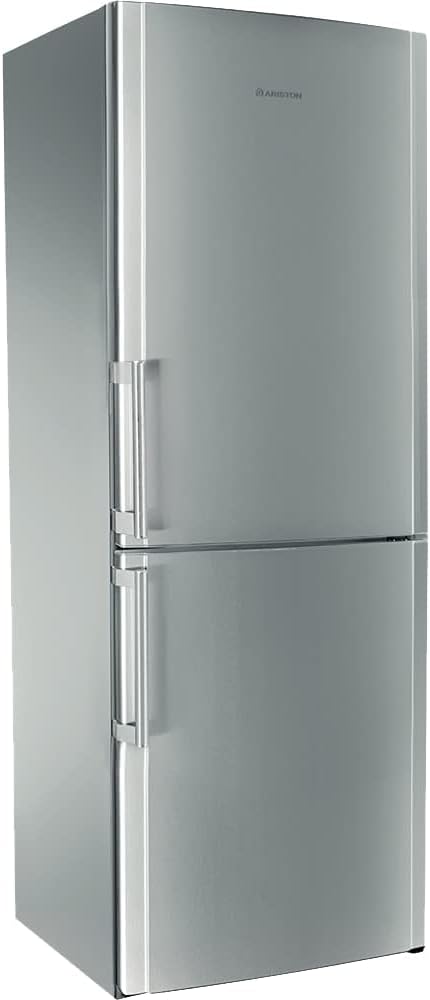
Figure 3.1: Front view of the Ariston Refrigerator ENBLH19122FT. This image shows the overall design and silver finish of the appliance, highlighting its freestanding nature and two-door configuration.
4. Operating Instructions
This section details how to operate your Ariston refrigerator effectively.
4.1 Temperature Control
Your refrigerator features an electronic control panel for precise temperature management of both the refrigerator and freezer compartments.
- Freezer Temperature: Use the 'Freezer °C' button to adjust the freezer temperature. Available settings typically range from -16°C to -26°C.
- Refrigerator Temperature: Use the 'Fridge °C' button to adjust the refrigerator temperature. Available settings typically range from 2°C to 8°C.
- Super Freeze Function: Activate 'Super Freeze' for rapid freezing of fresh food. This function helps preserve food quality.
- Super Cool Function: Activate 'Super Cool' to quickly chill newly added items in the refrigerator compartment.

Figure 4.1: Close-up of the electronic control panel. This image displays the buttons for adjusting freezer and refrigerator temperatures, as well as activating 'Super Freeze' and 'Super Cool' functions.
4.2 Humidity Control for Crispers
The crisper drawers are equipped with humidity control sliders to help maintain optimal freshness for fruits and vegetables.
- Fruit Setting: Slide the control to the 'Fruit' position to reduce humidity, ideal for items like apples and citrus.
- Vegetable Setting: Slide the control to the 'Vegetable' position to increase humidity, suitable for leafy greens and most vegetables.

Figure 4.2: Detail of the humidity control mechanism within a crisper drawer. This image shows the slider with 'Fruit' and 'Vegetable' indicators, allowing users to adjust moisture levels for produce.
5. Features and Components
Your Ariston refrigerator is designed with various features to enhance food storage and convenience.
5.1 Interior Layout
The refrigerator compartment includes multiple adjustable shelves and door bins for flexible storage. The freezer compartment features drawers for organized freezing.

Figure 5.1: Full interior view of the refrigerator with doors open. This image showcases the arrangement of shelves, crisper drawers, and door bins in both the refrigerator and freezer sections.
5.2 AIR TECH EVOLUTION System
The 'AIR TECH EVOLUTION' system ensures consistent temperature distribution throughout the refrigerator compartment, helping to keep food fresher for longer.

Figure 5.2: Close-up of the 'AIR TECH EVOLUTION' branding inside the refrigerator. This indicates the advanced air circulation system designed for optimal cooling performance.
5.3 Extra Space Drawer
The freezer compartment includes an 'EXTRA SPACE' drawer, providing additional capacity for larger or irregularly shaped frozen items.

Figure 5.3: Detail of the 'EXTRA SPACE' drawer in the freezer. This image highlights the spacious design of the drawer, suitable for bulkier frozen goods.
5.4 LED Lighting
Energy-efficient LED lighting illuminates the interior of the refrigerator, providing clear visibility of contents while consuming less power.
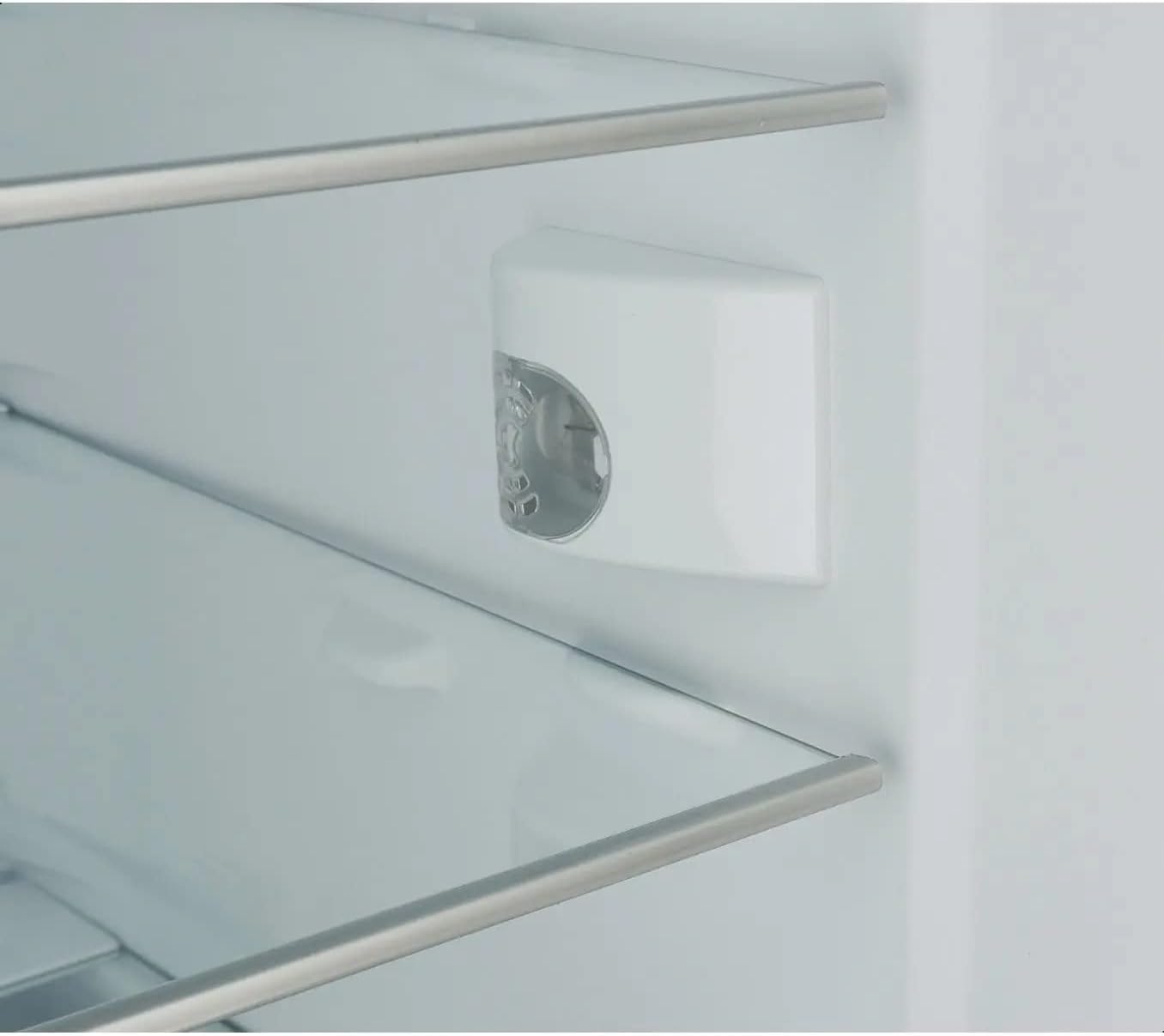
Figure 5.4: Close-up of the LED light fixture inside the refrigerator compartment. This image shows the compact and bright lighting solution.
6. Maintenance and Cleaning
Regular maintenance ensures optimal performance and extends the life of your refrigerator.
6.1 General Cleaning
Always unplug the appliance before cleaning. Clean the interior and exterior surfaces with a soft cloth and a mild detergent solution. Avoid abrasive cleaners or solvents. Regularly clean the door seals to ensure a tight closure.
6.2 Automatic Defrost
Your Ariston refrigerator features an automatic defrost system, eliminating the need for manual defrosting of the freezer compartment. Water from defrosting is evaporated automatically.
6.3 Power Outage
In case of a power outage, keep the refrigerator doors closed to maintain the internal temperature for as long as possible. Avoid opening the doors unnecessarily.
7. Troubleshooting
Before contacting customer service, please refer to the following troubleshooting guide for common issues.
| Problem | Possible Cause | Solution |
|---|---|---|
| Refrigerator not cooling | Power supply issue, temperature setting too high, door not closed properly. | Check power plug, adjust temperature, ensure door is sealed. |
| Excessive noise | Appliance not level, items vibrating inside, compressor operation. | Adjust leveling feet, rearrange items, normal compressor noise. |
| Water on floor | Drain hole blocked, drip tray overflowing. | Clear drain hole, check and empty drip tray if accessible. |
| Door not closing properly | Door seals dirty or damaged, appliance not level, food obstructing closure. | Clean/replace seals, level appliance, remove obstructions. |
8. Specifications
Key technical specifications for the Ariston Refrigerator ENBLH19122FT.
| Feature | Specification |
|---|---|
| Model Number | ENBLH19122FT(EX) |
| Total Capacity | 513 Liters |
| Refrigerator Fresh Food Capacity | 470 Liters |
| Freezer Capacity | 148 Liters |
| Dimensions (H x W x D) | 195.5 x 70 x 77.5 cm |
| Item Weight | 80 kg |
| Color | Silver |
| Installation Type | Freestanding |
| Defrost System | Automatic |
| Special Features | Automatic Defrost, LED Lighting |
| Energy Efficiency | A 80% |
| Annual Energy Consumption | 390 Kilowatt Hours |
| Voltage | 220V |
| Number of Crispers/Drawers | 7 |
| Number of Shelves | 7 |
9. Warranty and Support
For warranty information and customer support, please refer to the warranty card included with your purchase or contact Ariston customer service directly. Keep your proof of purchase for any warranty claims.
For technical assistance or spare parts, please visit the official Ariston website or contact your local authorized service center.