
1. Product Overview
The Godox V860III-N Camera Flash Speedlite is designed for Nikon DSLR Cameras and offers comprehensive TTL autoflash compatibility. This speedlite integrates advanced features for versatile lighting control, including various flash modes, a modeling light, and a robust wireless system.
Key Features:
- TTL Autoflash Compatibility: Fully compatible with Nikon DSLR Cameras, supporting TTL autoflash for accurate exposure.
- Multiple Flash Modes: Supports TTL, Manual, and Multi flash modes, along with High-Speed Sync (HSS) up to 1/8000s, FEC, FEB, and rear curtain sync.
- Integrated Modeling Light: Features a 10-level dimmable LED modeling light for pre-visualization of light effects.
- Quick Switch Function: Allows for rapid switching between manual and TTL modes.
- Optimized Battery Performance: Equipped with an upgraded Li-ion battery providing 1.5s recycling time and approximately 480 full-power flashes.
- Built-in Godox 2.4G Wireless X System: Ensures reliable off-camera shooting and compatibility with other Godox X system triggers.
- Quick-release Lock: Updated quick-release lock for secure and easy mounting/dismounting on camera.
- Zoomable Flash Head: Flash head can be zoomed from 20mm to 200mm automatically or manually.
- Flexible Shooting Angle: Swivel angle from 0° to 330° horizontally and -7° to 120° vertically for versatile light positioning.
2. What's in the Box
Upon unboxing your Godox V860III-N, please ensure all the following components are present:
- Flash Unit
- Mini Stand
- Instruction Manual
- Charger
- Lithium Battery
- USB Battery Charger
- USB Cable
- Protection Case
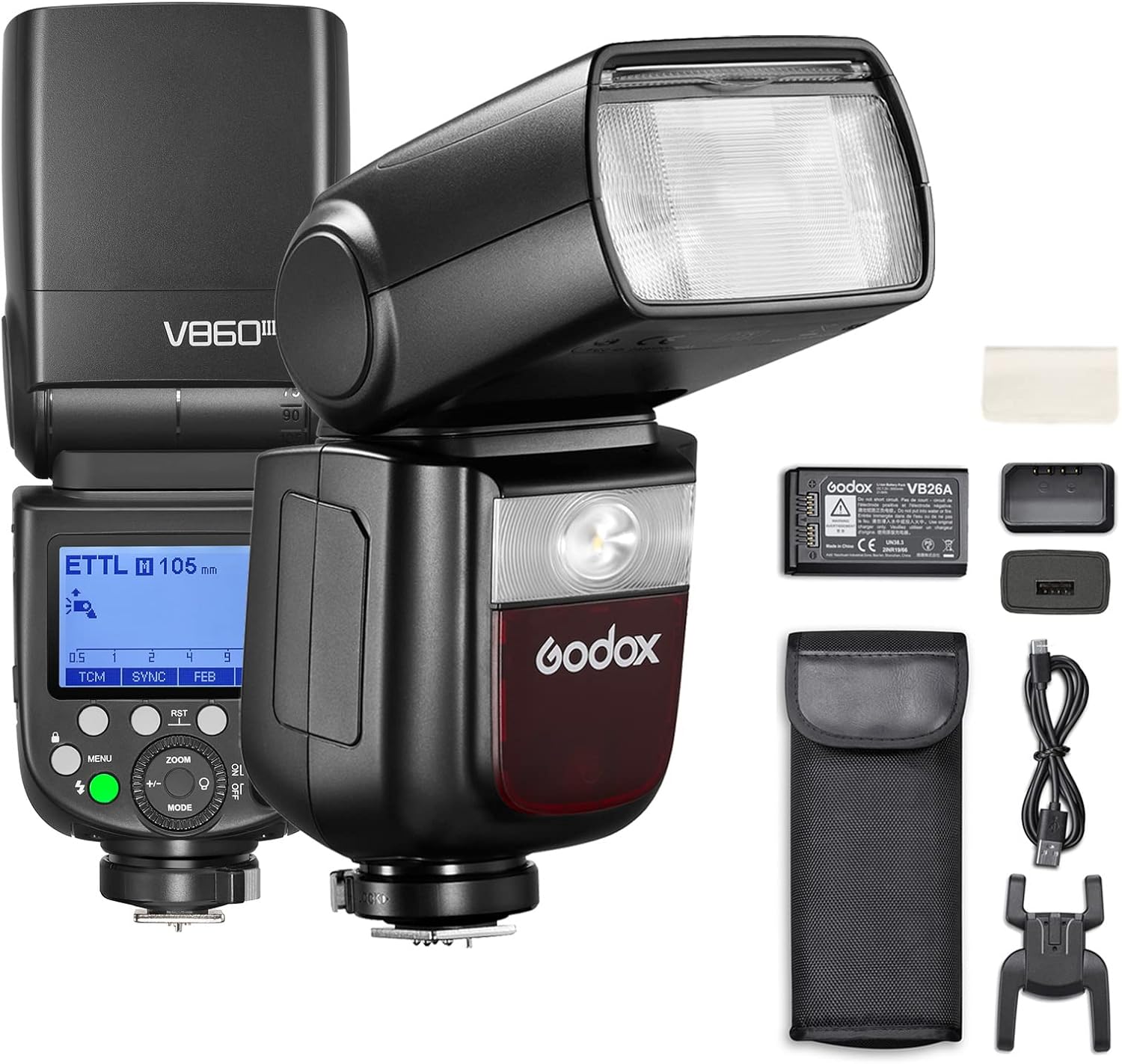
Figure 2.1: Godox V860III-N Flash Speedlite with its complete set of accessories, including the flash unit, battery, charger, cables, mini stand, and protection case.
3. Setup
3.1 Battery Installation
- Locate the battery compartment on the side of the flash unit.
- Press the battery release button to open the compartment.
- Insert the provided lithium battery, ensuring correct polarity.
- Close the battery compartment securely until it clicks into place.

Figure 3.1: The Godox V860III-N flash unit displaying its battery compartment and the rechargeable Li-ion battery, highlighting its optimal performance with fast recycling time and high flash count.
3.2 Mounting on Camera
- Slide the flash unit onto your camera's hot shoe.
- Engage the quick-release lock to secure the flash firmly in place.

Figure 3.2: Close-up view of the quick-release lock mechanism on the Godox V860III-N, designed for secure and rapid attachment or detachment from the camera hot shoe.
4. Operating Instructions
This section details the operational aspects of the Godox V860III-N flash unit.
4.1 Power On/Off
To power on the flash, slide the power switch to the ON position. The LCD screen will illuminate. To power off, slide the switch to the OFF position.
4.2 Modeling Light Operation
The integrated modeling light helps in pre-visualizing the light effect before shooting.
- Press the MODEL button (indicated on the display) to turn the modeling light on or off.
- Turn the dial to adjust the brightness of the modeling light across 10 levels.

Figure 4.1: The Godox V860III-N's modeling light in action, demonstrating its 10-level dimmable brightness for precise light effect pre-visualization.
4.3 Flash Modes (TTL, Manual, Multi)
The V860III-N supports various flash modes for different shooting scenarios.
- Press the MODE button to cycle through TTL, Manual (M), and Multi flash modes.
- In TTL mode, press the +/- button and turn the dial to adjust exposure compensation value.
- In Manual mode, press the +/- button and turn the dial to adjust flash output.
- In Multi mode, press the Times button and turn the dial to adjust flash times, then press the Hz button and turn the dial to adjust flash frequency.

Figure 4.2: Examples of creative photography enabled by the V860III-N's versatile flash modes, including high-speed sync for capturing fast motion and precise lighting for artistic effects.
4.4 Quick Switch (TTL/Manual)
A dedicated quick switch allows for seamless transitions between TTL and Manual modes.
- Locate the TTL/M quick switch on the side of the flash unit.
- Slide the switch to instantly change between TTL (Auto Flash) and Manual (Manual Flash) modes.

Figure 4.3: Illustration of the quick switch on the Godox V860III-N, enabling fast and convenient toggling between TTL and Manual flash modes during a shoot.
4.5 Zoomable Flash Head
The flash head can be adjusted to match the focal length of your lens.
- Press the ZOOM button.
- Turn the dial to adjust the focal distance of the light head from 20mm to 200mm.
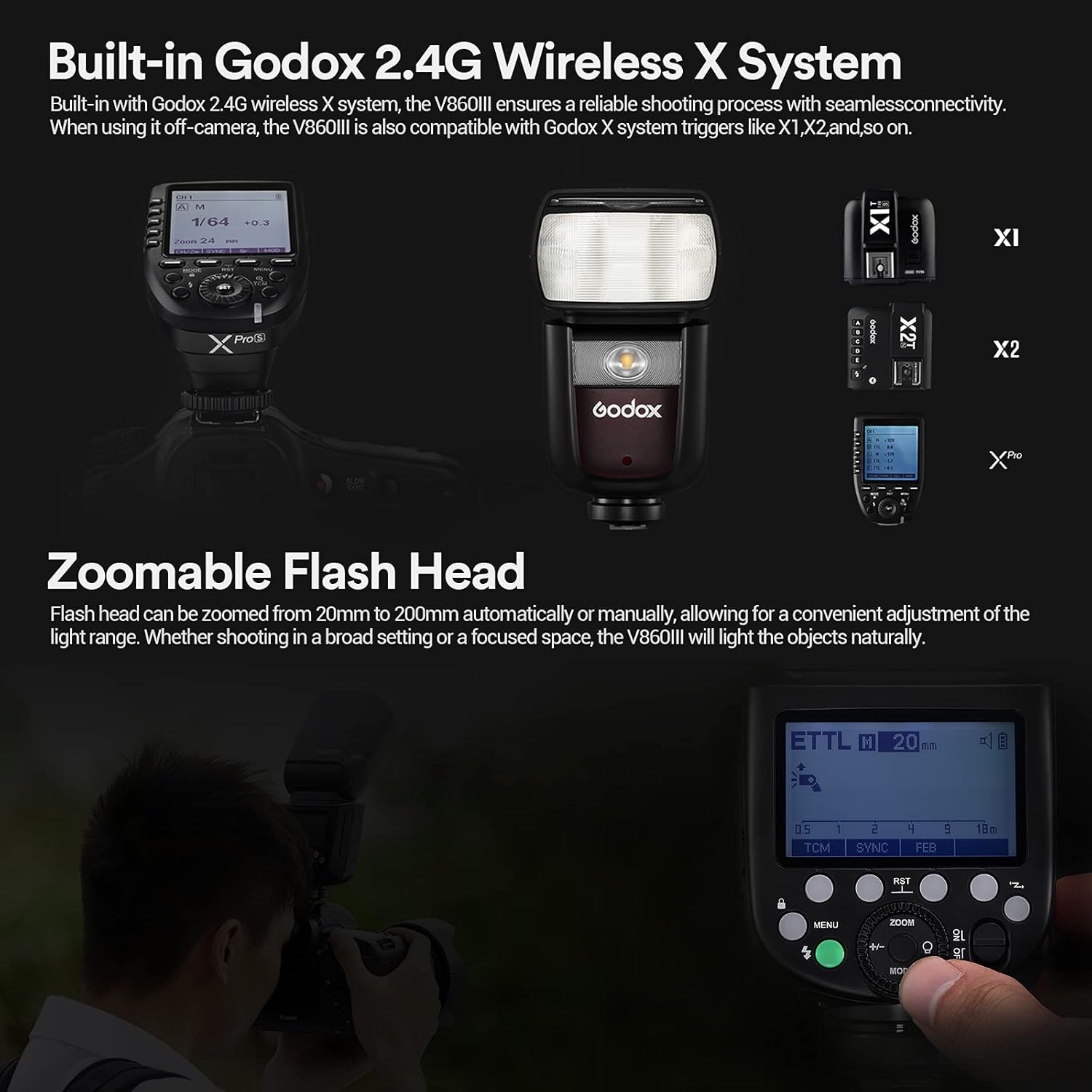
Figure 4.4: The Godox V860III-N's zoomable flash head, adjustable from 20mm to 200mm, shown alongside compatible Godox X system triggers for wireless control.
4.6 Wireless Connectivity (Godox 2.4G Wireless X System)
The V860III-N features a built-in 2.4G wireless X system for off-camera flash control.
- To use as a transmitter unit, set the flash to M/TTL/Off mode and select the desired group (A, B, C, D, E).
- To use as a receiver unit, set the flash to receiver mode and select the corresponding group.
- Ensure both transmitter and receiver units are set to the same channel and ID for proper communication.

Figure 4.5: Diagram illustrating the Godox V860III-N's capability to function as both a transmitter and receiver unit, demonstrating its integration within the Godox 2.4G wireless X system alongside other compatible flashes like the V1, AD200Pro, and AD300Pro.
4.7 Flexible Shooting Angle
The flash head offers extensive rotation for bounce flash and various lighting techniques.
- Horizontal Swivel: 0° to 330°
- Vertical Tilt: -7° to 120°

Figure 4.6: The Godox V860III-N demonstrating its flexible head articulation, allowing for horizontal swivel from 0° to 330° and vertical tilt from -7° to 120° for diverse lighting setups.
4.8 Operation Tutorial Video
For a visual guide on operating the Godox V860III-N, please watch the official tutorial video below. This video covers various functions including modeling light, flash modes, and wireless connectivity.
Video 4.1: Official Godox V860III Operation Tutorial. This video provides a comprehensive walkthrough of the flash's features and settings, including initial setup, mode selection, and advanced functions.
5. Maintenance
- Keep the flash unit dry. Do not operate in rain or damp conditions.
- Clean the flash head and body with a soft, dry cloth. Avoid using harsh chemicals or abrasive materials.
- Store the unit in its protective case when not in use to prevent dust and damage.
- Regularly check battery contacts for cleanliness and ensure the battery is charged before use.
6. Troubleshooting
- Flash not firing: Check battery level, ensure flash is securely mounted, and verify flash mode settings.
- Inconsistent exposure: Review TTL exposure compensation, manual power settings, and ensure proper wireless channel/ID if off-camera.
- Wireless connection issues: Confirm channel and ID settings match between units. Ensure no strong interference sources are nearby.
- Overheating: Allow the flash to cool down if it indicates an overheating warning. Avoid rapid consecutive full-power flashes.
7. Specifications
| Attribute | Value |
|---|---|
| Product Dimensions | 7.68 x 2.95 x 2.36 inches |
| Item Weight | 2.14 pounds |
| Item Model Number | V860IIIN |
| Batteries | 1 Lithium Ion batteries required. (included) |
| Brand | GODOX |
| Compatible Mountings | Nikon |
| Camera Flash | Built-In |
| Flash Sync Speed | 1/8000s |
8. Warranty and Support
For warranty information and technical support, please refer to the official Godox website or contact their customer service directly. Keep your purchase receipt as proof of purchase for warranty claims.
Official Godox Website: www.godox.com